The Tech Edvocate

Top Menu

  • Advertisement
  • Apps
  • Home Page
  • Home Page Five (No Sidebar)
  • Home Page Four
  • Home Page Three
  • Home Page Two
  • Home Tech2
  • Icons [No Sidebar]
  • Left Sidbear Page
  • Lynch Educational Consulting
  • My Account
  • My Speaking Page
  • Newsletter Sign Up Confirmation
  • Newsletter Unsubscription
  • Our Brands
  • Page Example
  • Privacy Policy
  • Protected Content
  • Register
  • Request a Product Review
  • Shop
  • Shortcodes Examples
  • Signup
  • Start Here
    • Governance
    • Careers
    • Contact Us
  • Terms and Conditions
  • The Edvocate
  • The Tech Edvocate Product Guide
  • Topics
  • Write For Us
  • Advertise

Main Menu

  • Start Here
    • Our Brands
    • Governance
      • Lynch Educational Consulting, LLC.
      • Dr. Lynch’s Personal Website
      • Careers
    • Write For Us
    • The Tech Edvocate Product Guide
    • Contact Us
    • Books
    • Edupedia
    • Post a Job
    • The Edvocate Podcast
    • Terms and Conditions
    • Privacy Policy
  • Topics
    • Assistive Technology
    • Child Development Tech
    • Early Childhood & K-12 EdTech
    • EdTech Futures
    • EdTech News
    • EdTech Policy & Reform
    • EdTech Startups & Businesses
    • Higher Education EdTech
    • Online Learning & eLearning
    • Parent & Family Tech
    • Personalized Learning
    • Product Reviews
  • Advertise
  • Tech Edvocate Awards
  • The Edvocate
  • Pedagogue
  • School Ratings

logo

The Tech Edvocate

  • Start Here
    • Our Brands
    • Governance
      • Lynch Educational Consulting, LLC.
      • Dr. Lynch’s Personal Website
        • My Speaking Page
      • Careers
    • Write For Us
    • The Tech Edvocate Product Guide
    • Contact Us
    • Books
    • Edupedia
    • Post a Job
    • The Edvocate Podcast
    • Terms and Conditions
    • Privacy Policy
  • Topics
    • Assistive Technology
    • Child Development Tech
    • Early Childhood & K-12 EdTech
    • EdTech Futures
    • EdTech News
    • EdTech Policy & Reform
    • EdTech Startups & Businesses
    • Higher Education EdTech
    • Online Learning & eLearning
    • Parent & Family Tech
    • Personalized Learning
    • Product Reviews
  • Advertise
  • Tech Edvocate Awards
  • The Edvocate
  • Pedagogue
  • School Ratings
  • A Visitors Guide to Pittsburgh (PA), United States

  • A Visitors Guide to Colorado Springs (CO), United States

  • 5 Pairs of Shoes That Will Instantly Step Your Shoe Game Up

  • Radiant Youthful Skin is the Perfect Christmas Gift

  • Give Your Loved One the Gift of Youthful, Radiant Skin this Christmas

  • Give Your Loved One the Gift of a Restful Night Sleep this Christmas

  • Nex Playground’s Holiday Sales Bring Active Play Indoors This Seaso

  • A Visitors Guide to Louisville (KY), United States

  • A Visitor’s Guide to Nashville-Davidson (TN), United States

  • A Visitors Guide to Portland (OR), United States

Digital & Mobile Technology
Home›Digital & Mobile Technology›A Complete Guide to Microsoft 365 (Formerly Microsoft Office)

A Complete Guide to Microsoft 365 (Formerly Microsoft Office)
By Matthew Lynch
May 31, 2023
0
Spread the love

Microsoft 365 (formerly Microsoft Office) is a collection of productivity tools that are designed to enhance the way people work on their computers. From creating text documents to creating presentations, managing emails, and collaborating through team communication apps, Microsoft 365 offers a complete set of tools to cater to every user requirement. Microsoft has always been a pioneer in developing operating systems for personal computers, and Microsoft 365 maintains its legacy of excellence.

In this article, we provide a complete guide to Microsoft 365, highlighting key features to improve your productivity.

Microsoft 365 Subscription Plans:

Microsoft offers a few subscription plans to customers, including home plans, business plans, and education plans. The home plans offer apps such as Microsoft Word, Excel, PowerPoint, and OneNote. Business plans include added benefits like Microsoft Teams, Exchange, and OneDrive for Business, along with advanced security features.

Microsoft 365 Apps:

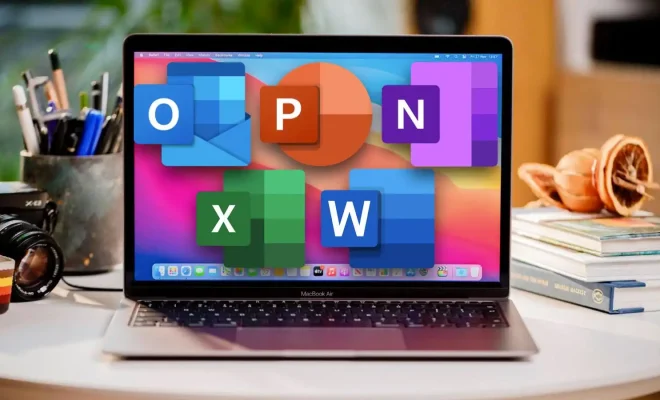
The Microsoft 365 apps are designed to cater to the needs of modern employees. The most popular apps include:

Word: Word is a word processing application that allows users to create, edit, and share documents.

Excel: Excel is a spreadsheet application ideal for financial analysis, budgets, and personal expenses.

PowerPoint: PowerPoint is one of the most popular presentation software used in schools and businesses, used to create professional presentations with ease.

Outlook: Outlook is an email and calendar application that manages tasks, schedules, and contacts.

OneNote: OneNote is a digital note-taking app designed to record text notes, images, audio clips, and more.

Teams: Teams is a communication and collaboration hub designed for remote teams. It enables video conferencing, document sharing, and file storage, making it the perfect tool for remote teams.

Microsoft 365 Features:

Microsoft provides a range of features to ensure productivity and collaboration for businesses and individuals.

Collaboration: Microsoft 365 apps such as Teams, SharePoint, and OneDrive, enables cloud collaboration and ensures your data is securely stored with easy and efficient sharing capabilities.

Security: Microsoft 365 provides enterprise-grade security features like Multi-Factor Authentication (MFA), Data Loss Prevention (DLP), Compliance Manager, and Advanced Threat Protection to safeguard user data.

Mobile access: Microsoft 365 apps are available on most mobile platforms, allowing you access to your files from any device.

Productivity: Microsoft 365 includes artificial intelligence-driven features that suggest relevant content, and also provides templates, styles, and other formatting options to lessen manual input and improve productivity.

In conclusion, Microsoft 365 is an all-in-one productivity suite that provides everything you need to manage your personal or professional life. The app’s modernized features, compatibility, and user-friendly interface keep the user engaged and satisfied. With subscriptions tailored to customers’ needs, Microsoft clearly aims towards making work easy, organized, and efficient. Whether you’re a student, a photographer, a banker or an entrepreneur, Microsoft 365 is sure to benefit all.


Previous Article

Best Tattoo Design Apps of 2023

Next Article

How to Play Minecraft on Meta (Oculus) ...

Matthew Lynch

Related articles More from author

  • Digital & Mobile Technology

    What is Web Collaboration?

    May 14, 2023
    By Matthew Lynch
  • Digital & Mobile Technology

    Why Do Files Get Corrupted in Windows, and How Do You Stop It?

    June 15, 2023
    By Matthew Lynch
  • Digital & Mobile Technology

    How to Convert WEBP to JPG

    June 6, 2023
    By Matthew Lynch
  • Digital & Mobile Technology

    What Are Bug Bounty Programs? Here’s Everything You Need to Know

    August 3, 2023
    By Matthew Lynch
  • Digital & Mobile Technology

    Free Disk Defragment Tools for Windows 10/11

    June 5, 2023
    By Matthew Lynch
  • Digital & Mobile Technology

    How to Access Shoreware Director

    May 17, 2023
    By Matthew Lynch

Search

Login & Registration

  • Register
  • Log in
  • Entries feed
  • Comments feed
  • WordPress.org

Newsletter

Signup for The Tech Edvocate Newsletter and have the latest in EdTech news and opinion delivered to your email address!

About Us

Since technology is not going anywhere and does more good than harm, adapting is the best course of action. That is where The Tech Edvocate comes in. We plan to cover the PreK-12 and Higher Education EdTech sectors and provide our readers with the latest news and opinion on the subject. From time to time, I will invite other voices to weigh in on important issues in EdTech. We hope to provide a well-rounded, multi-faceted look at the past, present, the future of EdTech in the US and internationally.

We started this journey back in June 2016, and we plan to continue it for many more years to come. I hope that you will join us in this discussion of the past, present and future of EdTech and lend your own insight to the issues that are discussed.

Newsletter

Signup for The Tech Edvocate Newsletter and have the latest in EdTech news and opinion delivered to your email address!

Contact Us

The Tech Edvocate
910 Goddin Street
Richmond, VA 23231
(601) 630-5238
[email protected]

Copyright © 2025 Matthew Lynch. All rights reserved.