The Tech Edvocate

Top Menu

  • Advertisement
  • Apps
  • Home Page
  • Home Page Five (No Sidebar)
  • Home Page Four
  • Home Page Three
  • Home Page Two
  • Home Tech2
  • Icons [No Sidebar]
  • Left Sidbear Page
  • Lynch Educational Consulting
  • My Account
  • My Speaking Page
  • Newsletter Sign Up Confirmation
  • Newsletter Unsubscription
  • Our Brands
  • Page Example
  • Privacy Policy
  • Protected Content
  • Register
  • Request a Product Review
  • Shop
  • Shortcodes Examples
  • Signup
  • Start Here
    • Governance
    • Careers
    • Contact Us
  • Terms and Conditions
  • The Edvocate
  • The Tech Edvocate Product Guide
  • Topics
  • Write For Us
  • Advertise

Main Menu

  • Start Here
    • Our Brands
    • Governance
      • Lynch Educational Consulting, LLC.
      • Dr. Lynch’s Personal Website
      • Careers
    • Write For Us
    • The Tech Edvocate Product Guide
    • Contact Us
    • Books
    • Edupedia
    • Post a Job
    • The Edvocate Podcast
    • Terms and Conditions
    • Privacy Policy
  • Topics
    • Assistive Technology
    • Child Development Tech
    • Early Childhood & K-12 EdTech
    • EdTech Futures
    • EdTech News
    • EdTech Policy & Reform
    • EdTech Startups & Businesses
    • Higher Education EdTech
    • Online Learning & eLearning
    • Parent & Family Tech
    • Personalized Learning
    • Product Reviews
  • Advertise
  • Tech Edvocate Awards
  • The Edvocate
  • Pedagogue
  • School Ratings

logo

The Tech Edvocate

  • Start Here
    • Our Brands
    • Governance
      • Lynch Educational Consulting, LLC.
      • Dr. Lynch’s Personal Website
        • My Speaking Page
      • Careers
    • Write For Us
    • The Tech Edvocate Product Guide
    • Contact Us
    • Books
    • Edupedia
    • Post a Job
    • The Edvocate Podcast
    • Terms and Conditions
    • Privacy Policy
  • Topics
    • Assistive Technology
    • Child Development Tech
    • Early Childhood & K-12 EdTech
    • EdTech Futures
    • EdTech News
    • EdTech Policy & Reform
    • EdTech Startups & Businesses
    • Higher Education EdTech
    • Online Learning & eLearning
    • Parent & Family Tech
    • Personalized Learning
    • Product Reviews
  • Advertise
  • Tech Edvocate Awards
  • The Edvocate
  • Pedagogue
  • School Ratings
  • This One Skill Is Quietly Reshaping Every Career — And How to Master It Now

  • The Silent Threat: How AI Is Reshaping Recent College Graduates’ Job Prospects

  • This Crucial Shift in AI Will Devastate Millions of College Grads

  • The Brutal Truth: Zero-Day Exploit Analysis vs. Traditional Cybersecurity Careers — Which Path Pays $300,000?

  • The Urgent Truth: Why These Certifications Are Your Only Defense Against Zero-Day Attacks

  • The FBI Investigates a Zero-Day Attack on Your Job Applications

  • The Startling Truth About AI’s Impact on Your Coding Job by 2026

  • The Shocking Truth About Your Code: AI Is Already Rewriting Your Future

  • Is This Why Code Review Is Dead? AI’s Staggering Impact on Tech Jobs

  • The Shocking Truth About CogniBoost vs Focus Drugs: What No One Is Telling You

Digital & Mobile Technology
Home›Digital & Mobile Technology›How to Pair Galaxy Buds 2

How to Pair Galaxy Buds 2
By Matthew Lynch
June 3, 2023
0
Spread the love

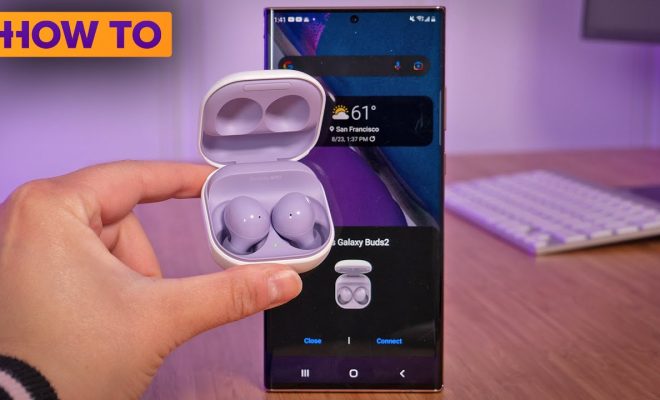
Samsung has recently released its latest iteration of wireless earbuds, the Galaxy Buds 2. While they come with a multitude of impressive features, the most enticing of which is their long battery life and sound quality, it is essential to know how to pair them with your Samsung phone before you can use them to their full potential. This guide will show you the steps on how to pair your Samsung Galaxy Buds 2 with your phone.

Step 1: Ensure that Your Phone is Compatible

To use the Galaxy Buds 2 wirelessly, you need to have a compatible Samsung phone. The Samsung Galaxy Buds 2 can be paired with a wide range of devices running on Android 7.0 Nougat or later. It is essential to ensure that your phone has Bluetooth turned on and that it is in pairing mode.

Step 2: Turn on the Galaxy Buds 2

The next step is to turn on your Galaxy Buds 2 earbuds by opening the charging case. Once they are powered on, you should hear a notification sound from the earbuds, indicating that they are now available for pairing.

Step 3: Pairing Galaxy Buds 2 with your Phone

On your Samsung phone, go to the ‘Settings’ app and select the ‘Connections’ option. From there, select ‘Bluetooth’ and toggle it on.

You should see your Galaxy Buds 2 earbuds on the list of available devices under the ‘Available Devices’ section. Select them to start the pairing process.

Once the pairing process is complete, you should see the message ‘Connected for media & phone audio’ in the ‘Paired Devices’ section.

Step 4: Configure Galaxy Buds 2 Settings

From the ‘Paired Devices’ section, select your Galaxy Buds 2 earbuds to access the settings menu. Here, you can customize the earbuds by adjusting the earbud touch controls, audio settings, and notifications.

Once you’ve completed these steps, your Galaxy Buds 2 should be fully paired with your Samsung phone, and you’re ready to start using them.

In conclusion, pairing the Samsung Galaxy Buds 2 with your phone is a straightforward process. With these easy steps, you can take advantage of the many features that these wireless earbuds have to offer. The Galaxy Buds 2 are stylish, comfortable, and deliver high-quality audio, making them an excellent investment for anyone looking to enhance their audio experience.


Previous Article

How to Report Someone on Discord

Next Article

How to Blur Your Background on a ...

Matthew Lynch

Related articles More from author

  • Digital & Mobile Technology

    Is There a Cheaper Alternative to Air Conditioning?

    July 6, 2023
    By Matthew Lynch
  • Digital & Mobile Technology

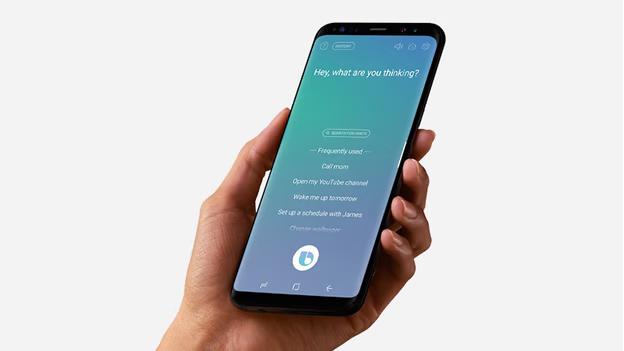
    What Is Bixby and What Can You Do With It on Your Samsung Phone?

    June 8, 2023
    By Matthew Lynch
  • Digital & Mobile Technology

    How to Unlock DirecTV’s Receiver Parental Controls Without a Password

    May 30, 2023
    By Matthew Lynch
  • Digital & Mobile Technology

    What Is a Car Radio Code?

    June 11, 2023
    By Matthew Lynch
  • Digital & Mobile Technology

    Starzplay: What It Is and How to Watch It

    June 23, 2023
    By Matthew Lynch
  • Digital & Mobile Technology

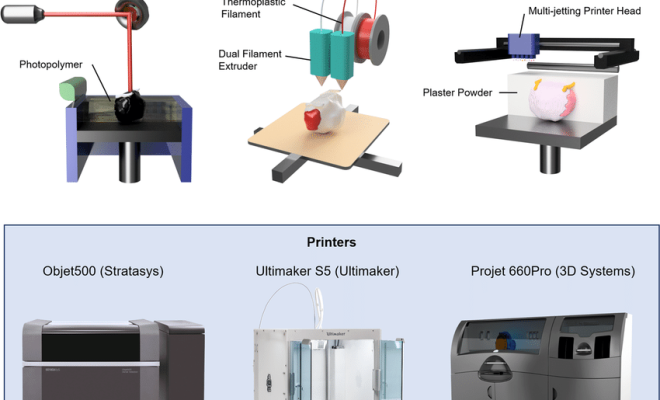
    Types of 3D Printing You Didn’t Know Existed

    June 13, 2023
    By Matthew Lynch

Search

Login & Registration

  • Log in
  • Entries feed
  • Comments feed
  • WordPress.org

Newsletter

Signup for The Tech Edvocate Newsletter and have the latest in EdTech news and opinion delivered to your email address!

About Us

Since technology is not going anywhere and does more good than harm, adapting is the best course of action. That is where The Tech Edvocate comes in. We plan to cover the PreK-12 and Higher Education EdTech sectors and provide our readers with the latest news and opinion on the subject. From time to time, I will invite other voices to weigh in on important issues in EdTech. We hope to provide a well-rounded, multi-faceted look at the past, present, the future of EdTech in the US and internationally.

We started this journey back in June 2016, and we plan to continue it for many more years to come. I hope that you will join us in this discussion of the past, present and future of EdTech and lend your own insight to the issues that are discussed.

Newsletter

Signup for The Tech Edvocate Newsletter and have the latest in EdTech news and opinion delivered to your email address!

Contact Us

The Tech Edvocate
910 Goddin Street
Richmond, VA 23231
(601) 630-5238
[email protected]

Copyright © 2026 Matthew Lynch. All rights reserved.