The Tech Edvocate

Top Menu

  • Advertisement
  • Apps
  • Home Page
  • Home Page Five (No Sidebar)
  • Home Page Four
  • Home Page Three
  • Home Page Two
  • Home Tech2
  • Icons [No Sidebar]
  • Left Sidbear Page
  • Lynch Educational Consulting
  • My Account
  • My Speaking Page
  • Newsletter Sign Up Confirmation
  • Newsletter Unsubscription
  • Our Brands
  • Page Example
  • Privacy Policy
  • Protected Content
  • Register
  • Request a Product Review
  • Shop
  • Shortcodes Examples
  • Signup
  • Start Here
    • Governance
    • Careers
    • Contact Us
  • Terms and Conditions
  • The Edvocate
  • The Tech Edvocate Product Guide
  • Topics
  • Write For Us
  • Advertise

Main Menu

  • Start Here
    • Our Brands
    • Governance
      • Lynch Educational Consulting, LLC.
      • Dr. Lynch’s Personal Website
      • Careers
    • Write For Us
    • The Tech Edvocate Product Guide
    • Contact Us
    • Books
    • Edupedia
    • Post a Job
    • The Edvocate Podcast
    • Terms and Conditions
    • Privacy Policy
  • Topics
    • Assistive Technology
    • Child Development Tech
    • Early Childhood & K-12 EdTech
    • EdTech Futures
    • EdTech News
    • EdTech Policy & Reform
    • EdTech Startups & Businesses
    • Higher Education EdTech
    • Online Learning & eLearning
    • Parent & Family Tech
    • Personalized Learning
    • Product Reviews
  • Advertise
  • Tech Edvocate Awards
  • The Edvocate
  • Pedagogue
  • School Ratings

logo

The Tech Edvocate

  • Start Here
    • Our Brands
    • Governance
      • Lynch Educational Consulting, LLC.
      • Dr. Lynch’s Personal Website
        • My Speaking Page
      • Careers
    • Write For Us
    • The Tech Edvocate Product Guide
    • Contact Us
    • Books
    • Edupedia
    • Post a Job
    • The Edvocate Podcast
    • Terms and Conditions
    • Privacy Policy
  • Topics
    • Assistive Technology
    • Child Development Tech
    • Early Childhood & K-12 EdTech
    • EdTech Futures
    • EdTech News
    • EdTech Policy & Reform
    • EdTech Startups & Businesses
    • Higher Education EdTech
    • Online Learning & eLearning
    • Parent & Family Tech
    • Personalized Learning
    • Product Reviews
  • Advertise
  • Tech Edvocate Awards
  • The Edvocate
  • Pedagogue
  • School Ratings
  • 100 Best Freelancing Apps

  • 100 Best Consulting Apps

  • 100 Best Insurance Apps

  • 100 Best Legal Apps

  • 100 Best Payroll Apps

  • 100 Best HR Apps

  • 100 Best Project Management Apps

  • 100 Best Invoicing Apps

  • 100 Best CRM Apps

  • The Game-Changing September Beauty Products You Need to Try

Digital & Mobile Technology
Home›Digital & Mobile Technology›How to Use Microsoft Office on Chromebook for Free

How to Use Microsoft Office on Chromebook for Free
By Matthew Lynch
May 30, 2023
0
Spread the love

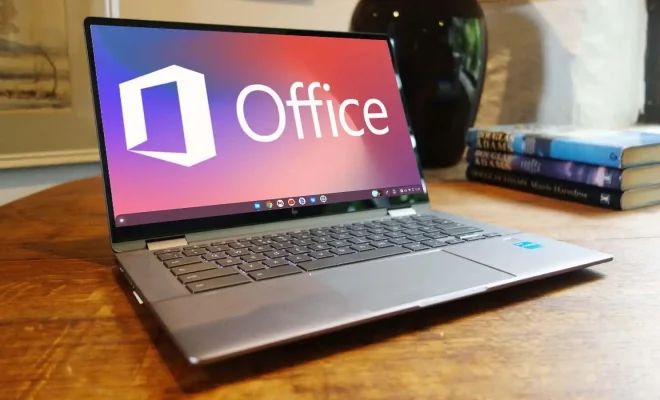
Chromebooks are a great alternative to Windows and macOS laptops. They are designed to be lightweight and fast, but Chrome OS is not fully compatible with software like Microsoft Office. Fortunately, there is a way to use Microsoft Office on a Chromebook for free.

First, you will need to download the Microsoft Office Online Suite from the Chrome Web Store. This is a collection of web applications that are compatible with Google Chrome and can be used entirely online. You will need a Microsoft account to use these web applications, but if you don’t have one, you can sign up for free.

Once you have installed the Microsoft Office Online Suite, you can access it through the Chrome browser. The suite includes all of the popular Office applications, such as Word, Excel, PowerPoint, and OneNote. You can create new documents or edit existing ones, and you can save your work to your OneDrive account or your device.

To use Microsoft Office Online, you will need to have an internet connection. These applications are online-only, so you won’t be able to use them without an internet connection. However, this makes them perfect for use on a Chromebook, which is designed to be connected to the internet.

One of the benefits of using Microsoft Office Online is that all of your documents are saved to the cloud, which means you can access them from any device with an internet connection. This is especially useful if you need to work on a document from a different computer or a mobile device.

In addition to the Microsoft Office Online Suite, there are other ways to use Microsoft Office on a Chromebook. For example, you can install the Android version of Microsoft Office from the Google Play Store. This will give you access to the full suite of Office applications, including Word, Excel, PowerPoint, and more.

Using Microsoft Office on a Chromebook is a great way to get the functionality of Office without having to pay for a Windows or macOS laptop. By using Microsoft Office Online, you can create and edit documents, save your work to the cloud, and access your documents from anywhere with an internet connection. Whether you’re a student, a professional, or just someone who needs to use Microsoft Office occasionally, a Chromebook is a great option for you.


Previous Article

How to Use Multiple Desktops on One ...

Next Article

How to Use Monarch Pro

Matthew Lynch

Related articles More from author

  • Digital & Mobile Technology

    How to Encrypt Your iPhone

    June 4, 2023
    By Matthew Lynch
  • Digital & Mobile Technology

    How to Remove Floating Home Button From iPhone and Android Screen

    May 3, 2023
    By Matthew Lynch
  • Digital & Mobile Technology

    What is a Software Repository?

    April 23, 2023
    By Matthew Lynch
  • Digital & Mobile Technology

    What is Access Code?

    April 25, 2023
    By Matthew Lynch
  • Digital & Mobile Technology

    How to Make iPhone Vibrate or Not Vibrate on Silent (iOS 16 Included)

    April 29, 2023
    By Matthew Lynch
  • Digital & Mobile Technology

    How to Use CapCut on Windows and macOS Without an Emulator

    August 5, 2023
    By Matthew Lynch

Search

Login & Registration

  • Log in
  • Entries feed
  • Comments feed
  • WordPress.org

Newsletter

Signup for The Tech Edvocate Newsletter and have the latest in EdTech news and opinion delivered to your email address!

About Us

Since technology is not going anywhere and does more good than harm, adapting is the best course of action. That is where The Tech Edvocate comes in. We plan to cover the PreK-12 and Higher Education EdTech sectors and provide our readers with the latest news and opinion on the subject. From time to time, I will invite other voices to weigh in on important issues in EdTech. We hope to provide a well-rounded, multi-faceted look at the past, present, the future of EdTech in the US and internationally.

We started this journey back in June 2016, and we plan to continue it for many more years to come. I hope that you will join us in this discussion of the past, present and future of EdTech and lend your own insight to the issues that are discussed.

Newsletter

Signup for The Tech Edvocate Newsletter and have the latest in EdTech news and opinion delivered to your email address!

Contact Us

The Tech Edvocate
910 Goddin Street
Richmond, VA 23231
(601) 630-5238
[email protected]

Copyright © 2026 Matthew Lynch. All rights reserved.