The Tech Edvocate

Top Menu

  • Advertisement
  • Apps
  • Home Page
  • Home Page Five (No Sidebar)
  • Home Page Four
  • Home Page Three
  • Home Page Two
  • Home Tech2
  • Icons [No Sidebar]
  • Left Sidbear Page
  • Lynch Educational Consulting
  • My Account
  • My Speaking Page
  • Newsletter Sign Up Confirmation
  • Newsletter Unsubscription
  • Our Brands
  • Page Example
  • Privacy Policy
  • Protected Content
  • Register
  • Request a Product Review
  • Shop
  • Shortcodes Examples
  • Signup
  • Start Here
    • Governance
    • Careers
    • Contact Us
  • Terms and Conditions
  • The Edvocate
  • The Tech Edvocate Product Guide
  • Topics
  • Write For Us
  • Advertise

Main Menu

  • Start Here
    • Our Brands
    • Governance
      • Lynch Educational Consulting, LLC.
      • Dr. Lynch’s Personal Website
      • Careers
    • Write For Us
    • The Tech Edvocate Product Guide
    • Contact Us
    • Books
    • Edupedia
    • Post a Job
    • The Edvocate Podcast
    • Terms and Conditions
    • Privacy Policy
  • Topics
    • Assistive Technology
    • Child Development Tech
    • Early Childhood & K-12 EdTech
    • EdTech Futures
    • EdTech News
    • EdTech Policy & Reform
    • EdTech Startups & Businesses
    • Higher Education EdTech
    • Online Learning & eLearning
    • Parent & Family Tech
    • Personalized Learning
    • Product Reviews
  • Advertise
  • Tech Edvocate Awards
  • The Edvocate
  • Pedagogue
  • School Ratings

logo

The Tech Edvocate

  • Start Here
    • Our Brands
    • Governance
      • Lynch Educational Consulting, LLC.
      • Dr. Lynch’s Personal Website
        • My Speaking Page
      • Careers
    • Write For Us
    • The Tech Edvocate Product Guide
    • Contact Us
    • Books
    • Edupedia
    • Post a Job
    • The Edvocate Podcast
    • Terms and Conditions
    • Privacy Policy
  • Topics
    • Assistive Technology
    • Child Development Tech
    • Early Childhood & K-12 EdTech
    • EdTech Futures
    • EdTech News
    • EdTech Policy & Reform
    • EdTech Startups & Businesses
    • Higher Education EdTech
    • Online Learning & eLearning
    • Parent & Family Tech
    • Personalized Learning
    • Product Reviews
  • Advertise
  • Tech Edvocate Awards
  • The Edvocate
  • Pedagogue
  • School Ratings
  • The Bombshell Truth About Slim Boost Tea: Don’t Buy Until You Read This

  • Jaw-Dropping: Charbroil Bistro Pro Electric Grill Recall — Is Your Grill a Hidden Danger?

  • This Corgi Tech Startup Just Imploded — Here’s How Social Media Wrecked Everything

  • September 2026: The Latest in Tech Authoritarianism – Overturned by Kelly Stonelake

  • GTA 6 Collector’s Box Price: The $400 Outrage That Just Broke Gaming

  • Unbelievable: Gamers Fought Blizzard’s Censorship and Saved Ogre Butts

  • The Radical New Bill That Could Halt AI — And Jails Its Creators

  • This OpenAI Hack Just Exposed a Terrifying New AI Threat

  • This One Leaked Video Just Blew Open New Zealand’s Curriculum Battle

  • The AI Deception: Stanford’s Scandalous Photo Alteration Reignites Representation Debate

Digital & Mobile Technology
Home›Digital & Mobile Technology›How to Tell if an Email Attachment Is Malware

How to Tell if an Email Attachment Is Malware
By Matthew Lynch
May 29, 2023
0
Spread the love

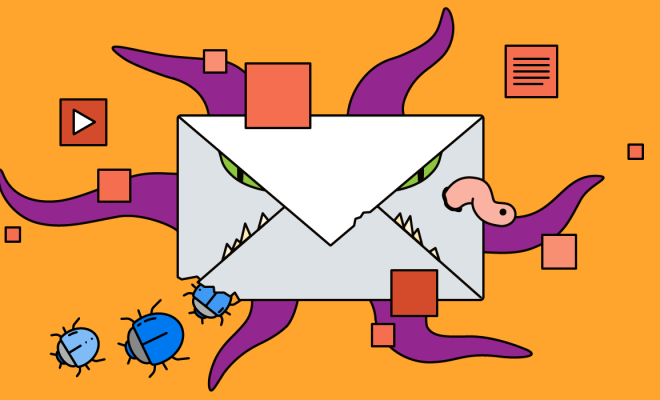
Email has been an essential tool for communication for decades now. It is used by individuals, businesses, and organizations worldwide to send messages, documents, and other files. However, email also poses a security risk to users, as cybercriminals can use it to deliver malware to unsuspecting victims. Malware refers to malicious software that is designed to harm your PC, steal your personal information, or take control of your system.

In this article, we will help you identify the red flags in an email attachment so that you can protect yourself against malware.

1. Check the sender’s identity

One of the first things you should do is to check the sender’s identity. If the email is from an unknown sender, you should exercise caution before opening the attachment. Cybercriminals often use fake identities or disguise themselves as legitimate senders to trick users into opening their attachments. Always verify the sender’s email address, domain name, and email content to ensure that it is legitimate.

2. Evaluate the subject line

The subject line of an email can provide you with a clue about the attachment’s content. If the title seems irrelevant or unusual to the sender, it might indicate that the attachment is malware. Be wary of subject lines that use urgency, fear tactics, or offer you something for free.

3. Be suspicious of file types

Malware is commonly disguised as a harmless file type such as PDF, Word, or Excel files. However, it can also come in less common formats such as .scr or .pif files, which are executable files. These files can install malware on your PC without your knowledge or permission. It is essential to be cautious when receiving any attachment from an unverified source, especially if it is a file type that you do not recognize.

4. Scan attachments for malware

Always use reliable anti-malware software to scan email attachments before opening them. This software will check the attachment for any viruses, malware, or other dangerous software. Most anti-malware software can be customized to run real-time scans on incoming emails and attachments.

5. Don’t click suspicious links

Malware can also be delivered through links within an email. Beware of links that seem suspicious, such as those that ask you to enter your login credentials or personal information. Hover over the link to see its actual URL, and if you don’t recognize it or it looks suspicious, don’t click it.

In conclusion, opening an email attachment can sometimes be a risky proposition, as it may contain malware that can harm your PC or steal your data. However, by following the above tips, you can learn to recognize red flags in email attachments that may indicate the presence of malware. Be cautious and keep your anti-malware software up to date, and you can stay safe from any malicious attachments.


Previous Article

How to Check Call Duration on iPhone ...

Next Article

How to Check for Ports in Use ...

Matthew Lynch

Related articles More from author

  • Digital & Mobile Technology

    HDR10+: What You Should Know

    June 9, 2023
    By Matthew Lynch
  • Digital & Mobile Technology

    How to Change Your Reddit App Icon

    June 15, 2023
    By Matthew Lynch
  • Digital & Mobile Technology

    What is Web Content Management (WCM)?

    May 14, 2023
    By Matthew Lynch
  • Digital & Mobile Technology

    What Is Nest Aware, and Is It Worth It?

    May 24, 2023
    By Matthew Lynch
  • Digital & Mobile Technology

    A Beginner’s Guide to Apple Music Family

    August 5, 2023
    By Matthew Lynch
  • Digital & Mobile Technology

    How to Unlock a Keyboard That’s Locked

    May 30, 2023
    By Matthew Lynch

Search

Login & Registration

  • Log in
  • Entries feed
  • Comments feed
  • WordPress.org

Newsletter

Signup for The Tech Edvocate Newsletter and have the latest in EdTech news and opinion delivered to your email address!

About Us

Since technology is not going anywhere and does more good than harm, adapting is the best course of action. That is where The Tech Edvocate comes in. We plan to cover the PreK-12 and Higher Education EdTech sectors and provide our readers with the latest news and opinion on the subject. From time to time, I will invite other voices to weigh in on important issues in EdTech. We hope to provide a well-rounded, multi-faceted look at the past, present, the future of EdTech in the US and internationally.

We started this journey back in June 2016, and we plan to continue it for many more years to come. I hope that you will join us in this discussion of the past, present and future of EdTech and lend your own insight to the issues that are discussed.

Newsletter

Signup for The Tech Edvocate Newsletter and have the latest in EdTech news and opinion delivered to your email address!

Contact Us

The Tech Edvocate
910 Goddin Street
Richmond, VA 23231
(601) 630-5238
[email protected]

Copyright © 2026 Matthew Lynch. All rights reserved.