The Tech Edvocate

Top Menu

  • Advertisement
  • Apps
  • Home Page
  • Home Page Five (No Sidebar)
  • Home Page Four
  • Home Page Three
  • Home Page Two
  • Home Tech2
  • Icons [No Sidebar]
  • Left Sidbear Page
  • Lynch Educational Consulting
  • My Account
  • My Speaking Page
  • Newsletter Sign Up Confirmation
  • Newsletter Unsubscription
  • Our Brands
  • Page Example
  • Privacy Policy
  • Protected Content
  • Register
  • Request a Product Review
  • Shop
  • Shortcodes Examples
  • Signup
  • Start Here
    • Governance
    • Careers
    • Contact Us
  • Terms and Conditions
  • The Edvocate
  • The Tech Edvocate Product Guide
  • Topics
  • Write For Us
  • Advertise

Main Menu

  • Start Here
    • Our Brands
    • Governance
      • Lynch Educational Consulting, LLC.
      • Dr. Lynch’s Personal Website
      • Careers
    • Write For Us
    • The Tech Edvocate Product Guide
    • Contact Us
    • Books
    • Edupedia
    • Post a Job
    • The Edvocate Podcast
    • Terms and Conditions
    • Privacy Policy
  • Topics
    • Assistive Technology
    • Child Development Tech
    • Early Childhood & K-12 EdTech
    • EdTech Futures
    • EdTech News
    • EdTech Policy & Reform
    • EdTech Startups & Businesses
    • Higher Education EdTech
    • Online Learning & eLearning
    • Parent & Family Tech
    • Personalized Learning
    • Product Reviews
  • Advertise
  • Tech Edvocate Awards
  • The Edvocate
  • Pedagogue
  • School Ratings

logo

The Tech Edvocate

  • Start Here
    • Our Brands
    • Governance
      • Lynch Educational Consulting, LLC.
      • Dr. Lynch’s Personal Website
        • My Speaking Page
      • Careers
    • Write For Us
    • The Tech Edvocate Product Guide
    • Contact Us
    • Books
    • Edupedia
    • Post a Job
    • The Edvocate Podcast
    • Terms and Conditions
    • Privacy Policy
  • Topics
    • Assistive Technology
    • Child Development Tech
    • Early Childhood & K-12 EdTech
    • EdTech Futures
    • EdTech News
    • EdTech Policy & Reform
    • EdTech Startups & Businesses
    • Higher Education EdTech
    • Online Learning & eLearning
    • Parent & Family Tech
    • Personalized Learning
    • Product Reviews
  • Advertise
  • Tech Edvocate Awards
  • The Edvocate
  • Pedagogue
  • School Ratings
  • Seniors Lose More Money to Investment Scams Than Any Other Fraud

  • Gemini Can Now Connect to Google Wallet to Offer Spending Insights, Budgeting Tips

  • Dramatic: Financial Giants Are Quietly Preparing for Mass AI Job Replacement

  • Malicious Cyberattack on Curaçao Gaming Regulator: Your Data Exposed?

  • Staggering: Lawyers Are Being Struck Off For This AI Blunder – What You Must Know Now

  • Dramatic Cuts: How The GOP Tuition Deflation Act Is Reshaping College Costs

  • This Professor’s Alarming AI Cheating Warning Reveals a Deeper Crisis in Education

  • This One Reckless Mistake Caused Zeabur’s Devastating Collapse

  • Terrifying: AI Cybercrime Just Got a Whole Lot Worse, Here’s How

  • The cost of your new car loan has hit a record high – Newswav

Digital & Mobile Technology
Home›Digital & Mobile Technology›How to Run Windows Apps on Android with Wine

How to Run Windows Apps on Android with Wine
By Matthew Lynch
May 26, 2023
0
Spread the love

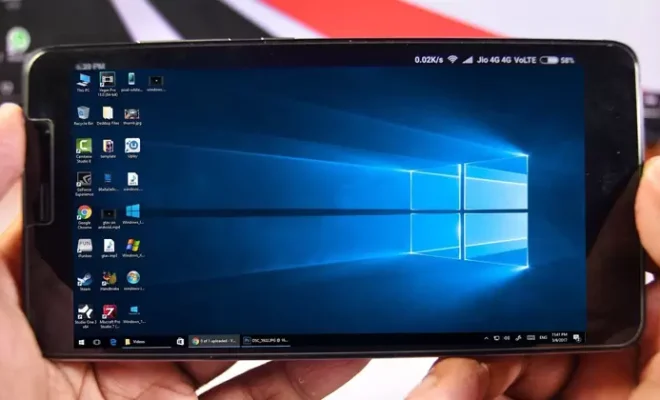
Wine is known as an acronym for “Wine is not an emulator.” It’s an open-source software that helps to execute Windows applications on Unix systems such as Linux, BSD, and macOS. It’s incredible to see that some developers have managed to port Wine over to Android and run Windows applications on Android devices.

In this article, we’ll show you how to run Windows applications on Android with Wine.

Step 1: Preparation

Before you start installing Wine on your Android device, you need to ensure that your Android device has a minimum of 2 GB of RAM, running on Android 6.0 or higher.

Once you have that, you’ll need to download ‘Wine for Android’ from the official Wine website. Alternatively, you can download Wine from the Google Play Store for free.

Step 2: Install Wine on Your Android Device

After downloading Wine, you can install it like any other app on your Android device. But first, you need to make sure that you’ve enabled the option “Install Apps from Unknown Sources” in your Android settings. To do this, go to “Settings>Security>Unknown Sources,” and enable the option.

Once you’ve enabled it, open the downloaded APK file from your file manager app, and click on “Install” to install the app.

Step 3: Run Windows Apps on Android with Wine

Once you’ve installed Wine on your Android device, you can start running Windows apps. Here are the steps:

  1. Download any Windows app or software in .exe file format to your Android device.
  2. Open the Wine app on your Android device.
  3. Click on the “Browse C:\ Drive” button in the Wine app. Here you can access your device’s internal storage.
  4. Navigate to the folder where you’ve saved the .exe file.
  5. Click on the .exe file, and it will start running just like it would run on a Windows computer.

Certain apps may not work correctly or may not run at all due to hardware and software limitations. While Wine for Android is still in its early stages, it’s still an incredible achievement for developers to have made it possible to run Windows apps on Android devices.

In conclusion, Wine for Android is a powerful tool that lets you run Windows apps on your Android device. With Wine, you can have access to a wide range of Windows apps that are not available on Android. Do keep in mind that Wine is still in development, and some applications might not work correctly.


Previous Article

How to Safely Dispose of an Old ...

Next Article

How to Save a Microsoft Outlook Email ...

Matthew Lynch

Related articles More from author

  • Digital & Mobile Technology

    Podcasts About Relationships to Listen to With Your Partner

    June 23, 2023
    By Matthew Lynch
  • Digital & Mobile Technology

    How to Track Sprint Phones

    May 29, 2023
    By Matthew Lynch
  • Digital & Mobile Technology

    How to Password Protect a ZIP File in Windows

    June 12, 2023
    By Matthew Lynch
  • Digital & Mobile Technology

    What is a Backup Server?

    April 16, 2023
    By Matthew Lynch
  • Digital & Mobile Technology

    What Is ‘My Network Places’ in Microsoft Windows?

    July 30, 2023
    By Matthew Lynch
  • Digital & Mobile Technology

    9 Things to Know When Buying a Used iPhone

    June 4, 2023
    By Matthew Lynch

Search

Login & Registration

  • Log in
  • Entries feed
  • Comments feed
  • WordPress.org

Newsletter

Signup for The Tech Edvocate Newsletter and have the latest in EdTech news and opinion delivered to your email address!

About Us

Since technology is not going anywhere and does more good than harm, adapting is the best course of action. That is where The Tech Edvocate comes in. We plan to cover the PreK-12 and Higher Education EdTech sectors and provide our readers with the latest news and opinion on the subject. From time to time, I will invite other voices to weigh in on important issues in EdTech. We hope to provide a well-rounded, multi-faceted look at the past, present, the future of EdTech in the US and internationally.

We started this journey back in June 2016, and we plan to continue it for many more years to come. I hope that you will join us in this discussion of the past, present and future of EdTech and lend your own insight to the issues that are discussed.

Newsletter

Signup for The Tech Edvocate Newsletter and have the latest in EdTech news and opinion delivered to your email address!

Contact Us

The Tech Edvocate
910 Goddin Street
Richmond, VA 23231
(601) 630-5238
[email protected]

Copyright © 2026 Matthew Lynch. All rights reserved.