The Tech Edvocate

Top Menu

  • Advertisement
  • Apps
  • Home Page
  • Home Page Five (No Sidebar)
  • Home Page Four
  • Home Page Three
  • Home Page Two
  • Home Tech2
  • Icons [No Sidebar]
  • Left Sidbear Page
  • Lynch Educational Consulting
  • My Account
  • My Speaking Page
  • Newsletter Sign Up Confirmation
  • Newsletter Unsubscription
  • Our Brands
  • Page Example
  • Privacy Policy
  • Protected Content
  • Register
  • Request a Product Review
  • Shop
  • Shortcodes Examples
  • Signup
  • Start Here
    • Governance
    • Careers
    • Contact Us
  • Terms and Conditions
  • The Edvocate
  • The Tech Edvocate Product Guide
  • Topics
  • Write For Us
  • Advertise

Main Menu

  • Start Here
    • Our Brands
    • Governance
      • Lynch Educational Consulting, LLC.
      • Dr. Lynch’s Personal Website
      • Careers
    • Write For Us
    • The Tech Edvocate Product Guide
    • Contact Us
    • Books
    • Edupedia
    • Post a Job
    • The Edvocate Podcast
    • Terms and Conditions
    • Privacy Policy
  • Topics
    • Assistive Technology
    • Child Development Tech
    • Early Childhood & K-12 EdTech
    • EdTech Futures
    • EdTech News
    • EdTech Policy & Reform
    • EdTech Startups & Businesses
    • Higher Education EdTech
    • Online Learning & eLearning
    • Parent & Family Tech
    • Personalized Learning
    • Product Reviews
  • Advertise
  • Tech Edvocate Awards
  • The Edvocate
  • Pedagogue
  • School Ratings

logo

The Tech Edvocate

  • Start Here
    • Our Brands
    • Governance
      • Lynch Educational Consulting, LLC.
      • Dr. Lynch’s Personal Website
        • My Speaking Page
      • Careers
    • Write For Us
    • The Tech Edvocate Product Guide
    • Contact Us
    • Books
    • Edupedia
    • Post a Job
    • The Edvocate Podcast
    • Terms and Conditions
    • Privacy Policy
  • Topics
    • Assistive Technology
    • Child Development Tech
    • Early Childhood & K-12 EdTech
    • EdTech Futures
    • EdTech News
    • EdTech Policy & Reform
    • EdTech Startups & Businesses
    • Higher Education EdTech
    • Online Learning & eLearning
    • Parent & Family Tech
    • Personalized Learning
    • Product Reviews
  • Advertise
  • Tech Edvocate Awards
  • The Edvocate
  • Pedagogue
  • School Ratings
  • How to use ClickUp goals feature

  • Trello for Business

  • Can Smartsheet do automation

  • How to use Microsoft Planner boards

  • How many transactions in Kashoo

  • Sage

  • Is Sage worth it for accountants

  • How to use Smartsheet templates

  • How many users in Zoho Books free plan

  • Can Wrike integrate with Adobe Creative Cloud

Digital & Mobile Technology
Home›Digital & Mobile Technology›Where Is the “Recycle Bin” on a Mac?

Where Is the “Recycle Bin” on a Mac?
By Matthew Lynch
May 16, 2023
0
Spread the love

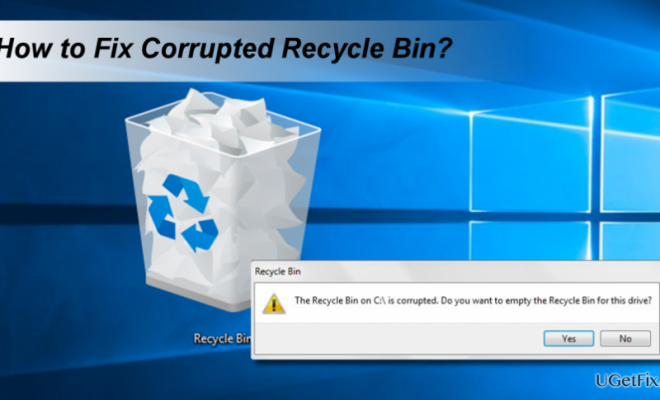
For many of us, the Recycle Bin or Trash Can is an essential feature of any computer operating system. It is where we store files that we no longer need or want to delete, and where we can retrieve them if we change our minds. However, if you are new to Mac, you may wonder where to find your Recycle Bin.

In the Mac operating system, the Recycle Bin is called the Trash Can. You can find the Trash Can icon in the Dock, which is the strip of icons at the bottom of the screen. The Trash Can icon in the Dock looks like a small waste bin with paper and debris inside.

To access the Trash Can, simply click on the icon in the Dock, and the Trash Can window will appear. In this window, you can see all the files you have deleted from your computer, and you can restore them if you wish. You can also empty the Trash Can by clicking on the “Empty Trash” button at the top of the window. This permanently deletes all the files in your Trash Can, freeing up space on your computer’s hard drive.

There are also other ways to access and manage the Trash Can on a Mac. For example, you can use the keyboard shortcut “Command + Shift + Delete” to empty the Trash Can, or you can right-click on the Trash Can icon in the Dock to access additional options.


Previous Article

Where Did the System Control Panel Go ...

Next Article

What’s the purpose of CAPTCHA technology and ...

Matthew Lynch

Related articles More from author

  • Digital & Mobile Technology

    How to Access Facebook From School

    May 16, 2023
    By Matthew Lynch
  • Digital & Mobile Technology

    How to Connect a Laptop to a Projector

    June 1, 2023
    By Matthew Lynch
  • Digital & Mobile Technology

    Best SiriusXM Portable Satellite Radios of 2023

    June 8, 2023
    By Matthew Lynch
  • Digital & Mobile Technology

    What is a Knowledge Management System (KMS)?

    April 18, 2023
    By Matthew Lynch
  • Digital & Mobile Technology

    What is a Radio Frequency Identification Tag (RFID Tag)?

    March 19, 2023
    By Matthew Lynch
  • Digital & Mobile Technology

    What Happens When You Break a Chain Mail?

    June 10, 2023
    By Matthew Lynch

Search

Login & Registration

  • Log in
  • Entries feed
  • Comments feed
  • WordPress.org

Newsletter

Signup for The Tech Edvocate Newsletter and have the latest in EdTech news and opinion delivered to your email address!

About Us

Since technology is not going anywhere and does more good than harm, adapting is the best course of action. That is where The Tech Edvocate comes in. We plan to cover the PreK-12 and Higher Education EdTech sectors and provide our readers with the latest news and opinion on the subject. From time to time, I will invite other voices to weigh in on important issues in EdTech. We hope to provide a well-rounded, multi-faceted look at the past, present, the future of EdTech in the US and internationally.

We started this journey back in June 2016, and we plan to continue it for many more years to come. I hope that you will join us in this discussion of the past, present and future of EdTech and lend your own insight to the issues that are discussed.

Newsletter

Signup for The Tech Edvocate Newsletter and have the latest in EdTech news and opinion delivered to your email address!

Contact Us

The Tech Edvocate
910 Goddin Street
Richmond, VA 23231
(601) 630-5238
[email protected]

Copyright © 2026 Matthew Lynch. All rights reserved.