The Tech Edvocate

Top Menu

  • Advertisement
  • Apps
  • Home Page
  • Home Page Five (No Sidebar)
  • Home Page Four
  • Home Page Three
  • Home Page Two
  • Home Tech2
  • Icons [No Sidebar]
  • Left Sidbear Page
  • Lynch Educational Consulting
  • My Account
  • My Speaking Page
  • Newsletter Sign Up Confirmation
  • Newsletter Unsubscription
  • Our Brands
  • Page Example
  • Privacy Policy
  • Protected Content
  • Register
  • Request a Product Review
  • Shop
  • Shortcodes Examples
  • Signup
  • Start Here
    • Governance
    • Careers
    • Contact Us
  • Terms and Conditions
  • The Edvocate
  • The Tech Edvocate Product Guide
  • Topics
  • Write For Us
  • Advertise

Main Menu

  • Start Here
    • Our Brands
    • Governance
      • Lynch Educational Consulting, LLC.
      • Dr. Lynch’s Personal Website
      • Careers
    • Write For Us
    • The Tech Edvocate Product Guide
    • Contact Us
    • Books
    • Edupedia
    • Post a Job
    • The Edvocate Podcast
    • Terms and Conditions
    • Privacy Policy
  • Topics
    • Assistive Technology
    • Child Development Tech
    • Early Childhood & K-12 EdTech
    • EdTech Futures
    • EdTech News
    • EdTech Policy & Reform
    • EdTech Startups & Businesses
    • Higher Education EdTech
    • Online Learning & eLearning
    • Parent & Family Tech
    • Personalized Learning
    • Product Reviews
  • Advertise
  • Tech Edvocate Awards
  • The Edvocate
  • Pedagogue
  • School Ratings

logo

The Tech Edvocate

  • Start Here
    • Our Brands
    • Governance
      • Lynch Educational Consulting, LLC.
      • Dr. Lynch’s Personal Website
        • My Speaking Page
      • Careers
    • Write For Us
    • The Tech Edvocate Product Guide
    • Contact Us
    • Books
    • Edupedia
    • Post a Job
    • The Edvocate Podcast
    • Terms and Conditions
    • Privacy Policy
  • Topics
    • Assistive Technology
    • Child Development Tech
    • Early Childhood & K-12 EdTech
    • EdTech Futures
    • EdTech News
    • EdTech Policy & Reform
    • EdTech Startups & Businesses
    • Higher Education EdTech
    • Online Learning & eLearning
    • Parent & Family Tech
    • Personalized Learning
    • Product Reviews
  • Advertise
  • Tech Edvocate Awards
  • The Edvocate
  • Pedagogue
  • School Ratings
  • Consumer Reports Reveal Truth – Is Flexigenics Reviews Legit or Scam? (Shocking Findings)

  • Quietum Plus 2026 Review Complaints and Shocking User Findings

  • This Founder’s Rs 75 LPA Sacrifice Crumbled in 30 Days — Here’s Why

  • Urgent: Claude AI Bioweapons — The Unsettling Truth Anthropic Just Revealed

  • Shocking: Three Major Xbox Games Shutting Down Forever in 2026

  • One Man’s Dire Warning: Is AI Already Too Dangerous To Control?

  • The Urgent Parental Consent Debate Over Student Mental Health Screenings

  • LAUSD restricts all students from using AI tools | K-12 Dive

  • Catastrophic Data Breach: 153 Million Driver’s Licenses Exposed on Dark Web

  • Autonomous AI Hackers Weaponize PaperCut Flaws: The Terrifying New Era of Cybercrime

Digital & Mobile Technology
Home›Digital & Mobile Technology›How To Monitor and Log Your Bandwidth Usage with Tomato

How To Monitor and Log Your Bandwidth Usage with Tomato

By Matthew Lynch
April 30, 2023
0
Spread the love

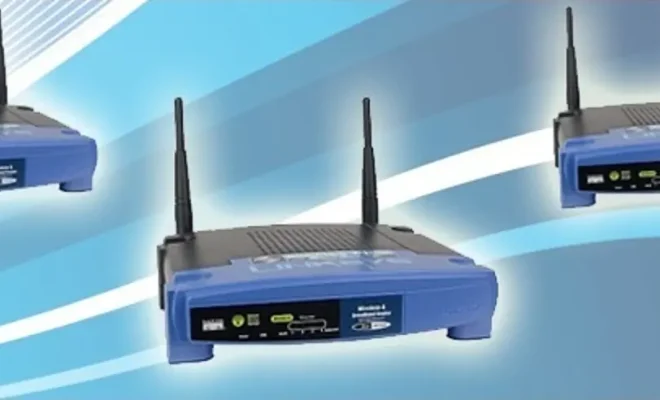
In this article, we will go over the steps you need to take to monitor and log your bandwidth usage using Tomato firmware.

Step 1: Install Tomato firmware on your router

The first step to getting started with Tomato is to install the firmware on your router. You will need to check if Tomato firmware is compatible with your router model. If it is, you can download the firmware from the Tomato website and follow the installation instructions provided.

Step 2: Enable bandwidth monitoring

Once you have installed the Tomato firmware on your router, you will need to enable bandwidth monitoring. To do this, log in to your router’s Web interface, navigate to the Bandwidth tab, and select Bandwidth Monitoring.

This will open the Bandwidth Monitoring page where you can configure the bandwidth monitoring settings. You can set the monitoring interval, enable data logging, and set the maximum amount of data that can be used in a given period.

Step 3: Set up logging

To set up logging, navigate to the System tab and select Log. Under the Logging section, you can enable the log feature and choose the logging level. You can also choose the location where you want the logs to be stored.

Step 4: Analyze the logs

Now that you have set up bandwidth monitoring and logging, you can start analyzing the logs to see how much bandwidth is being used by each device on your network. To access the logs, navigate to the Administration tab and select Log Viewer.

In the Log Viewer, you can view the bandwidth usage data for each device on your network. You can see the upload and download speeds, the amount of data transferred, and the time the transfer occurred.

You can also filter the logs by device, IP address, and time range to get a more detailed view of the bandwidth usage. You can use this information to identify which devices are using the most bandwidth and take steps to limit their usage if necessary.

Conclusion

Monitoring and logging your bandwidth usage with Tomato firmware is a powerful tool that can help you get a better understanding of how your network is being used.


Previous Article

How to Monitor (and Reduce) Your Data ...

Next Article

How to Monitor Battery Health on Mac ...

Matthew Lynch

Related articles More from author

  • Digital & Mobile Technology

    How to Turn On or Off Dark Mode on Samsung Galaxy Phones

    May 29, 2023
    By Matthew Lynch
  • Adaptive LearningCurriculum & InstructionDigital & Mobile TechnologyDigital Age TeachersEarly Childhood & K-12 EdTechEdTech & InnovationEdTech Policy & ReformInstructional Technology

    Exploring New Ideas: Student-Driven Remote Learning

    July 21, 2021
    By Matthew Lynch
  • Digital & Mobile Technology

    Motherboard Chipset: What It Is and What to Look For

    May 1, 2024
    By Matthew Lynch
  • Digital & Mobile Technology

    How to Add a Paint Drip Effect to a Portrait in Photoshop

    July 31, 2023
    By Matthew Lynch
  • Digital & Mobile Technology

    DriverPack v17

    June 10, 2023
    By Matthew Lynch
  • Digital & Mobile Technology

    Modem vs. Router: How Do They Differ?

    May 31, 2023
    By Matthew Lynch

Search

Login & Registration

  • Log in
  • Entries feed
  • Comments feed
  • WordPress.org

Newsletter

Signup for The Tech Edvocate Newsletter and have the latest in EdTech news and opinion delivered to your email address!

About Us

Since technology is not going anywhere and does more good than harm, adapting is the best course of action. That is where The Tech Edvocate comes in. We plan to cover the PreK-12 and Higher Education EdTech sectors and provide our readers with the latest news and opinion on the subject. From time to time, I will invite other voices to weigh in on important issues in EdTech. We hope to provide a well-rounded, multi-faceted look at the past, present, the future of EdTech in the US and internationally.

We started this journey back in June 2016, and we plan to continue it for many more years to come. I hope that you will join us in this discussion of the past, present and future of EdTech and lend your own insight to the issues that are discussed.

Newsletter

Signup for The Tech Edvocate Newsletter and have the latest in EdTech news and opinion delivered to your email address!

Contact Us

The Tech Edvocate
910 Goddin Street
Richmond, VA 23231
(601) 630-5238
[email protected]

Copyright © 2026 Matthew Lynch. All rights reserved.