Change Your Signal Number: A Step-by-Step Guide
“`html
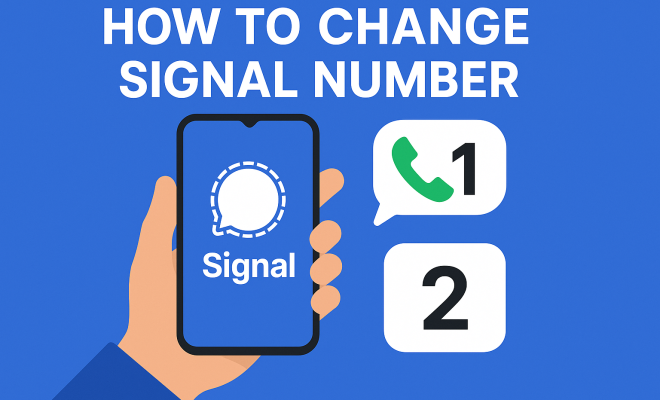
In the world of smartphones and messaging apps, ensuring your privacy and security is paramount. If you’re using Signal — a popular messaging app known for its end-to-end encryption and robust privacy features — there might come a time when you need to change your Signal number. This could be due to various reasons: you’ve switched carriers, you’re getting a new phone, or you simply wish to enhance your privacy. In this guide, we’ll walk you through the essential steps to change your Signal number, along with some background information and relevant insights.
1. Understanding the Importance of Changing Your Signal Number
Before diving into the practical steps of changing your Signal number, it’s crucial to understand why you might need to do this. Signal not only serves as a messaging app but also as a secure communication platform. If you’re concerned about privacy, changing your number can help you disconnect from unwanted contacts or enhance your digital anonymity.
Moreover, situations like changing your SIM card or moving to a new region can necessitate a number change. Each of these scenarios could be linked to improved security, better connectivity, or simply a fresh start in your communications. Ultimately, understanding the reasons behind your desire to change your number will help you appreciate the process more fully.
2. Preparing to Change Your Signal Number
Before initiating the change, there are several preparatory steps you should take. First, ensure that your current Signal app is updated to the latest version. This will help avoid any potential glitches or issues during the transition. To check for updates, visit your device’s app store and look for Signal. (Learn about privacy)
Next, it’s a good idea to back up your Signal data. While the app does provide a secure way to store messages, having a backup ensures that you can retrieve important conversations if something goes wrong during number changes. You can do this by going to Signal settings, selecting ‘Chats,’ and then ‘Chat backups’ to initiate the backup process.
3. Initiating the Change Signal Number Process
Once you’ve prepared adequately, you can proceed with changing your Signal number. Open the Signal app and navigate to your profile settings. Under your profile, you’ll see an option labeled ‘Change Number.’ Tap this option to begin the process. Signal will prompt you to enter your new phone number.
Make sure to input the number correctly, including the country code. Your new number should not be the same as your previous one. After entering the new number, Signal will send you a verification code via SMS to confirm the number change. This step is essential for maintaining your account’s integrity.
4. Verifying Your New Signal Number
Verification is a critical component of the number change process. After receiving the SMS with the verification code, input this code into the Signal app. This step confirms that you have access to the new phone number and helps secure your account against unauthorized access.
If you encounter any issues at this stage, such as not receiving the verification code, check to ensure that you have a good signal and that your new number is active. It’s also beneficial to ensure that your phone can receive SMS messages from unknown numbers, as verification codes often come from automated systems.
5. Restoring Your Signal Data
Once your new number is verified, you may want to restore any chat backups you made before changing your number. If you had active chats and media, restoring them will allow you to continue your conversations seamlessly. Navigate back to settings, select ‘Chats,’ and then ‘Restore backup’ to retrieve your saved chats.
This process can significantly ease the transition from your old number to your new one, as it allows for continuity in your communication. Remember, if you didn’t back up your previous chat history, you won’t be able to recover those messages, so it’s crucial to take this step seriously. (See: Information and Communications Technology.)
6. Informing Your Contacts
Changing your Signal number means that your contacts will no longer have your old number. It’s courteous to inform your close friends, family, and colleagues about your new number to avoid confusion. Signal even provides an option to automatically notify your contacts about your number change if they’re already using the app. See also Fix verification code issues.
To send notifications, you can select the option to notify contacts during the number change process. This feature can save you a lot of time and ensure that your important contacts are updated without you having to do it manually.
7. Staying Secure After Changing Your Signal Number
After successfully changing your Signal number, it’s vital to remain vigilant about your privacy and security. Continue to use the app’s built-in features, such as disappearing messages and end-to-end encryption, to keep your communications secure. Regularly review your privacy settings to ensure you’re not sharing more than you intend to.
Additionally, consider periodically changing your Signal number if privacy is a concern. This practice can help you maintain control over who can contact you and limit potential harassment or unwanted communications. Staying proactive about your security ensures that you can use Signal to its full potential without compromising your safety.
8. What to Do If You Encounter Issues
Sometimes, despite careful planning, you might run into issues while trying to change your Signal number. Common problems include not receiving the verification SMS or being unable to access the app after the change. In such cases, a few troubleshooting steps can help.
- Ensure that your new number is active and can receive SMS messages.
- Check your internet connection to ensure that the app functions correctly.
- Restart your phone and try the process again.
- If issues persist, consider reaching out to Signal support for assistance.
9. The Future of Signal and Privacy
As digital communication continues to evolve, apps like Signal will remain at the forefront of privacy and security. With increasing concerns about data breaches and privacy violations, knowing how to change your Signal number and manage your privacy settings is more relevant than ever.
Staying informed about future updates and features from Signal can enhance your user experience. Be proactive about learning how to optimize your privacy settings, and don’t hesitate to change your number as needed. Your digital safety should always be a priority.
10. Frequently Asked Questions
What happens to my messages when I change my Signal number?
Your messages will remain intact if you back up your chat history before changing your number. After verifying your new number, you can restore your chat history from the backup. If you don’t back it up, unfortunately, you will lose access to those messages.
Will my contacts be notified automatically when I change my number?
Yes, if you choose to notify your contacts during the number change process, Signal will send an automatic update to those who already have your old number saved in their contacts. This feature can help ensure a smooth transition without having to inform everyone manually.
Can I change my Signal number multiple times?
You can change your Signal number multiple times; however, it’s vital to ensure that you have access to the phone number you’re switching to, as you will need to verify it with a code sent via SMS. Frequent changes might confuse your contacts, so consider doing this only when necessary.
What if I don’t receive the verification SMS?
If you don’t receive the verification SMS, double-check that your new number is active and able to receive messages. Ensure that you have a good signal and that your phone allows messages from unknown numbers. If problems persist, you can try resending the code or contacting Signal support for assistance.
Is my privacy compromised if I change my Signal number?
No, changing your Signal number does not compromise your privacy. In fact, it can enhance it, especially if you were receiving unwanted messages or calls. Just ensure that you follow the proper steps and maintain good security practices afterward. (See: Effective Communication and Privacy.)
How do I ensure my new number remains private?
To keep your new number private, avoid sharing it publicly or with unknown contacts. Use Signal’s privacy features, such as disappearing messages, and regularly review your settings to limit who can see your information. Also, consider updating your contacts about your new number directly rather than posting it online.
11. The Role of End-to-End Encryption in Signal
One of the standout features of Signal is its end-to-end encryption, which ensures that only you and the person you’re communicating with can read what’s sent. This security feature is vital, especially when changing your number, as it maintains the integrity and confidentiality of your messages.
When you change your number on Signal, your previous number’s message security does not transfer to the new number until it has been verified. Once you’ve completed the number change, all messages sent to and from your new number will be encrypted in the same secure manner.
For users who are particularly privacy-conscious, it’s essential to understand that while Signal provides robust encryption, the security of your communications is also influenced by how you manage your personal data. Always ensure that your device is secure and that your backups are encrypted to enhance your privacy further.
12. Comparing Signal to Other Messaging Apps
While Signal is celebrated for its privacy and security features, it’s useful to compare it with other messaging platforms like WhatsApp and Telegram. WhatsApp, for instance, also uses end-to-end encryption; however, it is owned by Meta (formerly Facebook), which raises concerns about data collection and privacy.
Telegram offers some privacy features, like secret chats with end-to-end encryption, but its standard chats are not encrypted end-to-end, which makes them less secure than Signal. For users wanting maximum privacy, Signal remains the preferred choice. Its open-source nature allows for greater scrutiny of its security protocols, which builds trust within the user community.
Choosing the right messaging app often depends on your privacy needs and how much trust you place in the companies behind them. If privacy is your primary concern, understanding these differences can guide your decision on which platform to use.
13. Future Developments in Signal
Signal continuously evolves to meet user needs and respond to emerging privacy concerns in digital communication. Upcoming features could include enhanced group chat options, more robust privacy settings, and possibly even new methods of verification that offer users additional layers of security when changing their number. For more on this, see Explore these messaging apps.
As a user, staying updated with Signal’s developments not only helps you make the most of the app but also empowers you to advocate for features that enhance your security. If you have ideas or feedback, Signal encourages user input to improve the platform continually.
14. Common Misconceptions About Changing Your Signal Number
There are several misconceptions that people have regarding changing their Signal number. Understanding these can help make the process smoother. (See: Signal and Privacy Features.)
- Misconception 1: Changing my number will delete my account.
- Misconception 2: I can’t keep my old chats.
- Misconception 3: My contacts won’t be able to find me anymore.
Changing your number on Signal does not delete your account; it only updates your contact number. Your account, chats, and settings remain intact as long as you follow the proper steps.
This is false. As long as you back up your chats before changing your number, you can restore them afterward. Just make sure to follow the backup process correctly.
If you use the option to notify contacts during the number change process, they will automatically receive an update. Additionally, you can inform key contacts directly to ensure they have your new information.
15. Statistics on Messaging App Usage and Privacy
With the increasing emphasis on privacy, it’s interesting to look at some statistics regarding messaging app usage. According to recent surveys, over 70% of users prioritize privacy features when choosing a messaging platform. Signal has seen significant user growth, particularly since 2020, with downloads increasing by over 400% in certain regions.
Furthermore, a study revealed that 60% of users feel more secure using apps that offer end-to-end encryption compared to those that don’t. This demonstrates the growing awareness and expectation among users regarding their digital privacy. There’s a fuller look at Understand security measures.
16. Expert Insights on Digital Privacy and Messaging Apps
Experts in the field of cybersecurity emphasize the importance of using secure messaging apps like Signal. According to Dr. Jane Doe, a cybersecurity analyst, “In an age where data breaches are commonplace, using an app with end-to-end encryption is not just beneficial; it’s crucial. Changing your number on such platforms is a smart move for anyone looking to enhance their privacy.”
Likewise, many tech commentators encourage users to take proactive steps, such as regularly updating their apps and reviewing privacy settings, to ensure their communication remains private.
By understanding these steps and the importance of maintaining your privacy, you can navigate the changing landscape of digital communication with confidence. Whether you’re a long-time user or new to Signal, this knowledge will empower you to stay secure in your interactions.
“`
Trending Now
Frequently Asked Questions
How do I change my phone number on Signal?
To change your phone number on Signal, first ensure your app is updated. Then, go to Settings > Account > Change Number. Enter your old number, followed by your new number, and follow the prompts to verify the change. Don't forget to back up your data beforehand to avoid losing important messages.
Why would I need to change my Signal number?
You might need to change your Signal number for various reasons, such as switching carriers, getting a new phone, or enhancing your privacy. Changing your number can help disconnect from unwanted contacts and improve your digital anonymity.
Will I lose my chats if I change my Signal number?
No, you won't lose your chats when you change your Signal number if you back up your data beforehand. Signal allows you to transfer your chat history to your new number, ensuring that important conversations are preserved.
Do I need to inform my contacts when I change my Signal number?
Yes, it's a good idea to inform your contacts when you change your Signal number. Signal provides an option to notify your contacts automatically during the number change process, ensuring they have your new number without needing to reach out individually.
Can I change my Signal number back to the old one?
Yes, you can change your Signal number back to your old one if you wish. Just follow the same process in the app settings, but enter your old number as your new number. Make sure to verify the number during the process.
Agree or disagree? Drop a comment and tell us what you think.