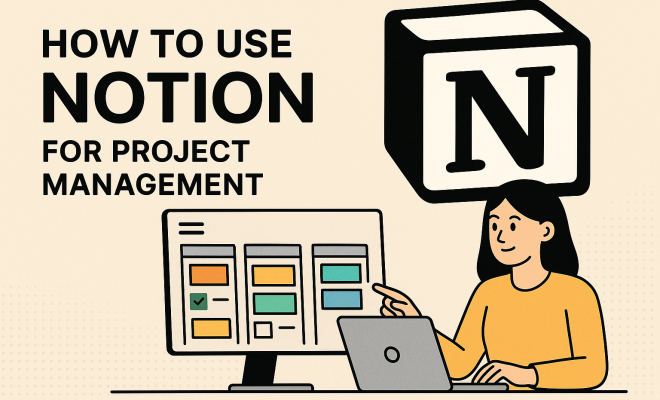
How to use Notion for project management
“`html
In today’s fast-paced work environment, effective project management is crucial for success. Enter Notion project management, a versatile tool that’s rapidly gaining traction among teams and individuals alike. Whether you’re managing a small team or working on personal projects, Notion can transform the way you organize, track, and execute tasks. This article will explore nine essential tips to help you harness the full potential of Notion for project management.
1. Understanding Notion: The Basics
Before diving into how to use Notion for project management, it’s important to understand what Notion is all about. Launched in 2016, Notion is an all-in-one workspace that allows users to write, plan, collaborate, and organize. It combines notes, tasks, databases, and wikis into a single platform where everything is interconnected. Unlike traditional project management tools, Notion provides a flexible canvas that adapts to your specific needs.
One of the standout features of Notion is its modular structure. Users can create various types of content blocks—text, images, tables, and more—which can be easily rearranged and customized. This means that whether you’re making a simple to-do list or a complex project roadmap, you can design it exactly how you want. The versatility of Notion makes it particularly appealing to creative teams and those who prefer a more hands-on approach to project management.
2. Creating a Centralized Workspace
The first step in using Notion for project management is to establish a centralized workspace. This will serve as your project hub—where all relevant information, resources, and updates are easily accessible. To create your workspace, start by creating a new page in Notion.
Within this main page, you can include links to other pages, databases, and documents related to your project. For example, you might create sections for meeting notes, task lists, project timelines, and research. Notion’s linking capabilities allow you to create a network of interconnected pages, making it easy for team members to find what they need without digging through multiple documents.
3. Using Databases for Task Management
Databases are one of Notion’s most powerful features, especially for project management. By using databases, you can create a structured way to track tasks, deadlines, and responsibilities. You can set up a task database and customize properties like status, due dates, assignees, and priority levels.
This allows you to view tasks in various formats—whether as a Kanban board, table, or calendar. For instance, a Kanban board lets you visually manage tasks in different stages of completion, helping teams understand the workflow at a glance. Furthermore, you can filter and sort tasks by multiple criteria, ensuring that everyone knows their responsibilities and deadlines.
4. Designing Project Templates
Notion allows users to create templates, which can significantly streamline project management efforts. By designing project templates, you can standardize your processes and save time when starting new projects. Templates can include pre-defined sections for objectives, timelines, task lists, and even relevant links and resources.
When setting up a template, think about the key elements that each project requires. For example, if you frequently manage marketing campaigns, create a marketing campaign template that encompasses all necessary aspects, such as brainstorming ideas, timelines for content production, and channels for distribution. Templates can encourage consistency across projects and ensure that nothing important is overlooked.
5. Integrating Timelines and Gantt Charts
Time management is crucial for any project, and Notion makes it easy to visualize timelines. You can use databases to create a Gantt chart, which provides a clear overview of project deadlines and dependencies. To set up a timeline, create a database that includes start and end dates for each task, then use Notion’s timeline view.
This visual representation not only helps you keep track of deadlines but also allows you to identify potential bottlenecks or overlaps in your project schedule. Keeping your timeline updated ensures that all team members are aware of how their tasks fit into the larger picture, promoting accountability and collaboration.
6. Collaborative Features and Communication
In project management, collaboration is key, and Notion shines in this area. Team members can comment directly on pages and tasks, providing feedback and updates without the need for back-and-forth emails. This feature can drastically streamline communication and ensure that everyone is on the same page. (See: Project management overview on Wikipedia.)
Additionally, you can share specific pages or databases with team members or external stakeholders, granting them access to real-time updates on project progress. This transparency fosters a culture of collaboration and keeps everyone informed, which is vital for the success of any project.
7. Tracking Progress with Dashboards
Dashboards are an excellent way to track overall project progress and gain insights into team performance. In Notion, you can create custom dashboards that aggregate important metrics, such as task completion rates, upcoming deadlines, and team member workloads. By setting up a dedicated dashboard for your project, you can quickly assess where things stand at any given moment.
Dashboards can also be personalized to highlight specific KPIs relevant to your project. For example, if you’re managing a software development project, you may want to display metrics like code commits, bug resolutions, and sprint velocity. This data-driven approach helps teams make informed decisions and adjust their strategies as needed.
8. Utilizing API and Integrations
As your project scales, you might find that you need to connect Notion with other tools you’re using. Notion’s API allows for seamless integration with various applications, such as Google Drive, Slack, and Trello, enhancing its capabilities further. For instance, you can set up automated workflows that push updates from your task management tool directly into Notion.
This integration not only saves time but also minimizes the risk of errors that come from manually transferring information. As your team grows, having an interconnected suite of tools can streamline processes and improve overall efficiency.
9. Continuous Improvement and Feedback Loops
Lastly, the project management process should always include room for improvement. Regularly soliciting feedback from your team about what’s working and what isn’t can lead to valuable insights. Notion allows you to create feedback forms or pages where team members can voice their thoughts and suggestions.
Incorporating this feedback into your project management practices will help you identify areas for improvement, ensuring that the system evolves as your team’s needs change. Continuous improvement not only enhances workflow but also fosters a sense of ownership among team members.
10. Setting Up a Notion Project Management System
To fully leverage Notion for project management, it’s essential to have a systematic approach to setting up your workspace. Consider starting with a clear hierarchy. Your main project page acts as the umbrella for all relevant subpages. Structuring your content logically can enhance navigability and make it easier for your team to find the information they need.
For instance, organize your project by phases or milestones. Each phase can then have its own subpage where detailed tasks, notes, and timelines reside. This structured approach helps in maintaining a clear focus while preventing information overload, ensuring that team members can concentrate on the current phase without being distracted by unrelated tasks. There’s a fuller look at apps for project management.
11. Best Practices for Using Notion in Project Management
Implementing best practices can greatly enhance how you use Notion for project management. For starters, consider color-coding different tasks and statuses to quickly convey information at a glance. This visual cue can help prioritize tasks and allocate resources more efficiently.
Additionally, encourage team members to maintain regular updates within Notion to ensure that all information is current. Establishing a routine for checking in on tasks and progress can create a culture of accountability. Having regular review meetings where you walk through the Notion workspace can also facilitate transparency and encourage collaboration.
12. Success Stories: How Teams Use Notion for Project Management
Real-world examples can provide valuable insights into how Notion can be effectively employed for project management. For instance, the marketing team at a tech startup implemented Notion to streamline their campaign planning. They utilized Notion’s template feature to create a standard operating procedure for all campaigns, which included timelines, roles, and responsibilities.
Their efforts translated into a 30% increase in on-time project completions, demonstrating the impact of a well-structured Notion setup. Similarly, a design agency utilized Notion’s database and Kanban board features to visualize their design process, which led to improved client satisfaction and a more organized workflow. (See: CDC on management practices.)
13. Statistical Insights into Notion’s Impact on Productivity
According to recent studies, teams that adopt flexible project management tools like Notion report a 20% increase in productivity. The adaptability of Notion allows for a tailored approach that can meet the unique needs of diverse teams, from marketing to software development.
Moreover, organizations using Notion for project management have reported improved collaboration metrics, with teams experiencing a 25% reduction in email traffic related to project updates. This is a testament to how integrated communication features can reduce clutter and enhance focus.
14. Frequently Asked Questions about Notion Project Management
What types of projects can I manage with Notion?
You can manage a wide array of projects with Notion, including marketing campaigns, software development, personal projects, event planning, and more. Its flexibility allows you to tailor the workspace to fit the specific requirements of any project.
Is Notion suitable for individual users or only teams?
Notion is designed for both individual users and teams. Individuals can benefit from using Notion to organize personal tasks, notes, and life goals, while teams can leverage its collaborative features to work together more effectively.
How does Notion compare to other project management tools?
Notion stands out from traditional project management tools due to its modularity and flexibility. Unlike rigid systems, Notion allows you to create a customized workspace that can evolve as your project needs change. This adaptability can be a significant advantage for creative teams or organizations that require a unique setup.
What’s the learning curve for Notion?
While Notion is user-friendly, there can be a learning curve, especially for new users unfamiliar with its wide range of features. However, once you get accustomed to the interface and functionalities, many users find it intuitive and easy to navigate. Notion provides ample resources, including tutorials and community forums, to help new users get started.
Can I access Notion on mobile devices?
Yes, Notion has mobile applications for both iOS and Android, allowing you to manage projects on the go. This mobility makes it easier to stay updated and make changes to your project from anywhere, enhancing flexibility and responsiveness.
15. Final Thoughts on Mastering Notion for Project Management
Embracing Notion project management can significantly enhance how you manage tasks, collaborate with teams, and keep your projects organized. By implementing the strategies discussed in this article, you’re not just adopting a tool; you’re creating a tailored project management ecosystem that meets the unique demands of your work.
Take the time to explore Notion’s features and customize your setup. With the right approach, you can transform your project management practices and foster a productive, organized working environment. Start today, and you’ll be amazed at how much easier managing projects can be.
16. Advanced Techniques for Notion Project Management
Once you’re comfortable with the basics of Notion, consider exploring some advanced techniques that can elevate your project management skills even further. One such technique is using linked databases, which allow you to pull in data from multiple sources into a single view. This can be particularly useful for larger projects where you want to see information from different teams or phases in one location.
Another powerful feature is the use of filters and views. Notion enables you to create custom views for your databases, allowing team members to see only the relevant information they need. For instance, you might create a view that filters tasks by team member or priority, making it easier for individuals to focus on their responsibilities. (See: Associated Press news on technology trends.)
17. Customizing Notifications and Alerts
Keeping your team informed about updates and changes is essential for project success. Notion allows you to set up notifications and alerts for changes made to pages or databases. This way, team members can stay informed without constantly checking the Notion workspace. You can customize notifications based on your preferences, ensuring you receive updates that matter most to your role in the project. For more on this, see improving IT project management.
18. Integrating Time Tracking Tools
Time management is an integral part of project management, and integrating time tracking tools with Notion can be a game-changer. Tools like Toggl and Harvest can be connected to Notion to track the time spent on specific tasks. This data can be visualized within Notion, giving you insights into team performance and project timelines. It can help you identify areas where time is being spent inefficiently and make necessary adjustments.
19. Exploring Notion Templates
For those looking to save time, exploring community-created Notion templates can be a fantastic resource. There are countless templates available for various project types, from agile project management to event planning. Utilizing these templates can help you kickstart your projects and give you a solid foundation to build upon. Don’t hesitate to adapt these templates to better fit your specific project needs, ensuring that you’re not reinventing the wheel each time.
20. Building a Notion Community
Lastly, consider building a community around Notion within your organization. Encourage team members to share tips, tricks, and use cases. This collaborative environment can lead to discovering new features and methods that enhance productivity across the board. Hosting workshops or training sessions can also help ensure everyone is on the same page when it comes to using Notion effectively for project management.
21. Common Mistakes to Avoid with Notion
While Notion is a powerful tool, there are common pitfalls that users should be aware of. One mistake is overcomplicating the setup. It can be tempting to add numerous features and layers, but simplicity often leads to better usability. Focus on what your team truly needs and scale from there.
Another mistake is neglecting regular updates. It’s crucial to keep your Notion workspace updated with the latest project information to maintain clarity and accountability. Schedule regular check-ins to review and update your pages and databases.
22. Final Reflections on Notion Project Management
With its wide-ranging features and flexibility, Notion can adapt to virtually any project management need. Whether you’re managing a small personal project or leading a large team, the key to success lies in how you set up and utilize Notion to fit your workflows. As you explore these advanced techniques and best practices, you’ll find that Notion not only helps you manage projects but also enhances collaboration and productivity across your team.
So dive in, experiment, and don’t hesitate to innovate your approach to project management with Notion. The more you invest in learning and customizing your workspace, the more it’ll pay off in efficiency and project success.
“`
Trending Now
Frequently Asked Questions
What is Notion and how can it help with project management?
Notion is an all-in-one workspace that combines notes, tasks, databases, and wikis into a single platform. Its modular structure allows users to create custom layouts for project management, making it a versatile tool for organizing, tracking, and executing tasks effectively.
How do I create a workspace in Notion for project management?
To create a workspace in Notion, start by making a new page that will serve as your project hub. You can include links to other pages, databases, and documents, organizing sections for meeting notes, task lists, and timelines to keep all relevant information accessible.
What are the benefits of using Notion for project management?
Notion offers flexibility and customization, allowing users to design their project management tools as needed. It caters to creative teams by enabling a hands-on approach to organizing tasks and resources, improving collaboration and efficiency.
Can Notion be used for personal project management?
Absolutely! Notion is suitable for both teams and individuals. Its customizable features make it ideal for managing personal projects, helping users keep track of tasks, deadlines, and resources efficiently.
What features make Notion stand out from traditional project management tools?
Notion's standout features include its modular structure, allowing users to create various content blocks like text, images, and tables that can be easily rearranged. This flexibility enables a tailored project management experience that adapts to unique workflows.
Have you experienced this yourself? We'd love to hear your story in the comments.