How to enable read receipts in Gmail
“`html
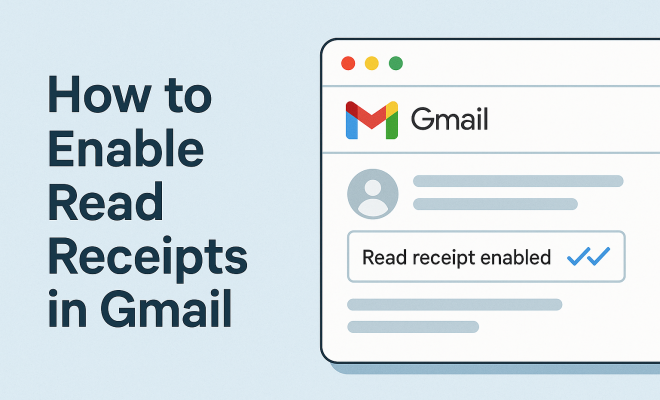
Gmail has become an indispensable tool in our daily communication, both for personal and professional use. One feature that many users are eager to utilize is the ability to enable read receipts in Gmail. This powerful tool allows senders to know when their emails have been opened, ensuring that important messages aren’t lost in the void of the inbox. If you’re aiming to enhance your email communication and add a layer of accountability, read receipts can be a game changer. In this article, we’ll walk through how to enable read receipts in Gmail, explore their importance, and address common questions surrounding this feature.
1. Understanding Read Receipts
Read receipts function as an acknowledgment from the recipient that they have opened the email. This feature can be particularly useful in business environments, where knowing whether a message has been received and acknowledged can facilitate smoother communication and prevent misunderstandings. However, it’s important to remember that read receipts are not always foolproof; some email clients may not support them, and recipients can decline to send a receipt back.
When you send an email with a read receipt request, the recipient will receive a notification asking if they want to send a confirmation back to you. This ensures that the sender knows their email was seen, but also respects the recipient’s choice to opt-out of sharing that information. The balance between effective communication and user privacy is a vital consideration when utilizing this feature.
2. Why Use Read Receipts?
So, why should you consider enabling read receipts in Gmail? For starters, they can significantly enhance accountability in professional settings. If you’re sending a project update, an important meeting invite, or any crucial information, knowing that your recipient has opened your email can reduce the anxiety of wondering if your message was received. This feature can help streamline follow-ups and ensure that critical discussions are being initiated in a timely manner.
Moreover, read receipts can also assist in personal communications, particularly if you’re dealing with time-sensitive information. Imagine sending an invitation or an urgent request and having the peace of mind that comes from knowing that the recipient has seen it. However, always consider the nature of the relationship before using this feature, as not everyone may appreciate being tracked.
3. Enabling Read Receipts in Gmail: Step-by-Step Instructions
Enabling read receipts in Gmail is a straightforward process, but it’s important to note that this feature is primarily available for Google Workspace users. If you’re using a personal Gmail account, you won’t have access to this feature. Here’s how to enable read receipts for Google Workspace accounts:
- Step 1: Log into your Google Workspace Gmail account.
- Step 2: Click on the gear icon in the upper right corner to open the Settings menu.
- Step 3: Navigate to the Advanced tab.
- Step 4: Look for the Read receipts option and enable it.
- Step 5: Save your changes.
Once you’ve enabled this feature, you can send emails with read receipt requests. When composing a new message, simply check the box for requesting a read receipt before sending. The recipient will be prompted to send a confirmation once they open your message.
4. Managing Read Receipt Requests
After you’ve enabled read receipts, managing requests is important. When you receive a read receipt request, you’ll have the option to decline sending a confirmation back. If you choose to send the receipt, the sender will know that you’ve opened their email. This can lead to a range of responses from the recipient, depending on their preferences.
As a best practice, consider your response habits. If you frequently decline receipts, think about how that might come across to the sender. It may give the impression that you’re not engaged or that the communication is less important to you. On the other hand, if you often send receipts, be aware that this could create expectations for others regarding your own communication habits as well. (See: Overview of email communication.)
5. Common Issues with Read Receipts
While enabling read receipts in Gmail can greatly assist with communication, it’s not without its pitfalls. One common issue is that some email clients may not support read receipts at all. If the recipient is using a different email service, there’s a chance that your request for a read receipt may go unanswered. Even within Gmail, users may have settings configured to deny sending read receipts.
Another issue is the potential for misunderstandings. Recipients may feel pressured to respond quickly upon seeing that a read receipt was sent, which can lead to stress or even resentment. It’s important to maintain a clear communication style that doesn’t rely solely on read receipts for follow-ups. Use this feature as a tool, but not as a crutch.
6. Alternatives to Read Receipts
If you find that read receipts aren’t working well for you or if you’re using a personal Gmail account without access to this feature, there are alternatives to consider. One effective method is to use email tracking software. These tools can provide insights into whether your emails have been opened, how many times they’ve been viewed, and even how long the recipient spent reading it.
Popular tools like Yesware, Mailtrack, and HubSpot offer free and premium services that can integrate with your Gmail account. These options can provide more granular data than the basic read receipt feature, and they often come with added functionalities like template management, analytics, and scheduling. However, be cautious and transparent about using such tools, as recipients may appreciate honesty regarding tracking.
7. Conclusion: Effective Email Communication
Enabling read receipts in Gmail is a valuable step toward improving your email communication skills, especially in professional settings. By understanding how to utilize this feature, you can enhance accountability and ensure that key messages are acknowledged. Whether you choose to use read receipts or alternative tracking tools, the ultimate goal should always be effective communication.
Remember, effective communication is not only about knowing when your emails are read but also about fostering strong relationships and clear exchanges. As you navigate your email interactions, consider how you can use features like read receipts judiciously to create a more efficient and respectful communication environment.
8. The Impact of Read Receipts on Professional Relationships
Understanding the dynamics of read receipts in professional environments is crucial. They can influence how relationships develop over time. For instance, a manager might use read receipts to ensure that employees are keeping up with essential communications. On the other hand, subordinates might feel more pressure to respond promptly, potentially leading to anxiety.
It’s essential to find a balance. While read receipts can foster accountability, they can also create a culture of constant surveillance. If employees feel they’re being monitored too closely, it can lead to resentment and decreased morale. Open discussions about communication preferences can help alleviate these concerns. For example, a team might agree that read receipts will be used for critical updates but not for less urgent communications.
9. Statistics on Email Engagement
Understanding how email engagement impacts your communication strategy is vital. According to a study by Campaign Monitor, emails with personalized subject lines have a 26% higher open rate. Additionally, the Radicati Group found that the average office worker receives around 121 emails per day, underscoring the importance of effective communication methods, including the use of read receipts.
Moreover, a report from HubSpot indicates that 49% of people say they would like to receive promotional emails from their favorite brands, but only if those emails are relevant. This indicates that while read receipts can ensure a message is received, the content must also engage the recipient effectively. Knowing when an email is read can inform follow-up strategies, but ensuring your emails are relevant is equally essential. (See: Effective communication strategies.)
10. Best Practices for Using Read Receipts
If you’re going to use read receipts, consider these best practices to maximize their effectiveness: auto Cc and Bcc tips offers useful background here.
- Be Selective: Only use read receipts for important emails that require acknowledgement. Constantly requesting receipts can annoy recipients.
- Communicate Expectations: If you’re in a team setting, discuss when it’s appropriate to use read receipts to avoid misunderstandings.
- Respect Privacy: Some recipients may not feel comfortable sending read confirmations. Always respect their choice to decline.
- Use It Sparingly: Don’t rely solely on read receipts for follow-ups; combine them with other strategies like direct phone calls or meetings.
- Monitor Feedback: Pay attention to how recipients respond to your read receipt requests and adjust your approach accordingly.
11. Frequently Asked Questions (FAQ)
What happens if the recipient doesn’t have read receipts enabled?
If the recipient does not have read receipts enabled or is using an email client that doesn’t support them, you won’t receive a confirmation even if they opened your email. This situation is common, so don’t rely solely on read receipts for crucial communications.
Can I enable read receipts for personal Gmail accounts?
Unfortunately, personal Gmail accounts do not have the option to enable read receipts. This feature is exclusive to Google Workspace users, so consider alternative tracking tools if you’re using a personal account.
How do I know if someone has read my email?
If you have enabled read receipts and the recipient accepts your request, you will receive a notification confirming that your email has been opened. However, this is dependent on the recipient’s email settings, so it’s not guaranteed.
Are there any privacy concerns associated with read receipts?
Yes, many recipients may feel uncomfortable with the idea of being tracked. While it’s a useful tool for senders, it’s crucial to respect the recipient’s choice and privacy. Always communicate transparently about your intentions when using read receipts.
Can I disable read receipts after enabling them?
Yes, you can disable read receipts at any time by going back into your Gmail settings and adjusting the preferences in the Advanced tab. This can be useful if you find that the feature is causing more confusion than clarity.
Is there a way to track email opens without using read receipts?
Yes, various email tracking software options can help you monitor email opens without relying on read receipts. Tools like Mailtrack and Yesware provide insights into email engagement, including opens and clicks, while allowing you to maintain some level of anonymity regarding tracking.
12. The Psychology Behind Read Receipts
The psychology of communication plays a significant role in how read receipts are perceived and utilized. Research indicates that transparency in communication builds trust among parties. When individuals see that read receipts are used, it can foster a sense of accountability. However, it may also create anxiety for the recipient, especially if they feel obligated to respond immediately after reading. Understanding this dynamic can help you use read receipts more effectively.
One study by the Journal of Communication found that people generally prefer clear and direct communication, which read receipts can provide. However, the same study highlighted that excessive tracking can lead to stress and resentment, suggesting that moderation is key. Striking a balance between accountability and respect for privacy is crucial in maintaining healthy communication. (See: The relevance of read receipts.)
13. Industry-Specific Use Cases for Read Receipts
Different industries may have varying levels of reliance on read receipts. For example, in the legal field where document acknowledgment is critical, attorneys might use read receipts to ensure that important legal documents were received and reviewed by clients or opposing counsel. In the tech industry, product managers may rely on read receipts to confirm that stakeholders have seen updates and feedback requests.
In contrast, creative industries may find read receipts less useful. Graphic designers and content creators often collaborate in such a way that immediate acknowledgment isn’t always necessary; instead, they may prefer open-ended communication where feedback is sought over time. Understanding your industry’s culture is vital for effectively implementing read receipts.
14. Tips for Using Read Receipts in Customer Communication
When communicating with customers, the approach to read receipts should be handled with care. Customers may feel scrutinized if they know their actions are being monitored. Here are some tips:
- Inform Customers: If you’re using read receipts, consider informing customers upfront that this feature is enabled. Transparency can help mitigate any concerns.
- Use for Critical Communication: Reserve read receipts for significant interactions, such as confirmations of order shipments or important updates, rather than everyday correspondence.
- Follow Up Judiciously: If you see a read receipt but haven’t received a response, consider sending a gentle follow-up rather than a demand; this demonstrates professionalism and respect for the customer’s time.
15. Future Trends: Read Receipts and Email Communication
As technology evolves, so does the way we communicate via email. Trends indicate that email marketing and communication tactics will continue to pivot towards personalization and engagement. Read receipts might evolve into features that provide more granular insights about engagement, such as time spent reading an email or the specific sections of the email that were engaged with most.
Additionally, privacy regulations could impact how tracking features are utilized in the future. As awareness around data privacy grows, companies may need to adapt their email strategies to ensure compliance while still achieving effective communication. As we look forward, understanding these trends can help you better position your email strategies in a rapidly changing digital landscape.
By considering the dynamics of read receipts and incorporating them thoughtfully into your communication strategy, you can greatly enhance your email interactions, ensuring they are effective, respectful, and conducive to building stronger professional relationships.
“`
Trending Now
Frequently Asked Questions
How do I enable read receipts in Gmail?
To enable read receipts in Gmail, you must have a Google Workspace account. Go to your Gmail settings, select 'See all settings,' navigate to the 'General' tab, and find the 'Read receipts' section. From there, you can enable the feature and start requesting receipts for your outgoing emails.
What are read receipts in Gmail?
Read receipts in Gmail are notifications that inform senders when their emails have been opened by the recipient. This feature is particularly useful in professional settings, allowing senders to confirm whether important messages have been acknowledged.
Are read receipts reliable in Gmail?
Read receipts in Gmail are not always reliable. Some email clients do not support this feature, and recipients have the option to decline sending a read receipt. Thus, while they can enhance communication, they should not be solely relied upon for confirmation.
Can I disable read receipts in Gmail?
Yes, you can disable read receipts in Gmail. To do so, go to your Gmail settings, select 'See all settings,' and navigate to the 'General' tab. In the 'Read receipts' section, you can choose not to request receipts for your emails.
Why should I use read receipts in my emails?
Using read receipts in emails can enhance accountability, especially in professional contexts. They help confirm that important messages, such as project updates or meeting invitations, have been seen, reducing uncertainty and facilitating more effective communication.
What's your take on this? Share your thoughts in the comments below — we read every one.