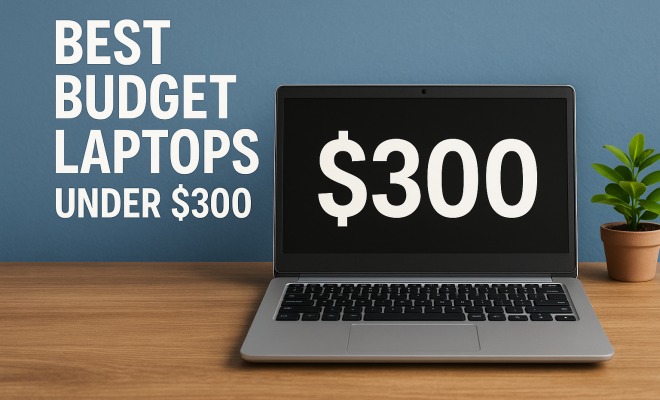
Best Budget Laptops Under $300
“`html
In a world where technology continuously evolves, finding the best budget laptops under $300 can feel like a daunting task. However, budget-friendly options have significantly improved, offering decent performance without breaking the bank. Whether you’re a student needing a reliable device for online classes, a professional seeking a lightweight laptop for work, or someone who just wants to browse the web, there’s something for everyone. Let’s explore the top nine contenders that stand out in the market today, ensuring you get the best value for your money.
1. Acer Chromebook 14: A Solid Chrome Experience
The Acer Chromebook 14 is often celebrated as one of the best budget laptops under $300. With a sleek aluminum chassis and a 14-inch Full HD display, it’s not only attractive but also functional. Powered by an Intel Celeron N3160 processor and 4GB of RAM, this Chromebook handles everyday tasks quite well.
One of the standout features of the Acer Chromebook 14 is its impressive battery life, lasting up to 12 hours on a single charge. This makes it perfect for students and professionals who may spend long hours away from a power outlet. Additionally, its lightweight design—coming in at just over three pounds—makes it highly portable. Though Chrome OS might not support every application, it’s an excellent choice for those who primarily use web-based applications.
2. Lenovo Ideapad 1: Lightweight and Accessible
Lenovo has made a name for itself in the budget laptop segment, and the Ideapad 1 is no exception. This laptop features an AMD Athlon Silver 3050e processor, 4GB of RAM, and up to 128GB of SSD storage, providing a responsive user experience. The 14-inch display is bright and vibrant, making it suitable for casual media consumption.
Weighing only about 3 pounds, the Ideapad 1 is incredibly portable, making it a great option for students and busy professionals. Moreover, it comes pre-loaded with Windows 11 in S mode, which enhances security and performance by allowing apps only from the Microsoft Store. If you’re looking for a functional laptop that covers the essentials, this is definitely a contender.
3. HP Stream 14: Affordable and Practical
The HP Stream 14 is another solid choice among the best budget laptops under $300. It boasts a 14-inch HD display, an Intel Celeron N4000 processor, and 4GB of RAM. While performance is modest, it’s more than sufficient for basic tasks like web browsing, streaming videos, and word processing.
This laptop is designed for those who want a straightforward user experience without the bells and whistles. The HP Stream 14 also comes with a year of free Microsoft 365, enhancing its productivity capabilities. Furthermore, its battery life can last up to 10 hours, making it a reliable companion for long days at school or work.
4. ASUS VivoBook L203MA: Compact and Versatile
The ASUS VivoBook L203MA stands out in the budget category with its compact design and versatile functionality. It features an Intel Celeron N4000 processor, 4GB of RAM, and 64GB of eMMC storage. Notably, it comes with a 11.6-inch HD display, making it an excellent choice for those who prioritize portability over screen real estate.
One key advantage of the VivoBook L203MA is its lightweight design, weighing just 2.2 pounds. This makes it incredibly easy to carry around, whether you’re commuting to class or working remotely from a café. Additionally, it offers a full-sized keyboard and decent battery life—around 10 hours—ensuring you can work comfortably without needing to recharge frequently.
5. Samsung Chromebook 4: Durable and Efficient
The Samsung Chromebook 4 is a great option for anyone looking for durability without compromising performance. It features an Intel Celeron processor, 4GB of RAM, and 32GB of eMMC storage. Its 11.6-inch display ensures that it remains compact, while its military-grade durability means it can withstand the rigors of daily life.
One of the major highlights of the Chromebook 4 is its long battery life, boasting up to 12.5 hours on a single charge. This makes it ideal for students or professionals who need a reliable device that can last through long days of use. Plus, with Chrome OS, you can quickly access your favorite web apps, making this laptop perfect for those who primarily use cloud-based tools. (See: Learn more about Chromebooks.)
6. Dell Inspiron 15 3000: A Classic Choice
The Dell Inspiron 15 3000 model is a classic budget laptop offering solid performance for under $300. With an Intel Celeron N4020 processor, 4GB of RAM, and 128GB SSD, it provides sufficient performance for everyday tasks. The 15.6-inch display offers ample screen space for multitasking, making it suitable for students and office workers alike.
What sets the Inspiron 15 apart is its user-friendly design. The laptop is equipped with a full-sized keyboard and a numeric keypad—an advantage for anyone who frequently needs to enter numbers. Additionally, it offers decent battery life of around 7-8 hours, which is satisfactory for day-to-day use. Dell’s commitment to quality means you can feel confident in the durability of this device.
7. Microsoft Surface Go 2: The Tablet-Laptop Hybrid
If you’re looking for versatility, the Microsoft Surface Go 2 is a remarkable 2-in-1 option that fits within the budget category. While it might slightly exceed the $300 threshold when fully equipped, many consider it a worthwhile investment due to its tablet-like functionality combined with laptop capabilities. It features an Intel Pentium Gold processor, 4GB of RAM, and 64GB of eMMC storage.
The 10.5-inch touchscreen display is vibrant and responsive, making it great for both work and play. Its lightweight design allows for easy portability, and with a battery life of about 10 hours, it’s a solid option for those who value flexibility. Additionally, its compatibility with the Surface Pen and Type Cover enhances its usability, appealing to students and professionals alike.
8. Lenovo Chromebook Flex 5: Stylish and Functional
The Lenovo Chromebook Flex 5 is a stylish convertible laptop that offers flexibility for everyday tasks. With its Intel Core i3 processor, 4GB of RAM, and 64GB of eMMC storage, this Chromebook provides a more robust performance than many competitors in the budget segment. The 13.3-inch Full HD touchscreen allows for an enhanced viewing experience, whether you’re streaming movies or getting work done.
This laptop stands out due to its 360-degree hinge, allowing you to use it in tablet, tent, or laptop mode. This versatility is perfect for students who may want to take notes during lectures or professionals who need to present their work. Battery life is also commendable, lasting about 10 hours, making it suitable for a full day of use without needing a charge.
9. HP Pavilion x360: Hybrid Functionality
The HP Pavilion x360 is another excellent hybrid laptop that comes with a 2-in-1 design, featuring a 14-inch touchscreen display and an Intel Pentium Gold processor. With 4GB of RAM and 128GB of SSD storage, it provides decent performance for various applications. Its ability to switch between laptop and tablet mode makes it a versatile choice for users needing flexibility.
This model is particularly user-friendly, with a full-sized keyboard and responsive touchscreen. The HP Pavilion x360 is perfect for students and professionals who engage in collaborative projects, as its convertible design allows multiple users to view content from different angles. Battery life is around 8 hours, which is adequate for daily tasks.
Exploring More Budget-Friendly Options
While we’ve highlighted some of the top contenders, there are additional laptops worth considering under the $300 mark. These options may not be as widely recognized but can still cater to specific needs efficiently.
10. Gateway 14.1” Ultra Slim Laptop: A Stylish Option
The Gateway Ultra Slim features a modern design with a 14.1-inch HD display and a sleek chassis. It’s powered by an Intel Celeron processor, paired with 4GB of RAM and 64GB of eMMC storage. This model is perfect for casual users who appreciate a stylish laptop for browsing and light tasks.
What’s noteworthy is its variety of color options, allowing users to choose a laptop that suits their personality. It’s lightweight at just under 3.5 pounds, making it a viable option for those on the go. Battery life lasts approximately 8 hours, giving you a decent amount of usage between charges.
11. CHUWI HeroBook Pro: A Unique Find
The CHUWI HeroBook Pro brings a unique design to the budget laptop segment with its ultra-slim profile and 15.6-inch display. It comes equipped with an Intel Gemini Lake N4100 processor, 8GB of RAM, and 256GB of SSD storage, which is impressive for its price point.
This laptop is particularly appealing for its larger storage capacity, allowing users to store more applications and files without the need for external drives. Moreover, it runs on Windows 10, offering a familiar environment for those transitioning from other laptops. Battery life is decent, averaging around 6-7 hours. (See: Ergonomics in laptop use.)
Key Considerations When Choosing a Budget Laptop
When shopping for the best budget laptops under $300, there are several factors to consider. Understanding these can help you make a more informed decision based on your specific needs.
Performance
Performance is often the most pressing concern for users. Entry-level processors like Intel Celeron and AMD Athlon are common in this price range. They can handle basic tasks like browsing, streaming, and word processing, but might struggle with more intensive applications or multitasking. Always check the RAM and storage options; more RAM (4GB or more) and SSD storage will significantly improve overall performance.
Battery Life
Battery life is crucial for users who need portability. Look for laptops with a minimum of 8 hours of battery life for all-day use. Many budget laptops offer impressive battery performance, but actual usage can vary based on tasks and display settings.
Build Quality and Design
In the budget segment, build quality can vary significantly. Look for laptops with sturdy construction that can withstand everyday use. A lightweight design is also preferable for portability, especially for students and professionals.
Operating System
Operating systems can greatly impact usability. Chromebooks, for instance, are excellent for web-based tasks but may not support all applications. Windows laptops offer greater versatility, making them suitable for a wider range of software. Consider what you plan to use the laptop for and choose accordingly.
Frequently Asked Questions
1. Can I run Windows on a budget laptop under $300?
Yes, many budget laptops come pre-installed with Windows 10 or 11, providing a familiar interface and access to a wide range of applications. Be sure to check the specifications, as some models may run on Chrome OS.
2. Are budget laptops good for gaming?
While budget laptops can handle light gaming and casual titles, they are generally not designed for demanding games. If gaming is a priority, you may need to invest in a laptop with a dedicated graphics card, which usually exceeds the $300 budget.
3. How much storage do I need in a budget laptop?
For basic tasks like browsing and office work, 64GB is usually sufficient. However, if you plan on storing larger files, consider models with at least 128GB of SSD storage for faster performance and more capacity.
4. Is it worth buying a refurbished laptop?
Refurbished laptops can be a great way to save money, offering good performance at a lower price. Just ensure you buy from a reputable seller and check the warranty and return policy.
5. What should I prioritize: RAM or storage?
Both are important, but if you have to choose, prioritize RAM for better multitasking performance. Aim for at least 4GB of RAM, as it supports smoother operations, while SSD storage improves loading times and system responsiveness. (See: Best budget laptops recommendations.)
Evaluating Your Needs: Understanding Laptop Use Cases
When thinking about your next laptop purchase, consider what activities you’ll be doing most. Are you focusing on note-taking, web browsing, or perhaps a little bit of photo editing? Understanding your primary use case can help narrow down your choices significantly.
For Students
Students often need laptops that can handle note-taking, video conferencing, and research. A device with a lightweight build and long battery life is ideal. For example, the Acer Chromebook 14 and Lenovo Ideapad 1 both offer the essential performance while remaining portable enough for daily classes.
For Professionals
If you work from home or need to attend meetings on the go, consider laptops with solid build quality and decent performance. The Dell Inspiron 15 3000 offers a larger screen for multitasking and a numeric keypad—perfect for data entry tasks. Additionally, the HP Stream 14’s included Microsoft 365 subscription can enhance productivity.
For Casual Users
If you primarily use your laptop for browsing, watching videos, or social media, you might prioritize a model like the HP Pavilion x360. Its 2-in-1 functionality allows for touch interaction, which can be beneficial for casual users who enjoy a more interactive device.
Future-Proofing Your Budget Laptop
While it’s tempting to focus solely on the immediate budget, keep in mind how you can future-proof your investment. Consider laptops that have upgradeable RAM or storage options, as technology standards evolve rapidly. Some brands like Dell and Lenovo often provide options for upgrading components, allowing you to keep your laptop relevant for longer.
Invest in Accessories
Don’t forget to budget for accessories that can enhance your laptop experience. A good quality laptop case or sleeve can protect your device while on the go. Additionally, an external hard drive can provide extra storage, especially if you opt for a laptop with limited internal space. External monitors can also be a great addition for multitasking, particularly for remote work setups.
Shopping Tips for Budget Laptops
When you’re set to purchase, keep a few shopping tips in mind to ensure you’re getting the best deal:
- Check for Sales: Keep an eye out for seasonal sales, as many retailers offer significant discounts during back-to-school or holiday seasons.
- Read Reviews: Customer reviews can provide insights into any potential issues with specific models and help you gauge overall satisfaction.
- Warranty and Support: Consider the warranty period and customer support offered by the manufacturer. A longer warranty can provide peace of mind in case of hardware issues.
Finding the best budget laptops under $300 doesn’t mean you have to sacrifice quality or performance. Each of these models offers something unique, catering to various needs and preferences. Whether you’re a student, a professional, or just someone looking for an affordable yet reliable machine, these laptops prove that you don’t have to spend a fortune to get a capable device. Just be sure to evaluate your specific needs—like portability, battery life, and performance—before making a decision, and you’ll find the perfect fit for your budget and lifestyle.
“`
Trending Now
Frequently Asked Questions
What are the best budget laptops under $300?
Some of the best budget laptops under $300 include the Acer Chromebook 14 and Lenovo Ideapad 1. These laptops offer decent performance, portability, and long battery life, making them ideal for students and professionals on a budget.
Is it worth buying a laptop under $300?
Yes, buying a laptop under $300 can be worth it if you need a device for basic tasks like browsing, streaming, and online classes. Many budget laptops now offer good performance and features that meet everyday needs.
What features should I look for in a budget laptop?
When shopping for a budget laptop, look for features like an adequate processor (Intel Celeron or AMD Athlon), at least 4GB of RAM, SSD storage for speed, and good battery life. A lightweight design is also beneficial for portability.
Can I use a budget laptop for gaming?
Budget laptops under $300 are generally not suitable for gaming due to limited processing power and graphics capabilities. They are best for casual tasks, but if gaming is a priority, consider investing in a more powerful laptop.
How long do budget laptops last?
Budget laptops can last anywhere from 3 to 5 years, depending on usage and maintenance. Regular software updates and proper care can extend their lifespan, but they may not handle heavy tasks as well as more expensive models.
What's your take on this? Share your thoughts in the comments below — we read every one.