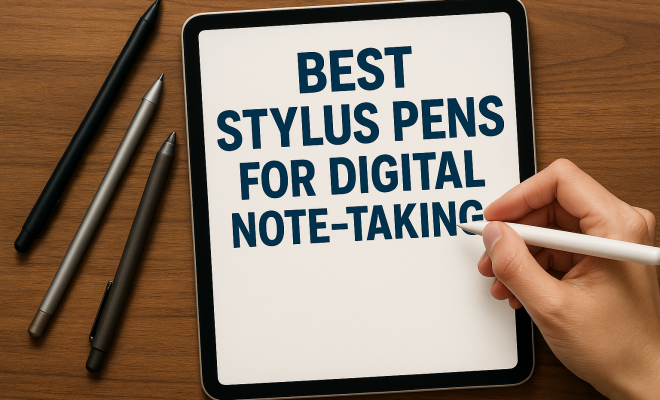
Best Stylus Pens for Digital Note-Taking
“`html
In recent years, the art of note-taking has undergone a remarkable transformation, primarily influenced by advancements in technology. With the rise of tablets and smartphones, digital note-taking has become increasingly popular, prompting the need for effective tools like stylus pens. But with so many options available, how do you choose the best stylus pen for note taking? In this article, we’ll explore nine top stylus pens that stand out in the market today, offering a blend of functionality, precision, and user experience.
1. Apple Pencil (2nd Generation): Perfect for iPad Users
If you’re an iPad user, the Apple Pencil (2nd Generation) is arguably the best stylus pen for note taking. Its seamless integration with the iPad Pro and other compatible models makes it a favorite among artists and students alike. With a pressure-sensitive tip, it allows users to create intricate designs and take notes with remarkable precision.
One of the standout features of the Apple Pencil is its magnetically attachable design, which not only keeps it secure but also allows for convenient charging. Additionally, its low latency ensures that it feels incredibly responsive, making it easy to write naturally on the screen. The double-tap feature enables quick switching between tools, enhancing workflow efficiency when jotting down notes or sketching.
According to studies, note-taking with a stylus enhances retention and understanding of material compared to traditional methods. The precision of the Apple Pencil allows for varied writing styles, which can be particularly beneficial during lectures and meetings. Whether you’re jotting down lecture notes or drawing diagrams, this stylus can adapt to your style effortlessly.
2. Microsoft Surface Pen: A Versatile Companion
The Microsoft Surface Pen stands out as one of the best stylus pens for note taking on Windows devices. Its sleek design and wide compatibility with Surface tablets make it a practical choice for professionals and students. With 4,096 levels of pressure sensitivity, this pen ensures that every stroke feels natural and fluid.
The Surface Pen features tilt support, allowing users to create shading effects similar to traditional drawing. The rubber eraser end is a thoughtful touch, making it easy to correct mistakes on the go. This pen’s ability to connect instantly to your Surface device means you can start taking notes or drawing without delay, a significant advantage in a fast-paced environment.
Statistically, students using stylus pens like the Surface Pen report higher engagement levels during note-taking sessions. The ability to write by hand rather than type can lead to better comprehension and retention, making this tool invaluable in educational settings.
3. Samsung S Pen: Ideal for Galaxy Users
If you own a Samsung Galaxy device, the S Pen is a must-have accessory. Integrated with devices like the Galaxy Note series and Galaxy Tab S, it offers a host of features that enhance your note-taking experience. The S Pen is known for its precision, thanks to its advanced pressure sensitivity and low latency. iPad classroom tips offers useful background here.
One of the unique aspects of the S Pen is its Air Actions feature, which allows users to control their device remotely with gestures. This is particularly useful during presentations or lectures. Additionally, the built-in Bluetooth functionality means you can use the S Pen as a remote shutter for your camera, adding another layer of utility beyond just note-taking.
Furthermore, recent updates have unlocked even more features, such as handwriting-to-text conversion, making it easier to digitize notes. This feature is particularly useful for students who want to keep their handwritten notes organized and easily accessible on their devices. (See: note-taking enhances retention and understanding.)
4. Adonit Note-M: For the Multitasker
The Adonit Note-M is an excellent choice for users who need a stylus that can do it all. Compatible with both iOS and Android devices, this stylus pen is designed for seamless navigation and note-taking. With its fine point tip, it provides remarkable accuracy, making it suitable for detail-oriented tasks.
One of the key features of the Adonit Note-M is its built-in mouse function, allowing it to double as a traditional mouse when needed. This versatility is a game-changer for users who switch between note-taking and navigating their devices. The battery life is impressive, offering up to 30 hours of usage on a single charge, making it a reliable option for daily use.
Additionally, the Note-M’s ergonomic design ensures comfort even during lengthy note-taking sessions. Whether you’re drafting essays or sketching ideas, users find that this stylus reduces hand fatigue, making it an excellent option for students or professionals who spend hours writing.
5. Logitech Crayon: Great for Education
Logitech’s Crayon stylus has gained popularity as one of the best stylus pens for note taking in educational settings. Compatible with various iPad models, the Crayon is designed with students in mind. Its durable build and comfortable grip make it ideal for extensive writing sessions.
The Crayon offers tilt sensitivity, allowing users to create varying line thicknesses, which enhances creativity during note-taking or drawing. The battery life is commendable, providing up to 7 hours of continuous use. Its affordable price point makes it an accessible option for students who want to enhance their note-taking experience without breaking the bank.
In classrooms, teachers have found that the use of stylus pens like the Crayon promotes active learning. When students engage with their notes manually, they tend to retain information better. The intuitive design and functionality make the Crayon a popular choice among educators and students alike.
6. Woolnut Leather Sleeve Stylus: A Touch of Elegance
For those looking for a mix of style and functionality, the Woolnut Leather Sleeve Stylus is a standout choice. While its primary function is to protect your stylus, it also doubles as a pen holder, making it a stylish accessory for professionals who want to keep their note-taking tools organized. We covered free AirPods discounts for teachers in more detail.
The Woolnut sleeve is crafted from premium leather, providing a luxurious feel and added protection from everyday wear and tear. This stylus may not have the advanced features of others on this list, but its elegant design and practicality make it a worthy accessory for users who appreciate aesthetics alongside functionality.
When paired with stylus pens, the Woolnut sleeve adds a touch of professionalism to your note-taking setup. For business meetings or presentations, having a well-designed stylus and sleeve can create a lasting impression, reflecting attention to detail and personal style.
7. Amazon Basics Stylus Pen: Budget-Friendly Choice
If you’re looking for a reliable yet affordable option, the Amazon Basics Stylus Pen is worth considering. This budget-friendly stylus pen offers basic functionalities for note-taking without the high price tag. It’s compatible with most touchscreen devices, making it a versatile tool for casual users.
While it may lack some of the advanced features found in premium styluses, its ergonomic design and lightweight build make it easy to handle. The Amazon Basics Stylus Pen is ideal for those who need a simple tool for jotting down quick notes or navigating their devices, offering great value for the price. (See: effects of digital note-taking.)
Many customers have praised the Amazon Basics Stylus for its ease of use and surprising durability. For those who just need a pen for occasional use, it often exceeds expectations, proving that you don’t have to spend a fortune to get a decent note-taking tool.
8. Zagg Pro Stylus: All-in-One Solution
The Zagg Pro Stylus offers a combination of features that make it one of the best stylus pens for note taking. Compatible with various devices, including iPads and other touchscreen devices, it boasts a dual-tip design—one end for fine tip writing and the other for a broad tip, perfect for shading and coloring.
One of the main advantages of the Zagg Pro Stylus is its compatibility with palm rejection technology, ensuring that your hand won’t interfere while writing. This pen also supports tilt sensitivity, which is particularly beneficial for artists and note-takers who want to create varied line thicknesses. With its impressive battery life and seamless performance, it’s an excellent option for users who want versatility in their note-taking tool.
In various user tests, the Zagg Pro Stylus has shown to significantly enhance the drawing and writing experience. Users report that the dual-tip feature allows for a smooth transition between writing notes and creating visual diagrams, making it an ideal all-in-one tool for students and professionals alike.
9. XP-Pen Deco Mini7: For Creative Note-Takers
Finally, for those who blend creativity with note-taking, the XP-Pen Deco Mini7 is a remarkable stylus pen worth exploring. This graphics tablet comes with a stylus that provides an unparalleled drawing experience, making it ideal for artists, graphic designers, and students who want to incorporate creative elements into their notes.
With 8,192 levels of pressure sensitivity, the XP-Pen Deco Mini7 allows for precise control over your drawings and writing. Its compact size and lightweight design make it portable, perfect for users who need to take it on the go. It’s compatible with various software applications, broadening its use beyond simple note-taking, making it a versatile tool for anyone in creative fields.
Many artists and designers have reported that the XP-Pen Deco Mini7 revolutionizes their workflow, providing them the freedom to create intricate designs while taking notes. The ability to switch between artistic tasks and note-taking seamlessly makes it an invaluable tool in educational and professional settings.
Key Considerations When Choosing a Stylus Pen for Note Taking
When searching for the best stylus pen for note taking, there are several factors to consider to ensure that you choose the right tool for your needs:
- Device Compatibility: Ensure that the stylus is compatible with your device, whether it’s an iPad, Surface tablet, or Android device.
- Pressure Sensitivity: Look for pens with a high level of pressure sensitivity for a more natural writing experience, mimicking the feel of pen and paper.
- Battery Life: Consider the battery life of the stylus, especially if you plan to use it frequently. A stylus with longer battery life means fewer interruptions.
- Ergonomics: A comfortable grip is essential, especially for long note-taking sessions. Look for pens that are designed to reduce hand fatigue.
- Price: Determine your budget. There are excellent options available across various price ranges, so find one that suits your financial plan.
Frequently Asked Questions (FAQ)
1. What is the best stylus pen for note taking on an iPad?
The Apple Pencil (2nd Generation) is often recommended due to its seamless integration, precision, and unique features like magnetic attachment and double-tap functionality.
2. Can I use a stylus pen on any touchscreen device?
Not all stylus pens are compatible with every touchscreen device. It’s important to check compatibility before purchasing a stylus, as some are specifically designed for certain brands or models.
3. How can I improve my note-taking skills with a stylus?
To enhance your note-taking skills, practice using your stylus regularly. Experiment with different styles of writing, incorporate diagrams, and use note-taking apps that allow you to organize and manage your notes effectively.
4. Are there budget-friendly stylus options that perform well?
Yes, options like the Amazon Basics Stylus offer decent performance at a lower price point. While they may lack advanced features, they can be sufficient for basic note-taking tasks.
5. What features should I look for in a stylus for professional use?
For professional use, consider features such as precision, pressure sensitivity, ergonomic design, palm rejection technology, and battery life to ensure a smooth and productive experience. There’s a fuller look at exclusive teacher offers on Apple products.
Stylus Pen Comparison
To help you make a more informed decision, here’s a quick comparison of some of the features of the discussed stylus pens:
| Stylus Pen | Pressure Sensitivity | Battery Life | Compatibility | Unique Features |
|---|---|---|---|---|
| Apple Pencil (2nd Generation) | Pressure-sensitive | 20+ hours | iPad Pro, iPad Air | Magnetic charging, double-tap |
| Microsoft Surface Pen | 4,096 levels | Approximately 12 hours | Surface devices | Tilt support, eraser end |
| Samsung S Pen | Pressure-sensitive | 30+ hours | Galaxy devices | Air Actions, remote control |
| Adonit Note-M | Pressure-sensitive | 30 hours | iOS, Android | Built-in mouse function |
| Logitech Crayon | Tilt sensitivity | 7 hours | iPad models | Durable design, educational focus |
| Zagg Pro Stylus | Pressure-sensitive | Up to 10 hours | Various touchscreen devices | Dual-tip design, palm rejection |
| XP-Pen Deco Mini7 | 8,192 levels | 20+ hours | Various software | Graphics tablet, drawing capability |
Tips for Enhancing Your Note-Taking Experience
Choosing the best stylus pen for note taking is just the first step. Here are some tips to enhance your overall experience:
- Use Quality Note-Taking Apps: Apps like Notability, GoodNotes, or Microsoft OneNote can significantly enhance your note-taking experience by leveraging the features of your stylus pen.
- Practice Different Writing Styles: Experiment with cursive, print, and even doodling to find what works best for your retention and creativity.
- Organize Your Notes: Use folders, tags, or sections within your note-taking app to keep your notes organized and easily accessible.
- Incorporate Colors and Highlights: Use different colors for headings, bullet points, or important information to make your notes visually appealing.
- Regularly Review Your Notes: Make it a routine to go back to your notes, as this will reinforce your memory and understanding of the material.
Choosing the best stylus pen for note taking ultimately depends on your individual needs, device compatibility, and budget. Each pen on this list brings unique features to the table, ensuring that whether you’re a student, professional, or creative, there’s an option that suits your style and enhances your note-taking experience. Consider what features are most important to you, and you’ll find the right tool to elevate your digital note-taking to new heights.
“`
Trending Now
Frequently Asked Questions
What is the best stylus pen for note-taking?
The Apple Pencil (2nd Generation) is often considered the best stylus pen for note-taking, especially for iPad users. It offers seamless integration, pressure sensitivity, and features like a magnetically attachable design and low latency, making it ideal for both writing and sketching.
How does using a stylus improve note-taking?
Using a stylus for note-taking enhances retention and understanding compared to traditional methods. The precision and varied writing styles offered by stylus pens allow users to take more organized notes, create diagrams, and engage better during lectures or meetings.
Are stylus pens compatible with all tablets?
Not all stylus pens are compatible with every tablet. It's essential to choose a stylus designed for your specific device. For instance, the Apple Pencil works best with iPads, while the Microsoft Surface Pen is tailored for Windows Surface tablets.
What features should I look for in a stylus pen?
When choosing a stylus pen, consider features like pressure sensitivity, compatibility with your device, battery life, and additional functionalities such as programmable buttons or magnetically attachable designs for convenience and enhanced workflow.
Can I use a stylus pen for drawing as well as note-taking?
Yes, many stylus pens, like the Apple Pencil, are designed for both note-taking and drawing. Their pressure-sensitive tips and low latency allow for intricate designs and natural writing, making them versatile tools for various creative and academic tasks.
What did we miss? Let us know in the comments and join the conversation.