How to take time lapse on phone
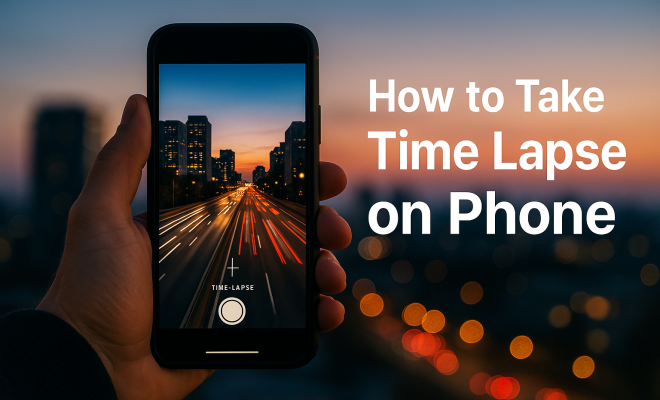
“`html
Time lapse videos have become an increasingly popular way to capture the passage of time in a captivating format. Whether you’re documenting a sunset, a bustling city scene, or the growth of a plant, knowing how to take time lapse video on your phone will elevate your photography game. In this comprehensive guide, we’ll explore the ins and outs of creating stunning time lapse videos right from your smartphone.
1. Understanding Time Lapse
Before we dive into the specifics of capturing time lapse videos, it’s essential to understand what time lapse actually is. Essentially, it’s a technique where the frequency of capturing frames is lower than the frequency used to play them back. This method compresses time, allowing you to witness events that unfold over long periods in a matter of seconds.
Time lapse is widely used in various fields, from filmmaking and scientific research to social media content. By speeding up a process, such as the blooming of a flower or the movement of clouds, you create a dynamic visual that tells a story in a short time frame. It’s clear why many people want to learn how to take time lapse video on their phones — it’s both fun and impressive.
2. Choosing the Right Equipment
While you can technically create time lapse videos with any smartphone, having a device that supports this feature natively makes life easier. Most modern smartphones, including iPhones and Android devices, come with built-in time lapse modes that simplify the process significantly.
If your phone does not have a dedicated time lapse mode, you can still achieve similar results using third-party applications. Some popular options include Hyperlapse from Instagram, Lapse It, and TimeLapse. These apps allow you to adjust settings like frame rates and resolution, giving you more control over the final product.
3. Setting Up Your Shot
The beauty of a time lapse video lies in its ability to capture moments that would otherwise go unnoticed. To make the most of your footage, consider the scene you want to portray. Look for subjects with visible movement, such as cars passing by, waves crashing, or clouds rolling in. Make sure there’s enough time for the action to unfold, as most time lapse videos are typically a few seconds long but can represent hours or even days.
Stability is crucial when capturing time lapse footage. A shaky camera can ruin the overall effect. Using a tripod or a stable surface is highly recommended to ensure your shots remain steady. If you’re shooting in a location where your phone could be bumped, consider using a remote shutter to minimize movement when starting or stopping the recording.
4. Adjusting Settings for the Best Quality
Knowing how to take time lapse video on your phone includes understanding how to adjust settings for optimal quality. Most native time lapse modes will automatically adjust settings based on your environment, but being aware of a few key parameters can make a difference.
Start by checking the resolution and frame rate settings. Higher resolutions will result in better quality, especially if you plan to display your video on larger screens. Frame rates can also impact the speed of motion in your time lapse. A lower frame rate will produce a smoother effect, while a higher one can create a more choppy appearance. Experiment with these settings to find the right balance that works for your specific scene.
5. Lighting and Timing: The Golden Rules
Lighting plays an essential role in photography, and time lapse videos are no exception. Natural light can create stunning effects, so consider the time of day when you plan to shoot. Early mornings or late afternoons often provide softer, golden light that can enhance the beauty of your footage. Be mindful of how the light changes over time, as it can add depth and interest to your final video. (See: Understanding time lapse technique.)
Timing is equally important; capturing longer events means you’ll need to let your camera record for an extended period. If shooting outdoors, keep an eye on weather changes, as they can drastically affect your footage. It’s also wise to avoid recording during windy conditions, which can cause unwanted movement and shaking, ruining your time lapse.
6. Editing Your Time Lapse Video
After capturing your time lapse video, you can enhance it further through editing. Many smartphones come equipped with basic editing features, but using dedicated apps can provide more options. Apps like iMovie for iOS or Adobe Premiere Rush allow you to refine your footage, add music, and incorporate transitions.
When editing, consider the pacing of your video. You might want to cut unnecessary frames to keep the momentum flowing. Adding background music can significantly affect the viewer’s experience, so choose tracks that match the mood of your video. With simple edits, you can turn a great time lapse into a memorable visual story.
7. Sharing Your Time Lapse Videos
Once you’ve crafted your time lapse masterpiece, it’s time to share it with the world! Social media platforms like Instagram, TikTok, and YouTube are great avenues to showcase your work. Each platform has its own set of best practices, so adapt your video format and quality to fit the requirements.
Don’t forget to engage with your audience. Add thoughtful captions, tags, and relevant hashtags to make your content discoverable. Sharing behind-the-scenes shots or the process of creating your time lapse can also foster connection and interest among viewers. Authenticity helps to build your presence and attract more followers.
8. Common Mistakes to Avoid
Even seasoned videographers can make mistakes when creating time lapse videos. One common error is not checking the battery level before starting. Since time lapse recordings can take considerable time, make sure your phone is adequately charged or plugged in during the shoot.
Another mistake is not considering the duration of the recording. It’s easy to think that a longer video will look better, but sometimes, less is more. A concise time lapse can be more impactful than an extended one filled with irrelevant motion. Always keep your intended message and audience engagement in mind when deciding the length and content of your video.
9. Staying Inspired: Exploring Time Lapse Works
To enhance your skills further, explore the work of other time lapse artists. Platforms like Vimeo and YouTube are filled with impressive time lapse projects that can inspire your creativity. Look at how others capture unique perspectives, and consider what you can learn from their techniques.
Additionally, don’t hesitate to experiment with different subjects, environments, and recording techniques. The more you practice, the better you’ll get at understanding what works and what doesn’t. With every video, you’ll hone your skills on how to take time lapse video on your phone, ultimately creating unique pieces that reflect your style.
10. Types of Time Lapse Videos
Understanding the different types of time lapse videos can help you identify which approach suits your style and goals. Here are some popular categories: (See: Scientific research on time lapse.)
- Nature Time Lapse: Capturing the beauty of natural elements like sunsets, starry skies, or plant growth. These videos often convey a sense of peace and serenity.
- Urban Time Lapse: Documenting the hustle and bustle of city life, such as traffic flow, people in motion, or the rise and fall of the sun behind skyscrapers. These videos can highlight the rhythm of urban living.
- Event Time Lapse: Recording events such as weddings, concerts, or festivals. With careful planning, you can showcase important moments in a condensed format that tells a complete story.
- Creative Art Time Lapse: Artists often use time lapse to showcase their creative process. Whether it’s painting a mural or crafting a sculpture, these videos offer a behind-the-scenes look at the art world.
By experimenting with these different types, you can find your niche in the time lapse genre and develop a signature style that resonates with your audience.
11. Technical Considerations for Advanced Users
If you’re looking to take your time lapse videos to the next level, there are some advanced techniques and equipment to consider. Here are a few:
- Using DSLRs or Mirrorless Cameras: While smartphones are great for beginners, using a DSLR or mirrorless camera can provide superior quality and more control. These cameras typically offer adjustable settings, which can enhance your time lapse videos.
- Intervalometers: For serious time lapse enthusiasts, an intervalometer allows you to customize the time intervals between shots. This is especially useful for long-duration projects where you want specific timing for each frame.
- Post-Processing Techniques: Advanced editing software like Adobe After Effects allows for sophisticated editing options, including color grading, stabilization, and special effects that can elevate your time lapse videos.
12. Tips for Long-Term Time Lapse Projects
Creating time lapse videos over extended periods can yield some stunning results, such as tracking seasonal changes in a landscape. Here are a few tips to keep in mind when undertaking long-term projects:
- Plan Your Shots: Before you begin, outline your goals and what you want to capture over time. This will help you stay focused and organized.
- Set Up for the Long Haul: Ensure your camera is well-secured and that your battery is charged for the duration of the shoot. You might also want to invest in power banks or external battery packs to keep your device running.
- Choose an Appropriate Frame Rate: When capturing long-term projects, a slower frame rate can make the final product more watchable, as it condenses a lot of footage into a shorter time.
13. Frequently Asked Questions (FAQ)
How long should I record for a time lapse video?
The duration of your recording depends on the effect you want to achieve. For example, if you’re capturing a sunset, you may record for about 30 minutes to an hour. However, if you’re documenting something that takes longer, like a construction site, you might want to record over several hours or days.
What is the best time interval for shooting time lapse?
This varies based on the speed of the activity you’re capturing. A good rule of thumb is to shoot every 1-5 seconds for fast-moving subjects and every 10-30 seconds for slower activities like clouds changing or flowers blooming.
Can I create time lapse videos without special equipment?
Yes! Most smartphones come with built-in time lapse features, and you can also use third-party apps that offer similar functionalities. While specialized equipment can enhance quality, you can still create impressive time lapse videos with just your phone.
How can I stabilize my phone for time lapse recordings?
Using a tripod is the best way to stabilize your phone. If you don’t have a tripod, find a solid surface or create a makeshift stand using household items. Just ensure that your phone is secure and won’t be disturbed during the recording.
What are some creative ideas for time lapse videos?
Consider capturing the transformation of a workspace as you tackle a project, the setup of a festival or event, or the gradual changes in a natural landscape throughout the seasons. The options are truly limitless!
How do I export and share my time lapse videos?
Once you’ve edited your time lapse video, you can usually export it directly from the editing app to your phone’s gallery or camera roll. From there, you can share it on social media platforms or via email and messaging apps. (See: Time lapse in filmmaking and media.)
Can I add music or sound effects to my time lapse video?
Absolutely! Adding music or sound effects can elevate the emotional impact of your time lapse video. Most editing apps provide a library of music tracks and effects you can choose from. Just ensure that you have the rights to use any music if you plan to share your video publicly.
What are the best subjects for a beginner to start with?
Beginners might find it easiest to start with simple subjects like plants growing, clouds moving, or traffic patterns. These subjects offer noticeable movement and are easy to capture using basic time lapse techniques.
How can I best utilize my smartphone’s battery life during long recordings?
To maximize battery life, consider turning off non-essential features like Wi-Fi and Bluetooth, lowering your screen brightness, and closing background apps. If possible, keep your phone plugged in during long recordings to avoid interruptions.
14. Inspiration from Famous Time Lapse Videos
Sometimes, the best way to learn how to take time lapse video on your phone is to look at the work of others. There are several iconic time lapse videos that have gained popularity:
- Time-Lapse of the Milky Way: A stunning portrayal of the night sky that showcases the movement of stars and celestial events. These videos often evoke a sense of wonder and can inspire viewers to explore astrophotography.
- Planet Earth: Time-Lapse Series: This series captures nature’s beauty in breathtaking detail, demonstrating the effects of climate change. It serves as a reminder of the importance of environmental conservation.
- Urban Time Lapse Projects: Many filmmakers have turned their cameras to cities, capturing the ebb and flow of urban life. Exploring these videos can provide insights into unique filming techniques and editing styles.
15. Future Trends in Time Lapse Video
The future of time lapse video is looking bright, with technology constantly evolving. Innovations such as 360-degree time lapse and drone time lapse are pushing the boundaries of what’s possible. As smartphones improve, the quality of time lapse videos will only get better, providing even more opportunities for creativity.
Additionally, the rise of AI in video editing may simplify the editing process, allowing users to create polished time lapse videos with minimal effort. Staying informed about these trends can ensure your skills remain relevant in this ever-changing landscape.
In summary, learning how to take time lapse video on your phone opens up a world of creative possibilities. With the right techniques, tools, and inspiration, you can create captivating videos that showcase the beauty of time and movement. So grab your phone, find your subject, and start capturing the world around you in a whole new light!
“`
Trending Now
Frequently Asked Questions
How do I take a time lapse video on my phone?
To take a time lapse video on your phone, open the camera app and select the time lapse mode if available. Set up your shot, ensuring the subject is stable, and then start recording. If your phone lacks this feature, consider using third-party apps like Hyperlapse or Lapse It for similar effects.
What equipment do I need for time lapse photography?
You can create time lapse videos with any smartphone, but using a device with a built-in time lapse mode simplifies the process. If your phone doesn’t have this feature, consider downloading apps like TimeLapse or Lapse It for added functionality.
What is the best app for time lapse videos?
Some of the best apps for creating time lapse videos include Hyperlapse by Instagram, Lapse It, and TimeLapse. These apps allow you to customize settings such as frame rates and resolution, giving you more control over your final video.
Can I create time lapse videos without a tripod?
While a tripod is recommended for stability, you can create time lapse videos without one. Just ensure your phone is placed on a stable surface to minimize movement during recording, which can help maintain video quality.
What types of scenes are best for time lapse videos?
Time lapse videos work well for capturing slow processes like sunsets, blooming flowers, or busy city scenes. Any subject that changes over time can create a visually dynamic time lapse, making it an engaging way to tell a story.
Have you experienced this yourself? We’d love to hear your story in the comments.