How to add end screen to YouTube video
“`html
YouTube is more than just a platform for sharing videos; it’s a powerful tool for creators, brands, and marketers aiming to engage with audiences. One crucial feature that can enhance viewer engagement and retention is the end screen. Learning how to add end screen to YouTube video can significantly impact your channel’s growth and audience connection. In this article, we’ll walk you through nine essential steps and tips to effectively utilize end screens to maximize your video’s potential.
1. Understanding End Screens
Before diving into the mechanics of adding an end screen, let’s first break down what an end screen actually is. An end screen is a feature that allows creators to promote other content on their channel at the end of a video. This can include links to other videos, playlists, or even external websites. End screens can be customized to appear in the last 5 to 20 seconds of your video, offering viewers a seamless transition to further engage with your content.
Why are end screens important? They serve as a strategic tool for retaining viewers, boosting watch time, and guiding your audience to other relevant content. According to YouTube, videos with end screens can see a significant increase in viewer retention and session duration, crucial metrics for the platform’s algorithm. By knowing how to effectively utilize this feature, you can create a compelling viewer experience that encourages more clicks and views on your other videos.
2. Accessing YouTube Studio
To add end screen to YouTube video, you’ll first need to access YouTube Studio. This platform is your command center for managing your channel and videos. Start by logging into your YouTube account and clicking on your profile picture in the top right corner. From the dropdown menu, select YouTube Studio.
Once you’re in YouTube Studio, navigate to the left sidebar and select Content. This section displays all your uploaded videos. Find the video to which you want to add an end screen and click on the thumbnail or the Edit button. This will take you to the video details page, where you can make content modifications, including adding an end screen.
3. Choosing the Right Video for End Screens
Not every video is suitable for an end screen. Ideally, choose videos that have performed well and have an engaged audience. Look for metrics such as high watch time, strong engagement (likes and comments), and relevance to the content you want to promote.
For instance, if you’ve created a video about smartphone photography tips, consider linking it to your video on smartphone reviews or editing tips. This creates a natural flow that enhances the viewer’s experience. Also, consider the timing of the video. If you’re adding an end screen to a newer video, make sure it aligns with your current content strategy to keep your promotions relevant and timely.
4. Adding the End Screen
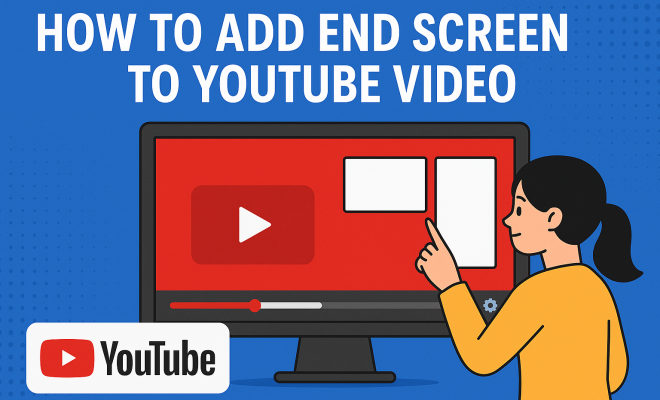
Now we’re getting to the practical part. To add end screen to YouTube video, go to the End screen tab in the video editor. Here, you’ll find various templates you can choose from. You can select a layout that best fits your content strategy—whether you want to promote another video, a playlist, or even encourage subscriptions.
Once you’ve chosen a template, you can drag and drop elements into position. It’s essential to customize the duration of each element to ensure they fit well within the last 5 to 20 seconds of your video. Preview how your end screen looks to ensure that the transitions feel natural and inviting. This step is crucial, as a cluttered end screen can overwhelm your viewers instead of guiding them toward your desired action.
5. Incorporating Calls to Action
Simply adding an end screen isn’t enough. You need to incorporate effective calls to action (CTA) within that end screen to guide viewers. A good CTA invites viewers to take action—whether it’s to watch another video, subscribe to your channel, or visit a website. (See: YouTube overview on Wikipedia.)
For example, you might say, “If you enjoyed this video, check out my playlist on smartphone tips right here!” Using engaging language can create a sense of urgency or excitement. Make sure your CTAs align with the content of your video; relevancy can drastically improve click-through rates. Experiment with different phrases to see which resonates most with your audience.
6. Testing and Analyzing Performance
Once your end screen is live, it’s time to analyze its performance. Utilize YouTube Analytics to monitor how well the end screen elements perform. Check metrics like click-through rates (CTR) for each link on your end screen, and watch time on the videos you promoted.
By analyzing this data, you can identify trends. Are viewers clicking on your video links more often than your subscription prompts? Use this information to refine your end screens in future videos. Continuous testing and adjustment can lead to improved viewer engagement and channel growth over time.
7. Best Practices for Effective End Screens
To maximize the effectiveness of your end screens, adhere to some best practices. First, keep your end screens simple yet compelling. Too much clutter can distract viewers from taking action. Use eye-catching visuals and clear, concise text to draw attention to your prompts.
Another tip is to maintain brand consistency. Your end screens should reflect your brand’s overall aesthetic and tone. This means using similar colors, fonts, and logos to ensure a cohesive look across all your content. Additionally, consider the placement of your end screen elements; placing your most critical links in a prominent position can significantly improve their visibility.
8. Common Mistakes to Avoid
Despite the benefits of end screens, many creators make common errors that can hinder their effectiveness. One major mistake is not utilizing the full time frame available—5 to 20 seconds. If you end the video too abruptly or don’t give viewers enough time to decide, you might lose valuable engagement.
Another pitfall is failing to promote relevant content. Ensure that your end screens lead to videos that logically follow the current one. Viewers are more likely to click on suggested content that aligns with their interests. Lastly, don’t forget to update your end screens regularly. Outdated content can mislead viewers and reflect poorly on your channel.
9. Staying Current with YouTube Trends
YouTube is constantly evolving, and staying updated with platform changes is critical for success. Keep an eye on emerging trends, features, and viewer preferences. For instance, many creators are now utilizing end screens not just for videos but also for merchandise or special announcements.
Regularly check YouTube’s Creator Academy and forums for insights and tips on end screens and overall video strategies. Engaging with the community can also provide valuable feedback on your end screens and content. By remaining proactive and open to change, you can optimize your end screens and enhance your channel’s performance.
10. Creating Engaging Visuals for End Screens
The visual elements of your end screen play a crucial role in capturing viewer attention. Consider using high-quality images or video clips that align with the content you’re promoting. For example, if you’re promoting a travel vlog, using stunning visuals of the destinations featured can intrigue viewers and encourage them to click through.
Utilizing colors that contrast well with the background can also make your end screen elements stand out. You might want to experiment with different layouts and color schemes to find what resonates best with your audience. A/B testing can be beneficial here; try different designs to see which one drives more clicks and engagement. (See: CDC's use of YouTube for engagement.)
11. Incorporating Social Media Links
In addition to promoting your YouTube videos, consider linking to your other social media platforms. This can help you grow your audience across different channels. If you’re active on Instagram, Twitter, or Facebook, including links to these platforms in your end screens can encourage viewers to follow you elsewhere.
Make sure to highlight your main social media accounts rather than overloading viewers with too many options. A simple line like “Follow me on Instagram for more updates” can be effective. This fosters not only video engagement but also builds a community around your brand, allowing followers to connect with you on multiple fronts.
12. Analyzing Competitor End Screens
One effective strategy for enhancing your end screens is to analyze how successful competitors utilize this feature. Take notes on what works in their end screens: What types of content do they link to? How do they phrase their CTAs? Observing these elements can provide insight into what resonates with viewers in your niche.
Tools like Social Blade can help you track the performance of other channels and see how they engage their audience. You might find inspiration in a competitor’s approach that can be adapted to fit your unique style and branding. Remember, the goal is to enhance your own content while drawing from successful strategies.
13. Frequently Asked Questions (FAQ)
How long can an end screen be on my YouTube video?
An end screen can be displayed for a duration of 5 to 20 seconds at the end of your video. It’s essential to utilize this time effectively to promote your other content or encourage subscriptions.
Can I add an end screen to any YouTube video?
Not all videos qualify for end screens. Videos must be at least 25 seconds long, and you need to ensure that your channel is in good standing regarding YouTube’s policies. Always check the eligibility of your video before adding an end screen.
What types of content can I promote with end screens?
You can promote various types of content using end screens, including other videos, playlists, and even links to external websites (if you’re part of the YouTube Partner Program). You can also prompt viewers to subscribe to your channel.
How do I know if my end screens are effective?
The effectiveness of your end screens can be measured through YouTube Analytics. Track the click-through rates (CTR) of the links on your end screens and monitor the watch time of the videos you promote. An increase in these metrics indicates that your end screens are performing well.
Can I change my end screens after publishing the video?
Yes, you can edit your end screens at any time after your video has been published. This allows you to refresh your content and keep it aligned with your current strategy or promotional goals.
14. Enhancing Viewer Experience with Interactive Elements
Interactive elements can further elevate the effectiveness of your end screens. Consider incorporating polls or questions that viewers can respond to at the end of your video. While YouTube doesn’t allow direct interactive features on end screens, you can create a narrative that encourages engagement. (See: New York Times on YouTube's algorithm.)
For example, you might tell viewers, “What’s your favorite smartphone brand? Let me know in the comments!” This not only keeps them engaged but also invites them to interact with your channel in a more meaningful way, which can lead to greater loyalty and community building.
15. Utilizing End Screens for Series Promotion
If you create content in series, end screens are an excellent way to promote the next episode. This can create anticipation for your next video, as viewers will remember the cliffhanger or the topics you hinted at. For instance, if you’re running a cooking series, your end screen can feature a link to the next recipe in the series with a caption like “Catch the next mouth-watering dish!”
This strategy not only keeps viewers watching but also helps in building a committed audience that looks forward to your consistent content delivery.
16. Using End Screens to Grow Your Email List
Another strategic use of end screens is to drive traffic to your email subscription list. While it’s not possible to link directly to email signup forms, you can direct viewers to a video or website where they can sign up. Phrasing such as “Join my community for exclusive tips and tricks!” can motivate viewers to follow through. This method helps you build a loyal audience who will be more inclined to engage with your content regularly.
17. Statistics on End Screen Effectiveness
Understanding the impact of end screens on viewer engagement can motivate you to utilize them effectively. According to various studies, videos with end screens have been shown to increase view duration by approximately 20-30%. Furthermore, channels that regularly implement end screens report a 10-15% higher subscription rate compared to those that don’t.
In fact, YouTube itself has indicated that viewers who engage with end screens are 50% more likely to watch additional content from the channel. These statistics underscore the significance of implementing well-thought-out end screens in your video marketing strategy.
Learning how to add end screen to YouTube video isn’t just about a technical process; it’s an opportunity to engage with your audience more deeply. By implementing these strategies and continuously refining your approach, you can not only enhance viewer interaction but also foster a loyal community around your content. So go ahead, start creating engaging end screens, and watch your YouTube channel thrive!
“`
Trending Now
Frequently Asked Questions
How do I add an end screen to my YouTube video?
To add an end screen to your YouTube video, log into YouTube Studio, select 'Content' from the left sidebar, and choose the video you want to edit. Click on 'End screen' in the video editor, then customize your end screen by adding elements like video links or playlists that will appear in the last 5 to 20 seconds.
What is the purpose of an end screen on YouTube?
An end screen on YouTube serves to promote additional content on your channel, such as other videos or playlists. It helps retain viewers by guiding them to more of your content, which can increase watch time and session duration, vital metrics for channel growth.
Can I customize my YouTube end screen?
Yes, you can customize your YouTube end screen by adding various elements like video links, playlists, or external website links. You can also adjust the timing and layout to fit your video’s ending, ensuring a seamless viewer transition to your other content.
How long can an end screen be on YouTube?
An end screen can be displayed for 5 to 20 seconds at the end of your YouTube video. This time frame allows you to effectively engage viewers and encourage them to click on additional content before the video ends.
Why are end screens important for YouTube channels?
End screens are important because they can significantly enhance viewer engagement and retention. By promoting other videos or playlists, they help increase watch time and keep viewers on your channel longer, which is beneficial for your channel's growth and visibility on YouTube.
Agree or disagree? Drop a comment and tell us what you think.