How to cap FPS in games
“`html
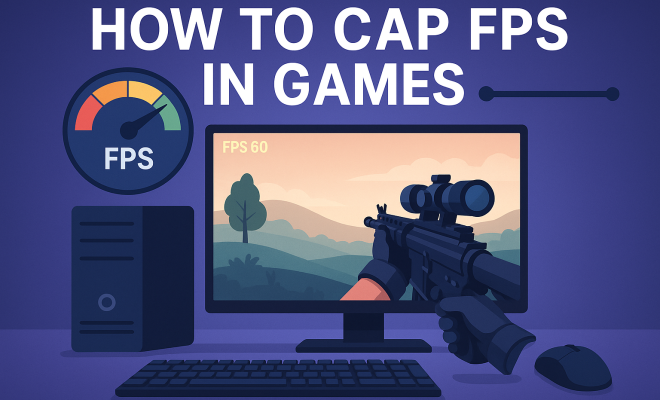
Capping frame rates in video games is a topic that many gamers encounter but few fully understand. Whether you’re looking to enhance your gaming experience, reduce input lag, or improve system stability, knowing how to cap FPS in games can have a profound effect on your gameplay. In this article, we’ll explore various methods for capping FPS, the reasons behind it, and the benefits it can provide. Let’s jump right in!
1. Understanding FPS and Its Importance
Frame Per Second (FPS) is a measurement that indicates how many unique consecutive images a computer graphics system can produce in one second. A higher FPS usually translates to a smoother visual experience, which is crucial in fast-paced games. However, achieving high FPS continuously can strain your hardware, lead to overheating, and is not always necessary for every game. In many instances, capping FPS can improve performance and prolong the lifespan of your components.
Most modern games can run at 60 FPS or higher, but some titles are designed for lower frame rates. For instance, a game might run adequately at 30 FPS, especially in narrative-driven titles where fast response times aren’t critical. Understanding the right FPS for your game type can help you decide whether to cap the frame rate and how to do it.
2. Benefits of Capping FPS
So, why would you want to cap FPS in games? Here are a few compelling reasons:
- Reduced Screen Tearing: When your GPU outputs frames faster than your monitor can display them, it can result in screen tearing, where parts of multiple frames are shown simultaneously. Capping the frame rate can help synchronize the output with your monitor’s refresh rate.
- Improved Stability: A consistent frame rate can lead to smoother gameplay and less stuttering, especially in graphically intensive scenes.
- Lower Power Consumption: Capping FPS can reduce the load on your GPU, which in turn lowers power usage and heat generation, benefiting the longevity of your hardware.
- Less Input Lag: Limiting FPS can sometimes decrease input lag, making your commands feel more responsive.
In competitive gaming, where every millisecond counts, capping your FPS at a rate that matches your monitor’s refresh rate can be critical. For example, setting your FPS cap to 60 for a 60Hz monitor can provide a more stable and responsive experience.
3. Using In-Game Settings to Cap FPS
Most modern games offer built-in options to cap the FPS through their settings menu. This is often the easiest method to control frame rate. Here’s how you can typically do it:
- Open the game and access the settings menu.
- Look for the ‘Graphics’ or ‘Video’ settings.
- Find the option labeled ‘Max FPS’, ‘Frame Rate Limit’, or similar.
- Set your desired FPS cap (common options include 30, 60, or 120 FPS).
For many players, setting the FPS cap in-game is sufficient, as it lets the game automatically adjust settings based on your computer’s capabilities. However, the best performance often requires more advanced methods.
4. Using Third-Party Software to Cap FPS
If a game lacks built-in FPS capping options, you can turn to third-party software. Various programs allow you to set FPS limits across your entire system. Some popular options include: (See: Understanding frame rate in gaming.)
- RivaTuner Statistics Server (RTSS): This widely used tool lets you set FPS limits and monitor frame rates. It’s effective for capping FPS in games that don’t provide an option to do so natively.
- FPS Limiter: Another simple tool that can limit your FPS without demanding much from your system. It’s particularly good for older games.
- MSI Afterburner: Primarily a GPU overclocking tool, it also includes RivaTuner features, allowing you to cap your frame rate alongside performance monitoring.
Using third-party software is advantageous because it often offers more customization than in-game settings. You can apply the cap to multiple games and adjust other parameters as well.
5. Utilizing V-Sync to Control FPS
Vertical Synchronization (V-Sync) is another method used to cap FPS. This technology synchronizes the game’s frame rate with the refresh rate of your monitor, which can significantly reduce screen tearing. When V-Sync is enabled, your GPU will not render frames faster than your monitor can display them.
While V-Sync can be effective, it has its drawbacks. If your system’s frame rate drops below your monitor’s refresh rate, V-Sync can introduce input lag or stutter. This can be particularly noticeable in fast-paced games. Therefore, you may need to consider using adaptive V-Sync or technologies like G-Sync or FreeSync, which can provide a more flexible solution.
6. Frame Rate Capping with NVIDIA Control Panel
If you have an NVIDIA graphics card, you can use the NVIDIA Control Panel to cap FPS. Here’s how:
- Right-click on your desktop and open NVIDIA Control Panel.
- Select ‘Manage 3D settings’ from the side menu.
- Under the ‘Global Settings’ tab, find ‘Max Frame Rate.’
- Set the maximum FPS you desire and apply the changes.
This method allows you to set a global FPS limit across all applications, making it easy to manage your frame rate without needing to adjust settings in each individual game.
7. Frame Rate Capping with AMD Radeon Settings
For users with an AMD graphics card, capping FPS can be done through the AMD Radeon Settings. Follow these steps:
- Right-click on your desktop and select AMD Radeon Settings.
- Go to ‘Gaming’ and select ‘Global Settings.’
- Look for ‘Frame Rate Target Control’ and set your desired FPS limit.
This feature not only helps in capping FPS but can also improve power efficiency and temperature management, which is especially helpful during long gaming sessions.
8. Advanced Strategies for Specific Games
Sometimes, capping FPS goes beyond using general methods. Certain games have their unique quirks, and gamers have developed specific strategies to cap FPS effectively. For instance: (See: Impact of graphics performance on gaming.)
- Steam Games: You can add launch options for certain games on Steam, such as using “-fps_max” followed by your desired FPS limit. This works well for many indie games.
- MMOs: Massively Multiplayer Online (MMO) games often feature performance issues due to their scale. In these cases, you may find community guides that recommend specific settings or mods to cap FPS effectively.
- Retro Games: For older games, emulators often allow you to cap FPS to prevent them from running too fast, providing a more authentic experience.
Every game is different, and sometimes, the best solution is based on community knowledge and experimentation.
9. Common Misconceptions About FPS Capping
There are several misconceptions surrounding FPS capping that can mislead gamers:
- Higher FPS Always Means Better Performance: While higher FPS can provide smoother gameplay, capping can actually improve stability and reduce stress on hardware, especially in games where ultra-high FPS doesn’t translate to a better experience.
- FPS Capping Is Only for Low-End Systems: Even high-end systems can benefit from FPS capping. It’s not merely a performance management tool; it can enhance the overall gaming experience by synchronizing frame output.
- All Games Should Be Capped at the Same Rate: Different games have varying requirements. An FPS cap that works for a fast-paced shooter may not be ideal for a slower-paced RPG. Finding the right cap requires understanding the specific needs of each game.
10. Real-World Examples of FPS Capping
Let’s look at a few real-world scenarios where capping FPS has made a noticeable difference for gamers:
- Competitive FPS Games: In titles like “Counter-Strike: Global Offensive,” players often cap their FPS at 60 or 144 based on their monitor’s refresh rate. This approach helps maintain a consistent experience without fluctuations that can lead to underperformance during crucial moments.
- Open-World Games: In games like “The Witcher 3,” capping the FPS to 30 can provide a smoother experience on lower-end systems while avoiding rapid fluctuations that can occur in expansive environments. Many players report improved visual fidelity and stability when capping the frame rate compared to letting it run unrestricted.
- Indie Games: Some indie titles like “Hollow Knight” can have performance issues if FPS is left uncapped. Players often find that setting a limit to 60 FPS can prevent performance drops that disrupt gameplay.
11. Statistics and Studies on FPS and Gaming Performance
Several studies have examined the impact of FPS on gaming performance and player experience. Here are some statistics that reveal the importance of capping FPS:
- According to a survey by Steam, over 70% of gamers prefer a stable FPS over a fluctuating higher one, indicating users value consistency.
- Research by Nvidia found that players using G-Sync technology reported a 15% increase in perceived smoothness in gameplay, highlighting the significance of frame synchronization.
- A study from the University of Utah showed that gamers who played at capped FPS experienced less eye strain and fatigue over longer sessions, underlining the health benefits of proper FPS management.
12. Frequently Asked Questions (FAQ)
What is the best FPS to cap at for competitive gaming?
For competitive gaming, it’s often recommended to cap your FPS at the refresh rate of your monitor. For example, if you have a 144Hz monitor, setting the cap to 144 FPS allows you to maximize the benefits of your hardware while minimizing input lag.
Does capping FPS affect game graphics?
Capping FPS does not directly affect the graphical fidelity of a game; however, it can lead to a smoother visual experience. It prevents graphical artifacts such as tearing, which can distract from the overall experience.
Can I still use V-Sync if I cap my FPS?
Yes, you can use V-Sync along with capping your FPS. This combination helps to eliminate tearing while maintaining a consistent frame rate. However, be aware of potential input lag if your frame rate drops below the cap. (See: Ergonomics in gaming and performance.)
How do I know if my FPS cap is effective?
You can monitor your FPS using various tools or in-game overlays. If you see your FPS consistently staying below or at your set cap without significant fluctuations, it’s working effectively.
Are there any performance risks associated with capping FPS?
Generally, there are no significant risks associated with capping FPS. In fact, it can lead to better performance and stability. However, if the cap is set too low, it could lead to sluggish gameplay. It’s essential to find the right balance for your gaming experience.
13. Additional Pros and Cons of FPS Capping
While we’ve covered many reasons and methods to cap FPS, it’s also important to discuss some potential drawbacks and scenarios where capping might not be beneficial.
Pros
- Enhanced Visual Quality: Capping your FPS can prevent the game from producing unnecessary frames, which might not be displayed on your monitor. This can lead to a cleaner visual presentation.
- Heat Management: Lowering the FPS can significantly reduce the temperature of your GPU, particularly in laptops where thermal management is critical to performance and longevity.
- Battery Life Extension: For laptops and portable devices, capping FPS can lead to extended battery life, allowing for longer gaming sessions on the go without needing to recharge.
Cons
- Potential for Underutilization: In some cases, capping FPS can prevent your system from utilizing its full capabilities, especially if you have high-performance hardware that can handle more.
- Limited Flexibility: If you cap your FPS too low, you may miss out on smoother gameplay during less demanding scenes, leading to a less dynamic experience.
- Compatibility Issues: Some older games may not react well to FPS capping, leading to bugs or unresponsive gameplay, especially if they are not designed to handle frame rate limits.
14. Future of FPS Management in Gaming
The gaming industry is constantly evolving, and so are the technologies that manage FPS. With the rise of high-refresh-rate monitors and advanced GPU technologies, the way we manage frames will likely change. Here are a few trends to watch for:
- AI-Driven Frame Management: AI technologies are being explored to dynamically adjust frame rates based on in-game scenarios, potentially providing a tailored experience for players.
- Integration with Cloud Gaming: As cloud gaming platforms grow, FPS management will have to adapt to remote servers and internet speeds, requiring new approaches to capping and synchronizing frame rates.
- Better Tools and Software: The development of more sophisticated tools for FPS capping and monitoring will likely continue, offering gamers advanced options to customize their gaming experience.
15. Conclusion
Capping FPS in games is not just a technical consideration; it’s about enhancing your gaming experience. By understanding the various methods available, you can find the best approach for your system and gaming style. Whether you opt for in-game settings, third-party applications, or graphics card software, managing your frame rate wisely can lead to a more enjoyable and efficient gaming experience.
“`
Trending Now
Frequently Asked Questions
What does capping FPS do in games?
Capping FPS limits the number of frames your game can produce per second. This can reduce screen tearing, improve stability, and lower power consumption, ultimately providing a smoother gaming experience without straining your hardware.
How do you cap FPS in games?
You can cap FPS through in-game settings, graphics control panels (like NVIDIA or AMD), or third-party software. Look for options like 'frame rate limit' or 'V-Sync' in the settings menu to adjust your FPS cap.
Is it better to cap FPS or let it run free?
Capping FPS can be beneficial as it helps synchronize your game with your monitor's refresh rate, reduces overheating, and provides more stable performance. However, in fast-paced games, higher FPS might be preferable for competitive advantage.
What are the benefits of capping FPS?
Capping FPS helps reduce screen tearing, improves game stability, and lowers power consumption. This can lead to a smoother gameplay experience and extend the lifespan of your gaming hardware by preventing overheating.
What is a good FPS cap for gaming?
A good FPS cap depends on the game and your monitor's refresh rate. For most games, capping at 60 FPS is ideal for standard monitors, while 120 FPS may be suitable for high-refresh-rate displays. Always consider the game's requirements and your hardware capabilities.
What’s your take on this? Share your thoughts in the comments below — we read every one.