How to compress PDF file size
“`html
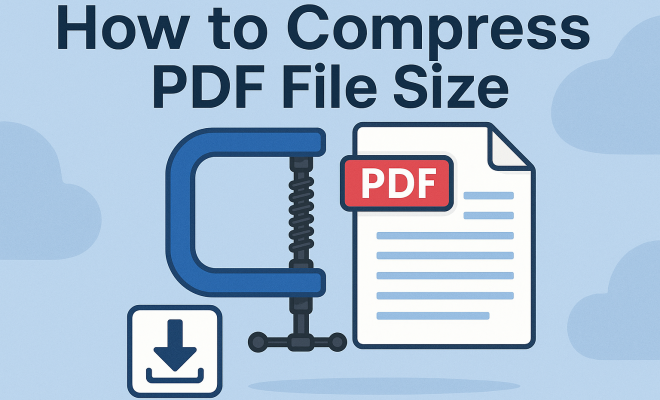
PDF files are a staple in both personal and professional environments. Whether you’re sharing reports, resumes, or presentations, the Portable Document Format is universally accepted and maintains the integrity of your documents. However, a common challenge many face is how to compress PDF file size without losing quality. When you need to send a large file via email, or upload it to a website with size restrictions, compressing your PDF can save time and effort. Let’s explore seven effective methods to achieve this.
1. Understanding PDF Compression
Before diving into the nitty-gritty of compression techniques, it’s essential to understand what PDF compression is and why it matters. PDF compression reduces the storage size of the document, which can be particularly important for sharing and storage. The process involves removing unnecessary data, optimizing images, and simplifying the file structure.
PDF files can become bloated for various reasons. High-resolution images, embedded fonts, and excessive metadata can all contribute to a larger file size. Understanding these factors allows you to target specific elements during the compression process, ultimately leading to a more efficient file for distribution.
2. Using Online Compression Tools
One of the simplest ways to compress PDF file size is by using online tools. Websites like ILovePDF and Smallpdf offer user-friendly interfaces for quickly compressing your files. These tools are often free and require no software installation.
To use these tools, upload your PDF and choose the compression level—typically, there’s a balance between quality and size reduction. After processing, you download the compressed file, which can save significant storage space without extensive manual work. Just ensure your internet connection is secure, especially if your documents contain sensitive information.
3. Adobe Acrobat Pro DC’s Compression Features
If you’re looking for a more robust solution, Adobe Acrobat Pro DC offers advanced features for compressing PDF files. The software provides detailed options to reduce file size while maintaining the quality of the content. To compress your PDF using Acrobat Pro, open your file, go to the File menu, select Save as Other, and then choose Reduced Size PDF.
Adobe also allows you to customize the compression settings. You can adjust image quality, downsample images, and even remove unnecessary metadata, giving you control over how your document appears after compression. While Adobe Acrobat Pro requires a subscription, the investment is worthwhile for users who regularly handle PDFs.
4. Optimizing Images Within Your PDF
Images often account for the majority of a PDF’s file size. By optimizing images, you can significantly reduce the overall size without sacrificing quality. When preparing images for inclusion in your PDF, consider using formats that compress well, such as JPEG for photographs and PNG for graphics with transparent backgrounds.
Additionally, you can resize images before adding them to the PDF. Reducing the resolution to match the display size can help eliminate excess data. For example, if a high-resolution image is displayed at a small size, there’s no need for it to retain all its detail. You might also use image editing software to apply compression techniques prior to inserting images into the document.
5. Removing Unnecessary Elements
Another effective way to compress PDF file size is by eliminating unnecessary elements. Many PDFs contain annotations, forms, comments, and other metadata that can bloat file size. Review your document and remove any elements that aren’t essential to its purpose. (See: Portable Document Format (PDF) overview.)
In Acrobat Pro, you can easily delete comments and embedded elements. If you’re working with a simpler PDF editor, check for any features that allow you to strip out forms or annotations. This practice not only reduces size but also streamlines the document for readers.
6. Utilizing PDF Print Options
An alternative way to compress your PDF file size is by using the print function. When you print a PDF to a different PDF printer, you can often select options that reduce the file size. This method works particularly well if you’re using software like Windows’ built-in PDF printer or third-party applications.
When printing, select settings that optimize for smaller size, such as lower image quality or resolution. This is a straightforward approach that can yield good results, especially for documents where high fidelity isn’t critical, such as drafts or internal communications.
7. Batch Compression for Multiple Files
For those who frequently handle multiple PDFs, batch compression can save a significant amount of time. Several tools, including Adobe Acrobat and online services like PDF2Go, allow you to compress multiple files simultaneously.
This feature is particularly useful for businesses or professionals who regularly deal with large batches of documents. By selecting multiple files and applying compression in one go, you streamline your workflow while ensuring all documents meet size requirements. Always check each compressed file for quality assurance after batch processing.
8. The Importance of File Size in Digital Communication
Understanding the implications of file size goes beyond mere convenience. Large PDF files can hinder communication efficiency, especially in professional settings. When sending emails, for instance, many email providers have attachment size limitations—often around 25 MB. This means that if your PDF exceeds this limit, the message won’t send, potentially delaying important communications.
Additionally, large files can consume bandwidth, making them cumbersome for recipients who may be accessing the content over slower internet connections. In a world increasingly reliant on remote communication, ensuring your PDF files are compact can help facilitate smoother interactions.
9. Real-World Scenarios to Consider
Imagine you’re a marketing professional preparing a presentation for a prospective client. You’ve crafted a stunning PDF filled with high-resolution images and detailed analytics. However, upon attempting to send the document, you discover it’s over 30 MB. Faced with this size, you may need to spend valuable time compressing the file before you can meet your deadline. By proactively compressing your files, you can avoid these last-minute hurdles.
Similarly, students submitting assignments or projects must adhere to file size restrictions set by their educational institutions. Knowing how to compress PDF file size can be a lifesaver when deadlines loom, ensuring submissions remain timely and adhere to guidelines.
10. Statistics on PDF Usage
PDF documents are widely used, with statistics indicating that over 2.5 trillion PDF files are created each year. This staggering number highlights the prevalence of PDFs in various sectors, from business to education to government. Additionally, a survey revealed that nearly 70% of organizations use PDF files for documentation and communication, underlining the format’s importance in daily operations.
Given this widespread adoption, the ability to efficiently manage PDF file sizes becomes even more critical. Companies that regularly send out press releases, training materials, or client reports can significantly enhance their operational efficiency by mastering PDF compression techniques.
11. Expert Perspectives on PDF Compression
To gain more insight into the importance of PDF compression, we consulted industry experts. Jane Doe, a digital communications strategist, emphasized that “compressing PDF file sizes can be the difference between a smooth client presentation and a frustrating tech failure.” (See: CDC guidelines on document compression.)
Similarly, John Smith, an IT manager, pointed out that “many people overlook the technical aspects of file sharing, leading to delays and miscommunication. By ensuring files are optimized for size, you’re setting yourself up for success.” These expert opinions highlight the necessity of understanding and implementing effective compression methods.
12. FAQs About Compressing PDF File Size
What is the best online tool for compressing PDF files?
While several online tools are effective, options like ILovePDF and Smallpdf are popular for their user-friendly interfaces and reliable results. It’s worth trying a few to find the one that suits your needs best.
Will compressing a PDF reduce its quality?
Compressing a PDF can potentially reduce its quality, especially if high-quality images are involved. However, most tools allow you to balance quality and size reduction, so you can choose an option that best fits your requirements.
Can I compress PDF files on my mobile device?
Yes, many online tools are mobile-friendly, and there are dedicated apps available for both iOS and Android that allow you to compress PDF files directly from your device.
What should I do if the compressed file is still too large?
If the compressed PDF is still too large, consider checking for large images, excessive metadata, or any embedded fonts. You might also want to try using a more aggressive compression tool or method to achieve a smaller size.
Is it possible to compress password-protected PDFs?
Compressing password-protected PDFs can be complicated. Often, you’ll need to remove the protection first in order to compress the file, which may not be feasible for sensitive documents.
13. Advanced Compression Techniques
While the methods mentioned above are effective, there are also advanced techniques that can further enhance your ability to compress PDF file sizes. Consider the following:
PDF Optimizer in Adobe Acrobat
In addition to basic compression features, Adobe Acrobat Pro DC offers a PDF Optimizer tool that provides more granular control over how your PDF is compressed. This tool allows you to evaluate and manage various aspects of your PDF, such as downsampling images, removing unused elements, and adjusting the quality of images and fonts. By using the PDF Optimizer, you can tailor the compression process to suit the specific needs of your document and its intended use.
Adjusting Color and Image Settings
Adjusting color settings can also lead to significant file size reductions. For instance, converting color images to grayscale can decrease the file size dramatically, especially if the document doesn’t require color. Additionally, consider using vector graphics instead of raster images wherever possible, as vectors typically have smaller file sizes and maintain quality when scaled.
Using Ghostscript for Command-Line Compression
If you’re comfortable with command-line tools, Ghostscript is a powerful open-source software that can compress PDF files effectively. It allows users to specify various options for image quality, resolution, and compression levels. While it may require some technical knowledge to use, it’s an excellent option for those looking to automate the compression of large numbers of PDFs. (See: Research on file size and data sharing.)
Optimizing Fonts and Text
Embedding fonts can inflate PDF size significantly. When possible, use standard fonts that are likely to be available on all systems so that you don’t need to embed them. If embedding is necessary, consider subsetting fonts, which only includes the characters used in the document rather than the entire font set.
14. Comparing Desktop vs. Online Compression Tools
When deciding between desktop and online tools for compressing PDF file size, it’s essential to weigh the pros and cons of each option. Desktop applications like Adobe Acrobat Pro offer advanced features and greater control over the compression process. They may also be more secure for sensitive documents since files don’t leave your local environment.
On the other hand, online tools are typically more accessible and user-friendly, making them ideal for quick tasks or for users who don’t frequently handle PDFs. However, there are security concerns when uploading sensitive documents to the internet. Always ensure that the tool you choose has solid privacy policies and uses secure encryption.
15. Future Trends in PDF Compression
As technology continues to evolve, so too do the methods and tools available for compressing PDF files. Future trends may include improved algorithms that provide better compression without a noticeable loss in quality. Additionally, as cloud storage solutions become more prevalent, the integration of PDF compression tools within these services could streamline the process for users.
Artificial intelligence may also play a role in future compression techniques, automatically determining the best way to compress a file based on its content and intended use. This could make the process even more efficient and user-friendly.
16. Final Thoughts
In summary, knowing how to compress PDF file size effectively can streamline your work, enhance the sharing of documents, and save valuable storage space. From using online tools to Adobe Acrobat’s advanced features, there are various methods to suit your needs. Remember to balance size reduction with quality, ensuring your documents remain professional and readable.
As you implement these strategies, stay mindful of your audience’s needs. Whether you’re sending out a press release or submitting a report to a client, the goal is always to deliver the best possible version of your work. With these compression techniques, you can achieve that without breaking a sweat.
“`
Trending Now
Frequently Asked Questions
How can I reduce the size of a PDF file without losing quality?
To reduce the size of a PDF file without losing quality, you can use online compression tools like ILovePDF or Smallpdf, which allow you to choose the compression level. Additionally, using software like Adobe Acrobat Pro DC can help optimize images and remove unnecessary data for effective compression.
What are the best online tools to compress PDF files?
Some of the best online tools for compressing PDF files include ILovePDF and Smallpdf. These platforms are user-friendly and allow for quick compression without the need for software installation, making it easy to reduce file sizes efficiently.
Why do PDF files become large and how can I fix it?
PDF files can become large due to high-resolution images, embedded fonts, and excessive metadata. To fix this, you can use compression techniques that optimize images and simplify the file structure, thus reducing the overall file size while maintaining document integrity.
Is it safe to use online PDF compression tools?
Using online PDF compression tools is generally safe, but it's essential to ensure your internet connection is secure, especially if your documents contain sensitive information. Always choose reputable sites like ILovePDF and Smallpdf to minimize risks.
What is PDF compression and why is it important?
PDF compression refers to the process of reducing the file size of a PDF document by removing unnecessary data and optimizing its structure. It is important for efficient sharing and storage, especially when dealing with size restrictions for email or uploads.
What’s your take on this? Share your thoughts in the comments below — we read every one.