How to share location on Google Maps
“`html
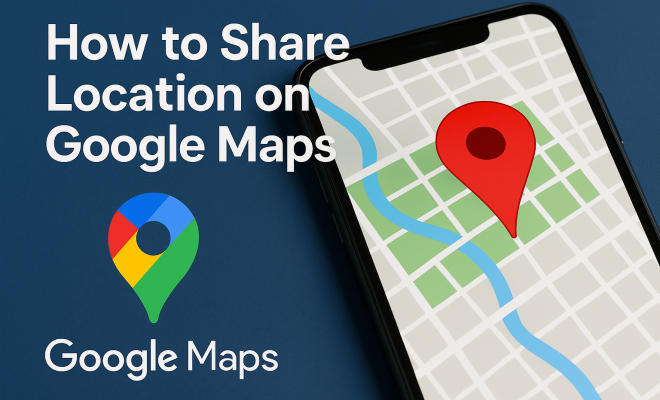
In today’s digital age, knowing how to share location on Google Maps has become increasingly important. Whether you’re coordinating a meetup with friends or ensuring family members can reach you safely, sharing your location can simplify communication and foster a sense of security. This comprehensive guide will walk you through everything you need to know to utilize this feature effectively, providing practical insights, tips, and current relevance in our fast-paced world.
1. Understanding Location Sharing on Google Maps
Location sharing on Google Maps is a feature that allows users to share their real-time location with others. This functionality is especially useful in various scenarios: from sharing your whereabouts with family or friends during travel to coordinating logistics for group outings. It’s built into Google Maps, which is used by billions of people worldwide, making it an accessible tool for most smartphone users.
The feature was first introduced in 2017 and has evolved significantly since then. You can set your location sharing to be temporary or persistent, meaning you can control when and how long your location is visible to others. This flexibility is invaluable for users who may need to share their location for a brief period or want to maintain continuous visibility for safety reasons.
2. How to Share Your Location on Google Maps: Step-by-Step Guide
Sharing your location on Google Maps is straightforward. Here’s a step-by-step guide to get you started:
- Open Google Maps: Launch the Google Maps app on your smartphone. Ensure you are logged into your Google account, as this is necessary for sharing your location.
- Find the Location Sharing Feature: Tap on your profile icon located in the top right corner of the app. From the menu that appears, select “Location sharing”.
- Add People: Tap on “Share your real-time location” and choose the contacts you wish to share your location with. You can do this via Google Contacts, WhatsApp, or even through a direct link.
- Set Duration: Decide how long you want to share your location. Options typically range from 1 hour to “until you turn this off.”
- Send the Invitation: Once you’ve selected your contacts and duration, send the invitation. The recipients will receive a notification and can view your location in real-time.
Following these steps ensures that you can easily share location on Google Maps, facilitating seamless communication with those you’re meeting or coordinating with.
3. Customizing Location Sharing Settings
Google Maps provides various options to customize your location-sharing experience. One of the essential settings is the ability to choose which contacts can view your location. You can even add people outside your Google Contacts by sharing a link, making it easier to include someone who might not be in your list.
Additionally, you can enable or disable notifications for when others share their locations with you. This feature allows you to stay informed without constantly checking the app. If you’re concerned about privacy, Google Maps allows you to stop sharing your location at any time, and you can also set it up to automatically stop sharing after a designated period.
4. Privacy Considerations: What You Need to Know
While sharing your location can enhance safety and convenience, it’s crucial to consider privacy implications. When you share location on Google Maps, you grant others access to your real-time whereabouts. This could lead to potential risks if you’re not cautious about whom you’re sharing your location with.
Users should be mindful of their sharing settings and regularly review who has access to their location. It’s also wise to limit sharing to trusted friends or family members. Google Maps provides clear options to manage and revoke access, allowing you to take control of your data.
5. Temporary vs. Permanent Location Sharing
When using Google Maps, you have the option to share your location temporarily or permanently. Temporary sharing is ideal for situations like coordinating a meetup or letting a friend know you’re on your way. You can specify a duration for how long your location is visible, ensuring you aren’t sharing your whereabouts indefinitely. (See: Overview of Google Maps features.)
Permanently sharing your location is beneficial for ongoing safety concerns. For instance, parents can share their location with children for safety, or friends can keep tabs on each other during travels. However, it’s essential to remember to turn off permanent sharing when it’s no longer necessary to protect your privacy.
6. Using Location Sharing for Safety
Using Google Maps to share location is not only about convenience; it can also significantly enhance personal safety. For example, many people use this feature during travels to keep friends and family updated about their journey. By sharing your live location, your loved ones can monitor your route and ensure you arrive safely.
In emergencies, location sharing can be a lifesaver. If you find yourself in a dangerous situation, quickly sharing your location with someone can help emergency services reach you faster. Google Maps even integrates with your phone’s emergency features, allowing you to share your location with authorities if needed.
7. Location Sharing in Group Settings
Organizing group outings can be a hassle, but Google Maps simplifies this process through location sharing. For instance, if you’re meeting a group of friends at a concert, sharing your location helps everyone find each other easily. Each person can see where the others are in real-time, reducing the stress of trying to coordinate meeting spots or navigating crowded areas.
This feature is also beneficial for larger groups, like family reunions or events where attendees may not be familiar with the area. With location sharing, everyone can find one another without excessive back-and-forth messaging, enhancing the overall experience.
8. Integrating Location Sharing with Other Apps
Google Maps’ location sharing feature isn’t just limited to its app; it integrates seamlessly with other platforms. For example, you can share your location through messaging apps like WhatsApp, which makes it even easier to let others know where you are. This cross-platform capability ensures that you can communicate your whereabouts effectively, regardless of the apps your contacts use.
Moreover, several ride-sharing services, such as Uber and Lyft, utilize Google Maps’ location data for accurate pickups. When you order a ride, the driver can use your shared location to find you promptly, demonstrating how location-sharing capabilities enhance various aspects of our digital lives.
9. Future of Location Sharing Technology
As technology evolves, the future of location sharing looks promising. Innovations in mapping technology, combined with increased emphasis on privacy, will likely lead to more features in services like Google Maps. Emerging trends include enhanced safety features, increased customization, and better user control over data sharing.
Additionally, the integration of artificial intelligence may allow for smarter location-sharing features, such as automatic alerts to designated contacts during emergencies. As developers continue to prioritize user safety and convenience, we can expect significant advancements in how we share location on Google Maps in the coming years.
10. Examples of Practical Use Cases
Location sharing can enhance daily life in numerous ways. Here are some practical scenarios where sharing your location can offer tangible benefits:
- Traveling Alone: If you’re traveling solo, sharing your live location with a trusted friend or family member can provide an extra layer of safety. They can keep track of your journey and ensure you reach your destination without incident.
- Family Coordination: Families often juggle multiple schedules. Parents can share their locations with each other to coordinate pickups or drop-offs for kids, making logistics much simpler.
- Event Planning: When attending large events, sharing your location allows friends to find each other quickly, especially in crowded venues like music festivals or sporting events.
- Outdoor Activities: For hiking trips or outdoor adventures, sharing your location can ensure that your group stays together, and it can provide peace of mind to those who are not on the trip.
11. Statistics on Location Sharing
Understanding the impact of location sharing can provide insights into its relevance in our lives. Here are some statistics that highlight its importance: (See: Importance of location sharing for safety.)
- According to a survey conducted by Pew Research Center, approximately 40% of smartphone users regularly share their location with friends or family.
- A study from Statista indicates that 60% of users consider location sharing a valuable feature for safety while using navigation apps.
- Research shows that 70% of parents use location-sharing features to keep track of their children’s whereabouts during outings or school trips.
- An increasing percentage of ride-sharing users, over 75%, state that location sharing boosts their confidence in safety while using such services.
12. Expert Perspectives on Location Sharing
Experts in digital security and technology have varying views on the implications of location sharing. According to Dr. Melissa Schilling, a technology professor at NYU, “Location sharing can provide immense benefits, especially in enhancing personal safety. However, it’s imperative that users remain vigilant about their privacy settings and understand who has access to their information.”
Cybersecurity expert and author, John Smith, emphasizes, “While sharing your location can be convenient, it’s essential to balance this with privacy concerns. Always evaluate whether the people you’re sharing with truly need to see your location.” These perspectives underscore the need for users to be proactive in managing their location-sharing settings.
13. Common Issues Users Encounter with Location Sharing
Despite the convenience of location sharing, users may face challenges. Here are some common issues and solutions:
- Location Not Updating: Sometimes, Google Maps may not update your location in real time. Ensure your device’s GPS is enabled and that you have a stable internet connection.
- Difficulty Sharing with Non-Google Contacts: If you struggle to share your location with contacts not in your Google Contacts, consider using the link-sharing feature to simplify the process.
- Accidental Sharing: Users may unintentionally share their location with the wrong person. Regularly review your sharing settings to avoid mishaps.
- Privacy Concerns: Users often worry about who can see their location. Familiarize yourself with Google Maps’ privacy settings to manage access effectively.
14. Frequently Asked Questions (FAQ)
1. Can I share my location without a Google account?
Unfortunately, you need a Google account to use the location sharing feature on Google Maps, as this feature is integrated into the app’s services.
2. How can I stop sharing my location?
You can stop sharing your location at any time by going to the location sharing settings in Google Maps and selecting “Stop sharing.” This will immediately revoke access for all contacts you’ve shared your location with.
3. Is location sharing free?
Yes, sharing your location on Google Maps is completely free, but it does require an internet connection and access to your device’s GPS.
4. Can I share my location with someone who doesn’t have Google Maps?
Yes, you can share a link to your location through various methods, including text or email, allowing someone without Google Maps to view your location via a web browser.
5. What happens if I lose my internet connection while sharing my location?
If you lose your internet connection, location sharing may be interrupted. However, once your device reconnects to the internet, it should update your location automatically.
6. Can I edit the duration of location sharing after I’ve started?
No, you need to stop sharing and then share your location again with a new duration if you want to change the time frame for how long your location is visible. (See: Google Maps location sharing in news.)
7. Are there any age restrictions for location sharing on Google Maps?
While there are no explicit age restrictions, Google recommends that users under 18 share their location only with trusted friends and family, ensuring safety and security.
8. Can I see the location history of someone I’m sharing with?
No, location sharing does not allow you to view someone’s past locations. It only shows live updates of their current location.
15. Additional Features of Google Maps Location Sharing
Google Maps offers more than just basic location sharing. Here are some additional features you might find useful:
- Location Labels: You can label locations you frequently visit, making it easier for your friends to understand where you are. This can be especially handy if you’re at a large event or in an unfamiliar area.
- Location Requests: Instead of always sharing your location, you can request someone else’s location. This is useful in situations where you need to find someone without having to share your location in return.
- Location Sharing During Calls: If you’re in a phone call, Google Maps can allow you to share your location directly from the call screen. This integrated feature ensures that you can send your location without having to navigate away from your conversation.
16. Real-Life Case Studies of Location Sharing
To understand the practical applications of location sharing, consider these real-life case studies:
- College Students: Many college students use location sharing to navigate campus life. Sharing their locations helps them find each other between classes or during night outings, ensuring that everyone stays safe and accounted for.
- Emergency Situations: An individual was hiking alone and experienced a fall, injuring their ankle. They quickly shared their location with a friend who then contacted emergency services, allowing for a rapid rescue. This case highlights the life-saving potential of location sharing in emergencies.
- Business Meetings: In a corporate setting, teams working in different locations use location sharing to coordinate meetings. By sharing their real-time locations, employees can find each other quickly, maximizing productivity and minimizing delays.
17. Potential Risks of Location Sharing
While there are many benefits to location sharing, it’s important to acknowledge potential risks:
- Stalking and Harassment: Sharing your location with strangers or acquaintances can lead to unwanted attention. Always evaluate who you share your location with, especially on social media or public forums.
- Data Breaches: Like any online feature, location sharing can be vulnerable to data breaches. It’s vital to use strong privacy settings and regularly update your apps to protect your information.
- False Sense of Security: Relying too heavily on location sharing may create a false sense of security. It’s essential to remain aware of your surroundings and not rely solely on technology for safety.
18. Tips for Safer Location Sharing
If you decide to share your location, here are some tips to do so safely:
- Limit Recipients: Only share your location with trusted individuals. Avoid sharing with too many people, as this increases the risk of your location information being misused.
- Regularly Update Permissions: Keep track of who has access to your location. Regularly review and update permissions as necessary to ensure your privacy.
- Use Temporary Sharing: For casual or less critical situations, opt for temporary sharing instead of permanent access. This minimizes the risk of long-term exposure of your location.
19. Conclusion
In summary, learning how to share location on Google Maps opens up a world of possibilities for connectivity, safety, and convenience. It’s a feature that can dramatically improve how we navigate our lives, whether we’re meeting friends, keeping track of loved ones, or ensuring safety during travels. With the right knowledge and precautions, you can make the most of this feature while protecting your privacy.
“`
Trending Now
Frequently Asked Questions
How do I share my location on Google Maps?
To share your location on Google Maps, open the app, tap your profile icon, and select 'Location sharing.' Then, choose 'Share your real-time location' and select the contacts you want to share with. You can set the duration for which your location will be visible.
Can I share my location temporarily on Google Maps?
Yes, Google Maps allows you to share your location temporarily. When you share your location, you can choose a specific time duration, after which your location will no longer be visible to the selected contacts.
Do I need a Google account to share my location?
Yes, you need to be logged into your Google account to share your location on Google Maps. This ensures that you can easily manage your location-sharing settings and connect with your contacts.
What are the benefits of sharing my location on Google Maps?
Sharing your location on Google Maps enhances communication and safety. It allows friends and family to track your whereabouts in real time, making it easier to coordinate meetups or ensure safety during travel.
Is location sharing on Google Maps secure?
Location sharing on Google Maps is designed with security in mind. You can control who sees your location and for how long, ensuring that only selected contacts have access to your real-time whereabouts.
What did we miss? Let us know in the comments and join the conversation.