How to create Google account
“`html
In our increasingly digital world, having a Google account has become essential for accessing a multitude of services, from Gmail to Google Drive and Google Photos. If you’re wondering how to create a Google account, you’re not alone. Many people seek the convenience and features Google offers but find the process daunting. This guide breaks down the steps, highlights important considerations, and delves into the numerous benefits of having a Google account.
1. Understanding the Importance of a Google Account
Google accounts are more than just a way to access email. They serve as gateways to a range of applications and services that can enhance your personal and professional life. By creating a Google account, you can tap into Google’s extensive ecosystem which includes Gmail, Google Drive, Google Docs, Google Calendar, and more.
Moreover, a Google account provides personalized experiences across devices and platforms. For example, it allows you to synchronize data, manage settings, and access your files from any device. This level of integration is particularly valuable in today’s mobile world, where flexibility and accessibility are paramount.
2. Eligibility Requirements for Creating a Google Account
Before you embark on the process to create a Google account, it’s important to check if you meet the eligibility requirements. The primary requirement is that you must be at least 13 years old, as per Google’s policy to ensure compliance with child protection laws.
Additionally, it’s beneficial to have access to a mobile device or computer with an internet connection. You will need to provide a valid phone number or an alternative email address for account recovery and verification purposes. Having this information handy can streamline the account creation process and enhance your security.
3. Step-by-Step Guide to Create a Google Account
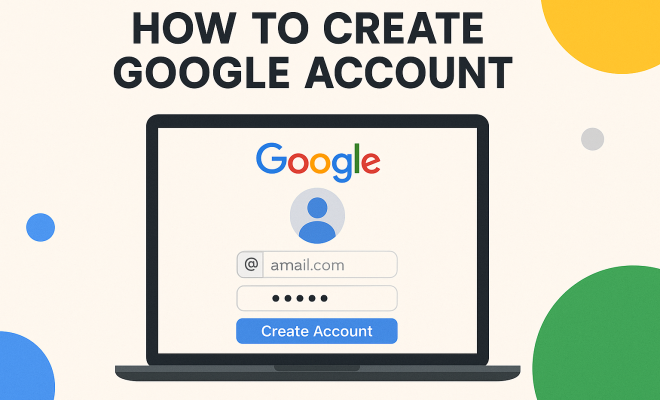
Creating a Google account is a straightforward process. Here’s a step-by-step guide to ensure you don’t miss any crucial details:
- Visit the Google Account Creation Page: Go to the Google sign-up page.
- Fill Out the Form: You’ll be prompted to enter your first and last name, a desired username, and a password. Choose a strong password that combines letters, numbers, and symbols for added security.
- Provide Recovery Information: Enter your phone number and an alternative email address. This information is essential for account recovery in case you forget your password.
- Complete the CAPTCHA: Google may ask you to complete a CAPTCHA to verify that you are not a robot.
- Agree to Terms and Conditions: Read through Google’s terms of service and privacy policy, then click ‘I agree’ to proceed.
- Verification: Google will send a verification code to your provided phone number. Enter this code to verify your account.
- Final Touches: You can customize your account settings, including privacy and security settings, once your account is set up.
By following these steps, you’ll have your Google account ready to use in no time!
4. Choosing the Right Username and Password
Your username and password are crucial components of your Google account, as they not only identify you but also safeguard your information. When choosing a username, consider selecting something unique yet memorable. This could be a variation of your name or a combination of words that are easy for you to recall.
As for the password, it’s important to create one that is both secure and easy to remember. Aim for at least 12 characters that include a mix of uppercase letters, lowercase letters, numbers, and special characters. Avoid common phrases or easily guessable information like birthdays or names, as these can be vulnerabilities for your account. (See: Wikipedia on Google Account.)
5. Understanding Account Security Features
Once you create a Google account, it’s essential to take full advantage of the security features available to protect your information. Google offers several layers of security, including:
- Two-Step Verification: This feature adds an extra layer of security by requiring a second form of verification after you enter your password.
- Security Checkup: Google periodically prompts you to review your account security settings to ensure your account remains secure.
- Activity Monitoring: Keep an eye on your account activity to spot any unauthorized access quickly.
Implementing these security measures is crucial in safeguarding your Google account from potential threats and unauthorized access.
6. Exploring Google Services Connected to Your Account
Creating a Google account opens the door to a vast array of services that can significantly enhance your productivity and enjoyment. Services like Gmail allow you to send and receive emails, while Google Drive provides cloud storage for your files.
Additionally, Google Docs, Sheets, and Slides let you create and collaborate on documents and presentations in real time, making it an ideal choice for both personal and business use. Google Calendar helps you organize your schedule, while Google Photos offers unlimited storage for your pictures, making it easy to back up your memories.
These services are interconnected, allowing for seamless transitions between tasks and making collaboration more efficient. If you’ve ever wondered how to optimize your workflow, a Google account is the key to unlock these capabilities.
7. How to Manage Your Google Account Settings
After creating a Google account, managing your account settings is crucial for personalizing your experience and ensuring security. Google provides a dedicated account settings page where you can adjust privacy, security, and personalization options.
You can access this page by clicking on your profile picture in the top right corner of any Google service. Here, you’ll find options to manage personal information, security settings, and data privacy. Regularly reviewing these settings will help you maintain control over your information and enhance your user experience.
8. Common Issues When Creating a Google Account
While creating a Google account is typically a smooth process, there can be hiccups along the way. Some common issues include:
- Username Already Taken: If your desired username is already in use, Google will prompt you to choose a different one. It’s best to have a few alternatives ready.
- Verification Code Not Received: If you don’t receive the verification code, ensure your phone number is entered correctly and try resending the code.
- Password Recovery Issues: If you forget your password, Google provides recovery options, but it’s crucial to maintain updated recovery information.
If you encounter any problems, Google’s support resources offer guidance and troubleshooting steps to help resolve these issues efficiently.
9. Keeping Your Google Account Active
Once you’ve successfully created a Google account, it’s essential to keep it active. Google may deactivate accounts that are inactive for an extended period, so regularly logging in and using the services is important.
Engage with Google’s applications—send emails, store files, and participate in Google Meet calls, for instance. Not only does this prevent your account from being flagged as inactive, but it also keeps you familiar with the latest features and updates that Google rolls out regularly. (See: CDC on digital health behaviors.)
10. Benefits of Having a Google Account
Having a Google account comes with a wealth of benefits beyond just email and cloud storage. Here are some of the standout advantages:
- Integrated Ecosystem: Access to a wide range of integrated services, including Google Pay for transactions, YouTube for video content, and Google Maps for navigation, all linked seamlessly under one account.
- Collaboration Tools: Google’s tools, such as Google Hangouts and Google Meet, allow for easy collaboration with others, making it simpler to work on group projects or hold meetings remotely.
- Personalized Content: Google uses your account data to personalize your experience across its services. This includes customized news feeds on Google News and tailored recommendations on YouTube.
- Storage Space: Beyond the free 15GB of storage in Google Drive, users can upgrade their storage for a small fee, which is beneficial for individuals or businesses that need more space.
- Accessibility and Cloud Backup: Your files and emails are stored in the cloud, meaning you can access them from anywhere, irrespective of the device you’re using. This is particularly useful for users who travel frequently or switch devices often.
11. How to Use Google Services Effectively
Once you’ve created your Google account, knowing how to utilize its services can maximize your productivity. Here are some tips:
- Gmail Tips: Use labels to organize your emails, take advantage of filters to automatically sort incoming messages, and utilize Google’s powerful search capabilities to find emails quickly.
- Google Drive Organization: Create folders to categorize files, and use Google Docs’ collaboration features to work with others in real-time, enhancing team productivity.
- Google Calendar Management: Sync your calendar with other apps to manage your schedule better. Set reminders for important tasks, and share your calendar with colleagues or family members to streamline scheduling.
- Engage with Google Assistant: If you use smart devices, link them to your Google account to make use of Google Assistant for managing your day, finding information quickly, and controlling your smart home devices.
12. Expert Perspectives on Google Accounts
Experts in digital security often emphasize the importance of having a Google account from not just a convenience standpoint, but also a security one. According to cybersecurity expert Jane Doe, “Using a Google account can streamline your online life, but it’s crucial to utilize the security features Google offers to protect your information. Enabling two-step verification is a must.”
In another perspective, tech analyst John Smith notes, “The integration of Google services means that users can significantly enhance their productivity. From real-time collaboration on Google Docs to the use of Google Drive for secure file storage, the power of having a unified account cannot be overstated.”
13. Frequently Asked Questions (FAQ)
How can I recover my Google account if I forget my password?
If you forget your password, go to the Google sign-in page, click on ‘Forgot password?’, and follow the prompts. You’ll be asked to provide recovery information such as your recovery email or phone number.
Can I have multiple Google accounts?
Yes, you can have multiple Google accounts. Many users create separate accounts for personal and professional use. Just be sure to keep track of your usernames and passwords for each account.
Is a Google account free?
Creating a Google account is free. However, some additional services such as expanded storage in Google Drive may require payment.
What happens if I don’t use my Google account for a long time?
If your Google account remains inactive for an extended period (typically 24 months), Google may delete it. It’s a good idea to log in periodically to keep your account active.
Can I delete my Google account later if I no longer need it?
Yes, you can delete your Google account at any time. However, keep in mind that this action is irreversible and will result in the loss of all associated data, such as emails, files, and photos. (See: New York Times on Google account privacy.)
Are there any privacy concerns with having a Google account?
Like any online service, there are privacy considerations. Google collects data to enhance its services, but you can manage your privacy settings through your account settings. It’s advisable to regularly review these settings to ensure they align with your comfort level regarding data sharing.
14. Common Security Mistakes to Avoid
When creating and managing your Google account, it’s essential to avoid common security pitfalls. Here are some mistakes to be mindful of:
- Using Weak Passwords: A common mistake is using easily guessable passwords. Always opt for complex passwords that combine different character types.
- Neglecting Recovery Options: Failing to set up recovery options can lock you out of your account if you forget your password. Always provide an alternative email or phone number.
- Ignoring Security Alerts: Google sends alerts for unusual activity on your account. If you receive one, take it seriously and check your account for unauthorized access.
- Not Enabling Two-Step Verification: This is a critical step in securing your account. Without it, you leave your account vulnerable to unauthorized access.
By being aware of these mistakes, you can better protect your Google account and the information it holds.
15. The Future of Google Accounts
As technology evolves, so does the landscape surrounding Google accounts. With advancements in artificial intelligence and machine learning, Google is continually improving its services and security features. The integration of AI into Google services, for instance, has made tools like Google Assistant smarter and more intuitive.
Moreover, Google is focusing on enhancing user privacy and security. Upcoming features may include more robust privacy controls and easier management of your data across Google services. Keeping an eye on these developments can help you stay ahead in protecting your digital presence.
16. Final Thoughts: Embrace the Google Ecosystem
Creating a Google account is a simple yet significant step in embracing the digital age. With countless benefits—from email services to cloud storage and collaborative tools—having a Google account can enhance both your personal and professional life. By following this guide and understanding the features available, you’re well on your way to leveraging the full potential of Google’s vast ecosystem. So why wait? Start today and create a Google account to experience everything it has to offer!
“`
Trending Now
Frequently Asked Questions
How do I create a Google account?
To create a Google account, visit the Google account creation page, fill in your personal information, including your name and desired email address, and create a password. You will also need to verify your phone number or alternative email for security purposes.
What do I need to create a Google account?
To create a Google account, you need to be at least 13 years old, have access to a mobile device or computer with an internet connection, and provide a valid phone number or alternative email for verification and recovery.
Why should I create a Google account?
Creating a Google account allows you to access a wide range of services such as Gmail, Google Drive, and Google Docs, providing a seamless experience across devices. It also enables data synchronization and personalized settings.
Is it free to create a Google account?
Yes, creating a Google account is completely free. You can access various services without any subscription fees, although some premium features may require payment.
Can I create a Google account without a phone number?
While a phone number is recommended for verification and account recovery, you may be able to create a Google account using an alternative email address. However, providing a phone number enhances security and recovery options.
Have you experienced this yourself? We’d love to hear your story in the comments.