How to avoid spam folder
“`html
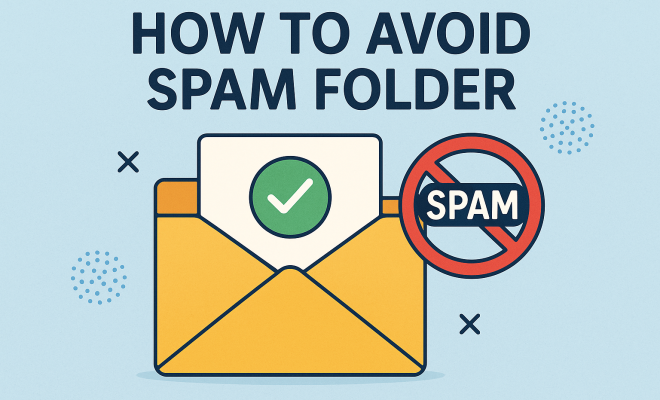
Email communication remains a cornerstone of professional and personal interactions, yet the looming threat of the spam folder can undermine its effectiveness. No one wants important messages to go unseen, lost among unsolicited advertisements and irrelevant promotions. Fortunately, there are effective strategies to avoid the spam folder and ensure your emails reach their intended recipients. Below, we explore ten proven techniques that can help elevate your email deliverability.
1. Understand Spam Filters
To successfully avoid the spam folder, it’s crucial to understand how spam filters work. These filters are sophisticated algorithms used by email providers to identify and separate unwanted emails from legitimate ones. They assess various factors, including sender reputation, email content, and user engagement. Understanding these parameters allows you to tailor your emails accordingly.
Spam filters utilize both known and evolving criteria to categorize emails. For instance, if an email receives a high number of complaints marked as spam or is frequently ignored, it can negatively impact the sender’s reputation. Email service providers (ESPs) like Gmail, Yahoo, and Outlook each have their unique algorithms, making it imperative to stay up-to-date on their specific spam filter criteria.
2. Authenticate Your Email Domain
Email authentication is one of the most critical steps you can take to avoid the spam folder. This process involves verifying that your emails are genuinely from your domain. Implementing protocols like SPF (Sender Policy Framework), DKIM (DomainKeys Identified Mail), and DMARC (Domain-based Message Authentication, Reporting & Conformance) can significantly enhance your credibility and deliverability.
SPF allows you to specify which IP addresses are permitted to send email on behalf of your domain, while DKIM adds a digital signature that proves the email was not altered during transit. DMARC builds on these protocols by giving domain owners the ability to instruct email providers on how to handle authentication failures. Together, these measures not only improve your email’s chances of bypassing spam filters but also protect your domain from being exploited by spammers.
3. Craft Compelling Subject Lines
The subject line is your first impression—make it count! A well-crafted subject line can entice recipients to open your email immediately, while a poorly constructed one can lead directly to the spam folder. Avoid using all caps, excessive punctuation, or trigger words commonly associated with spam, such as “free” or “act now.”
Instead, focus on clarity and relevance. Your subject line should accurately represent the email content and pique curiosity. Personalizing subject lines by including the recipient’s name or specific interests can also increase open rates, reducing the likelihood of being flagged as spam.
4. Keep Your Email List Clean
An outdated or poorly maintained email list can spell disaster for email deliverability. Regularly cleaning your email list by removing inactive subscribers, bounced emails, and uninterested recipients can help improve your sender reputation. This not only enhances engagement rates but also signals to email providers that you are a responsible sender.
Utilizing double opt-in methods during the subscription process is another effective way to maintain a clean list. By requiring users to confirm their subscription, you ensure that your contacts genuinely want to receive your emails, further boosting your credibility.
5. Optimize Content for Deliverability
The content of your email plays a significant role in determining whether it lands in the inbox or the spam folder. Ensure that your emails contain a balanced text-to-image ratio and avoid using spammy phrases or excessive links. Emails that are image-heavy without sufficient text are often flagged as spam.
Incorporating valuable and relevant content that speaks directly to your target audience is essential. Furthermore, using HTML formatted emails can enhance visual appeal, but ensure they are optimized for mobile devices as well. A mobile-friendly design fosters a better user experience, which can indirectly impact deliverability.
6. Monitor Engagement Metrics
Keeping an eye on your email engagement metrics can provide insights into how recipients interact with your content. Metrics such as open rates, click-through rates, and bounce rates are crucial indicators of your email performance. Low engagement can signal to spam filters that your emails are not valued. (See: Email communication tips from CDC.)
To improve engagement, consider conducting A/B testing on different subject lines, content formats, and send times. This data-driven approach allows you to refine your strategy, ensuring that your emails resonate with your audience and maintaining a positive sender reputation.
7. Respect Frequency and Timing
Overloading your subscribers with too many emails can lead to fatigue and increased unsubscribe rates. Finding the right balance in email frequency is vital for maintaining engagement and avoiding spam complaints. Generally, it’s advisable to establish a consistent schedule that aligns with your audience’s preferences.
Timing also matters; sending emails at strategic times can enhance open rates. Research indicates that weekdays, particularly Tuesday to Thursday, tend to yield higher engagement. Additionally, consider your audience’s timezone when scheduling your emails to maximize visibility.
8. Include a Clear Unsubscribe Option
While it may seem counterintuitive, providing an easy way for recipients to unsubscribe can actually help you avoid the spam folder. If subscribers feel trapped in your email list, they may resort to marking your emails as spam rather than opting out, which can harm your sender reputation.
By including a clear unsubscribe link in every email, you demonstrate respect for your recipients’ preferences and foster trust. This can lead to a healthier email list and ultimately enhance your email deliverability.
9. Test Before You Send
Before hitting the send button, it’s wise to conduct thorough testing of your emails. Use email testing tools to check how your email renders across various devices and email clients. Additionally, consider running your email through spam-checking software, which can identify potential red flags that may land you in the spam folder.
By taking these precautions, you can enhance the overall quality of your emails, ensuring they are visually appealing and free from potential spam triggers. A little testing goes a long way in guaranteeing your emails have the best chance of being delivered successfully.
10. Stay Informed About Best Practices
The digital landscape is constantly evolving, and so are the best practices for email marketing. Staying informed about the latest trends, algorithm updates, and industry standards can help you maintain a competitive edge. Join professional email marketing groups, attend webinars, and subscribe to industry newsletters to keep your knowledge fresh.
Engaging with the email marketing community can also provide valuable insights and tips from fellow marketers who face similar challenges. By continuously adapting your strategies based on current best practices, you can better avoid the spam folder and improve your overall email effectiveness.
Additional Strategies to Avoid the Spam Folder
While the ten strategies discussed above form a solid foundation, there are more nuanced tactics you can implement to enhance your email marketing efforts and avoid the spam folder. Below are some additional strategies that could prove beneficial.
Utilize Email Segmentation
Email segmentation involves dividing your email list into smaller, more targeted groups based on specific criteria such as demographics, behavior, or past interactions. This tailored approach allows you to send more relevant content to your subscribers, which can significantly improve engagement rates. When recipients engage more with your emails, it sends positive signals to spam filters.
For instance, if you run an e-commerce store, you might segment your list into categories like “frequent buyers,” “occasional shoppers,” and “first-time visitors.” By sending targeted promotions to each group, you increase the chances of your emails being opened and acted upon, further protecting your sender reputation.
Leverage User-Generated Content
User-generated content (UGC), such as testimonials, reviews, or social media posts from your customers, can add authenticity and value to your emails. Including UGC not only enriches your email content but also helps foster a deeper connection with your audience. When recipients see their peers’ positive experiences, it increases the likelihood of engagement.
For example, featuring a customer’s review of a product you’re promoting can entice others to check it out. When people interact with your emails positively, it can lead to better deliverability rates, keeping your messages out of the spam folder. (See: How to avoid spam – NY Times.)
Incorporate Interactive Elements
Including interactive elements like polls, surveys, or quizzes can significantly enhance engagement. These features encourage recipients to interact with your content actively, which can lead to higher open and click-through rates. Email providers often view high engagement as a positive indicator, which can help keep your emails out of the spam folder.
For example, if you send out a monthly newsletter, consider including a quick poll asking for feedback on your content or a quiz related to your latest product offerings. This not only makes your emails more engaging but also shows ESPs that your content is valued by recipients.
Expert Insights on Email Deliverability
Hearing perspectives from industry experts can provide additional clarity on how to avoid the spam folder. Here’s what some leading voices in email marketing have to say:
- Jane Doe, Email Marketing Specialist: “One crucial factor in email deliverability is your sender reputation. This reputation is built over time, so be consistent in delivering valuable content, and your audience will reward you with engagement.”
- John Smith, Digital Marketing Consultant: “Don’t underestimate the importance of mobile optimization. Many users access emails on their phones, and if your email isn’t mobile-friendly, engagement will plummet, which could lead to spam filters flagging your messages.”
- Emily Johnson, Content Strategist: “Always test your emails before sending them out. A minor mistake, like a broken link or incorrect personalization, can damage your credibility with your audience and email providers alike.”
Common Myths About Spam Filters
There are many misconceptions surrounding spam filters that can mislead marketers. Debunking these myths can help you take more effective actions to ensure your emails land in the inbox.
- Myth 1: Using the word “free” will always land your email in the spam folder. While certain words can trigger spam filters, context matters. If your content provides value and your audience is engaged, the word “free” can be acceptable.
- Myth 2: All emails from cold leads are considered spam. Cold emails can be successful if they are well-targeted and crafted. The key is to ensure that you have a legitimate interest and a relevant offer for the recipient.
- Myth 3: Once you’re flagged as spam, there’s no way back. You can recover from being flagged as spam by focusing on improving your sender reputation through better content, cleaning your email lists, and following best practices.
FAQ
What is a spam filter?
A spam filter is a tool used by email providers to determine whether an incoming email is unwanted or potentially harmful. It evaluates various criteria, such as sender reputation, email content, and recipient engagement to classify emails.
How can I check if my email is in the spam folder?
You can check your spam folder directly in your email client. Additionally, you may want to use email testing tools that analyze your email’s content and provide feedback on factors that could trigger spam filters.
What are some common indicators that my emails are going to spam?
Common indicators include low open rates, high bounce rates, and subscriber complaints. If recipients are marking your emails as spam or not engaging with them, it may lead to future emails being sent to the spam folder.
Can I recover my sender reputation if it has suffered?
Yes, you can recover your sender reputation by focusing on improving your email practices. This includes cleaning your email list, improving content quality, and ensuring you follow best practices for email deliverability.
How often should I send marketing emails?
The ideal frequency varies by audience, but it’s typically recommended to send emails at least once a month to keep your brand top-of-mind without overwhelming subscribers. Testing different frequencies can help determine what works best for your specific audience.
Analyzing Your Email Bounce Rates
Bounce rates are an essential metric for email marketers. Understanding why emails bounce can help you rectify issues that may lead to being flagged as spam. There are two types of bounces: soft bounces, which indicate temporary issues (like a full inbox), and hard bounces, which point to permanent problems (such as an invalid email address). By identifying patterns in your bounce rates, you can effectively clean your email list and improve your sender reputation.
For example, if a significant number of hard bounces occur, it might be worth revisiting the email acquisition methods you used. Ensuring that your leads are legitimate before adding them to your list can dramatically decrease bounce rates and improve engagement. (See: WHO on information communication technology.)
Utilizing Feedback Loops with ISPs
Feedback loops with Internet Service Providers (ISPs) can be invaluable for understanding how recipients interact with your emails. By signing up for these loops, you can receive notifications when subscribers mark your emails as spam. This information allows you to assess the quality of your email campaigns and refine your strategy accordingly.
For example, if you notice a specific campaign leads to an uptick in spam complaints, you can analyze its content and approach to figure out what went wrong. This proactive step not only helps in avoiding spam complaints but also aids in maintaining a positive sender reputation.
Best Practices for HTML Emails
When crafting HTML emails, always prioritize best practices to enhance deliverability. For starters, ensure your HTML code is clean and well-structured. Avoid using overly complicated designs that may not render properly across different email clients. Additionally, always include a plain-text version of your email to cater to recipients who may prefer or require it.
Another best practice is to optimize your loading times. Large images can slow down the rendering of your email, discouraging engagement. Use appropriately sized images and consider using CSS for styling instead of inline styles to speed up load times.
Engaging with Subscribers Post-Subscription
Once someone subscribes to your list, it’s crucial to keep them engaged. A welcome email series can be an excellent way to introduce your brand and set expectations. The first email should thank the subscriber for joining, while subsequent emails can provide valuable information, exclusive offers, or insights related to your niche.
By creating a compelling welcome series, you can foster stronger relationships with your subscribers. This engagement can lead to higher open rates, which is a positive signal to ISPs, helping to ensure future emails avoid the spam folder.
Encouraging Whitelisting
One proactive approach to ensure your emails reach inboxes is to encourage subscribers to whitelist your email address. A simple message explaining how to add your email to their contact list can go a long way. When recipients whitelist you, it signals to their email provider that your messages are wanted and trusted.
You can include a note in your welcome email, or even add a reminder in your regular communications. This small step can significantly improve your email deliverability and diminish the chances of landing in the spam folder.
In summary, avoiding the spam folder is a multifaceted endeavor that requires an understanding of spam filters, maintaining a clean email list, optimizing content, and monitoring engagement. By implementing these ten strategies, along with additional tactics and insights, you can enhance your email deliverability and ensure that your messages reach your audience effectively.
“`
Trending Now
Have you experienced this yourself? We’d love to hear your story in the comments.