How to create database in MySQL
“`html
In the realm of data management, MySQL stands out as one of the most popular relational database management systems (RDBMS) worldwide. Whether you’re a budding developer, a seasoned programmer, or a business analyst, knowing how to create database in MySQL is a vital skill. This guide will take you through everything you need to know about creating and managing databases in MySQL, offering practical insights and tips that can help you optimize your databases for various applications.
1. Understanding MySQL and Its Importance
MySQL is an open-source RDBMS developed by Oracle Corporation. It enables users to create, manage, and manipulate databases efficiently. The significance of MySQL lies not only in its reliability but also in its scalability, making it suitable for a variety of applications—from small websites to large-scale enterprise systems.
One reason MySQL is favored is due to its robust community support and extensive documentation. Developers can easily access resources, tutorials, and forums to troubleshoot issues, share knowledge, and enhance their understanding of the system. Furthermore, MySQL integrates seamlessly with various programming languages and platforms, making it an essential tool for full-stack development.
2. Prerequisites for Creating a Database in MySQL
Before diving into the steps for creating a database, you need to ensure that your environment is properly set up. First, you should have MySQL installed on your computer or server. You can download the latest version from the MySQL official website and follow the installation instructions for your operating system.
Additionally, having a basic understanding of SQL (Structured Query Language) is crucial. SQL is the language used to communicate with a MySQL database, and familiarity with its syntax will make the process smoother. You might also want to consider using a MySQL client like MySQL Workbench for easier database management.
3. Connecting to MySQL Server
Once MySQL is installed, the next step is to connect to the MySQL server. This can be done via command line or through a graphical interface. If you’re using the command line, open your terminal or command prompt and enter:
mysql -u root -p
Here, -u specifies the username (in this case, root), and -p prompts you to enter your password. After successfully logging in, you’ll see the MySQL shell, which allows you to execute SQL statements directly.
If you prefer a graphical interface, MySQL Workbench provides an intuitive environment to connect to your database server. Simply input your connection parameters, such as hostname, port, username, and password, and you’re ready to go.
4. How to Create a Database in MySQL
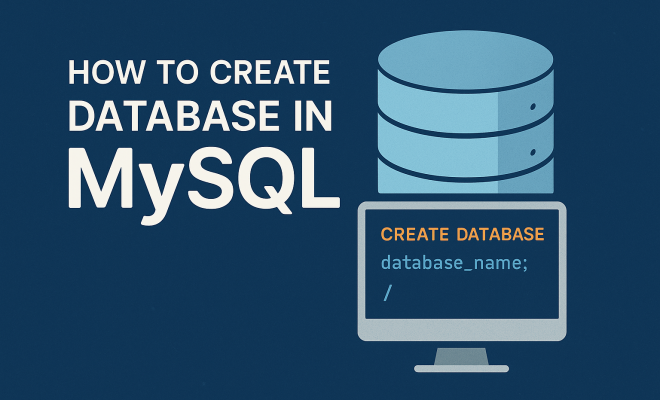
Now, let’s get to the crux of the matter: how to create database in MySQL. The command syntax is straightforward. Use the following SQL statement:
CREATE DATABASE database_name;
Replace database_name with your desired name. It’s good practice to use lowercase letters and underscores instead of spaces to avoid errors. Once you’ve executed this command, your database is created, and you can verify it by running:
SHOW DATABASES;
This command will list all databases in your MySQL server, including the new one you’ve just created.
5. Creating Tables Within Your Database
After creating the database, the next step is to create tables within it. Tables are where your actual data will reside. To create a table, first, you’ll need to select your database:
USE database_name;
Then, you can create a table using the following command:
CREATE TABLE table_name (
    column1_name column1_datatype,
    column2_name column2_datatype,
    ...
);
For example, to create a simple users table, you might use: (See: MySQL on Wikipedia.)
CREATE TABLE users (
    id INT AUTO_INCREMENT PRIMARY KEY,
    username VARCHAR(50) NOT NULL,
    email VARCHAR(100) NOT NULL
);
This command establishes a table named ‘users’ with three columns: id, username, and email. The AUTO_INCREMENT feature allows MySQL to automatically create unique IDs for the users.
6. Defining Data Types and Constraints
When creating tables, it’s crucial to understand MySQL’s data types and constraints to ensure data integrity. Data types specify what kind of data can be stored in a column. Common data types include:
- INT: For integers.
- VARCHAR: For variable-length strings.
- DATETIME: For date and time values.
- BOOLEAN: For true or false values.
In addition to data types, you can impose constraints such as NOT NULL, which prevents null values from being entered, or UNIQUE, ensuring all values in a column are different. Understanding these features helps in designing robust databases that maintain data consistency.
7. Inserting Data into Your Tables
With your tables created, it’s time to populate them with data. To insert values, you use the INSERT INTO statement. The basic syntax looks like this:
INSERT INTO table_name (column1_name, column2_name) VALUES (value1, value2);
For instance, to add a new user to the ‘users’ table, you’d execute:
INSERT INTO users (username, email) VALUES ('john_doe', '[email protected]');
This command adds a new record to the users table. To verify that the data was inserted correctly, you can use:
SELECT * FROM users;
This will display all records in the users table, allowing you to check that your data entry was successful.
8. Modifying and Deleting Data
As your application grows, you’ll find the need to update or delete records within your database. MySQL offers straightforward commands for these operations. To modify existing data, use the UPDATE statement:
UPDATE table_name SET column1_name = value1 WHERE condition;
For instance, if you want to change ‘john_doe’ to ‘john_smith’, you’d execute:
UPDATE users SET username = 'john_smith' WHERE username = 'john_doe';
To delete a record, use the DELETE statement:
DELETE FROM table_name WHERE condition;
For example, to remove ‘john_smith’ from the users table, you’d run:
DELETE FROM users WHERE username = 'john_smith';
Both operations come with the caveat of using conditions to avoid unintentional data loss, so always double-check before executing.
9. Best Practices for Database Management
Creating a database in MySQL is only the first step; ongoing management is crucial for performance and reliability. Here are some best practices:
- Regular Backups: Always maintain backups of your databases to prevent data loss.
- Normalization: Apply database normalization techniques to minimize redundancy and improve data integrity.
- Use Indexing: Apply indexes to frequently searched columns to speed up query performance.
- Monitor Performance: Regularly check query performance and optimize as necessary.
By incorporating these practices, you can ensure your database remains efficient and robust over time.
10. Exploring Advanced Database Features
Once you’re comfortable with the basics, MySQL offers many advanced features to enhance your database capabilities. You can explore:
- Stored Procedures: Predefined SQL statements that can be saved and reused.
- Triggers: Automated actions that are triggered by certain events on a table.
- Views: Virtual tables that provide a way to simplify complex queries.
Diving into these advanced features can help you unlock the full potential of MySQL and streamline your database management tasks. As you become more proficient in creating and managing databases, you’ll find that these tools can significantly enhance your applications. (See: CDC official site.)
11. Understanding Database Relationships
Database relationships are essential for organizing data across different tables. In MySQL, there are three main types of relationships:
- One-to-One: A single record in one table is linked to a single record in another table. For example, a user may have one profile associated with them.
- One-to-Many: A single record in one table can link to multiple records in another table. This is common in scenarios where, for instance, a single customer can have multiple orders.
- Many-to-Many: Records in one table can relate to multiple records in another table and vice versa. A classic example is students and courses, where students can enroll in multiple courses and each course can have many students.
To implement these relationships, you often use foreign keys, which act as a reference between tables. For example, if you have a ‘customers’ table and an ‘orders’ table, you can add a foreign key in the orders table that references the primary key in the customers table.
12. Using Foreign Keys to Maintain Data Integrity
Foreign keys play a critical role in maintaining data integrity across tables. By defining a foreign key in a table, you ensure that the data in that column matches data in another table, which helps prevent orphaned records. To create a foreign key, you can modify the table structure when creating or altering a table:
CREATE TABLE orders (
    order_id INT AUTO_INCREMENT PRIMARY KEY,
    customer_id INT,
    amount DECIMAL(10, 2),
    FOREIGN KEY (customer_id) REFERENCES customers(customer_id)
);
In this example, the customer_id in the orders table is a foreign key that references the customer_id in the customers table. This setup ensures you cannot insert an order for a non-existent customer, thus maintaining data integrity.
13. Performance Optimization Techniques
As your database grows, performance can become an issue. Here are several techniques to optimize MySQL performance:
- Indexing: Create indexes on columns that are frequently used in WHERE clauses or as join conditions to speed up data retrieval.
- Query Optimization: Analyze your queries to ensure they are efficient. Use the EXPLAIN statement to examine how MySQL executes a query.
- Partitioning: Split large tables into smaller, more manageable pieces to improve performance. MySQL supports various partitioning methods like range and list partitioning.
- Caching: Use caching mechanisms to store frequently accessed data in memory, reducing the need to query the disk every time data is needed.
Implementing these techniques can lead to significant improvements in your database’s performance and responsiveness.
14. Security Considerations in MySQL
Security is paramount when managing a database, especially if it contains sensitive data. Here are some crucial security practices to follow:
- Strong Passwords: Always use strong passwords for your MySQL accounts to prevent unauthorized access.
- User Privileges: Grant users only the privileges they need to perform their tasks. This principle of least privilege reduces the risk of accidental or malicious changes.
- SSL Connections: Use SSL to encrypt data transmitted between your MySQL server and clients to protect sensitive information.
- Regular Updates: Keep your MySQL server updated to the latest version to protect against known vulnerabilities.
By following these security measures, you can safeguard your database from potential threats and ensure your data remains protected.
15. Common Issues and Troubleshooting
While working with MySQL, you might encounter various issues. Here are some common problems and their solutions:
- Access Denied Errors: This usually occurs due to incorrect username or password. Double-check your credentials and ensure the user has the correct privileges.
- Table Not Found: If you receive this error, it may mean that the table you’re trying to query doesn’t exist. Verify that you are using the correct database and that the table name is spelled correctly.
- Connection Timeouts: This can happen if the server is down or if there are network issues. Check the server status and your network connection.
- Slow Queries: If your queries are slow, consider optimizing them by adding indexes, rewriting complex queries, or checking for inefficiencies in your database design.
Being aware of these common issues can help you troubleshoot effectively and keep your database running smoothly.
16. FAQ about Creating a Database in MySQL
Q1: Can I create multiple databases in MySQL?
Yes, you can create as many databases as you need in MySQL. Each database operates independently, allowing you to organize data based on different applications or projects.
Q2: How do I delete a database in MySQL?
To delete a database, you can use the DROP DATABASE command followed by the database name:
DROP DATABASE database_name;
Be cautious when using this command, as it will permanently delete the database and all its contents. (See: New York Times technology articles.)
Q3: Can I rename a database in MySQL?
Yes, you can rename a database using the RENAME DATABASE command. However, this command is not supported in all MySQL versions. As an alternative, you can create a new database and transfer your tables to it.
Q4: What is the maximum size of a database in MySQL?
The maximum size of a MySQL database depends on the file system and configuration settings. Typically, InnoDB tables can be as large as 64TB, but factors like disk space and server configuration may impose additional limits.
Q5: Is it necessary to use a GUI tool for MySQL?
No, it’s not necessary. While GUI tools like MySQL Workbench can simplify database management, you can also perform all operations using the command line. It often depends on your preference and the complexity of the tasks at hand.
17. Common Use Cases for MySQL
MySQL is highly versatile and fits various use cases across different industries. Here are some common scenarios where MySQL shines:
- Web Applications: MySQL is frequently used as the backend database for web applications, powering platforms like WordPress, Magento, and Joomla.
- Data Warehousing: Businesses use MySQL for data warehousing, providing a central repository for reporting and analysis.
- Online Transactions: E-commerce platforms often rely on MySQL for handling transaction data, user accounts, and product information.
- Content Management Systems (CMS): Many CMS platforms utilize MySQL to manage articles, images, and user interactions efficiently.
These scenarios illustrate MySQL’s adaptability and robustness, making it a preferred choice for many developers and organizations.
18. Comparing MySQL with Other RDBMS
While MySQL is a popular choice, there are other relational database management systems available. Here’s a quick comparison of MySQL with some of its competitors:
- PostgreSQL: Known for its advanced features and compliance with SQL standards, PostgreSQL offers support for complex queries, making it ideal for analytical applications.
- SQLite: A lightweight database that is great for small-scale applications, SQLite is embedded within applications, making it easy to deploy but less powerful than MySQL for larger systems.
- Microsoft SQL Server: Often preferred in corporate environments, SQL Server provides robust management tools and integration with other Microsoft products, but it can be costly compared to MySQL’s open-source nature.
Choosing the right database system often boils down to specific project requirements, scalability, and cost considerations.
19. Setting Up MySQL for Performance
To ensure your MySQL database performs optimally, consider the following setup tips:
- Configuration Tuning: Adjust MySQL configuration settings based on your hardware and application needs. Parameters like innodb_buffer_pool_size can significantly enhance performance.
- Regular Maintenance: Perform routine maintenance tasks such as optimizing tables and checking for corruption to keep your database in top shape.
- Use Connection Pooling: Implement connection pooling to manage database connections efficiently, reducing the overhead of establishing new connections frequently.
- Monitor Resource Usage: Use tools like MySQL Workbench or third-party monitoring tools to keep an eye on resource usage, query performance, and potential bottlenecks.
Effective setup and maintenance can significantly affect your MySQL database’s performance and reliability.
In summary, knowing how to create database in MySQL is an essential skill for anyone working with data. From setting up your environment to creating tables, inserting data, and implementing best practices, this guide aims to equip you with the knowledge needed to succeed. Whether you’re building a small application or a large-scale system, mastering these concepts will pave the way for efficient data management.
“`
Trending Now
Frequently Asked Questions
How do I create a database in MySQL?
To create a database in MySQL, use the SQL command 'CREATE DATABASE database_name;'. Ensure you have MySQL installed and are connected to the server. After executing the command, you can use 'USE database_name;' to start working with your new database.
What are the prerequisites for using MySQL?
Before using MySQL, make sure you have it installed on your computer or server. Familiarity with SQL (Structured Query Language) is also essential, as it is the primary means of interacting with your MySQL databases.
Why is MySQL so popular?
MySQL is popular due to its open-source nature, reliability, scalability, and strong community support. It integrates well with various programming languages and platforms, making it a preferred choice for developers and businesses alike.
Can I manage MySQL databases using a graphical interface?
Yes, you can manage MySQL databases using graphical interfaces like MySQL Workbench. These tools simplify database management by providing a user-friendly environment to execute queries, design schemas, and visualize data.
What is the significance of learning MySQL for developers?
Learning MySQL is significant for developers as it equips them with the skills to create and manage databases, which are essential for building data-driven applications. Mastering MySQL enhances their ability to work on full-stack development projects.
What did we miss? Let us know in the comments and join the conversation.