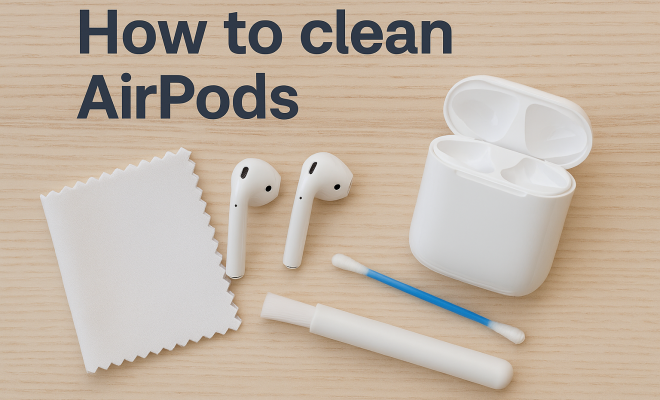
How to clean AirPods
“`html
AirPods have become a staple accessory for music lovers and professionals alike, offering convenience and quality sound in a compact form. However, with frequent use comes the inevitable buildup of dirt, dust, and earwax. If you’re wondering how to clean AirPods effectively, you’ve come to the right place. In this comprehensive guide, we’ll walk you through the best methods, tools, and tips to keep your AirPods in pristine condition, ensuring they perform at their best.
1. Understanding the Importance of Cleaning Your AirPods
Many users underestimate the importance of cleaning their AirPods regularly. Over time, earwax and sweat can accumulate, not only affecting sound quality but also posing a hygiene risk. According to a study by the American Academy of Otolaryngology, unclean earbuds can lead to ear infections and other auditory issues.
Furthermore, dirt and grime can clog the speaker mesh, leading to muffled sound. Regular cleaning not only enhances performance but also extends the lifespan of your AirPods. So, learning how to clean AirPods properly is crucial for both health and functionality.
2. What You’ll Need for the Cleaning Process
Before diving into the cleaning process, it’s essential to gather the right tools. Here’s a list of items you’ll need:
- Soft, lint-free cloth: Microfiber cloths work best for this purpose.
- Isopropyl alcohol: A 70% solution is ideal for disinfecting.
- Toothbrush or soft-bristled brush: For gently scrubbing stubborn grime.
- Cotton swabs: Perfect for accessing small crevices.
- Water: Occasionally useful for diluting the alcohol.
- Compressed air (optional): Can help blow away loose debris.
With these tools at your disposal, you’re ready to tackle the cleaning process head-on.
3. Step-by-Step Guide on How to Clean AirPods
Now, let’s walk you through a detailed, step-by-step process for cleaning your AirPods effectively:
- Power Down: Before you begin, ensure your AirPods are removed from your ears and are powered off. This prevents any accidental activation while cleaning.
- Wipe the Exterior: Take your microfiber cloth and lightly dampen it with water or isopropyl alcohol. Gently wipe the outer surfaces of your AirPods. Avoid getting moisture in any openings.
- Clean the Speaker Mesh: Use a dry toothbrush or a soft-bristled brush to gently scrub the speaker mesh and microphone areas. Be careful not to push dirt further into the openings.
- Swab the Crevices: Dip a cotton swab in isopropyl alcohol and gently clean around the edges and in the crevices. This helps remove built-up grime and earwax.
- Dry Thoroughly: Make sure everything is dry before using your AirPods again. Allow them to air dry for a few minutes.
- Clean the Charging Case: Don’t forget about the case! Wipe the outside with your cloth, and use a cotton swab inside to remove any debris. Avoid using liquids directly inside the case.
- Disinfect Regularly: To keep your AirPods in top condition, aim to clean them at least once a week or after heavy use.
This step-by-step guide shows you exactly how to clean AirPods without causing damage, ensuring they stay both functional and hygienic.
4. Common Mistakes to Avoid
Even with the best intentions, some common mistakes can occur during the cleaning process. Here are a few to avoid when learning how to clean AirPods:
- Using Excess Water: Never soak your AirPods in water or use excessive moisture, as this can damage the internal components.
- Aggressive Scrubbing: Be gentle. Scrubbing too hard can scratch the surface or push debris further into the speaker mesh.
- Neglecting the Charging Case: The case is just as important as the AirPods themselves. Neglecting to clean the case can lead to a buildup of dirt that transfers back to the AirPods.
- Using Harsh Chemicals: Avoid bleach or abrasive cleaners, which can degrade the materials.
By steering clear of these pitfalls, you can effectively maintain your AirPods without causing damage. (See: CDC guidelines on cleaning earbuds.)
5. Alternative Cleaning Methods
While the method outlined above is the most recommended, there are alternative techniques you might consider if you’re looking for something different. Here are a few:
- Ultrasonic Cleaners: These devices use high-frequency sound waves to clean delicate items like AirPods. They can effectively remove accumulated dirt but require caution and are usually more suitable for cases.
- Alcohol Wipes: Pre-packaged wipes can be an easy solution for quick clean-ups, though ensure they are safe for electronics.
- Vinegar and Water Solution: A diluted vinegar solution can also work as a natural cleaner but should be used sparingly and never directly on the AirPods.
These alternative cleaning methods can be effective, but remember to proceed with caution to avoid damaging your devices.
6. Maintaining Your AirPods’ Hygiene
After you’ve cleaned your AirPods, it’s crucial to adopt habits that will keep them clean longer. Here are some tips on maintaining their hygiene:
- Store Properly: Always keep your AirPods in their charging case when not in use. This protects them from environmental contaminants.
- Avoid Sharing: If possible, avoid sharing your AirPods with others. This reduces the risk of transferring dirt and bacteria.
- Regular Maintenance: Incorporate cleaning into your regular routine, much like you would with your phone or other frequently used gadgets.
- Monitor Usage: If you’re using them while exercising, be mindful of moisture and sweat buildup, which can accelerate grime accumulation.
By adopting these habits, you can ensure your AirPods remain clean and functional for longer periods.
7. What to Do If Your AirPods Still Aren’t Working
Despite all cleaning efforts, you might encounter issues with your AirPods. If your devices are still malfunctioning, consider these troubleshooting steps:
- Reset Your AirPods: Sometimes a simple reset can solve connectivity issues. Press and hold the button on the back of the case until the LED light flashes amber, then white.
- Check for Software Updates: Ensure your AirPods are running the latest firmware. Updates often include bug fixes and improvements.
- Consult Apple Support: If problems persist, reaching out to Apple support or visiting a certified service provider may be necessary.
These steps can help you address any lingering issues that cleaning alone might not resolve.
8. The Benefits of Keeping Your AirPods Clean
Taking the time to learn how to clean AirPods comes with numerous benefits. Here are a few notable ones:
- Improved Sound Quality: Regular cleaning helps maintain clear audio quality, which is essential for an optimal listening experience.
- Longer Lifespan: Keeping your AirPods clean can significantly extend their life, as dirt and debris can lead to wear and tear over time.
- Health Benefits: Reducing the buildup of bacteria and dirt can help prevent ear infections and related health issues.
- Enhanced Comfort: Clean AirPods are more comfortable to wear, offering a better fit and reducing irritation.
Overall, investing a little time in keeping your AirPods clean pays off in both performance and health.
9. Frequently Asked Questions (FAQ)
9.1 How often should I clean my AirPods?
For optimal performance, it’s a good idea to clean your AirPods at least once a week, especially after intense use or exposure to moisture. If you notice buildup more frequently, adjust your cleaning schedule accordingly.
9.2 Can I use regular cleaning wipes on my AirPods?
Not all wipes are safe for cleaning electronics. Look for alcohol wipes specifically designed for electronics. Avoid using wipes containing bleach or other harsh chemicals that may damage the AirPods.
9.3 What should I do if my AirPods smell bad?
If your AirPods have an odor, it may be due to sweat or moisture buildup. After cleaning, let them air out in a well-ventilated area. Avoid using them while sweaty or in humid conditions to prevent odors from developing. (See: New York Times article on cleaning AirPods.)
9.4 Are there any products I should avoid when cleaning AirPods?
Avoid any cleaning products containing bleach, abrasive materials, or excessive moisture. These can damage the materials of your AirPods and may void any warranty you have.
9.5 How do I clean the charging case?
To clean the charging case, use a soft, dry cloth to wipe the exterior. For the interior, use a cotton swab slightly dampened with isopropyl alcohol to remove any debris. Avoid letting any moisture seep into the case.
9.6 Can I rinse my AirPods under water?
No, you should never rinse your AirPods under water or submerge them. AirPods are not waterproof and doing so can severely damage the internal components.
10. Expert Perspectives on AirPod Maintenance
To delve deeper into best practices, we consulted audio experts and audiologists. Many agree on the importance of hygiene when it comes to personal audio devices. Dr. Sarah Peterson, an audiologist, emphasizes that “keeping your AirPods clean isn’t just about sound quality; it plays a significant role in ear health. Regular cleaning can prevent bacteria buildup that lead to infections.”
Experts recommend using a designated cleaning schedule and pairing it with daily habits, like avoiding earwax transfer by using clean, dry hands when handling your AirPods. Sound engineer Mark Chen notes, “A clean speaker mesh means clearer sound. If you’re serious about audio quality, invest the time in maintenance.”
11. Comparing AirPods and Other Wireless Earbuds
While AirPods are a popular choice, there are many other wireless earbuds on the market. When considering how to clean them, it’s important to note that not all earbuds are created equal. For instance, brands like Bose and Sony often feature different materials and designs, which can affect how you should clean them.
AirPods tend to be more susceptible to earwax buildup due to their design, but they also have a more straightforward cleaning process compared to some competitors with complex mesh designs. When comparing cleaning methods, ensure you check the specific guidelines provided by each manufacturer, as their materials and construction can vary greatly.
12. Final Thoughts on AirPod Care
Learning how to clean AirPods is essential not just for sound quality, but for your health too. As you incorporate cleaning into your routine, remember that it can take just a few minutes to maintain a device you rely on daily. The small investment of time pays off in better sound, a longer lifespan, and healthier ears. With the right techniques and a bit of care, your AirPods can continue to deliver the audio experience you love for years to come.
13. Cleaning Frequency Based on Usage
Understanding how often to clean your AirPods can depend significantly on how you use them. If you’re an athlete who uses them while running or working out, you might want to clean them more frequently due to sweat and moisture. On the other hand, if you primarily use your AirPods in a controlled environment, such as at home or in an office, you may find that a weekly cleaning is sufficient. Here are some suggestions based on different usage scenarios:
- Daily Use: If you wear your AirPods every day, consider cleaning them at least twice a week to avoid buildup.
- Occasional Use: For users who only wear them sporadically, once every two weeks may be adequate.
- Fitness Users: If you use your AirPods during workouts, clean them after each session to prevent sweat and grime from building up.
Tailoring your cleaning routine to your lifestyle can help maintain your AirPods in top-notch condition.
14. The Impact of Environmental Factors on AirPods Cleaning
Your environment plays a crucial role in how often you need to clean your AirPods. Here are a few factors to consider:
- Outdoor Use: If you frequently use your AirPods outside, dirt and pollen can accumulate, requiring more frequent cleaning.
- Humidity and Temperature: Areas with high humidity can lead to moisture build-up inside the AirPods, so be vigilant about cleaning them to avoid mold or mildew.
- Occupational Hazards: For professionals working in dusty or dirty environments, AirPods can attract grime quickly, necessitating regular cleaning.
Understanding these factors can help you develop a more effective cleaning schedule tailored to your specific conditions.
15. Long-Term Care and Storage Tips
Proper storage and long-term care can significantly affect the performance and lifespan of your AirPods. Here are some tips to consider:
- Keep Them in the Case: Always store your AirPods in their charging case when not in use. This protects them not only from dirt but also from accidental damage.
- Avoid Extreme Temperatures: Try to keep your AirPods away from extreme heat or cold, as these conditions can affect battery life and overall functionality.
- Regular Inspections: Periodically check your AirPods and their case for any signs of wear or damage. Addressing issues early can prevent bigger problems down the road.
By following these long-term care tips, you can help ensure your AirPods remain in peak condition for as long as possible.
16. Conclusion
Through understanding how to clean AirPods effectively, you not only enhance their performance but also prioritize your auditory health. By incorporating regular cleaning into your routine and being aware of usage habits, environmental factors, and proper storage techniques, your AirPods can provide excellent sound quality and comfort for years. Whether you’re hitting the gym, commuting, or enjoying a quiet evening at home, with a little care, your AirPods will always be ready to deliver a great listening experience.
“`
Trending Now
- our breakdown of 7 proven strategies to boost your brand visibility in chatgpt for 2026
- this guide on are you missing out? top 10 amazon ai tools for sellers in 2026
- read the full story
- Why Iran Oil Prices Aren’t Spiking:…
- our breakdown of the hidden importance of legal disclaimers: what you need to know
Frequently Asked Questions
How do I clean my AirPods without damaging them?
To clean your AirPods safely, use a soft, lint-free cloth like a microfiber cloth. Avoid using excessive moisture and never submerge them in water. For stubborn grime, use a soft-bristled brush or cotton swabs dipped in a 70% isopropyl alcohol solution to clean crevices and speaker mesh.
What materials do I need to clean my AirPods?
You'll need a few items to clean your AirPods effectively: a soft, lint-free cloth, isopropyl alcohol (70% solution), a soft-bristled brush or toothbrush, cotton swabs, and optionally, compressed air to remove loose debris.
How often should I clean my AirPods?
It's recommended to clean your AirPods regularly, ideally once a week or after heavy use, to prevent the buildup of dirt, dust, and earwax. Regular cleaning helps maintain sound quality and hygiene, reducing the risk of ear infections.
Can I use water to clean my AirPods?
You should avoid using water directly on your AirPods. Instead, if necessary, you can dilute isopropyl alcohol with a small amount of water for cleaning. Always ensure that no moisture enters the speaker mesh or charging ports.
What should I avoid while cleaning my AirPods?
When cleaning your AirPods, avoid using sharp objects, abrasive materials, or excessive moisture. Do not submerge them in water or use harsh cleaning agents, as these can damage the components and affect sound quality.
What did we miss? Let us know in the comments and join the conversation.