The Tech Edvocate

Top Menu

  • Advertisement
  • Apps
  • Home Page
  • Home Page Five (No Sidebar)
  • Home Page Four
  • Home Page Three
  • Home Page Two
  • Home Tech2
  • Icons [No Sidebar]
  • Left Sidbear Page
  • Lynch Educational Consulting
  • My Account
  • My Speaking Page
  • Newsletter Sign Up Confirmation
  • Newsletter Unsubscription
  • Our Brands
  • Page Example
  • Privacy Policy
  • Protected Content
  • Register
  • Request a Product Review
  • Shop
  • Shortcodes Examples
  • Signup
  • Start Here
    • Governance
    • Careers
    • Contact Us
  • Terms and Conditions
  • The Edvocate
  • The Tech Edvocate Product Guide
  • Topics
  • Write For Us
  • Advertise

Main Menu

  • Start Here
    • Our Brands
    • Governance
      • Lynch Educational Consulting, LLC.
      • Dr. Lynch’s Personal Website
      • Careers
    • Write For Us
    • The Tech Edvocate Product Guide
    • Contact Us
    • Books
    • Edupedia
    • Post a Job
    • The Edvocate Podcast
    • Terms and Conditions
    • Privacy Policy
  • Topics
    • Assistive Technology
    • Child Development Tech
    • Early Childhood & K-12 EdTech
    • EdTech Futures
    • EdTech News
    • EdTech Policy & Reform
    • EdTech Startups & Businesses
    • Higher Education EdTech
    • Online Learning & eLearning
    • Parent & Family Tech
    • Personalized Learning
    • Product Reviews
  • Advertise
  • Tech Edvocate Awards
  • The Edvocate
  • Pedagogue
  • School Ratings

logo

The Tech Edvocate

  • Start Here
    • Our Brands
    • Governance
      • Lynch Educational Consulting, LLC.
      • Dr. Lynch’s Personal Website
        • My Speaking Page
      • Careers
    • Write For Us
    • The Tech Edvocate Product Guide
    • Contact Us
    • Books
    • Edupedia
    • Post a Job
    • The Edvocate Podcast
    • Terms and Conditions
    • Privacy Policy
  • Topics
    • Assistive Technology
    • Child Development Tech
    • Early Childhood & K-12 EdTech
    • EdTech Futures
    • EdTech News
    • EdTech Policy & Reform
    • EdTech Startups & Businesses
    • Higher Education EdTech
    • Online Learning & eLearning
    • Parent & Family Tech
    • Personalized Learning
    • Product Reviews
  • Advertise
  • Tech Edvocate Awards
  • The Edvocate
  • Pedagogue
  • School Ratings
  • Unprecedented: Novig vs. Ohio Could Reshape Online Betting Forever

  • Unbelievable: Anthropic IPO Shatters Records, But Is a Recession Looming?

  • Unseen Threat: How Rapid-Fire Patches Are Causing Mass Outages — And How to Stop It

  • Down Payment Assistance Programs Expand: A Lifeline for Buyers?

  • Nvidia’s Record Quarter: The Secret Scandal Threatening AI’s Future

  • The Gemini in Classroom vs Traditional Tools Debate: A Staggering Reversal

  • Why Your Tech Job Isn’t Safe: The AI Uprising Is Just Getting Started

  • Why Google’s AI Policy Just Sparked a Massive Uproar in Schools

  • Unmasking Java4Shell: The 9 Tools Enterprises Need Now to Fight CVE-2026-114938

  • Unbelievable: Waymo’s Freeway Suspension Is Far Worse Than You Think

Digital & Mobile Technology
Home›Digital & Mobile Technology›How to View Attached Images Instantly in Yahoo Mail

How to View Attached Images Instantly in Yahoo Mail
By Matthew Lynch
July 29, 2023
0
Spread the love

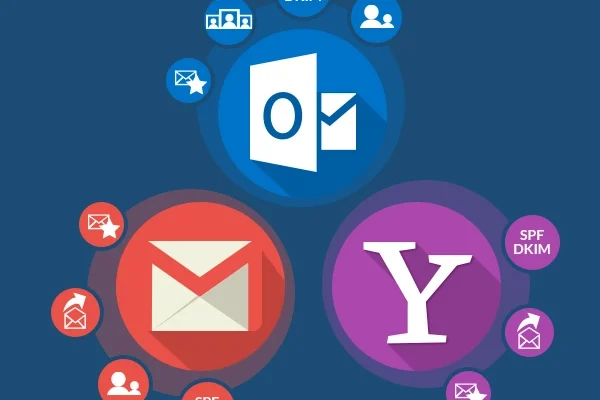
Yahoo Mail is one of the most widely used email services in the world. People use Yahoo Mail to send and receive emails, as well as to store important files and documents. Sometimes, users receive emails with attached images. However, Yahoo Mail does not display the attached images directly. In this article, we will guide you on how to view attached images instantly in Yahoo Mail.

1. Open the email

First of all, you need to open the email that contains the attached images. Once you open the email, you will see the attached images in the body of the email. However, you may have noticed that the images are not displayed directly, and instead, you see a placeholder.

2. Click on the placeholder

To view the attached images, click on the placeholder. Once you click on the placeholder, you will see a small preview of the image. You can enlarge this preview by clicking on it.

3. View the images instantly

If you want to view the attached images instantly, you can simply click on the “Download” button that appears when you hover over the image. This will instantly download and display the image in its original size and resolution.

4. Enable Yahoo Mail’s preview feature

Yahoo Mail also has a preview feature that allows you to view attached images instantly without having to download them. To enable this feature, follow these steps:

– Click on the gear icon in the top right corner of the Yahoo Mail homepage.
– Select “Settings” from the dropdown menu.
– In the “Settings” menu, select “Viewing email”.
– Scroll down to the “Attachments” section and tick the box next to “Automatically show images in emails”.
– Click “Save” to apply the changes.

Once you have enabled this feature, all attached images will be displayed instantly when you open the email.

Conclusion

Viewing attached images instantly in Yahoo Mail can be done in a few easy steps. Whether you prefer to download the image or enable the preview feature, it is important to remember that Yahoo Mail provides multiple options to view the attached images in the most convenient way for you.


Previous Article

LCD Displays and Bit Color Depth

Next Article

Ask Questions Online With These Question and ...

Matthew Lynch

Related articles More from author

  • Digital & Mobile Technology

    Best Tools to Open RAR Files

    June 22, 2023
    By Matthew Lynch
  • Digital & Mobile Technology

    Ways to Fix Volume Buttons Not Working on iPhone

    April 10, 2023
    By Matthew Lynch
  • Digital & Mobile Technology

    How to Recover Your Forgotten Gmail Password

    May 3, 2023
    By Matthew Lynch
  • Digital & Mobile Technology

    Ways to Fix OneDrive When You Cannot Open Your Files

    June 12, 2023
    By Matthew Lynch
  • Digital & Mobile Technology

    How to Send Apps Via Bluetooth

    May 7, 2023
    By Matthew Lynch
  • Digital & Mobile Technology

    How to Get Netflix on a Non-Smart TV

    June 3, 2023
    By Matthew Lynch

Search

Login & Registration

  • Log in
  • Entries feed
  • Comments feed
  • WordPress.org

Newsletter

Signup for The Tech Edvocate Newsletter and have the latest in EdTech news and opinion delivered to your email address!

About Us

Since technology is not going anywhere and does more good than harm, adapting is the best course of action. That is where The Tech Edvocate comes in. We plan to cover the PreK-12 and Higher Education EdTech sectors and provide our readers with the latest news and opinion on the subject. From time to time, I will invite other voices to weigh in on important issues in EdTech. We hope to provide a well-rounded, multi-faceted look at the past, present, the future of EdTech in the US and internationally.

We started this journey back in June 2016, and we plan to continue it for many more years to come. I hope that you will join us in this discussion of the past, present and future of EdTech and lend your own insight to the issues that are discussed.

Newsletter

Signup for The Tech Edvocate Newsletter and have the latest in EdTech news and opinion delivered to your email address!

Contact Us

The Tech Edvocate
910 Goddin Street
Richmond, VA 23231
(601) 630-5238
[email protected]

Copyright © 2026 Matthew Lynch. All rights reserved.