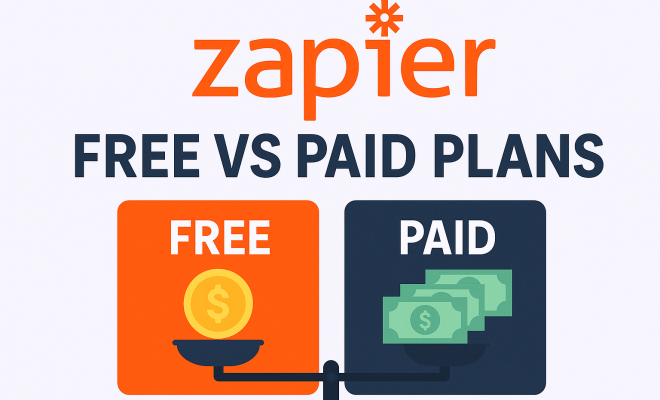
Zapier free vs paid plans
“`html
When you’re trying to streamline your workflow, automate repetitive tasks, and generally make your business run smoother, Zapier often comes up as a go-to solution. It’s an incredibly powerful tool that connects thousands of web applications, letting them ‘talk’ to each other without you having to write a single line of code. But like any powerful tool, understanding its pricing structure – particularly the differences between Zapier’s free vs. paid plans – is absolutely crucial before you commit. You want to ensure you’re getting the most bang for your buck, or, in some cases, whether you even need to spend a buck at all.
Many people start their journey with Zapier on its free plan, and for good reason. It offers a taste of automation, letting you see the magic unfold firsthand. However, as your automation needs grow, or as you start to grasp the sheer potential Zapier offers, you’ll quickly find yourself bumping against the limitations of the free tier. This isn’t a bad thing; it’s a natural progression, indicating that Zapier is indeed adding value to your operations. The question then shifts from ‘Can Zapier help me?’ to ‘Which Zapier pricing plan makes the most sense for my current and future needs?’ Let’s dive deep into what makes each plan tick, who it’s for, and why an upgrade might just be the smartest move you make this year.
1. The Free Plan: A Taste of Automation
Let’s be clear: Zapier’s free plan isn’t just a demo; it’s a fully functional, albeit limited, entry point into the world of automation. For many solopreneurs, small side projects, or those just looking to automate a handful of simple tasks, it can be surprisingly effective. You get access to 5 ‘Zaps,’ which are essentially your automated workflows. Each Zap consists of a trigger and one or more actions. For instance, a Zap could be ‘When I get a new email in Gmail (trigger), create a new task in Asana (action).’ Simple, right?
Beyond the number of Zaps, the free plan also imposes a limit of 100 tasks per month. A ‘task’ is counted every time a Zap successfully performs an action. So, if your Gmail-to-Asana Zap runs 10 times in a month, that’s 10 tasks consumed. You’re also limited to Zaps with only two steps (one trigger, one action) and a refresh time of 15 minutes. This means Zapier checks for new data every quarter-hour. For non-time-sensitive tasks, this is often perfectly adequate. It’s a great way to dip your toes in and understand the core mechanics without any financial commitment.
2. The Starter Plan: Stepping Up Your Game
Once you find yourself constantly hitting the task limit or wishing for more complex automations, the Starter plan, typically priced at around $19.99 per month (billed annually), is often the first logical upgrade. This plan dramatically increases your capacity, offering 20 Zaps and a generous 750 tasks per month. This jump alone is usually enough for growing small businesses or individuals with more demanding automation needs. You’re no longer constantly worrying about running out of tasks halfway through the month, which can be a huge relief.
But the biggest game-changer with the Starter plan, and indeed all paid Zapier pricing plans, is the introduction of Multi-Step Zaps. This means your automations are no longer restricted to a single action. You can now build workflows like ‘When I get a new lead from my website (trigger), add them to my CRM (action 1), send them a welcome email (action 2), and notify my sales team in Slack (action 3).’ This capability alone unlocks a whole new level of efficiency, allowing for truly sophisticated, end-to-end automations that simply aren’t possible on the free tier. The refresh time also improves to 5 minutes, meaning your Zaps run more frequently and your data moves faster.
3. The Professional Plan: For Serious Automators
The Professional plan, often around $49 per month (billed annually), is where Zapier starts to become a truly indispensable tool for many businesses. It’s designed for users who have embraced automation and are looking to push its boundaries. With 50 Zaps and 2,000 tasks per month, it provides significantly more headroom than the Starter plan. This is perfect for teams or individuals managing multiple projects, each requiring its own set of interconnected automations. You’ll find you can automate a substantial portion of your repetitive administrative work with this tier.
What truly sets the Professional plan apart, however, is the inclusion of ‘Paths’ and ‘Filters.’ Filters allow your Zaps to run only when certain conditions are met. For example, ‘Only create a task in Asana if the email subject contains ‘Urgent’.’ Paths, on the other hand, let your Zaps take different actions based on different conditions, creating branching logic. ‘If the lead is from Company A, send them to Sales Team Alpha; if from Company B, send to Sales Team Beta.’ These features add incredible intelligence and flexibility to your workflows, making them far more robust and adaptable. The refresh time drops to an even snappier 2 minutes, ensuring near real-time data flow for critical operations.
4. The Team Plan: Collaborative Automation
As the name suggests, the Team plan, typically starting around $299 per month (billed annually), is built for collaboration and larger organizations. It usually comes with 100 Zaps and 50,000 tasks per month, providing a massive increase in capacity suitable for multiple departments or larger teams. The task limit is often shared across the team, making it easier to manage resources centrally. This plan is ideal when automation becomes a company-wide initiative, not just an individual effort. (See: Understanding automation technology.)
Key features of the Team plan include shared workspaces and centralized billing. This means multiple users can collaborate on Zaps, see each other’s workflows, and ensure consistency across the organization. You don’t have individual users creating their own siloed automations; instead, everything can be managed under a unified account. User permissions and roles also become available, allowing administrators to control who can create, edit, or view Zaps, which is critical for security and governance in larger setups. The refresh time remains at 1 minute, offering rapid execution for even the most demanding workflows.
5. The Company Plan: Enterprise-Grade Automation
For large enterprises with extensive and complex automation needs, the Company plan offers a customized, scalable solution. Pricing for this tier is typically bespoke, negotiated directly with Zapier, as it depends heavily on the volume of tasks, number of Zaps, and specific features required. This plan is designed for organizations that need hundreds or even thousands of Zaps and millions of tasks per month, often integrating with mission-critical systems.
Beyond massive scale, the Company plan includes advanced administrative features, enterprise-grade security protocols (like SSO/SAML), and dedicated account management. You’ll often find features like advanced data retention policies, audit logs, and priority support. This level of service ensures that Zapier can seamlessly integrate into even the most stringent IT environments, providing the reliability and compliance necessary for large-scale operations. It’s about more than just tasks and Zaps; it’s about comprehensive support, security, and governance at an enterprise level.
6. Understanding Zapier’s Core Metrics: Zaps, Tasks, and Refresh Times
To truly make an informed decision about Zapier pricing plans, you need a solid grasp of its fundamental metrics. ‘Zaps’ are your automated workflows. Think of each Zap as a recipe: ‘When X happens, do Y.’ The free plan gives you 5 Zaps, while higher tiers offer significantly more, allowing for greater automation coverage across your various tools and processes. More Zaps mean more simultaneous automations running for you.
‘Tasks’ are where the rubber meets the road. Every time a Zap successfully performs an action, it consumes a task. If your Zap has three actions, and it runs once, that’s three tasks used. If it runs 100 times, that’s 300 tasks. This is often the primary bottleneck for users on lower tiers. Monitoring your task usage is crucial, and Zapier provides a dashboard for this. Finally, ‘Refresh Time’ dictates how often Zapier checks your trigger app for new data. A 15-minute refresh time on the free plan means a potential 15-minute delay between an event happening and your Zap responding. On higher plans, this can drop to 1 minute or even less, making your automations almost instantaneous. Understanding this trio is key to optimizing your Zapier investment.
7. Add-on Features: Powering Up Your Zaps
Beyond the core plan features, Zapier also offers several powerful add-on capabilities that significantly enhance what you can do with your automations. While some basic features like ‘Formatter’ (for reformatting text, dates, numbers) are available on all paid plans, others are exclusive to higher tiers or offer more advanced functionality there. For example, ‘Webhooks’ allow Zapier to communicate with virtually any application that supports them, opening up a world of custom integrations not available through Zapier’s pre-built app connectors. This is a game-changer for developers or those working with niche software.
‘Code by Zapier’ is another incredibly powerful add-on. It allows you to inject custom Python or JavaScript code directly into your Zaps, enabling complex data manipulation, custom logic, and integrations that would otherwise be impossible. This takes your automations from powerful to truly bespoke. Features like ‘Delay’ (for pausing Zaps for a set period) and ‘Storage’ (for temporarily saving data between Zap runs) also add layers of sophistication, allowing for more intelligent and robust workflows. These add-ons, often included in Professional and higher Zapier pricing plans, are what empower users to build truly custom solutions that perfectly fit their unique business processes.
When to Upgrade: Spotting the Signs
So, how do you know it’s time to move beyond the free plan or even step up to a higher paid tier? The signs are usually pretty clear. The most obvious one is consistently hitting your task limit. If you’re constantly running out of tasks before the month is over, or if you’re forced to disable Zaps to conserve tasks, that’s a strong indicator. You’re leaving potential automation value on the table, and the time saved by a higher task limit will quickly justify the cost.
Another key sign is the need for Multi-Step Zaps. If you find yourself wishing your Zaps could do more than just one action after a trigger – like ‘trigger, then do A, B, and C’ – you’ve outgrown the free plan. Similarly, if you need more responsive automations and the 15-minute refresh time is causing delays or issues, upgrading to a plan with a 5-minute or 2-minute refresh is a must. Lastly, if your team needs to collaborate on automations or if you require advanced logic like Filters and Paths, the higher Zapier pricing plans become essential. It’s about recognizing where the free plan’s limitations are genuinely hindering your efficiency, rather than just being a minor inconvenience.
Maximizing Value from Your Zapier Plan
Once you’ve chosen a Zapier pricing plan, whether it’s the Starter, Professional, or even a higher tier, the goal is to extract maximum value. Don’t just set up a few Zaps and forget about them. Regularly review your existing automations to ensure they’re still relevant and efficient. Are there any Zaps that could be combined or streamlined? Are there new processes that could benefit from automation that you haven’t tackled yet?
Explore Zapier’s extensive app directory and pre-built templates. You might discover integrations you didn’t even know were possible, sparking ideas for new efficiencies. Make use of Zapier’s learning resources, webinars, and community forums. There’s a wealth of knowledge available that can help you build more robust, intelligent, and task-efficient Zaps. Consider auditing your manual workflows once a quarter to identify repetitive tasks that are prime candidates for automation. The more you automate, the more time you free up for strategic, high-value work, making your Zapier investment pay dividends. (See: Impact of automation in workplaces.)
The Bottom Line: Is Zapier Worth the Investment?
For many businesses and individuals, the answer is an emphatic yes. Zapier isn’t just about saving a few clicks; it’s about fundamentally changing how you work. It eliminates mundane, repetitive tasks that drain time and energy, freeing you up to focus on creativity, strategy, and customer engagement. The return on investment often comes in the form of increased productivity, fewer errors, and faster response times, all of which contribute to better business outcomes.
While the free plan is a fantastic starting point, most users will eventually find themselves needing the enhanced capabilities offered by the paid Zapier pricing plans. The key is to choose a plan that aligns with your current needs and allows for some growth. Don’t overpay for features you won’t use, but also don’t hamstring your potential by sticking with a plan that’s too restrictive. Zapier is a powerful ally in the quest for efficiency, and understanding its various tiers is the first step to harnessing its full potential for your operations.
Real-World Examples: How Different Plans Serve Different Needs
Let’s look at some practical scenarios to really nail down how different Zapier pricing plans fit various user profiles:
Scenario 1: The Freelancer (Free/Starter Plan)
Imagine Sarah, a freelance graphic designer. She uses the free plan to automate two simple tasks: when a new client signs a contract in DocuSign, it automatically creates a new project in Trello. She also has a Zap that saves new email attachments from clients to a specific Google Drive folder. Her task volume is low, maybe 50-70 tasks a month, and the 15-minute refresh is fine for her project management. If she starts getting more clients and needs to also send them an automated welcome email after contract signing, she’d quickly jump to the Starter plan for multi-step Zaps and more tasks.
Scenario 2: The Small Business Owner (Starter/Professional Plan)
Mark owns a small e-commerce store. He started on the Starter plan. New orders from Shopify (trigger) automatically create a customer record in his CRM (action 1), add the customer to his email marketing list (action 2), and log the order in a Google Sheet for accounting (action 3). He uses around 600 tasks monthly. As his business grew, he wanted more intelligent automations. He upgraded to the Professional plan to use Filters. Now, his Zap only adds customers to a “VIP list” in his email marketing if their order total exceeds $100. He also uses Paths to send specific order details to different shipping carriers based on product type. This advanced logic significantly streamlines his fulfillment process and customer segmentation, making the $49/month a no-brainer for the time saved and improved accuracy.
Scenario 3: The Marketing Agency (Team Plan)
Annette manages a digital marketing agency with 15 employees. They use the Team plan. Each client project has complex workflows: when a new client signs up, Zaps create projects in Asana, folders in Google Drive, set up reporting dashboards in Google Data Studio, and notify relevant team members in Slack. They also have Zaps that monitor social media mentions and automatically create tasks for the content team. With 100 Zaps and 50,000 tasks, they can manage automations for dozens of clients simultaneously. The shared workspaces mean all team members can access and manage Zaps, ensuring consistency. Centralized billing simplifies accounting, and user permissions mean junior staff can only view specific Zaps, while senior managers can edit them. This collaborative environment is essential for their agency’s efficiency and client delivery.
The Evolving Landscape of Automation: Zapier’s Position
The world of business automation is constantly changing, with new tools and integrations popping up all the time. Zapier has maintained its position as a market leader by consistently expanding its app directory – currently boasting over 6,000 integrations – and adding powerful features. This sheer breadth of connectivity is one of its strongest selling points. While competitors like Make (formerly Integromat) offer similar capabilities, often with a slightly different visual approach to workflow building, Zapier’s user-friendliness and extensive community support remain a significant advantage for many users.
The company also frequently updates its platform, adding new app triggers, actions, and built-in features like AI-powered tools or more robust data parsing options. This continuous development means that investing in a Zapier pricing plan isn’t just buying into its current capabilities; it’s also buying into a future of expanding automation potential. For businesses looking for a reliable, scalable, and future-proof automation partner, Zapier’s consistent innovation offers peace of mind.
Expert Perspectives: Why Professionals Choose Zapier
Many automation consultants and business efficiency experts often recommend Zapier, especially for businesses that aren’t ready to hire dedicated developers for custom integrations. “Zapier democratizes automation,” says Alex Johnson, a workflow optimization consultant. “It puts powerful tools into the hands of non-technical users, allowing them to solve their own operational bottlenecks without waiting for IT. The cost of a paid plan is almost always dwarfed by the value of the time saved and the errors prevented.” (See: The rise of automation in business.)
Another perspective from Sarah Chen, a fractional COO for startups: “When I evaluate tech stacks for my clients, Zapier is almost always a core component. Its ability to connect disparate systems means we can avoid vendor lock-in and build best-of-breed solutions without worrying if they’ll ‘talk’ to each other. The Professional plan, with its Filters and Paths, is usually the sweet spot for growing companies that need intelligent, adaptable workflows but aren’t yet at enterprise scale.” These expert opinions reinforce the idea that Zapier isn’t just a convenience; it’s a strategic business tool.
Frequently Asked Questions About Zapier Pricing Plans
Q1: Can I switch between Zapier pricing plans?
Absolutely! Zapier makes it easy to upgrade or downgrade your plan at any time. If you upgrade, the change usually takes effect immediately, and your billing will be prorated. If you downgrade, the change typically takes effect at the end of your current billing cycle. This flexibility is great because your automation needs can change as your business grows or shrinks.
Q2: What happens if I exceed my task limit on a paid plan?
If you’re on a paid plan and you exceed your monthly task limit, Zapier won’t simply stop your Zaps. Instead, it will automatically pause any Zaps that cause you to go over your limit. You’ll receive notifications about this. You then have a few options: you can either upgrade to a higher plan with more tasks, or you can purchase additional tasks as an add-on for that billing cycle. It’s good to keep an eye on your task usage dashboard to avoid unexpected pauses.
Q3: Are there any discounts available for Zapier plans?
Yes, Zapier offers discounts if you choose annual billing instead of monthly. This usually results in a significant saving, often equivalent to getting two months free. They also sometimes run promotions or offer discounts to non-profit organizations. It’s always worth checking their website or contacting their sales team for any current offers, especially if you’re committing for the long term.
Q4: What’s the difference between a ‘Zap’ and a ‘Task’?
Think of a Zap as the entire automated workflow blueprint, like a recipe. For example, “When a new email arrives, send a Slack message.” You have a limited number of Zaps you can create. A Task, on the other hand, is one ingredient in that recipe successfully used. If your “new email -> Slack message” Zap runs, and it successfully sends a Slack message, that counts as one task. If it also has a second action, like “add to Google Sheet,” that would be a second task, making it two tasks for that single run of the Zap. Tasks are consumed every time a Zap performs an action.
Q5: Can I try out paid features before committing to a plan?
Zapier often offers a free trial for its paid plans, typically for 14 days. This trial gives you access to all the features of the Professional plan, including Multi-Step Zaps, Filters, Paths, and a higher task limit. It’s an excellent way to test out the advanced capabilities and see how they can benefit your specific workflows before you decide to purchase a paid subscription. You don’t get charged until the trial ends, and you can cancel anytime.
“`
Trending Now
Frequently Asked Questions
What is the difference between Zapier's free and paid plans?
The main difference lies in the number of Zaps, tasks per month, and premium app access. The free plan allows 5 Zaps with limited features, while paid plans offer more Zaps, higher task limits, and access to advanced integrations.
Is Zapier's free plan worth it?
Yes, Zapier's free plan is a great starting point for individuals or small projects. It provides a functional introduction to automation, allowing users to create up to 5 Zaps and automate simple tasks without any cost.
How many Zaps can you have on the free plan?
On the free plan, users can create up to 5 Zaps. Each Zap consists of a trigger and actions, enabling basic automation for small tasks and projects.
When should I upgrade from Zapier's free plan?
Consider upgrading when you reach the limit of 5 Zaps or need to automate more complex workflows. Paid plans offer additional Zaps, higher task limits, and access to premium features that enhance automation capabilities.
What are Zaps in Zapier?
Zaps are automated workflows within Zapier that connect different applications. Each Zap consists of a trigger, which initiates the automation, and one or more actions performed in response, streamlining repetitive tasks.
What did we miss? Let us know in the comments and join the conversation.