The Tech Edvocate

Top Menu

  • Advertisement
  • Apps
  • Home Page
  • Home Page Five (No Sidebar)
  • Home Page Four
  • Home Page Three
  • Home Page Two
  • Home Tech2
  • Icons [No Sidebar]
  • Left Sidbear Page
  • Lynch Educational Consulting
  • My Account
  • My Speaking Page
  • Newsletter Sign Up Confirmation
  • Newsletter Unsubscription
  • Our Brands
  • Page Example
  • Privacy Policy
  • Protected Content
  • Register
  • Request a Product Review
  • Shop
  • Shortcodes Examples
  • Signup
  • Start Here
    • Governance
    • Careers
    • Contact Us
  • Terms and Conditions
  • The Edvocate
  • The Tech Edvocate Product Guide
  • Topics
  • Write For Us
  • Advertise

Main Menu

  • Start Here
    • Our Brands
    • Governance
      • Lynch Educational Consulting, LLC.
      • Dr. Lynch’s Personal Website
      • Careers
    • Write For Us
    • The Tech Edvocate Product Guide
    • Contact Us
    • Books
    • Edupedia
    • Post a Job
    • The Edvocate Podcast
    • Terms and Conditions
    • Privacy Policy
  • Topics
    • Assistive Technology
    • Child Development Tech
    • Early Childhood & K-12 EdTech
    • EdTech Futures
    • EdTech News
    • EdTech Policy & Reform
    • EdTech Startups & Businesses
    • Higher Education EdTech
    • Online Learning & eLearning
    • Parent & Family Tech
    • Personalized Learning
    • Product Reviews
  • Advertise
  • Tech Edvocate Awards
  • The Edvocate
  • Pedagogue
  • School Ratings

logo

The Tech Edvocate

  • Start Here
    • Our Brands
    • Governance
      • Lynch Educational Consulting, LLC.
      • Dr. Lynch’s Personal Website
        • My Speaking Page
      • Careers
    • Write For Us
    • The Tech Edvocate Product Guide
    • Contact Us
    • Books
    • Edupedia
    • Post a Job
    • The Edvocate Podcast
    • Terms and Conditions
    • Privacy Policy
  • Topics
    • Assistive Technology
    • Child Development Tech
    • Early Childhood & K-12 EdTech
    • EdTech Futures
    • EdTech News
    • EdTech Policy & Reform
    • EdTech Startups & Businesses
    • Higher Education EdTech
    • Online Learning & eLearning
    • Parent & Family Tech
    • Personalized Learning
    • Product Reviews
  • Advertise
  • Tech Edvocate Awards
  • The Edvocate
  • Pedagogue
  • School Ratings
  • Unmasking the Troubling Truth About EU’s Digital Omnibus and Your Data

  • Outrageous: Your US Car Insurance 2026 Bill Is About to Explode – Here’s Why

  • Uncovering the Truth: Are AI Spending Concerns About to Tank Your Portfolio?

  • The Silent Revolution: How AI Property Valuation Is Quietly Reshaping Real Estate

  • The Astonishing Truth: Why Your Dream Car Is Now a $52,000 Illusion

  • Toxic Algorithms: Why Your Bank’s AI Could Cost You Everything

  • OpenAI’s GPT-6 Cyber: A Dangerous New AI Threat or Our Ultimate Digital Guardian?

  • This Game-Changing Natural Ozempic Alternative Just Blew Up on Social Media

  • Bónuszösszeg, ingyen pörgetés és befizetési feltétel: üdvözlő és befizetés nélküli kaszinóajánlatok magyar játékosoknak

  • 9 Critical Reasons Why Athexio Might Be The Investment You Need (Or Should Avoid)

Tech Advice
Home›Tech Advice›Windows 11: How to Download Microsoft’s Latest OS

Windows 11: How to Download Microsoft’s Latest OS
By Matthew Lynch
July 24, 2023
0
Spread the love

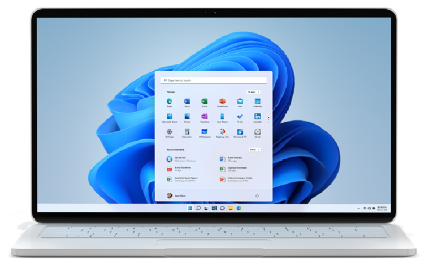
Microsoft has recently released its highly anticipated operating system, Windows 11. Packed with new features and a refreshed user interface, many users are eager to upgrade their devices. If you’re excited about trying out Windows 11 and wondering how to download it, this article will guide you through the process.

Check Compatibility

Before downloading Windows 11, it’s essential to ensure that your device meets the necessary compatibility requirements. Microsoft has outlined specific hardware criteria for running Windows 11 optimally.

The key requirements include:

• Processor:

A compatible 64-bit processor with at least two or more cores running at a clock speed of 1 GHz or higher.

• RAM:

A minimum of 4 GB RAM is required for smooth operation.

• Storage:

At least 64 GB of storage capacity is necessary.

• Display:

Devices should have a display with a resolution greater than or equal to 720p (1280 x 720 pixels) and capable of supporting DirectX12 graphics with a WDDM driver.

• TPM Version:

Trusted Platform Module (TPM) version 2.0 must be present on eligible devices for enhanced security features.

• Secure Boot:

Secure Boot capability needs to be supported by the device’s firmware.

Ensure your device meets these requirements before proceeding further.

Join the Insider Program (Optional)

If you want early access to Windows updates and enjoy testing new features while providing feedback, consider joining the Windows Insider Program. This program allows participants to try out pre-release versions of upcoming software from Microsoft.

To join:

1. Visit the Windows Insider Program website.

2. Sign in using your Microsoft account credentials.

3. Follow the instructions provided on the website to enroll in either the Dev Channel or Beta Channel based on your preferences.

Please note that participating in the Insider Program means using pre-release software that may contain bugs or other issues. It’s advisable to back up your important data before joining.

Downloading Windows 11

Once you’ve ensured compatibility and decided whether to join the Insider Program, follow these steps to download Windows 11:

1. Open Settings:

Click on the Start button (Windows logo) located at the bottom-left corner of your screen and select “Settings” (the gear icon).

2. Go to Windows Update:

In the Settings window, click on “Windows Update” from the left sidebar.

3. Check for Updates:

Under Windows Update, click on “Check for updates.”

4. Download and Install:

If an update for Windows 11 is available, it will be displayed as an optional update labeled “Feature update.” Click on

“Download and install.”

The installation process might take some time depending on your internet connection speed and device specifications. Ensure that you have a stable power source during this process.

Enjoying Windows 11

After successfully downloading and installing Windows 11,

• Take some time to explore its new features such as centered taskbar icons, redesigned Start menu, improved multitasking capabilities with Snap Layouts and Snap Groups,

• And enhanced gaming features like Auto HDR technology, DirectStorage support, etc.
Remember that while Microsoft has released Windows 11 to a wider audience,

• The rollout might occur in stages over several months.

• Some devices may not receive immediate access due to compatibility considerations or other factors. Keep checking for updates regularly through the settings menu if you haven’t received it yet.

Conclusion

Downloading Microsoft’s latest operating system, Windows 11 can be done by following a few simple steps outlined above after ensuring hardware compatibility requirements are met. Whether through official channels or by joining the Insider Program,

Enjoy exploring all the new features offered by this exciting release! Remember always to backup your important data before upgrading to a new operating system for a seamless and stress-free transition.


Previous Article

Windows 11 Has Arrived, But Here’s Why ...

Next Article

Virginia: The State with Blazing-Fast Internet Speeds

Matthew Lynch

Related articles More from author

  • Tech Advice

    Teen Defensive-Driving Courses – In-Car Training

    August 20, 2023
    By Matthew Lynch
  • Tech Advice

    You can actually delete Apple Watch apps in two ways

    July 15, 2023
    By Matthew Lynch
  • Tech Advice

    Watch 2024 Mercedes-AMG GT Coupe Testing In Multiple Colors

    August 22, 2023
    By Matthew Lynch
  • Tech Advice

    The Right Color of Sunglasses for Your Eye Health

    September 4, 2023
    By Matthew Lynch
  • Tech Advice

    American Express CD Rates for 2023: A Comprehensive Overview

    July 10, 2023
    By Matthew Lynch
  • Tech Advice

    Best Desktop Computer Deals: Save Up to $670 on Lenovo, HP, Apple and More

    July 5, 2023
    By Matthew Lynch

Search

Login & Registration

  • Log in
  • Entries feed
  • Comments feed
  • WordPress.org

Newsletter

Signup for The Tech Edvocate Newsletter and have the latest in EdTech news and opinion delivered to your email address!

About Us

Since technology is not going anywhere and does more good than harm, adapting is the best course of action. That is where The Tech Edvocate comes in. We plan to cover the PreK-12 and Higher Education EdTech sectors and provide our readers with the latest news and opinion on the subject. From time to time, I will invite other voices to weigh in on important issues in EdTech. We hope to provide a well-rounded, multi-faceted look at the past, present, the future of EdTech in the US and internationally.

We started this journey back in June 2016, and we plan to continue it for many more years to come. I hope that you will join us in this discussion of the past, present and future of EdTech and lend your own insight to the issues that are discussed.

Newsletter

Signup for The Tech Edvocate Newsletter and have the latest in EdTech news and opinion delivered to your email address!

Contact Us

The Tech Edvocate
910 Goddin Street
Richmond, VA 23231
(601) 630-5238
[email protected]

Copyright © 2026 Matthew Lynch. All rights reserved.