The Tech Edvocate

Top Menu

  • Advertisement
  • Apps
  • Home Page
  • Home Page Five (No Sidebar)
  • Home Page Four
  • Home Page Three
  • Home Page Two
  • Home Tech2
  • Icons [No Sidebar]
  • Left Sidbear Page
  • Lynch Educational Consulting
  • My Account
  • My Speaking Page
  • Newsletter Sign Up Confirmation
  • Newsletter Unsubscription
  • Our Brands
  • Page Example
  • Privacy Policy
  • Protected Content
  • Register
  • Request a Product Review
  • Shop
  • Shortcodes Examples
  • Signup
  • Start Here
    • Governance
    • Careers
    • Contact Us
  • Terms and Conditions
  • The Edvocate
  • The Tech Edvocate Product Guide
  • Topics
  • Write For Us
  • Advertise

Main Menu

  • Start Here
    • Our Brands
    • Governance
      • Lynch Educational Consulting, LLC.
      • Dr. Lynch’s Personal Website
      • Careers
    • Write For Us
    • The Tech Edvocate Product Guide
    • Contact Us
    • Books
    • Edupedia
    • Post a Job
    • The Edvocate Podcast
    • Terms and Conditions
    • Privacy Policy
  • Topics
    • Assistive Technology
    • Child Development Tech
    • Early Childhood & K-12 EdTech
    • EdTech Futures
    • EdTech News
    • EdTech Policy & Reform
    • EdTech Startups & Businesses
    • Higher Education EdTech
    • Online Learning & eLearning
    • Parent & Family Tech
    • Personalized Learning
    • Product Reviews
  • Advertise
  • Tech Edvocate Awards
  • The Edvocate
  • Pedagogue
  • School Ratings

logo

The Tech Edvocate

  • Start Here
    • Our Brands
    • Governance
      • Lynch Educational Consulting, LLC.
      • Dr. Lynch’s Personal Website
        • My Speaking Page
      • Careers
    • Write For Us
    • The Tech Edvocate Product Guide
    • Contact Us
    • Books
    • Edupedia
    • Post a Job
    • The Edvocate Podcast
    • Terms and Conditions
    • Privacy Policy
  • Topics
    • Assistive Technology
    • Child Development Tech
    • Early Childhood & K-12 EdTech
    • EdTech Futures
    • EdTech News
    • EdTech Policy & Reform
    • EdTech Startups & Businesses
    • Higher Education EdTech
    • Online Learning & eLearning
    • Parent & Family Tech
    • Personalized Learning
    • Product Reviews
  • Advertise
  • Tech Edvocate Awards
  • The Edvocate
  • Pedagogue
  • School Ratings
  • A Visitors Guide to Corpus Christi (TX), United States

  • Best GetYourGuide tours in Paris

  • Does Viator offer group discounts?

  • Hotels.com vs Airbnb features

  • What is Regus Business Lounge?

  • What is Couchsurfing verification?

  • How to use Viator gift cards?

  • Klook payment methods accepted

  • Best Notion templates for teams

  • WeWork vs traditional office cost

Tech News
Home›Tech News›Window-Switcher: Alt+(backtick) same-app window switching for Windows 10/11

Window-Switcher: Alt+(backtick) same-app window switching for Windows 10/11

By Matthew Lynch
August 19, 2024
0
Spread the love

Ever find yourself lost in a sea of open windows, frantically clicking to find the right one? Say hello to Window-Switcher, a game-changing shortcut for Windows 10 and 11 users that’s about to revolutionize your multitasking game.

What is Window-Switcher?

Window-Switcher is a nifty keyboard shortcut (Alt + backtick) that allows you to quickly switch between windows of the same application. It’s like Alt+Tab’s cooler, more focused cousin.

Why You’ll Love It

1.Lightning-Fast Switching: Zip between windows of the same app in milliseconds.

2.Reduced Eye Strain: No more squinting at tiny taskbar previews.

3.Improved Focus: Stay within one application, maintaining your workflow.

4.Keyboard Warrior Approved: Keep your hands on the keys for maximum efficiency.

How to Use Window-Switcher

1.Open multiple windows of the same application (e.g., Chrome, Word, Excel).

2.Hold down the Alt key.

3.Press the backtick key (`) – it’s usually above the Tab key.

4.Keep tapping the backtick to cycle through windows.

5.Release Alt when you’ve found your desired window.

Real-World Magic

Imagine you’re a developer with multiple code files open, a designer juggling various artboards, or a writer managing several documents. Window-Switcher lets you dance between these windows effortlessly, keeping your creative flow uninterrupted.

The Cherry on Top

The best part? This feature is built right into Windows 10 and 11. No downloads, no installations – just pure, out-of-the-box productivity.

Ready to supercharge your Windows experience? Give Window-Switcher a try today and watch your productivity soar! Your fingers (and your sanity) will thank you.

Previous Article

FOI docs: water consumption by data centers ...

Next Article

He’s spent 5 years building a cabin ...

Matthew Lynch

Related articles More from author

  • Tech News

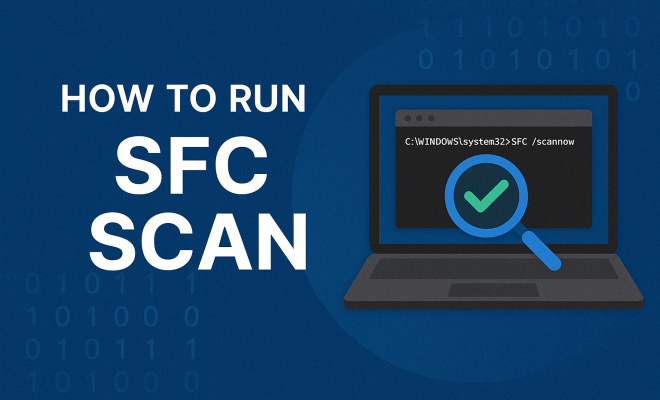
    Run an SFC Scan: Fix Corrupted Windows System Files

    June 20, 2026
    By Matthew Lynch
  • Tech News

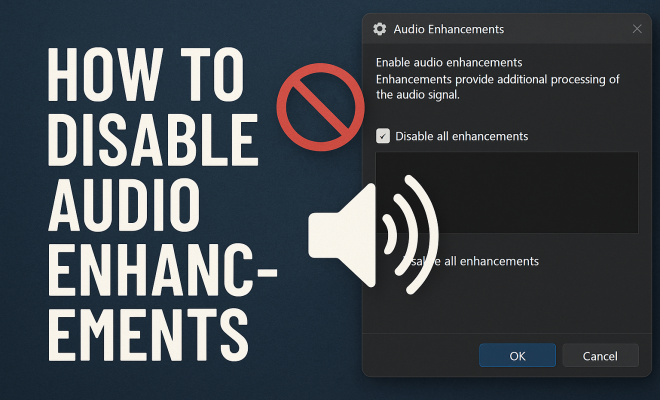
    How to disable audio enhancements

    June 16, 2026
    By Matthew Lynch
  • Tech News

    Coachella 2026 Fashion: Unveiling the Hottest Festival Style Trends

    April 17, 2026
    By Matthew Lynch
  • Tech News

    Create a Reddit Poll: Engage Your Community & Get Insights

    July 21, 2026
    By Matthew Lynch
  • Tech News

    Can I use GitHub Desktop?

    August 14, 2026
    By Matthew Lynch
  • Tech News

    Your Brand’s Urgent AI Discovery Problem: The 7 Steps to Fix It Now

    August 6, 2026
    By Matthew Lynch

Search

Login & Registration

  • Log in
  • Entries feed
  • Comments feed
  • WordPress.org

Newsletter

Signup for The Tech Edvocate Newsletter and have the latest in EdTech news and opinion delivered to your email address!

About Us

Since technology is not going anywhere and does more good than harm, adapting is the best course of action. That is where The Tech Edvocate comes in. We plan to cover the PreK-12 and Higher Education EdTech sectors and provide our readers with the latest news and opinion on the subject. From time to time, I will invite other voices to weigh in on important issues in EdTech. We hope to provide a well-rounded, multi-faceted look at the past, present, the future of EdTech in the US and internationally.

We started this journey back in June 2016, and we plan to continue it for many more years to come. I hope that you will join us in this discussion of the past, present and future of EdTech and lend your own insight to the issues that are discussed.

Newsletter

Signup for The Tech Edvocate Newsletter and have the latest in EdTech news and opinion delivered to your email address!

Contact Us

The Tech Edvocate
910 Goddin Street
Richmond, VA 23231
(601) 630-5238
[email protected]

Copyright © 2026 Matthew Lynch. All rights reserved.