The Tech Edvocate

Top Menu

  • Advertisement
  • Apps
  • Home Page
  • Home Page Five (No Sidebar)
  • Home Page Four
  • Home Page Three
  • Home Page Two
  • Home Tech2
  • Icons [No Sidebar]
  • Left Sidbear Page
  • Lynch Educational Consulting
  • My Account
  • My Speaking Page
  • Newsletter Sign Up Confirmation
  • Newsletter Unsubscription
  • Our Brands
  • Page Example
  • Privacy Policy
  • Protected Content
  • Register
  • Request a Product Review
  • Shop
  • Shortcodes Examples
  • Signup
  • Start Here
    • Governance
    • Careers
    • Contact Us
  • Terms and Conditions
  • The Edvocate
  • The Tech Edvocate Product Guide
  • Topics
  • Write For Us
  • Advertise

Main Menu

  • Start Here
    • Our Brands
    • Governance
      • Lynch Educational Consulting, LLC.
      • Dr. Lynch’s Personal Website
      • Careers
    • Write For Us
    • The Tech Edvocate Product Guide
    • Contact Us
    • Books
    • Edupedia
    • Post a Job
    • The Edvocate Podcast
    • Terms and Conditions
    • Privacy Policy
  • Topics
    • Assistive Technology
    • Child Development Tech
    • Early Childhood & K-12 EdTech
    • EdTech Futures
    • EdTech News
    • EdTech Policy & Reform
    • EdTech Startups & Businesses
    • Higher Education EdTech
    • Online Learning & eLearning
    • Parent & Family Tech
    • Personalized Learning
    • Product Reviews
  • Advertise
  • Tech Edvocate Awards
  • The Edvocate
  • Pedagogue
  • School Ratings

logo

The Tech Edvocate

  • Start Here
    • Our Brands
    • Governance
      • Lynch Educational Consulting, LLC.
      • Dr. Lynch’s Personal Website
        • My Speaking Page
      • Careers
    • Write For Us
    • The Tech Edvocate Product Guide
    • Contact Us
    • Books
    • Edupedia
    • Post a Job
    • The Edvocate Podcast
    • Terms and Conditions
    • Privacy Policy
  • Topics
    • Assistive Technology
    • Child Development Tech
    • Early Childhood & K-12 EdTech
    • EdTech Futures
    • EdTech News
    • EdTech Policy & Reform
    • EdTech Startups & Businesses
    • Higher Education EdTech
    • Online Learning & eLearning
    • Parent & Family Tech
    • Personalized Learning
    • Product Reviews
  • Advertise
  • Tech Edvocate Awards
  • The Edvocate
  • Pedagogue
  • School Ratings
  • A Visitors Guide to Long Beach (CA), United States

  • A Visitor’s Guide to Fresno (CA), United States

  • A Visitors Guide to New Orleans (LA), United States

  • A Visitors Guide to Sacramento (CA), United States

  • A Visitors Guide to Lyon, France

  • JisuLife Ultra2 Portable Fan: A Powerful Multi-Function Cooling Solution

  • A Visitors Guide to Viña del Mar, Chile

  • A Visitors Guide to Århus, Denmark

  • A Visitors Guide to Bakersfield (CA), United States

  • A Visitors Guide to Aurora (CO), United States

Digital & Mobile Technology
Home›Digital & Mobile Technology›Which Browser Is Most Secure on an Old Windows XP System?

Which Browser Is Most Secure on an Old Windows XP System?
By Matthew Lynch
June 23, 2023
0
Spread the love

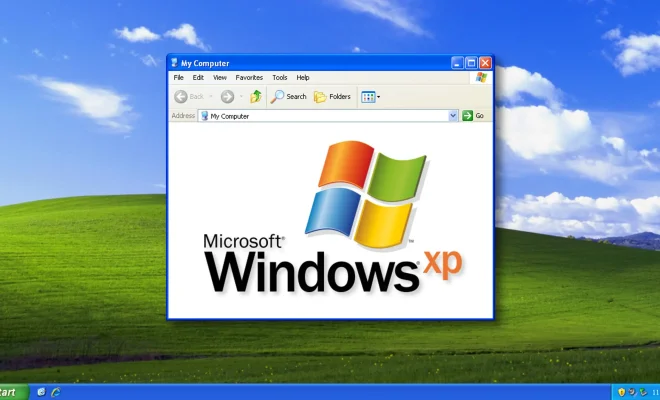
Windows XP was a wildly popular operating system among computer users worldwide. While it has been discontinued since April 2014, some of its users are still sticking to it. The problem, however, with using this outdated OS is that it is no longer supported by Microsoft, which means no more security patches or technical support.

Considering the risks associated with running an unsupported operating system, it is important for those using Windows XP to take extra security measures when browsing the web to ensure their online safety. One of the most important things you can do is to use a secure and up-to-date web browser that will help protect you against online threats.

So which browser is the most secure for an old Windows XP system? The answer to that may surprise you.

Google Chrome

Google decided to stop supporting Windows XP with their popular web browser, Google Chrome, back in 2016. While that may seem like a red flag for Windows XP users, the truth is that Chrome was already a very secure browser. All of the security enhancements added after 2016 are still present in the last version that was released for XP users.

Chrome is renowned for being a fast and reliable browser that also includes useful features like automatic updates that integrate seamlessly with Google’s security infrastructure. While Google does not provide further updates to those still using XP, a legacy version is still available for download.

Mozilla Firefox

Firefox has been around since 2002 and continues to be a popular web browser option. Mozilla, the company behind Firefox, stopped supporting Windows XP back in 2018. The last supported version of Firefox for Windows XP is version 52.

Firefox is another secure browser thanks to ongoing updates and features like an intelligent URL scanner that can detect and prevent phishing attacks. Another bonus of using Firefox is the helpful add-ons that can customize your browsing experience while also adding an extra layer of security.

Microsoft Edge

While the original version of Microsoft Edge did not support Windows XP, the company’s new Chromium-based Edge browser does. It offers all the essential privacy, security, and data protection features that are present in other popular web browsers like Chrome, Firefox, and Safari.

Edge also includes added privacy features like the ability to block third-party cookies and browser fingerprinting. As a Chromium-based browser, Edge provides faster and smoother browsing performance than the original and also comes with Microsoft’s SmartScreen technology that prevents users from accidentally clicking on malicious links.


Previous Article

How to Get Google Search Results by ...

Next Article

What iPhones Are Waterproof?

Matthew Lynch

Related articles More from author

  • Digital & Mobile Technology

    What is Radio Frequency Interference (RFI)?

    May 10, 2023
    By Matthew Lynch
  • Digital & Mobile Technology

    How to Fix It When Your Roku Screen Is Black

    June 2, 2023
    By Matthew Lynch
  • Digital & Mobile Technology

    Gaming Culture is Taking Over: What Parents Can Do

    June 21, 2023
    By Matthew Lynch
  • Digital & Mobile Technology

    What Are the SMTP Settings for Yahoo Mail?

    June 12, 2023
    By Matthew Lynch
  • Digital & Mobile Technology

    Printer Offline? Fixes to Get It Back Online in Windows 10

    June 22, 2023
    By Matthew Lynch
  • Digital & Mobile Technology

    What is Infrastructure as a Service (IaaS)?

    May 22, 2023
    By Matthew Lynch

Search

Login & Registration

  • Register
  • Log in
  • Entries feed
  • Comments feed
  • WordPress.org

Newsletter

Signup for The Tech Edvocate Newsletter and have the latest in EdTech news and opinion delivered to your email address!

About Us

Since technology is not going anywhere and does more good than harm, adapting is the best course of action. That is where The Tech Edvocate comes in. We plan to cover the PreK-12 and Higher Education EdTech sectors and provide our readers with the latest news and opinion on the subject. From time to time, I will invite other voices to weigh in on important issues in EdTech. We hope to provide a well-rounded, multi-faceted look at the past, present, the future of EdTech in the US and internationally.

We started this journey back in June 2016, and we plan to continue it for many more years to come. I hope that you will join us in this discussion of the past, present and future of EdTech and lend your own insight to the issues that are discussed.

Newsletter

Signup for The Tech Edvocate Newsletter and have the latest in EdTech news and opinion delivered to your email address!

Contact Us

The Tech Edvocate
910 Goddin Street
Richmond, VA 23231
(601) 630-5238
[email protected]

Copyright © 2025 Matthew Lynch. All rights reserved.