The Tech Edvocate

Top Menu

  • Advertisement
  • Apps
  • Home Page
  • Home Page Five (No Sidebar)
  • Home Page Four
  • Home Page Three
  • Home Page Two
  • Home Tech2
  • Icons [No Sidebar]
  • Left Sidbear Page
  • Lynch Educational Consulting
  • My Account
  • My Speaking Page
  • Newsletter Sign Up Confirmation
  • Newsletter Unsubscription
  • Our Brands
  • Page Example
  • Privacy Policy
  • Protected Content
  • Register
  • Request a Product Review
  • Shop
  • Shortcodes Examples
  • Signup
  • Start Here
    • Governance
    • Careers
    • Contact Us
  • Terms and Conditions
  • The Edvocate
  • The Tech Edvocate Product Guide
  • Topics
  • Write For Us
  • Advertise

Main Menu

  • Start Here
    • Our Brands
    • Governance
      • Lynch Educational Consulting, LLC.
      • Dr. Lynch’s Personal Website
      • Careers
    • Write For Us
    • The Tech Edvocate Product Guide
    • Contact Us
    • Books
    • Edupedia
    • Post a Job
    • The Edvocate Podcast
    • Terms and Conditions
    • Privacy Policy
  • Topics
    • Assistive Technology
    • Child Development Tech
    • Early Childhood & K-12 EdTech
    • EdTech Futures
    • EdTech News
    • EdTech Policy & Reform
    • EdTech Startups & Businesses
    • Higher Education EdTech
    • Online Learning & eLearning
    • Parent & Family Tech
    • Personalized Learning
    • Product Reviews
  • Advertise
  • Tech Edvocate Awards
  • The Edvocate
  • Pedagogue
  • School Ratings

logo

The Tech Edvocate

  • Start Here
    • Our Brands
    • Governance
      • Lynch Educational Consulting, LLC.
      • Dr. Lynch’s Personal Website
        • My Speaking Page
      • Careers
    • Write For Us
    • The Tech Edvocate Product Guide
    • Contact Us
    • Books
    • Edupedia
    • Post a Job
    • The Edvocate Podcast
    • Terms and Conditions
    • Privacy Policy
  • Topics
    • Assistive Technology
    • Child Development Tech
    • Early Childhood & K-12 EdTech
    • EdTech Futures
    • EdTech News
    • EdTech Policy & Reform
    • EdTech Startups & Businesses
    • Higher Education EdTech
    • Online Learning & eLearning
    • Parent & Family Tech
    • Personalized Learning
    • Product Reviews
  • Advertise
  • Tech Edvocate Awards
  • The Edvocate
  • Pedagogue
  • School Ratings
  • Miro vs Conceptboard for project management

  • How to use Teamwork for resource management

  • How much does Procore cost per month

  • How to organize Microsoft Planner buckets

  • Is Teamwork good for billable hours

  • Procore vs Buildertrend which is better

  • Airtable project management templates

  • Can Miro track project progress

  • How to use Basecamp for client work

  • Can Lucidchart create swimlane diagrams

Digital & Mobile Technology
Home›Digital & Mobile Technology›What Is Ctrl+C Used For?

What Is Ctrl+C Used For?
By Matthew Lynch
June 8, 2023
0
Spread the love

As we all know, the keyboard is an essential part of our daily work routines. It helps us maneuver on our computer, perform various tasks, and shortcuts like Ctrl+C make work easier and faster. But what is Ctrl+C used for?

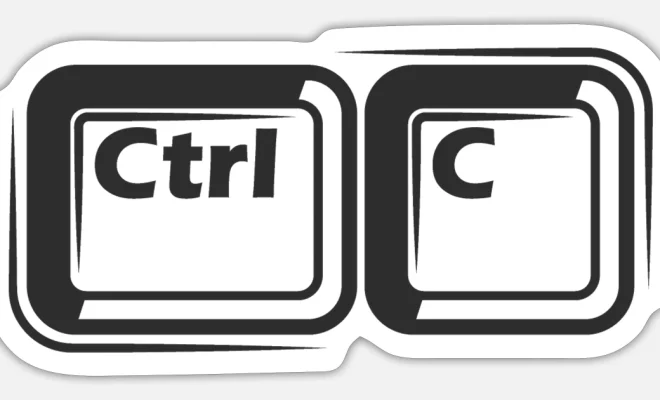
Ctrl+C is a keyboard shortcut used to copy selected text, files, videos, or anything that you want to replicate from one location to another. It’s a fundamental function that nearly every computer user will utilize at one point or another. The feature works regardless of the device or operating system: Windows, Mac, or even Linux.

When you perform a Ctrl+C command, the selected portion is placed onto your computer’s clipboard memory, ready for a Ctrl+V command, which is used for pasting that content onto any other application or document. The copying and pasting process helps save time and increases efficiency in data handling.

Using the Ctrl+C function can be helpful in many situations, such as taking notes from a webpage, copying text from an email, or backing up a file before making any changes to it. It is an effective way of creating duplicate copies of your content, no matter how large or small the file may be.

Furthermore, Ctrl+C is not restricted only to copying text; it also works for images, videos, and audio tracks. For example, you can copy an image from your web browser, paste it into a word document, and then resize it as necessary.

In conclusion, the Ctrl+C function is an essential feature that provides a quick and efficient way to copy multiple types of content, from text to images, videos, and audio files. It is a must-know shortcut for anyone who works on a computer, whether you’re a student, employee, or entrepreneur. It is an easy way to replicate data and speed up the process while maintaining accuracy. So the next time you need to copy or duplicate content, don’t forget to use the Ctrl+C command.


Previous Article

How to Block Someone on Facebook

Next Article

How to Fix It When Your Fitbit ...

Matthew Lynch

Related articles More from author

  • Digital & Mobile Technology

    Christmas Gift Ideas for Makers and Tinkerers

    June 13, 2023
    By Matthew Lynch
  • Digital & Mobile Technology

    How to Set Up DirecTV With a Tivo Box

    May 8, 2023
    By Matthew Lynch
  • Digital & Mobile Technology

    How to Get Google Docs to Read to You

    June 15, 2023
    By Matthew Lynch
  • Digital & Mobile Technology

    How to measure TV size

    April 30, 2023
    By Matthew Lynch
  • Digital & Mobile Technology

    The Best Chrome Extensions to Brighten Up Your New Tab Page

    June 12, 2023
    By Matthew Lynch
  • Digital & Mobile Technology

    What Are TCP and UDP Ports?

    August 5, 2023
    By Matthew Lynch

Search

Login & Registration

  • Log in
  • Entries feed
  • Comments feed
  • WordPress.org

Newsletter

Signup for The Tech Edvocate Newsletter and have the latest in EdTech news and opinion delivered to your email address!

About Us

Since technology is not going anywhere and does more good than harm, adapting is the best course of action. That is where The Tech Edvocate comes in. We plan to cover the PreK-12 and Higher Education EdTech sectors and provide our readers with the latest news and opinion on the subject. From time to time, I will invite other voices to weigh in on important issues in EdTech. We hope to provide a well-rounded, multi-faceted look at the past, present, the future of EdTech in the US and internationally.

We started this journey back in June 2016, and we plan to continue it for many more years to come. I hope that you will join us in this discussion of the past, present and future of EdTech and lend your own insight to the issues that are discussed.

Newsletter

Signup for The Tech Edvocate Newsletter and have the latest in EdTech news and opinion delivered to your email address!

Contact Us

The Tech Edvocate
910 Goddin Street
Richmond, VA 23231
(601) 630-5238
[email protected]

Copyright © 2026 Matthew Lynch. All rights reserved.