The Tech Edvocate

Top Menu

  • Advertisement
  • Apps
  • Home Page
  • Home Page Five (No Sidebar)
  • Home Page Four
  • Home Page Three
  • Home Page Two
  • Home Tech2
  • Icons [No Sidebar]
  • Left Sidbear Page
  • Lynch Educational Consulting
  • My Account
  • My Speaking Page
  • Newsletter Sign Up Confirmation
  • Newsletter Unsubscription
  • Our Brands
  • Page Example
  • Privacy Policy
  • Protected Content
  • Register
  • Request a Product Review
  • Shop
  • Shortcodes Examples
  • Signup
  • Start Here
    • Governance
    • Careers
    • Contact Us
  • Terms and Conditions
  • The Edvocate
  • The Tech Edvocate Product Guide
  • Topics
  • Write For Us
  • Advertise

Main Menu

  • Start Here
    • Our Brands
    • Governance
      • Lynch Educational Consulting, LLC.
      • Dr. Lynch’s Personal Website
      • Careers
    • Write For Us
    • The Tech Edvocate Product Guide
    • Contact Us
    • Books
    • Edupedia
    • Post a Job
    • The Edvocate Podcast
    • Terms and Conditions
    • Privacy Policy
  • Topics
    • Assistive Technology
    • Child Development Tech
    • Early Childhood & K-12 EdTech
    • EdTech Futures
    • EdTech News
    • EdTech Policy & Reform
    • EdTech Startups & Businesses
    • Higher Education EdTech
    • Online Learning & eLearning
    • Parent & Family Tech
    • Personalized Learning
    • Product Reviews
  • Advertise
  • Tech Edvocate Awards
  • The Edvocate
  • Pedagogue
  • School Ratings

logo

The Tech Edvocate

  • Start Here
    • Our Brands
    • Governance
      • Lynch Educational Consulting, LLC.
      • Dr. Lynch’s Personal Website
        • My Speaking Page
      • Careers
    • Write For Us
    • The Tech Edvocate Product Guide
    • Contact Us
    • Books
    • Edupedia
    • Post a Job
    • The Edvocate Podcast
    • Terms and Conditions
    • Privacy Policy
  • Topics
    • Assistive Technology
    • Child Development Tech
    • Early Childhood & K-12 EdTech
    • EdTech Futures
    • EdTech News
    • EdTech Policy & Reform
    • EdTech Startups & Businesses
    • Higher Education EdTech
    • Online Learning & eLearning
    • Parent & Family Tech
    • Personalized Learning
    • Product Reviews
  • Advertise
  • Tech Edvocate Awards
  • The Edvocate
  • Pedagogue
  • School Ratings
  • Big Walk developer House House Confirms ‘Sparing’ Use of Gen AI – Press Start

  • Baffling: How a Cyber Breach at South Korea’s Top Security Watchdog Exposed Millions

  • Wenn Ordnung den Bildschirm beruhigt: Warum klare Abläufe Casino-Unterhaltung einladender machen

  • Reddit AI Reviews: The Quiet Reshaping of Online Opinion

  • The Chilling Truth: Iran Cyberattacks Europe’s Food and Blood Supplies

  • Anthropic’s $3.4 Billion Bet on Gas: The Unseen Cost of AI’s Future

  • Tribit FlyBuds C3 Earbuds: Premium Features at a Budget-Friendly Price

  • Is AuraCam Pro’s Emotional AI a Privacy Nightmare or Security Breakthrough?

  • Unprecedented: N-able’s Global Shutdown After 30+ Zero-Days Revealed

  • The Urgent Truth: Your AI Tools for Financial Advisors Could Be a Compliance Nightmare

Digital & Mobile Technology
Home›Digital & Mobile Technology›What Is a Beep Code?

What Is a Beep Code?
By Matthew Lynch
June 10, 2023
0
Spread the love

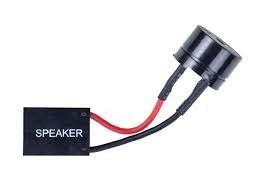
A beep code is a series of audible beeps that a computer makes when it encounters an error during the POST (power-on self-test) process. The POST is a diagnostic routine that runs when a computer is first turned on, and it checks to make sure that all of the essential hardware components are functioning correctly before the operating system is loaded.

The number and pattern of beeps can provide valuable information about the nature of the problem, and this information can be used to diagnose and troubleshoot the issue. Different manufacturers use different beep codes, so it is important to check the documentation for your specific computer model.

Beep codes can vary in length and pitch, and they often come in different groups or sequences, depending on the nature and severity of the error. Here are some examples of common beep codes and what they might mean:

One beep: This is usually an indication that the POST has completed successfully, and the computer is ready to boot up normally.

Two beeps

This could indicate a problem with the memory, such as a loose connection or a faulty RAM module.

Three beeps

This could indicate a problem with the keyboard, such as a stuck key or a loose connection.

Four beeps

This could indicate a problem with the video adapter or display, such as a faulty video card or a loose cable connection.

Continuous beeping

This could indicate a power supply or motherboard problem, such as a failed power supply or a motherboard circuit failure.

It is important to note that beep codes are not an exact science, and different manufacturers may use slightly different codes or interpretations. Additionally, the beep codes may not always provide a clear answer to the problem at hand, and sometimes additional diagnostic tools are needed to fully understand the issue.

In conclusion, a beep code is a series of audible signals that a computer makes during the POST process to indicate an error or problem with the hardware. These codes can be valuable tools for diagnosing and troubleshooting issues with your computer, but they should not be relied upon exclusively. If you encounter a beep code or other error message on your computer, consult the documentation for your specific model or seek the assistance of a qualified technician. 

Previous Article

How to Download Fonts on iPhone

Next Article

Motorola Moto G6 Review

Matthew Lynch

Related articles More from author

  • Digital & Mobile Technology

    How to Reprogram My Vizio Remote

    May 4, 2023
    By Matthew Lynch
  • Digital & Mobile Technology

    Find the Best FM Frequencies for Your Car Transmitter

    June 6, 2023
    By Matthew Lynch
  • Digital & Mobile Technology

    What Do the Android Status Bar Symbols Mean?

    August 5, 2023
    By Matthew Lynch
  • Digital & Mobile Technology

    What’s the Difference Between DVD+R and DVD-R?

    June 7, 2023
    By Matthew Lynch
  • Digital & Mobile Technology

    How to Change Alexa’s Voice, Accent, and Language

    May 20, 2023
    By Matthew Lynch
  • Digital & Mobile Technology

    How to Fix the “Messages Failed to Load” Error on Discord for Windows

    June 22, 2023
    By Matthew Lynch

Search

Login & Registration

  • Log in
  • Entries feed
  • Comments feed
  • WordPress.org

Newsletter

Signup for The Tech Edvocate Newsletter and have the latest in EdTech news and opinion delivered to your email address!

About Us

Since technology is not going anywhere and does more good than harm, adapting is the best course of action. That is where The Tech Edvocate comes in. We plan to cover the PreK-12 and Higher Education EdTech sectors and provide our readers with the latest news and opinion on the subject. From time to time, I will invite other voices to weigh in on important issues in EdTech. We hope to provide a well-rounded, multi-faceted look at the past, present, the future of EdTech in the US and internationally.

We started this journey back in June 2016, and we plan to continue it for many more years to come. I hope that you will join us in this discussion of the past, present and future of EdTech and lend your own insight to the issues that are discussed.

Newsletter

Signup for The Tech Edvocate Newsletter and have the latest in EdTech news and opinion delivered to your email address!

Contact Us

The Tech Edvocate
910 Goddin Street
Richmond, VA 23231
(601) 630-5238
[email protected]

Copyright © 2026 Matthew Lynch. All rights reserved.