The Tech Edvocate

Top Menu

  • Advertisement
  • Apps
  • Home Page
  • Home Page Five (No Sidebar)
  • Home Page Four
  • Home Page Three
  • Home Page Two
  • Home Tech2
  • Icons [No Sidebar]
  • Left Sidbear Page
  • Lynch Educational Consulting
  • My Account
  • My Speaking Page
  • Newsletter Sign Up Confirmation
  • Newsletter Unsubscription
  • Our Brands
  • Page Example
  • Privacy Policy
  • Protected Content
  • Register
  • Request a Product Review
  • Shop
  • Shortcodes Examples
  • Signup
  • Start Here
    • Governance
    • Careers
    • Contact Us
  • Terms and Conditions
  • The Edvocate
  • The Tech Edvocate Product Guide
  • Topics
  • Write For Us
  • Advertise

Main Menu

  • Start Here
    • Our Brands
    • Governance
      • Lynch Educational Consulting, LLC.
      • Dr. Lynch’s Personal Website
      • Careers
    • Write For Us
    • The Tech Edvocate Product Guide
    • Contact Us
    • Books
    • Edupedia
    • Post a Job
    • The Edvocate Podcast
    • Terms and Conditions
    • Privacy Policy
  • Topics
    • Assistive Technology
    • Child Development Tech
    • Early Childhood & K-12 EdTech
    • EdTech Futures
    • EdTech News
    • EdTech Policy & Reform
    • EdTech Startups & Businesses
    • Higher Education EdTech
    • Online Learning & eLearning
    • Parent & Family Tech
    • Personalized Learning
    • Product Reviews
  • Advertise
  • Tech Edvocate Awards
  • The Edvocate
  • Pedagogue
  • School Ratings

logo

The Tech Edvocate

  • Start Here
    • Our Brands
    • Governance
      • Lynch Educational Consulting, LLC.
      • Dr. Lynch’s Personal Website
        • My Speaking Page
      • Careers
    • Write For Us
    • The Tech Edvocate Product Guide
    • Contact Us
    • Books
    • Edupedia
    • Post a Job
    • The Edvocate Podcast
    • Terms and Conditions
    • Privacy Policy
  • Topics
    • Assistive Technology
    • Child Development Tech
    • Early Childhood & K-12 EdTech
    • EdTech Futures
    • EdTech News
    • EdTech Policy & Reform
    • EdTech Startups & Businesses
    • Higher Education EdTech
    • Online Learning & eLearning
    • Parent & Family Tech
    • Personalized Learning
    • Product Reviews
  • Advertise
  • Tech Edvocate Awards
  • The Edvocate
  • Pedagogue
  • School Ratings
  • A Visitor’s Guide to Fresno (CA), United States

  • A Visitors Guide to New Orleans (LA), United States

  • A Visitors Guide to Sacramento (CA), United States

  • A Visitors Guide to Lyon, France

  • JisuLife Ultra2 Portable Fan: A Powerful Multi-Function Cooling Solution

  • A Visitors Guide to Viña del Mar, Chile

  • A Visitors Guide to Århus, Denmark

  • A Visitors Guide to Bakersfield (CA), United States

  • A Visitors Guide to Aurora (CO), United States

  • A Visitor’s Guide to Toledo (OH), United States

Digital & Mobile Technology
Home›Digital & Mobile Technology›What Does FPS Mean in Gaming?

What Does FPS Mean in Gaming?
By Matthew Lynch
June 8, 2023
0
Spread the love

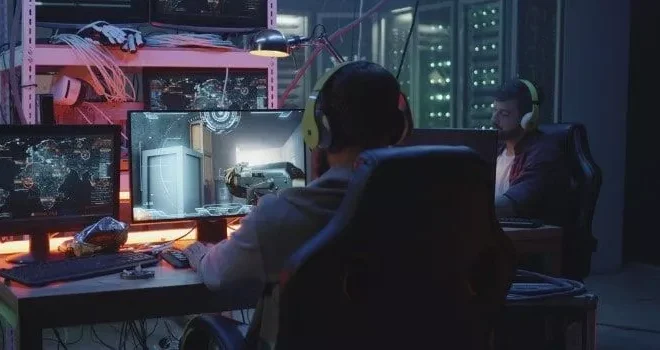
FPS stands for “frames per second” in gaming, which refers to the number of images or frames that are displayed on your screen every second. This can greatly affect your gaming experience, as higher FPS can result in smoother gameplay and more responsive controls, while lower FPS can result in choppy gameplay and input delay.

The FPS rate is determined by your computer’s hardware and the game’s graphics settings. The more powerful your computer is, the higher FPS you can achieve. Games with higher graphics settings and more detailed environments require more processing power, which can decrease FPS if your computer is not up to the task.

In addition to hardware and graphics settings, FPS can also be affected by the game’s optimization. A well-optimized game will typically run at a consistent FPS rate, while a poorly optimized game may fluctuate between high and low FPS rates. This can be frustrating for gamers, as sudden drops in FPS can cause gameplay to become unresponsive or even stutter.

Most gamers strive for a high FPS rate, often aiming for at least 60 FPS. This is because higher FPS can result in a much smoother gameplay experience. However, some gamers may prioritize graphics quality over FPS, as higher graphics settings can result in a more visually stunning game.

To monitor your FPS rate in-game, many games include an FPS counter option in the settings menu. This allows you to see how well the game is running on your system, and adjust your settings accordingly to achieve the desired FPS rate.


Previous Article

How to Type a Degree Symbol on ...

Next Article

Can You Use an Apple Watch With ...

Matthew Lynch

Related articles More from author

  • Digital & Mobile Technology

    How Does a Router Work? A Simple Explanation

    June 8, 2023
    By Matthew Lynch
  • Digital & Mobile Technology

    How to Share Activity on Apple Watch and Compete With Friends

    May 8, 2023
    By Matthew Lynch
  • Digital & Mobile Technology

    Top 50 Most Popular Outlook Tips, Tricks and Tutorials

    June 10, 2023
    By Matthew Lynch
  • Digital & Mobile Technology

    How to Fix an iPhone That Won’t Turn On

    June 21, 2023
    By Matthew Lynch
  • Digital & Mobile Technology

    How to Uninstall Programs on a Windows 11 PC

    May 30, 2023
    By Matthew Lynch
  • Digital & Mobile Technology

    Gory Sites to Get Your Dose of Cheesy Horror

    June 15, 2023
    By Matthew Lynch

Search

Login & Registration

  • Register
  • Log in
  • Entries feed
  • Comments feed
  • WordPress.org

Newsletter

Signup for The Tech Edvocate Newsletter and have the latest in EdTech news and opinion delivered to your email address!

About Us

Since technology is not going anywhere and does more good than harm, adapting is the best course of action. That is where The Tech Edvocate comes in. We plan to cover the PreK-12 and Higher Education EdTech sectors and provide our readers with the latest news and opinion on the subject. From time to time, I will invite other voices to weigh in on important issues in EdTech. We hope to provide a well-rounded, multi-faceted look at the past, present, the future of EdTech in the US and internationally.

We started this journey back in June 2016, and we plan to continue it for many more years to come. I hope that you will join us in this discussion of the past, present and future of EdTech and lend your own insight to the issues that are discussed.

Newsletter

Signup for The Tech Edvocate Newsletter and have the latest in EdTech news and opinion delivered to your email address!

Contact Us

The Tech Edvocate
910 Goddin Street
Richmond, VA 23231
(601) 630-5238
[email protected]

Copyright © 2025 Matthew Lynch. All rights reserved.