The Tech Edvocate

Top Menu

  • Advertisement
  • Apps
  • Home Page
  • Home Page Five (No Sidebar)
  • Home Page Four
  • Home Page Three
  • Home Page Two
  • Home Tech2
  • Icons [No Sidebar]
  • Left Sidbear Page
  • Lynch Educational Consulting
  • My Account
  • My Speaking Page
  • Newsletter Sign Up Confirmation
  • Newsletter Unsubscription
  • Our Brands
  • Page Example
  • Privacy Policy
  • Protected Content
  • Register
  • Request a Product Review
  • Shop
  • Shortcodes Examples
  • Signup
  • Start Here
    • Governance
    • Careers
    • Contact Us
  • Terms and Conditions
  • The Edvocate
  • The Tech Edvocate Product Guide
  • Topics
  • Write For Us
  • Advertise

Main Menu

  • Start Here
    • Our Brands
    • Governance
      • Lynch Educational Consulting, LLC.
      • Dr. Lynch’s Personal Website
      • Careers
    • Write For Us
    • The Tech Edvocate Product Guide
    • Contact Us
    • Books
    • Edupedia
    • Post a Job
    • The Edvocate Podcast
    • Terms and Conditions
    • Privacy Policy
  • Topics
    • Assistive Technology
    • Child Development Tech
    • Early Childhood & K-12 EdTech
    • EdTech Futures
    • EdTech News
    • EdTech Policy & Reform
    • EdTech Startups & Businesses
    • Higher Education EdTech
    • Online Learning & eLearning
    • Parent & Family Tech
    • Personalized Learning
    • Product Reviews
  • Advertise
  • Tech Edvocate Awards
  • The Edvocate
  • Pedagogue
  • School Ratings

logo

The Tech Edvocate

  • Start Here
    • Our Brands
    • Governance
      • Lynch Educational Consulting, LLC.
      • Dr. Lynch’s Personal Website
        • My Speaking Page
      • Careers
    • Write For Us
    • The Tech Edvocate Product Guide
    • Contact Us
    • Books
    • Edupedia
    • Post a Job
    • The Edvocate Podcast
    • Terms and Conditions
    • Privacy Policy
  • Topics
    • Assistive Technology
    • Child Development Tech
    • Early Childhood & K-12 EdTech
    • EdTech Futures
    • EdTech News
    • EdTech Policy & Reform
    • EdTech Startups & Businesses
    • Higher Education EdTech
    • Online Learning & eLearning
    • Parent & Family Tech
    • Personalized Learning
    • Product Reviews
  • Advertise
  • Tech Edvocate Awards
  • The Edvocate
  • Pedagogue
  • School Ratings
  • Dramatic: AI Surveillance Giant Cuts Hundreds of Jobs Amid Privacy Backlash

  • Dramatic: Anthropic Claude AI Just Banned ‘Cruel’ Behavior — Here’s Why It Matters

  • This One Shift in Gaming VC Could Reshape the Entire Industry

  • The AI Doctor Is Coming: Is It a Miracle or a Menace?

  • Unmasking the AI Deepfake Threat: Why Corporate America’s Billions Are at Risk

  • Shocking: China’s AI Programmers Collapse — A Disturbing Glimpse Into Our Future?

  • Dramatic Spike: College Costs Projected to Soar 7.5% — Are You Ready?

  • 20 Million Records Exposed: The Reckless Truth Behind the Oracle Health Data Breach

  • The AI Cybersecurity Threat: A Dangerous New Frontier

  • Unbelievable: [Automaker Name]’s Self-Driving Cars Under Fire After Fatal Crash — Here’s What We Know

Tech Advice
Home›Tech Advice›What are Nvidia G-Sync and AMD FreeSync and which do I need?

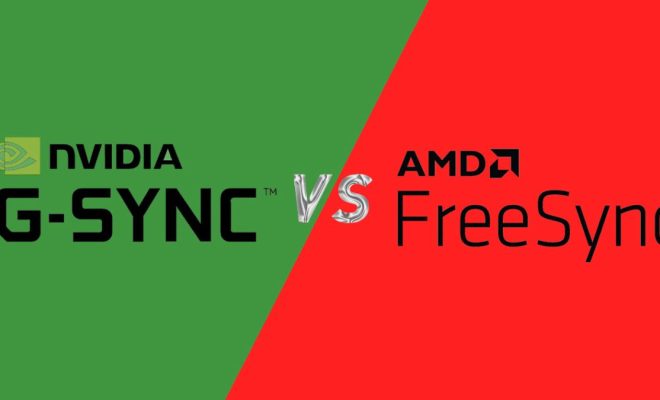
What are Nvidia G-Sync and AMD FreeSync and which do I need?
By Matthew Lynch
July 15, 2023
0
Spread the love

Introduction:

Gaming enthusiasts understand the importance of having a smooth gaming experience, which is largely affected by the performance of their monitor. Two technologies have emerged to tackle screen tearing and stuttering: Nvidia G-Sync and AMD FreeSync. In this article, we’ll explore what these technologies are, how they work, and how to choose the right one for your needs.

Nvidia G-Sync:

Introduced in 2013, Nvidia’s G-Sync technology aims to provide gamers with a seamless and immersive gaming experience. It synchronizes the monitor’s refresh rate with the output of an Nvidia graphics card. This reduces screen tearing, stuttering, and input lag, improving gameplay. G-Sync monitors contain a proprietary chip that allows them to work seamlessly with compatible Nvidia GPUs. However, these monitors tend to be more expensive due to the additional hardware.

AMD FreeSync:

AMD’s answer to G-Sync is called FreeSync. Launched in 2015, this adaptive sync technology offers a similar experience without requiring additional hardware within the monitor. Instead of using proprietary technology, AMD FreeSync relies on an open standard called VESA Adaptive-Sync that is built into most modern monitors. This allows it to be a more affordable solution compared to G-Sync.

G-Sync vs FreeSync: Key Differences

1. Compatibility: One main difference between these technologies is compatibility. G-Sync works only with Nvidia graphics cards, while FreeSync is designed for AMD GPUs. Some monitors are now offering support for both technologies; however, this will come at a higher price point.

2. Cost: G-Sync monitors generally tend to be more expensive due to the addition of the proprietary chip in their construction. Conversely, FreeSync monitors do not require any special hardware; therefore they typically cost less.

3. Performance: While both G-Sync and FreeSync are designed to provide smooth gameplay, G-Sync is often considered to deliver a more consistent experience. This is because Nvidia maintains strict standards for G-Sync monitors, ensuring they always perform optimally.

4. Ranges: The supported refresh rate range varies between G-Sync and FreeSync monitors. As the performance range can impact the adaptive sync experience, it’s essential to consider the specifications of individual monitors before making a decision.

Which Do You Need?

The choice between Nvidia G-Sync and AMD FreeSync ultimately depends on your personal preferences, budget constraints, and existing hardware. If you already own an Nvidia graphics card, investing in a G-Sync monitor will make the most sense. Conversely, if you have an AMD GPU, a FreeSync monitor will better suit your needs.

However, if you have not yet committed to either brand’s ecosystem and are starting from scratch, consider factors such as pricing, monitor availability, and brand support. Remember that while price plays a role in deciding which technology to choose, your gaming experience should be the primary consideration.

Conclusion:

Nvidia’s G-Sync and AMD’s FreeSync technologies have revolutionized gaming by improving the overall experience through reduced screen tearing and stuttering. With each offering unique benefits and drawbacks, understanding your individual needs and hardware will help you choose the right adaptive sync solution. Invest in these technologies to upgrade your gaming setup and get ready for an unparalleled, immersive adventure.

Previous Article

Always run a program in administrator mode ...

Next Article

What You Need to Know Before You ...

Matthew Lynch

Related articles More from author

  • Tech Advice

    iOS 15.5 Has a Bunch of Privacy Features Not Enough People Know About

    July 17, 2023
    By Matthew Lynch
  • Tech Advice

    Garmin Vivomove Style Review

    July 20, 2023
    By Matthew Lynch
  • Tech Advice

    101 of the Best Software for Your Linux Machine

    March 8, 2024
    By Matthew Lynch
  • Tech Advice

    2024 Ford Mustang Build and Price: Here’s How We’d Spec It

    August 19, 2023
    By Matthew Lynch
  • Tech Advice

    Best Bluetooth Speaker for 2023: Top Picks for All Budgets

    July 16, 2023
    By Matthew Lynch
  • Tech Advice

    Dyson V15 Detect Review: The Best Dyson Vacuum To Handle Any Type of Mess

    August 8, 2023
    By Matthew Lynch

Search

Login & Registration

  • Log in
  • Entries feed
  • Comments feed
  • WordPress.org

Newsletter

Signup for The Tech Edvocate Newsletter and have the latest in EdTech news and opinion delivered to your email address!

About Us

Since technology is not going anywhere and does more good than harm, adapting is the best course of action. That is where The Tech Edvocate comes in. We plan to cover the PreK-12 and Higher Education EdTech sectors and provide our readers with the latest news and opinion on the subject. From time to time, I will invite other voices to weigh in on important issues in EdTech. We hope to provide a well-rounded, multi-faceted look at the past, present, the future of EdTech in the US and internationally.

We started this journey back in June 2016, and we plan to continue it for many more years to come. I hope that you will join us in this discussion of the past, present and future of EdTech and lend your own insight to the issues that are discussed.

Newsletter

Signup for The Tech Edvocate Newsletter and have the latest in EdTech news and opinion delivered to your email address!

Contact Us

The Tech Edvocate
910 Goddin Street
Richmond, VA 23231
(601) 630-5238
[email protected]

Copyright © 2026 Matthew Lynch. All rights reserved.