The Tech Edvocate

Top Menu

  • Advertisement
  • Apps
  • Home Page
  • Home Page Five (No Sidebar)
  • Home Page Four
  • Home Page Three
  • Home Page Two
  • Home Tech2
  • Icons [No Sidebar]
  • Left Sidbear Page
  • Lynch Educational Consulting
  • My Account
  • My Speaking Page
  • Newsletter Sign Up Confirmation
  • Newsletter Unsubscription
  • Our Brands
  • Page Example
  • Privacy Policy
  • Protected Content
  • Register
  • Request a Product Review
  • Shop
  • Shortcodes Examples
  • Signup
  • Start Here
    • Governance
    • Careers
    • Contact Us
  • Terms and Conditions
  • The Edvocate
  • The Tech Edvocate Product Guide
  • Topics
  • Write For Us
  • Advertise

Main Menu

  • Start Here
    • Our Brands
    • Governance
      • Lynch Educational Consulting, LLC.
      • Dr. Lynch’s Personal Website
      • Careers
    • Write For Us
    • The Tech Edvocate Product Guide
    • Contact Us
    • Books
    • Edupedia
    • Post a Job
    • The Edvocate Podcast
    • Terms and Conditions
    • Privacy Policy
  • Topics
    • Assistive Technology
    • Child Development Tech
    • Early Childhood & K-12 EdTech
    • EdTech Futures
    • EdTech News
    • EdTech Policy & Reform
    • EdTech Startups & Businesses
    • Higher Education EdTech
    • Online Learning & eLearning
    • Parent & Family Tech
    • Personalized Learning
    • Product Reviews
  • Advertise
  • Tech Edvocate Awards
  • The Edvocate
  • Pedagogue
  • School Ratings

logo

The Tech Edvocate

  • Start Here
    • Our Brands
    • Governance
      • Lynch Educational Consulting, LLC.
      • Dr. Lynch’s Personal Website
        • My Speaking Page
      • Careers
    • Write For Us
    • The Tech Edvocate Product Guide
    • Contact Us
    • Books
    • Edupedia
    • Post a Job
    • The Edvocate Podcast
    • Terms and Conditions
    • Privacy Policy
  • Topics
    • Assistive Technology
    • Child Development Tech
    • Early Childhood & K-12 EdTech
    • EdTech Futures
    • EdTech News
    • EdTech Policy & Reform
    • EdTech Startups & Businesses
    • Higher Education EdTech
    • Online Learning & eLearning
    • Parent & Family Tech
    • Personalized Learning
    • Product Reviews
  • Advertise
  • Tech Edvocate Awards
  • The Edvocate
  • Pedagogue
  • School Ratings
  • A Visitors Guide to Long Beach (CA), United States

  • A Visitor’s Guide to Fresno (CA), United States

  • A Visitors Guide to New Orleans (LA), United States

  • A Visitors Guide to Sacramento (CA), United States

  • A Visitors Guide to Lyon, France

  • JisuLife Ultra2 Portable Fan: A Powerful Multi-Function Cooling Solution

  • A Visitors Guide to Viña del Mar, Chile

  • A Visitors Guide to Århus, Denmark

  • A Visitors Guide to Bakersfield (CA), United States

  • A Visitors Guide to Aurora (CO), United States

Digital & Mobile Technology
Home›Digital & Mobile Technology›Ways to Use Wireless Charging With Your PopSockets Grip

Ways to Use Wireless Charging With Your PopSockets Grip

By Matthew Lynch
August 5, 2023
0
Spread the love

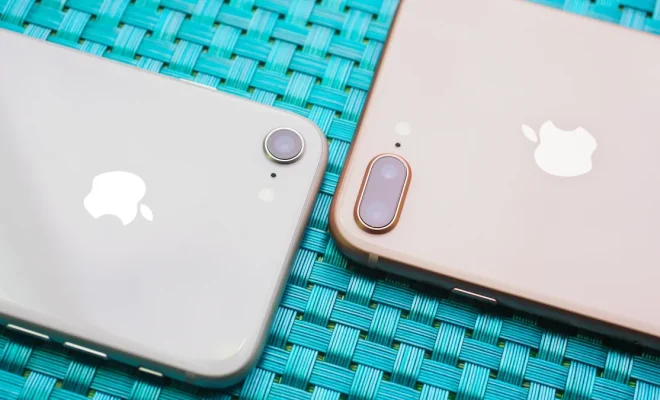
Wireless charging has become an essential feature for modern smartphones. Without the need for a cable, you can quickly and easily charge your device at any time. But what about your PopSockets Grip? Many people use a PopSockets Grip on their phone for added convenience and comfort, but how can you take advantage of wireless charging with it? In this article, we will explore several ways to use wireless charging with your PopSockets Grip.

1. PopSocket Wireless Charger

The easiest and most convenient way to charge your phone with a PopSockets Grip is by using a PopSocket wireless charger. These chargers are specifically designed to work with PopSockets Grips and can provide a safe, efficient charging experience. All you need to do is place your phone on the wireless charger, and the PopSocket will automatically align and charge your phone without any hassle. PopSocket wireless chargers come in different styles and designs, so you can choose one that matches your personality and style.

2. Wireless Charging Adapters

If you already have a wireless charging pad or stand, you can still use it with your PopSockets Grip by using a wireless charging adapter. These small devices attach to the back of your phone or PopSockets Grip and allow you to charge your phone wirelessly without removing the PopSockets. Wireless charging adapters are affordable and easy to use, and they come in different shapes and sizes to fit various phone models and PopSockets designs.

3. Magnetic Wireless Charger

Another innovative way to use wireless charging with your PopSockets Grip is by using a magnetic wireless charger. These chargers use a magnetic attachment system that attaches to the back of your phone or PopSockets Grip, allowing you to charge your phone wirelessly without removing the PopSockets. Magnetic wireless chargers are usually more powerful than standard wireless charging pads, making them ideal for fast charging and heavy usage. They are also compatible with different phone models and PopSockets designs.

4. DIY Wireless Charging Stand

If you enjoy DIY projects, you can create your wireless charging stand that works with your PopSockets Grip. All you need is a wirelessly charging pad or stand and a few materials like a plastic case, adhesive, and a cardboard box. You can create a custom design that fits your phone and PopSockets Grip and use it to charge your phone wirelessly without removing the PopSockets. DIY wireless charging stands are fun, affordable, and a great way to customize your charging experience.

Previous Article

How Does Bluetooth Actually Work?

Next Article

Best Websites to Play Backgammon Online

Matthew Lynch

Related articles More from author

  • Digital & Mobile Technology

    How to Convert a Video to GIF on Linux

    July 31, 2023
    By Matthew Lynch
  • Digital & Mobile Technology

    How to Change the Peek Display Clock on Motorola Phones

    June 21, 2023
    By Matthew Lynch
  • Digital & Mobile Technology

    Best Buy Knocks $50 Off (Almost) All Galaxy Watch 6 Configurations

    January 31, 2024
    By Matthew Lynch
  • Digital & Mobile Technology

    Surface Pro 8 Long-Term Review: Finally, A Real Upgrade

    August 1, 2023
    By Matthew Lynch
  • Digital & Mobile Technology

    Why Isn’t My Printer Printing?

    June 10, 2023
    By Matthew Lynch
  • Digital & Mobile Technology

    How to Insert a PDF in Excel

    June 14, 2023
    By Matthew Lynch

Search

Login & Registration

  • Register
  • Log in
  • Entries feed
  • Comments feed
  • WordPress.org

Newsletter

Signup for The Tech Edvocate Newsletter and have the latest in EdTech news and opinion delivered to your email address!

About Us

Since technology is not going anywhere and does more good than harm, adapting is the best course of action. That is where The Tech Edvocate comes in. We plan to cover the PreK-12 and Higher Education EdTech sectors and provide our readers with the latest news and opinion on the subject. From time to time, I will invite other voices to weigh in on important issues in EdTech. We hope to provide a well-rounded, multi-faceted look at the past, present, the future of EdTech in the US and internationally.

We started this journey back in June 2016, and we plan to continue it for many more years to come. I hope that you will join us in this discussion of the past, present and future of EdTech and lend your own insight to the issues that are discussed.

Newsletter

Signup for The Tech Edvocate Newsletter and have the latest in EdTech news and opinion delivered to your email address!

Contact Us

The Tech Edvocate
910 Goddin Street
Richmond, VA 23231
(601) 630-5238
[email protected]

Copyright © 2025 Matthew Lynch. All rights reserved.