The Tech Edvocate

Top Menu

  • Advertisement
  • Apps
  • Home Page
  • Home Page Five (No Sidebar)
  • Home Page Four
  • Home Page Three
  • Home Page Two
  • Home Tech2
  • Icons [No Sidebar]
  • Left Sidbear Page
  • Lynch Educational Consulting
  • My Account
  • My Speaking Page
  • Newsletter Sign Up Confirmation
  • Newsletter Unsubscription
  • Our Brands
  • Page Example
  • Privacy Policy
  • Protected Content
  • Register
  • Request a Product Review
  • Shop
  • Shortcodes Examples
  • Signup
  • Start Here
    • Governance
    • Careers
    • Contact Us
  • Terms and Conditions
  • The Edvocate
  • The Tech Edvocate Product Guide
  • Topics
  • Write For Us
  • Advertise

Main Menu

  • Start Here
    • Our Brands
    • Governance
      • Lynch Educational Consulting, LLC.
      • Dr. Lynch’s Personal Website
      • Careers
    • Write For Us
    • The Tech Edvocate Product Guide
    • Contact Us
    • Books
    • Edupedia
    • Post a Job
    • The Edvocate Podcast
    • Terms and Conditions
    • Privacy Policy
  • Topics
    • Assistive Technology
    • Child Development Tech
    • Early Childhood & K-12 EdTech
    • EdTech Futures
    • EdTech News
    • EdTech Policy & Reform
    • EdTech Startups & Businesses
    • Higher Education EdTech
    • Online Learning & eLearning
    • Parent & Family Tech
    • Personalized Learning
    • Product Reviews
  • Advertise
  • Tech Edvocate Awards
  • The Edvocate
  • Pedagogue
  • School Ratings

logo

The Tech Edvocate

  • Start Here
    • Our Brands
    • Governance
      • Lynch Educational Consulting, LLC.
      • Dr. Lynch’s Personal Website
        • My Speaking Page
      • Careers
    • Write For Us
    • The Tech Edvocate Product Guide
    • Contact Us
    • Books
    • Edupedia
    • Post a Job
    • The Edvocate Podcast
    • Terms and Conditions
    • Privacy Policy
  • Topics
    • Assistive Technology
    • Child Development Tech
    • Early Childhood & K-12 EdTech
    • EdTech Futures
    • EdTech News
    • EdTech Policy & Reform
    • EdTech Startups & Businesses
    • Higher Education EdTech
    • Online Learning & eLearning
    • Parent & Family Tech
    • Personalized Learning
    • Product Reviews
  • Advertise
  • Tech Edvocate Awards
  • The Edvocate
  • Pedagogue
  • School Ratings
  • RayNeo iO Smart Glasses: A Comprehensive Review

  • Glo Skin Beauty: The Aesthetician-Backed Brand Taking 25% Off for October Prime Day

  • The Shocking Truth: ESG Training Programs Are Quietly Reshaping Your Career Path

  • Why Millions of People Are Switching to These Green Energy Certifications Right Now

  • The green skills gap in 2026: How to address this growing problem

  • The Shocking Truth: Your Degree Won’t Land You the Best IT Jobs in 2026

  • The Brutal Truth About Degrees: Why Micro-Credentials Are Quietly Dominating Careers by 2026

  • Why 96% of Employers Now Prefer Skills Over Degrees: The Micro-Credential Revolution

  • This Crucial Mistake With AI Is Stunting Student Minds: Here’s How to Fix It

  • The AI ‘Cognitive Surrender’ Crisis: 7 Tools Every Educator Needs NOW

Tech Advice
Home›Tech Advice›Top 7 Fixes for Links Not Opening in Facebook Messenger for Android and iPhone

Top 7 Fixes for Links Not Opening in Facebook Messenger for Android and iPhone

By Matthew Lynch
February 19, 2024
0
Spread the love

Are you frustrated because links won’t open in Facebook Messenger on your Android or iPhone device? This common problem can disrupt your browsing experience and hamper your social interactions. But worry not—we’ve compiled a list of the top seven fixes to get your links working in no time.

1. Update the App:

Before you delve into any intricate settings, make sure that your Facebook Messenger app is up to date. Developers often release updates to fix bugs and issues, including the ones related to link-opening problems. Simply visit the App Store or Google Play and check for any available updates for Messenger.

2. Check Internet Connection:

A weak or unstable internet connection could be preventing links from opening correctly. Ensure you’re connected to a reliable Wi-Fi network, or check your cellular data coverage to rule out connectivity issues.

3. Clear Cache (Android):

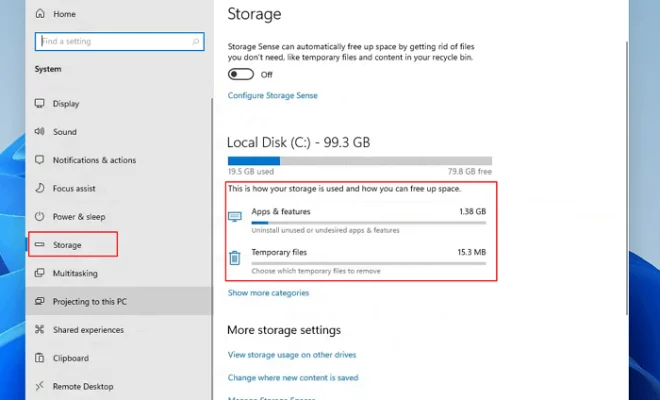
Over time, the app’s cache can accumulate and cause issues. Go to “Settings” on your Android device, find “Apps & notifications,” locate Messenger, go to “Storage,” and hit “Clear Cache.” This quick fix might resolve the link-related glitch.

4. Force Stop the App:

Sometimes, all you need is to refresh the app’s active state. On both Android and iPhone, closing the app completely or forcing it to stop can help reset its functionality. Relaunch Messenger afterwards and check if the problem persists.

5. Enable Necessary Permissions:

If Messenger lacks certain permissions, such as access to default browser actions, it might fail to open links. Check permissions in your phone settings and ensure that Messenger has been granted all necessary permissions to operate fully.

6. Reinstall the App:

A fresh installation can sometimes work miracles. Uninstall Facebook Messenger, then re-download and install it from your respective app store. This solution allows you to start afresh, potentially bypassing any software hiccups that were causing trouble.

7. Check External Factors:

The issue might not always lie with Messenger itself but with the link or browser instead. Sometimes cookies or pop-up blockers in browsers prevent links from opening properly through other apps like Messenger. Ensure that third-party sites are allowed by adjusting settings in your preferred browser.

By following these seven steps, you stand a good chance of resolving any issues with links not opening in Facebook Messenger on either Android or iPhone devices. Stay up-to-date with app versions, monitor your device’s health by regularly clearing cache, and don’t forget about maintaining necessary permissions for seamless app functionality!

Previous Article

Top 9 Fixes For ‘There Is Something ...

Next Article

Strategize While Gaming via JBL Quantum 400 ...

Matthew Lynch

Related articles More from author

  • Tech Advice

    Does the Galaxy S20 have a 3.5mm headphone jack?

    July 17, 2023
    By Matthew Lynch
  • Tech Advice

    2024 BMW i7 : Latest Prices, Reviews, Specs, and Incentives

    August 21, 2023
    By Matthew Lynch
  • Tech Advice

    The Best Workout Apps for 2023

    July 19, 2023
    By Matthew Lynch
  • Tech Advice

    Your Guide to Every Ferrari Lego Kit Ever Made

    August 22, 2023
    By Matthew Lynch
  • Tech Advice

    What Is Cheap Car Insurance in Tallahassee, Florida?

    August 22, 2023
    By Matthew Lynch
  • Tech Advice

    Google Home Max Review: Harder, Better, Stronger Sound Comes to Google Home

    July 12, 2023
    By Matthew Lynch

Search

Login & Registration

  • Log in
  • Entries feed
  • Comments feed
  • WordPress.org

Newsletter

Signup for The Tech Edvocate Newsletter and have the latest in EdTech news and opinion delivered to your email address!

About Us

Since technology is not going anywhere and does more good than harm, adapting is the best course of action. That is where The Tech Edvocate comes in. We plan to cover the PreK-12 and Higher Education EdTech sectors and provide our readers with the latest news and opinion on the subject. From time to time, I will invite other voices to weigh in on important issues in EdTech. We hope to provide a well-rounded, multi-faceted look at the past, present, the future of EdTech in the US and internationally.

We started this journey back in June 2016, and we plan to continue it for many more years to come. I hope that you will join us in this discussion of the past, present and future of EdTech and lend your own insight to the issues that are discussed.

Newsletter

Signup for The Tech Edvocate Newsletter and have the latest in EdTech news and opinion delivered to your email address!

Contact Us

The Tech Edvocate
910 Goddin Street
Richmond, VA 23231
(601) 630-5238
[email protected]

Copyright © 2026 Matthew Lynch. All rights reserved.