The Tech Edvocate

Top Menu

  • Advertisement
  • Apps
  • Home Page
  • Home Page Five (No Sidebar)
  • Home Page Four
  • Home Page Three
  • Home Page Two
  • Home Tech2
  • Icons [No Sidebar]
  • Left Sidbear Page
  • Lynch Educational Consulting
  • My Account
  • My Speaking Page
  • Newsletter Sign Up Confirmation
  • Newsletter Unsubscription
  • Our Brands
  • Page Example
  • Privacy Policy
  • Protected Content
  • Register
  • Request a Product Review
  • Shop
  • Shortcodes Examples
  • Signup
  • Start Here
    • Governance
    • Careers
    • Contact Us
  • Terms and Conditions
  • The Edvocate
  • The Tech Edvocate Product Guide
  • Topics
  • Write For Us
  • Advertise

Main Menu

  • Start Here
    • Our Brands
    • Governance
      • Lynch Educational Consulting, LLC.
      • Dr. Lynch’s Personal Website
      • Careers
    • Write For Us
    • The Tech Edvocate Product Guide
    • Contact Us
    • Books
    • Edupedia
    • Post a Job
    • The Edvocate Podcast
    • Terms and Conditions
    • Privacy Policy
  • Topics
    • Assistive Technology
    • Child Development Tech
    • Early Childhood & K-12 EdTech
    • EdTech Futures
    • EdTech News
    • EdTech Policy & Reform
    • EdTech Startups & Businesses
    • Higher Education EdTech
    • Online Learning & eLearning
    • Parent & Family Tech
    • Personalized Learning
    • Product Reviews
  • Advertise
  • Tech Edvocate Awards
  • The Edvocate
  • Pedagogue
  • School Ratings

logo

The Tech Edvocate

  • Start Here
    • Our Brands
    • Governance
      • Lynch Educational Consulting, LLC.
      • Dr. Lynch’s Personal Website
        • My Speaking Page
      • Careers
    • Write For Us
    • The Tech Edvocate Product Guide
    • Contact Us
    • Books
    • Edupedia
    • Post a Job
    • The Edvocate Podcast
    • Terms and Conditions
    • Privacy Policy
  • Topics
    • Assistive Technology
    • Child Development Tech
    • Early Childhood & K-12 EdTech
    • EdTech Futures
    • EdTech News
    • EdTech Policy & Reform
    • EdTech Startups & Businesses
    • Higher Education EdTech
    • Online Learning & eLearning
    • Parent & Family Tech
    • Personalized Learning
    • Product Reviews
  • Advertise
  • Tech Edvocate Awards
  • The Edvocate
  • Pedagogue
  • School Ratings
  • The Shocking Truth: ESG Training Programs Are Quietly Reshaping Your Career Path

  • Why Millions of People Are Switching to These Green Energy Certifications Right Now

  • The green skills gap in 2026: How to address this growing problem

  • The Shocking Truth: Your Degree Won’t Land You the Best IT Jobs in 2026

  • The Brutal Truth About Degrees: Why Micro-Credentials Are Quietly Dominating Careers by 2026

  • Why 96% of Employers Now Prefer Skills Over Degrees: The Micro-Credential Revolution

  • This Crucial Mistake With AI Is Stunting Student Minds: Here’s How to Fix It

  • The AI ‘Cognitive Surrender’ Crisis: 7 Tools Every Educator Needs NOW

  • This Crucial Mistake Is Quietly Killing Students’ Brains, Says MIT

  • The Sneaky Truth About RTO: How to Negotiate Flexible Work Without Losing Your Job

Digital & Mobile Technology
Home›Digital & Mobile Technology›Things to Consider Before Using Your TV as a Monitor

Things to Consider Before Using Your TV as a Monitor
By Matthew Lynch
June 22, 2023
0
Spread the love

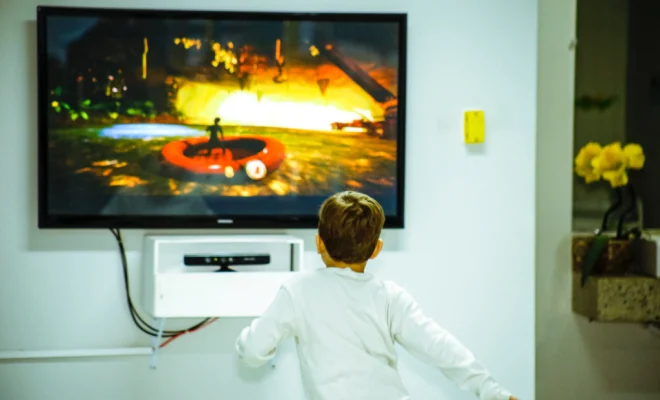
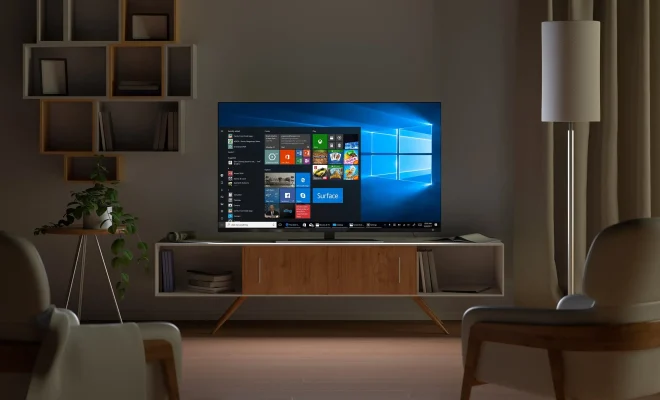
In this digital age, our electronic devices can often multitask, including our TVs. Many people have considered using their TV as a computer monitor, but before you make the leap, there are a few things to consider.

1. Size: While all TVs can be used as a monitor, not all TV sizes will work. Consider the screen resolution of your TV and the distance you will be sitting from the screen. A TV that is too large may not allow you to see everything on the screen without moving your head, and a screen that is too small may not be optimal for reading small text.

2. Input lag: TVs are not designed to function as computer monitors, meaning that they may not be as responsive as a typical monitor. This lag can make it difficult to use your TV as a gaming or work desktop, as you may experience frustrating delays in your movement and reactions.

3. Resolution: Many newer TVs offer 4K and HDR resolution options, which may cause trouble when used as a computer monitor. Many computer applications and games may not support ultra-high-definition (UHD) resolution, so you may not be able to take full advantage of your TV’s graphics capabilities.

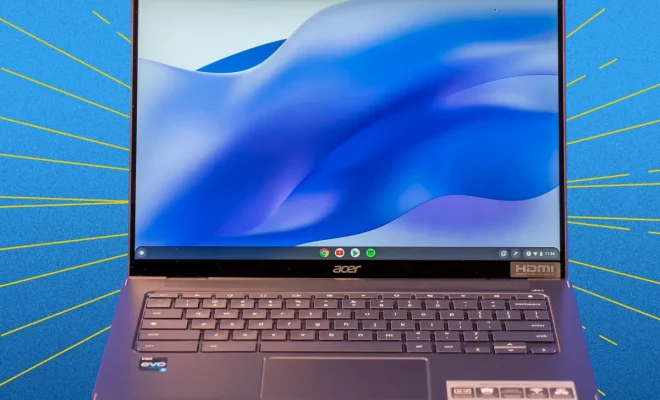
4. Connectivity: Always look for TVs that offer an HDMI port, which can easily connect to your computer or laptop. Be sure to check if the TV supports the HDMI version that your computer uses, as well as the screen refresh rate to ensure you can make use of your TV’s capabilities.

5. Durability: Finally, remember that TVs are designed to be watched from a distance, whereas monitors are designed for close-up viewing. Using your TV as a computer monitor can lead to damage over time, particularly if you sit close to the screen or use it for extended periods

Previous Article

Ways to Fix the Memory Integrity Feature ...

Next Article

Ways to Create a Windows 11 Bootable ...

Matthew Lynch

Related articles More from author

  • Digital & Mobile Technology

    What Is an AVIF File?

    January 1, 2024
    By Matthew Lynch
  • Digital & Mobile Technology

    How to Spot a Scam on Etsy: Tips

    August 5, 2023
    By Matthew Lynch
  • Digital & Mobile Technology

    How to Boot in Safe Mode in Windows 11

    May 19, 2023
    By Matthew Lynch
  • Digital & Mobile Technology

    Risks When Dual Booting Operating Systems

    June 21, 2023
    By Matthew Lynch
  • Digital & Mobile Technology

    How to Use Basic Math Formulas Like Addition and Subtraction in Excel

    June 10, 2023
    By Matthew Lynch
  • Digital & Mobile Technology

    How to Clean a Computer Screen Safely and Easily

    June 21, 2023
    By Matthew Lynch

Search

Login & Registration

  • Log in
  • Entries feed
  • Comments feed
  • WordPress.org

Newsletter

Signup for The Tech Edvocate Newsletter and have the latest in EdTech news and opinion delivered to your email address!

About Us

Since technology is not going anywhere and does more good than harm, adapting is the best course of action. That is where The Tech Edvocate comes in. We plan to cover the PreK-12 and Higher Education EdTech sectors and provide our readers with the latest news and opinion on the subject. From time to time, I will invite other voices to weigh in on important issues in EdTech. We hope to provide a well-rounded, multi-faceted look at the past, present, the future of EdTech in the US and internationally.

We started this journey back in June 2016, and we plan to continue it for many more years to come. I hope that you will join us in this discussion of the past, present and future of EdTech and lend your own insight to the issues that are discussed.

Newsletter

Signup for The Tech Edvocate Newsletter and have the latest in EdTech news and opinion delivered to your email address!

Contact Us

The Tech Edvocate
910 Goddin Street
Richmond, VA 23231
(601) 630-5238
[email protected]

Copyright © 2026 Matthew Lynch. All rights reserved.