The Tech Edvocate’s Guide: Best Laptops, Desktops & Tablets
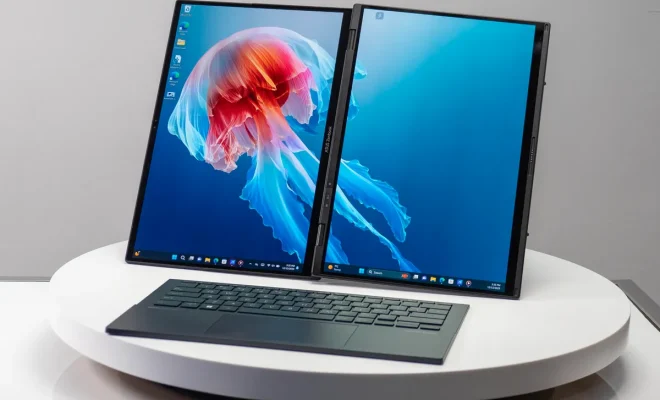
Chapter 1: Introduction to Tech Advocacy
Understanding Tech Advocacy
Tech advocacy plays a pivotal role in bridging the gap between technology and its users. As technology continues to advance at a rapid pace, there is an increasing need for informed individuals who can guide others in navigating this complex landscape. Advocates often serve as liaisons, helping users understand how to leverage technology effectively, whether for personal use, education, or professional development. Through advocacy, individuals can empower others to make informed decisions about their tech choices, especially when it comes to selecting the best laptops, desktops, and tablets.
One of the primary responsibilities of a tech advocate is to stay updated on the latest trends and advancements in technology. This means not only understanding new hardware and software but also recognizing how these innovations can impact users in real-world scenarios. An effective advocate shares this knowledge with their community, ensuring that everyone, from students to professionals, can benefit from current technological advancements. By doing so, they help demystify complex concepts, making technology more accessible to all.
Tech advocacy also involves addressing the concerns and challenges that users face with technology. This includes advocating for user-friendly designs, privacy protection, and ethical usage of devices. Advocates often work to ensure that technology is inclusive and meets the needs of diverse populations. By highlighting these issues, they push for improvements and developments that prioritize user experience, thereby fostering a more inclusive digital environment.
Moreover, tech advocates play an essential role in education and training. They often lead workshops, seminars, and online courses to teach users how to utilize their devices effectively. This educational aspect is crucial, as many individuals may own high-quality devices like laptops and tablets but lack the skills to use them to their full potential. By equipping users with knowledge, advocates help them maximize their investments and enhance their productivity in various fields.
In conclusion, understanding tech advocacy is vital for anyone interested in technology and its implications. As a guide to the best laptops, desktops, and tablets, it is essential to recognize the value of having informed advocates who can assist users in making the best choices for their needs. By fostering a community of knowledgeable advocates, we can ensure that technology serves as a tool for empowerment and progress rather than a source of confusion and frustration.
The Role of Technology in Education
Technology has transformed education in profound ways, reshaping how students learn and teachers instruct. The integration of digital tools such as laptops, desktops, and tablets has made learning more accessible and engaging. With these devices, students can access a wealth of information and resources from anywhere at any time, fostering a more flexible and personalized learning environment.
In classrooms around the world, technology facilitates interactive learning experiences that were once unimaginable. Smartboards and educational software enable teachers to present information dynamically, allowing for greater student participation. Furthermore, technology supports diverse learning styles by providing various formats for content delivery, catering to visual, auditory, and kinesthetic learners alike.
Online learning platforms have emerged as powerful alternatives to traditional classroom settings. They offer students the ability to learn at their own pace, providing access to a variety of courses and materials that may not be available locally. This shift not only democratizes education but also encourages lifelong learning, as individuals can pursue knowledge outside the confines of formal schooling.
Beyond access to information, technology in education fosters collaboration among students. Tools like cloud-based applications and communication platforms allow for group projects and discussions to occur seamlessly, regardless of physical location. This collaborative spirit not only enhances learning outcomes but also prepares students for the modern workforce, where teamwork and digital communication are essential skills.
As technology continues to evolve, so too will its role in education. Innovations such as artificial intelligence and virtual reality promise to further enrich the learning experience. By embracing these advancements, educators can create more engaging, effective, and inclusive learning environments that meet the needs of today’s diverse student populations.
Overview of Laptops, Desktops, and Tablets
Laptops, desktops, and tablets are three primary types of computing devices that cater to various needs and preferences. Each type has unique features and functionalities, making them suitable for different tasks, whether for personal use, professional work, or entertainment. Understanding the distinctions between these devices is crucial for anyone looking to make an informed purchase decision, especially in today’s fast-evolving tech landscape.
Laptops are portable computers that combine the power of a desktop with the convenience of mobility. They come in various sizes and configurations, making them ideal for users who need a machine that can easily transition from home to work or school. With advancements in battery life and processing power, laptops have become a favorite choice for students and professionals alike, allowing for productivity on the go.
Desktops, on the other hand, are typically more powerful than their portable counterparts. They offer larger displays, more robust hardware, and greater customization options. This makes them an excellent choice for tasks that require significant computing resources, such as graphic design, video editing, and gaming. For users who prioritize performance and don’t require portability, desktops remain a preferred option.
Tablets bridge the gap between laptops and smartphones, offering a touch-based interface and portability in a sleek design. They are particularly popular for casual use, such as browsing the internet, streaming videos, and reading e-books. While tablets may not match the processing power of laptops or desktops, their convenience and ease of use make them a favorite for many who desire a lightweight device for everyday tasks.
In conclusion, the choice between laptops, desktops, and tablets hinges on individual needs and usage scenarios. Each device type has its advantages and disadvantages, making it essential for consumers to assess what they value most in a computing solution. By understanding these differences, users can select the device that best aligns with their lifestyle and technological requirements.
Chapter 2: Laptops
Types of Laptops
Laptops come in various types, each designed to cater to different user needs and preferences. One of the most common types is the traditional clamshell laptop, which features a hinged design that allows for easy portability. These laptops are ideal for students and professionals who require a balance of performance and convenience. They typically offer a wide range of specifications, making them versatile for tasks like writing, browsing, and even gaming.
Another popular category is the 2-in-1 laptop, which combines the functionalities of a laptop and a tablet. This hybrid design allows users to detach the screen or fold it back, making it perfect for those who prioritize versatility. 2-in-1 laptops are great for creative professionals, as they often come with touchscreens and stylus support, enhancing their usability for design and note-taking applications.
For gamers, gaming laptops are specifically designed to handle demanding graphics and high-performance requirements. These laptops are equipped with powerful processors, dedicated graphics cards, and enhanced cooling systems to ensure smooth gameplay. With their eye-catching designs and often customizable RGB lighting, gaming laptops cater not only to performance needs but also to aesthetic preferences.
Ultrabooks have gained popularity among those who value portability and sleek design without sacrificing performance. These lightweight laptops are engineered to be ultra-thin, making them easy to carry around. Despite their slim profile, ultrabooks often feature powerful hardware, long battery life, and high-resolution displays, making them ideal for business travelers and users who need to work on the go.
Finally, there are budget laptops designed for users who need basic functionality without the high price tag. While these laptops may not offer the latest technology, they are perfect for everyday tasks such as web browsing, document editing, and streaming. Budget laptops are an excellent choice for students or anyone who needs a reliable device without breaking the bank.
Key Features to Consider
When selecting a laptop, desktop, or tablet, several key features should be considered to ensure that the device meets your needs. First and foremost, performance specifications such as processor speed, RAM, and storage capacity play a crucial role in determining how well a device can handle various tasks. A powerful processor coupled with sufficient RAM can enhance multitasking capabilities and ensure smoother performance when running demanding applications. Additionally, the type and amount of storage, whether SSD or HDD, can significantly impact loading times and overall user experience.
Another vital aspect to evaluate is the device’s display quality. For laptops and desktops, screen resolution, size, and type (such as IPS or OLED) contribute to the visual experience. Higher resolution screens provide sharper images and more vibrant colors, making them ideal for graphic design, video editing, or gaming. For tablets, portability and screen responsiveness also matter, as users often rely on touch interaction for navigation and app usage.
Battery life is an essential feature, especially for users who are always on the go. A device with a long-lasting battery can provide the freedom to work or play without the constant need to recharge. When comparing devices, it’s important to look at the manufacturer’s claims regarding battery lifespan, but real-world usage often varies, so user reviews can provide valuable insights. Additionally, consider the charging options available, as fast charging capabilities can greatly enhance convenience.
Connectivity options are also crucial in today’s digital landscape. Devices should offer a variety of ports, such as USB-C, HDMI, and headphone jacks, to ensure compatibility with peripherals and external displays. Wireless connectivity, including Wi-Fi standards and Bluetooth capabilities, is equally important for seamless internet access and device pairing. As more devices become part of the smart ecosystem, having robust connectivity options can enhance user experience significantly.
Lastly, consider the overall build quality and design of the device. A well-constructed laptop or tablet should not only feel comfortable to use but also be durable enough to withstand daily wear and tear. Features such as a backlit keyboard, lightweight design, and premium materials can enhance usability and aesthetics. As you explore your options, keep in mind what features matter most to you to ensure that your investment aligns with your lifestyle and needs.
Best Laptops for Students
Choosing the right laptop is crucial for students, as it impacts their productivity and learning experience. With a myriad of options available, students must consider factors such as performance, battery life, portability, and price. The best laptops for students should strike a balance between these elements while providing the necessary tools for academic success. Whether it’s for taking notes, conducting research, or collaborating on projects, selecting an appropriate device is essential.
One of the top contenders for students is the Apple MacBook Air. Renowned for its lightweight design and impressive battery life, this laptop offers a seamless macOS experience. Its Retina display enhances visuals, making it ideal for graphic design and media consumption. Furthermore, the integration of powerful hardware ensures that students can run demanding applications without any lag, making it a top choice for those in creative fields.
For Windows enthusiasts, the Dell XPS 13 stands out with its sleek design and robust performance. The laptop features an edge-to-edge display that provides stunning visuals, while its powerful processors make multitasking a breeze. With a solid build and long battery life, the XPS 13 is perfect for students who need a reliable device that can handle everything from writing essays to streaming lectures.
Students on a budget will appreciate the Acer Aspire 5, which offers an excellent balance of performance and price. Equipped with a decent processor and ample storage, this laptop can handle everyday tasks without breaking the bank. Its full HD display provides good visuals for studying and entertainment, while the lightweight design makes it easy to carry between classes.
Lastly, the HP Envy x360 is an excellent option for those seeking versatility. This 2-in-1 laptop allows students to use it as a traditional laptop or a tablet, making it perfect for note-taking and presentations. With a vibrant touchscreen and solid performance, the Envy x360 caters to students who require flexibility in their devices. Overall, the best laptops for students cater to various needs and budgets, ensuring that everyone can find a suitable option for their academic journey.
Best Laptops for Professionals
In the fast-paced world of professional work, having the right laptop can make a significant difference in productivity and performance. The best laptops for professionals combine power, portability, and reliability, catering to the diverse needs of various industries. Whether you are a graphic designer, software developer, or business executive, finding a laptop that meets your specific requirements is crucial for achieving success in your field.
One of the top contenders in the professional laptop market is the Dell XPS 15, known for its stunning display and robust performance. With its powerful Intel processors and dedicated graphics options, this laptop excels in handling resource-intensive applications. Additionally, its sleek design and lightweight build make it a favorite among professionals who need to work on the go, allowing them to balance style with functionality.
Another excellent choice is the Apple MacBook Pro, which has long been a staple for creative professionals. The MacBook Pro offers an unparalleled user experience, thanks to its Retina display and seamless integration with macOS. The latest models come equipped with the M1 chip, providing impressive performance and battery life, making it ideal for video editing, music production, and graphic design tasks.
For those who prefer Windows, the Lenovo ThinkPad X1 Carbon is a fantastic option. It boasts a durable design and an exceptional keyboard, making it a favorite among business professionals. With its strong security features and reliable performance, the ThinkPad X1 Carbon is tailored for users who prioritize both functionality and security in their everyday tasks.
Finally, the Microsoft Surface Laptop 4 stands out for its versatility and portability. This device offers a stunning touchscreen display and a sleek design, making it perfect for professionals who value aesthetics and functionality. With impressive battery life and the ability to run a wide range of software, the Surface Laptop 4 is an excellent choice for anyone looking to enhance their productivity while maintaining a modern look.
Budget-Friendly Options
Finding budget-friendly options in the tech world can be daunting, especially with the plethora of choices available. However, understanding your needs and priorities can greatly simplify the process. For many users, a laptop, desktop, or tablet that balances performance with cost is essential. This subchapter aims to explore various affordable alternatives that do not compromise quality, ensuring you get the best bang for your buck.
When considering budget laptops, it’s important to pay attention to specifications. While high-end models may boast impressive features, there are many mid-range options that offer excellent performance for everyday tasks. Brands like Acer, Dell, and Lenovo provide reliable laptops with decent processors and enough RAM to handle basic applications without breaking the bank. Look for models that include SSD storage, as this significantly speeds up boot times and overall performance, making your experience smoother and more efficient.
Desktops can also be a great budget-friendly solution, especially for users who prefer a larger screen and more upgrade options. Opting for a pre-built desktop can save time and money compared to building one from scratch. Companies like HP and ASUS offer competitively priced systems that are perfect for home offices or casual gaming. Additionally, consider refurbished models, which can provide significant savings while still delivering solid performance.
Tablets have become increasingly popular as portable alternatives to traditional computers. Budget models, such as those from Samsung and Amazon, offer a range of functionalities suitable for browsing, streaming, and light productivity tasks. While they may lack some advanced features found in premium tablets, they often provide excellent value for users who need a device for casual use. Be sure to check compatibility with styluses and keyboards if you plan to do more than just consume content.
In conclusion, finding budget-friendly tech options doesn’t mean sacrificing quality. By focusing on reputable brands and understanding your specific needs, you can discover laptops, desktops, and tablets that fit your budget while still delivering reliable performance. Always research and compare models to ensure you make an informed decision that meets both your financial constraints and usage requirements.
Chapter 3: Desktops
Types of Desktops
Desktops have evolved significantly over the years, and today, there are several distinct types tailored to different needs and preferences. The traditional desktop computer is a common choice for many users, featuring a separate monitor, tower, keyboard, and mouse. This setup provides ample power and flexibility, making it ideal for tasks such as gaming, graphic design, and office work. Its modular nature allows users to upgrade components like RAM or storage, ensuring longevity and adaptability.
Another popular option is the all-in-one desktop, which integrates all components into a single unit behind the monitor. This design not only saves space but also reduces cable clutter, appealing to users who prioritize aesthetics and simplicity. All-in-one desktops are often equipped with touchscreens and powerful hardware, making them suitable for both casual users and professionals who require efficient performance in a compact design.
For those seeking portability within a desktop format, mini PCs and compact desktops have gained traction. These devices are significantly smaller than traditional desktops but still offer respectable performance for everyday tasks such as web browsing, streaming, and office applications. Their size makes them easy to transport and perfect for small spaces, making them a suitable solution for students or anyone with limited desk area.
Gaming desktops represent a specialized category designed to meet the demanding requirements of gamers. These systems usually come with high-performance graphics cards, advanced cooling solutions, and customizable lighting options. Gamers often seek out these desktops for their ability to handle resource-intensive games while providing smooth gameplay and immersive experiences. The aesthetic appeal of gaming desktops also attracts enthusiasts who enjoy showcasing their hardware.
Lastly, there are workstations, which are high-performance desktops designed for professional applications such as video editing, 3D rendering, and scientific simulations. Equipped with powerful processors and extensive RAM, workstations are built to handle heavy workloads and demanding software. They are essential for professionals in fields like engineering, architecture, and media production, where precision and performance are critical for success.
Advantages of Desktops over Laptops
Desktops offer several significant advantages over laptops, making them a preferred choice for many users, particularly in professional and gaming environments. One of the primary benefits is performance. Desktops typically house more powerful processors and graphic cards, allowing for better multitasking and handling of demanding applications like video editing software or high-end games. This performance advantage is crucial for users who require speed and efficiency in their work or entertainment.
Another advantage of desktops is their upgradeability. Unlike laptops, which often come with fixed components, desktops allow users to easily swap out parts such as RAM, storage drives, and graphics cards. This flexibility not only extends the lifespan of the machine but also enables users to enhance their system’s capabilities as technology advances or as their needs change.
Desktops also tend to offer superior ergonomics and comfort. With a separate monitor, keyboard, and mouse, users can set up their workspace to minimize strain on their neck and wrists. This is particularly beneficial for those who spend long hours working on their computers. In contrast, laptops can force users into uncomfortable positions, potentially leading to health issues over time.
Cost-effectiveness is another area where desktops excel. Generally, desktops provide more power for your money compared to laptops. Users can get more robust specifications at a lower price point, and since desktops have a longer lifespan due to their upgradeability, they can be a more economical choice in the long run.
Lastly, desktops often have better cooling systems and performance stability. This is particularly important for users who run intensive applications or games. Laptops, while portable, can overheat more quickly under heavy loads, leading to throttling and reduced performance. Desktops, with their larger cases, can accommodate better cooling solutions, ensuring that performance remains consistent during demanding tasks.
Best Desktops for Home Use
When it comes to selecting the best desktops for home use, several factors come into play, including performance, design, and versatility. Users typically seek machines that can handle everyday tasks such as browsing the web, streaming videos, and running productivity software. This subchapter aims to guide you through the top contenders that strike a balance between power and affordability, ensuring you find a desktop that meets your specific needs.
One of the standout options for home use is the all-in-one desktop. These devices combine the monitor and computer into a single unit, saving space and reducing clutter. They often come equipped with high-resolution displays and powerful processors, making them ideal for both casual users and those who engage in more demanding tasks like photo editing or gaming. Popular models from brands like Apple and Dell have received rave reviews for their performance and sleek design.
For those who prefer a more traditional setup, a tower desktop offers incredible upgradeability. These machines can be customized with additional RAM, better graphics cards, and larger storage options, making them a great choice for tech enthusiasts. Tower desktops often provide superior cooling solutions, which can lead to better performance and longevity. Brands such as HP and Lenovo have models that are particularly well-suited for home users, offering a range of configurations to fit various budgets.
Another important consideration is the operating system. Windows desktops tend to be the most popular choice for home users due to their compatibility with a wide range of software applications. However, macOS and Linux-based systems also have their advantages, particularly for users who are already invested in those ecosystems or prefer open-source solutions. Understanding your software needs is crucial in making the right choice for your home desktop.
Lastly, connectivity and peripheral support should not be overlooked. Modern desktops come equipped with multiple USB ports, HDMI outputs, and Wi-Fi capabilities, allowing users to connect various devices such as printers, external drives, and monitors easily. When selecting a desktop for home use, ensure that it meets your connectivity needs to enhance your overall experience and productivity. With the right desktop, you can create a home office that is efficient and tailored to your lifestyle.
Best Desktops for Gaming
When it comes to gaming, the right desktop can significantly enhance your experience, providing the power and performance needed to run demanding games smoothly. The best desktops for gaming typically feature high-performance CPUs and GPUs, allowing for high frame rates and detailed graphics. Gamers should consider their specific needs, such as the types of games they play and whether they prioritize speed or graphical fidelity.
One of the top contenders in the gaming desktop market is the Alienware Aurora series, known for its sleek design and customizable components. This desktop offers a range of Intel and AMD processors, along with powerful NVIDIA or AMD graphics cards. With sufficient RAM and storage options, it can handle gaming sessions as well as multitasking for streaming or content creation.
Another excellent option is the HP Omen series, which combines performance with a more budget-friendly price point. The Omen desktops are equipped with the latest hardware and come with features that enhance cooling and airflow, essential for prolonged gaming. Additionally, HP provides software that allows gamers to optimize performance settings easily.
For those who prefer a more customizable approach, building a gaming desktop from scratch can be an appealing option. This allows gamers to select each component based on their preferences and budget, ensuring they get exactly what they need for their gaming style. Online resources and communities can offer guidance on the best components to choose for optimal performance.
Lastly, don’t overlook brands like Corsair and CyberPowerPC, which offer pre-built systems that are well-regarded in the gaming community. These systems often come with features like RGB lighting and upgraded cooling systems. When selecting a gaming desktop, it’s important to research and compare different models to find the best fit for your gaming needs.
Custom-Build vs. Pre-Built Desktops
When it comes to choosing between custom-built and pre-built desktops, understanding the key differences can greatly influence your decision. Custom-built desktops are tailored to the user’s specifications, allowing for a high level of personalization. This means you can select specific components that suit your needs, such as a powerful graphics card for gaming or additional storage for creative work. Such flexibility often leads to better performance and can sometimes save costs if you know how to source parts wisely.
On the other hand, pre-built desktops offer convenience and ease of use. They come fully assembled and tested, which is ideal for those who may not be tech-savvy or lack the time to build their own system. These systems often come with warranties and customer support, providing peace of mind for the buyer. While they might not offer the same level of customization, many manufacturers provide various configurations that can meet a wide range of needs.
Another consideration is the upgrade potential. Custom-built systems generally have better upgrade paths due to their modular nature. Users can easily swap out components like RAM, graphics cards, or storage drives without much hassle. In contrast, some pre-built systems may have proprietary components that could limit upgrades in the future. This can be an important factor for users who plan to keep their desktops for many years and want to ensure they can enhance performance over time.
Price is also a major factor in this discussion. Custom builds can sometimes be more cost-effective, particularly if you are savvy about where to buy parts and can hunt down deals. However, pre-built systems can also offer competitive pricing, especially during sales or promotions. It’s essential to compare the total costs of ownership, including potential upgrades and repairs, when deciding which option provides the best value for your money.
Ultimately, the choice between custom-built and pre-built desktops boils down to personal preference and needs. If you value customization and control over your system, a custom build may be the way to go. However, if you prefer convenience and support, a pre-built system could serve you better. Understanding the pros and cons of each will help you make an informed decision that aligns with your tech requirements and lifestyle.
Chapter 4: Tablets
Types of Tablets
Tablets have gained immense popularity in recent years, becoming a staple in both personal and professional settings. They come in various types, each designed to cater to different user needs and preferences. Understanding these types can help consumers make informed choices when selecting a tablet that best suits their requirements.
The first type of tablet is the standard tablet, which is known for its versatility and ease of use. These devices typically run on popular operating systems like iOS or Android, allowing users to access a plethora of apps, games, and multimedia content. Standard tablets are ideal for everyday tasks such as browsing the internet, streaming videos, and communicating with others through social media or email.
Next, we have the 2-in-1 tablets, which combine the functionalities of a tablet and a laptop. These devices often come with detachable keyboards or can be used with a stylus, making them suitable for both casual and professional use. 2-in-1 tablets are particularly popular among students and professionals who require the flexibility of a tablet for entertainment but also need the productivity features of a laptop for work-related tasks.
Another category is the rugged tablet, designed for durability and resilience in harsh environments. These tablets are typically used in industries such as construction, healthcare, and field service, where the devices may be exposed to extreme conditions. Rugged tablets often feature reinforced screens, weather-resistant casings, and enhanced battery life, ensuring they can withstand drops, spills, and other potential hazards.
Lastly, there are specialized tablets, which cater to niche markets and specific user needs. Examples include graphic tablets for artists, e-readers for avid readers, and gaming tablets for enthusiasts who want an enhanced gaming experience. These specialized devices often come with tailored features and software, providing users with an optimized experience based on their unique requirements. Overall, the variety of tablets available today ensures that there is a suitable option for everyone, regardless of their lifestyle or use case.
Key Features and Specs
When exploring the landscape of laptops, desktops, and tablets, it is essential to understand the key features and specifications that differentiate each device. For laptops, portability and battery life are often the primary considerations. A lightweight design coupled with a long-lasting battery enables users to work efficiently on the go, making laptops suitable for students and professionals alike. Additionally, display quality, including resolution and screen size, plays a crucial role in user experience, particularly for those engaged in graphic design or gaming.
Desktops, on the other hand, typically offer superior performance and upgradeability compared to their portable counterparts. They often come equipped with powerful processors and larger storage options, catering to users who require high-performance computing for tasks such as video editing or gaming. The ability to customize a desktop allows tech enthusiasts to build machines tailored to specific needs, making it a popular choice among serious gamers and creative professionals.
Tablets bridge the gap between laptops and smartphones, providing a unique blend of portability and functionality. Many modern tablets support keyboard attachments, transforming them into versatile devices suitable for both casual browsing and productivity tasks. Advanced features like touchscreens, stylus support, and high-resolution displays enhance the user experience, especially for artists and those who enjoy reading digital books or magazines.
Another vital aspect to consider is connectivity options. Modern devices come equipped with various ports and wireless technologies, such as USB-C, HDMI, and Wi-Fi 6, which facilitate seamless connections to other devices and networks. Users should evaluate their connectivity needs to ensure compatibility with peripherals and external displays, which can significantly enhance the overall utility of their device.
Lastly, the operating system is a fundamental feature that impacts the user’s interaction with the device. Windows, macOS, and various Linux distributions provide different environments and software ecosystems that cater to varied user preferences. Understanding the strengths and weaknesses of each operating system can help consumers make an informed decision when selecting a laptop, desktop, or tablet that best fits their lifestyle and requirements.
Best Tablets for Students
Choosing the best tablets for students can significantly enhance their learning experience. With the right tablet, students can access a wide range of educational apps, e-books, and online resources that support their studies. Tablets are portable and lightweight, making them ideal for students who need to carry their devices to class or study groups. In this guide, we will explore some of the top options available on the market today that cater specifically to the needs of students.
One of the leading tablets for students is the Apple iPad. With its powerful performance and extensive app ecosystem, the iPad offers a seamless experience for multitasking and productivity. Students can use the Apple Pencil for note-taking and drawing, which is especially beneficial for those in design or art programs. The Retina display provides clear visuals for reading and watching educational videos, making it a versatile choice for various academic tasks.
Another excellent option is the Microsoft Surface Go, which combines the functionality of a laptop with the portability of a tablet. The Surface Go runs a full version of Windows, allowing students to use traditional desktop applications alongside tablet features. Its detachable keyboard makes it easy to switch between tablet and laptop modes, making it perfect for both note-taking in class and completing assignments at home.
For those on a budget, the Samsung Galaxy Tab A stands out as a cost-effective choice. With decent performance and a long battery life, it is well-suited for students who need a reliable device for reading, browsing, and light productivity tasks. The Galaxy Tab A also supports the Samsung S Pen, enabling users to take handwritten notes or sketch ideas, adding to its appeal for students across various disciplines.
Lastly, the Lenovo Tab P11 offers a great balance of performance and affordability. It features a vibrant display and solid processing power, making it suitable for streaming educational content and online classes. Additionally, with optional keyboard accessories, it can easily transition into a productivity tool for writing papers or collaborating on group projects, making it a versatile option for any student.
Best Tablets for Creative Professionals
In the realm of creative professionals, having the right tools can significantly enhance productivity and spark innovation. Tablets have emerged as a versatile option for artists, designers, and content creators alike. With the ability to combine portability with powerful features, the best tablets for creative work are designed to meet the demanding needs of various fields, from graphic design to video editing.
The Apple iPad Pro stands out as a top choice among creative professionals. Its high-resolution Retina display delivers stunning color accuracy, making it ideal for photo editing and graphic design. Coupled with the Apple Pencil, the iPad Pro allows for precise input, making sketches and illustrations come to life. Furthermore, its robust performance ensures that even the most demanding applications run smoothly, making it suitable for professionals who require both power and portability.
Another excellent option is the Microsoft Surface Pro 8, which combines the functionality of a laptop with the flexibility of a tablet. This device runs a full version of Windows, giving users access to a wide range of professional software, including Adobe Creative Suite. The Surface Pen enhances the creative experience, allowing artists to create detailed designs with ease. Its detachable keyboard also means that it can transform into a laptop when necessary, offering versatility for those who work in various environments.
For those who prefer Android, the Samsung Galaxy Tab S8 Ultra is a strong contender. Its expansive AMOLED display provides vivid colors and deep contrasts, making it an excellent choice for video editing and multimedia projects. The S Pen comes included, offering a natural writing and drawing experience. Additionally, its powerful hardware ensures that multitasking is seamless, allowing creative professionals to juggle multiple projects without lag.
Lastly, the Huion Kamvas Pro is worth mentioning for digital artists who are looking for a tablet specifically designed for drawing. With its large drawing surface and impressive color accuracy, it makes for an exceptional tool for creating detailed artwork. The pen pressure sensitivity allows for a nuanced drawing experience, making it suitable for both amateurs and seasoned artists. Ultimately, the best tablet for creative professionals will depend on individual needs, but the options mentioned here provide a solid foundation for any creative toolkit.
Accessories to Enhance Tablet Use
In today’s tech-driven world, enhancing your tablet experience can significantly elevate productivity and enjoyment. Accessories designed specifically for tablets can transform a basic device into a multifunctional powerhouse. From protective cases to stylus pens, the right accessories can help you maximize your tablet’s potential, whether you’re using it for work, education, or entertainment.
One of the most essential accessories for tablet users is a high-quality case. A durable case not only protects your device from accidental drops and scratches but can also add functionality. Many cases come with built-in stands, allowing for comfortable viewing angles whether you’re watching videos or participating in video calls. Investing in a good case is crucial for anyone looking to preserve their tablet’s lifespan while enhancing usability.
Another valuable accessory is a stylus. For creative individuals or professionals who need to take notes, a stylus can offer precision and ease that fingers simply cannot match. With a stylus, drawing, annotating, and navigating become more intuitive and enjoyable. Many styluses are designed to work seamlessly with various apps, making them indispensable tools for artists and students alike.
Keyboard attachments also play a vital role in enhancing tablet use. A detachable keyboard can convert your tablet into a mini-laptop, making typing long documents or emails much easier. Many keyboards come with additional features, such as backlighting and shortcut keys, improving efficiency and comfort during use. This accessory is particularly beneficial for those who rely on their tablets for productivity tasks.
Finally, consider investing in a portable charging solution. Tablets, especially when used extensively for apps or media, can drain battery life quickly. A power bank or portable charger ensures that your device stays powered throughout the day, eliminating the anxiety of running out of battery during important tasks. With these accessories, you can truly elevate your tablet experience and make it a versatile tool in your tech arsenal.
Chapter 5: Operating Systems
Overview of Major Operating Systems
Operating systems (OS) serve as the backbone of computer functionality, providing a platform for hardware and software to communicate effectively. They manage system resources, allowing users to interact with their devices seamlessly. In today’s digital landscape, several major operating systems dominate the market, each catering to different user needs and preferences. From personal computing to enterprise solutions, understanding these operating systems is essential for anyone looking to optimize their technology experience.
Windows, developed by Microsoft, is one of the most widely used operating systems globally. Known for its user-friendly interface and extensive software compatibility, Windows is a popular choice for both casual users and professionals. Its regular updates and support for a vast range of applications make it suitable for various tasks, from gaming to office productivity. Windows also offers robust security features, ensuring that users can protect their data effectively.
macOS, Apple’s operating system, is another significant player in the market, renowned for its sleek design and integration with Apple’s ecosystem. It provides a smooth user experience and is favored by creative professionals for its powerful multimedia editing capabilities. macOS emphasizes security and privacy, making it an appealing choice for users who prioritize these aspects. Moreover, its seamless compatibility with other Apple devices enhances the overall user experience, particularly in creative industries.
Linux stands out as a versatile and open-source operating system, appealing to developers and tech enthusiasts. Unlike Windows and macOS, Linux offers users the freedom to customize their systems extensively. With various distributions available, users can choose an OS that fits their specific needs, whether for server management, programming, or casual use. Linux’s open-source nature also fosters a strong community, providing support and resources that contribute to its continuous development.
Finally, mobile operating systems like Android and iOS have revolutionized how we interact with technology on portable devices. Android, developed by Google, offers flexibility and customization options, making it the most widely used mobile OS. In contrast, iOS, exclusive to Apple devices, is known for its smooth performance and tight integration with hardware. Both systems have shaped the app ecosystem, providing users with countless applications that enhance productivity and entertainment on the go. Understanding these major operating systems equips users with the knowledge to choose the right technology for their needs.
Comparing Windows, macOS, and Chrome OS
When comparing Windows, macOS, and Chrome OS, it’s essential to understand the unique features and user experiences each operating system offers. Windows, developed by Microsoft, is known for its versatility and compatibility with a vast array of software applications. This makes it a popular choice for gamers, business professionals, and general consumers alike. The extensive support for third-party applications allows users to customize their systems to fit their specific needs and preferences.
On the other hand, macOS, created by Apple, is celebrated for its sleek design and user-friendly interface. It provides a seamless experience for users who are already invested in the Apple ecosystem, as it integrates well with devices like the iPhone and iPad. macOS is often favored by creative professionals, such as graphic designers and video editors, due to its superior performance in handling multimedia tasks and a suite of powerful built-in applications.
Chrome OS is distinctly different from both Windows and macOS, primarily designed for users who rely heavily on web applications and cloud storage. This operating system is lightweight and offers fast boot times, making it an excellent choice for students and individuals who need a simple, straightforward computing experience. While it may lack certain software compatibility, its integration with Google services makes it a compelling option for those who live in a digital world dominated by online tools.
When it comes to security, macOS tends to be more secure out of the box due to its Unix-based architecture and Apple’s controlled environment. Windows has made significant strides in security with features like Windows Defender and regular updates, but its widespread use makes it a more common target for malware. Chrome OS, with its automatic updates and sandboxing technology, offers a unique approach to security that protects users from many common threats, making it a suitable option for those prioritizing safety.
Ultimately, the choice between Windows, macOS, and Chrome OS depends on individual needs and preferences. Windows offers flexibility and a broad range of applications, macOS provides a premium experience for Apple users, and Chrome OS delivers simplicity and speed for those who primarily engage online. Each operating system has its strengths and weaknesses, making it crucial for users to evaluate their specific requirements before making a decision.
Mobile Operating Systems: iOS vs. Android
When it comes to mobile operating systems, the two most prominent players in the market are Apple’s iOS and Google’s Android. Each platform has its unique features, benefits, and drawbacks, making them appealing to different types of users. iOS is known for its seamless integration with Apple devices, providing a cohesive user experience across iPhones, iPads, and Macs. In contrast, Android offers a more flexible and customizable environment, allowing users to personalize their devices in ways that iOS does not permit.
One of the key advantages of iOS is its security and privacy features. Apple has built a reputation for prioritizing user security, with regular updates that protect against vulnerabilities. The closed nature of the iOS ecosystem means that apps undergo strict vetting processes before being made available on the App Store. This contrasts with Android, which, while improving its security measures, is still more susceptible to malware due to its open-source nature and the ability to install apps from third-party sources.
User interface is another critical factor that distinguishes iOS from Android. iOS offers a streamlined and intuitive interface that many users find easier to navigate. The design philosophy emphasizes simplicity and functionality, making it a favorite among those who prefer a straightforward experience. Android, on the other hand, provides a diverse range of interfaces based on different manufacturer skins, which can lead to a more varied but sometimes inconsistent user experience.
In terms of app availability, both platforms boast a vast array of applications. However, developers often release apps on iOS first due to the platform’s lucrative user base. While Android users enjoy a broader selection of free apps, iOS users tend to have access to more polished applications, as developers invest in creating high-quality experiences for Apple users. This can influence the choice of operating system for those who prioritize app quality and availability.
Ultimately, the choice between iOS and Android boils down to personal preference and specific needs. iOS is ideal for those who value security, a consistent user experience, and tight integration with other Apple products. Android appeals to users who appreciate customization, a wider range of hardware choices, and the ability to experiment with different applications. Understanding these differences can help consumers make informed decisions when selecting their next mobile device.
Choosing the Right Operating System for Your Needs
Choosing the right operating system (OS) is crucial for maximizing your computing experience, whether you’re using a laptop, desktop, or tablet. Different operating systems offer various features, user interfaces, and software compatibility that can significantly affect your productivity and enjoyment. For instance, Windows is known for its versatility and wide software support, while macOS is favored for its sleek design and seamless integration with other Apple devices. Understanding the strengths and weaknesses of each OS will help you make an informed decision that aligns with your needs.
When considering an operating system, think about the primary tasks you’ll be performing. If you’re a gamer, Windows might be the best choice due to its extensive library of games and hardware compatibility. On the other hand, if you are into creative work like video editing or graphic design, macOS could provide the tools and environment that suit your workflow better. Linux is another option that appeals to tech-savvy users who prefer open-source software and greater customization options.
It’s also essential to evaluate the hardware you have or plan to acquire, as some operating systems have specific requirements. For example, certain versions of Windows require more powerful hardware to run efficiently, while lighter Linux distributions can breathe new life into older machines. Consideration of your hardware capabilities can prevent frustrating performance issues down the line and ensure that your system runs smoothly.
Another factor to weigh is the ecosystem surrounding the operating system. If you already own devices that work well within a particular ecosystem, such as Apple products, it may be beneficial to stick with macOS for the best integration and user experience. Conversely, if you rely on Microsoft services or applications, Windows could provide a more cohesive experience. Familiarity with an OS can also reduce the learning curve and increase your overall efficiency.
Ultimately, the right operating system for you hinges on your unique requirements, preferences, and existing hardware. Take the time to research and test different options, as many operating systems offer trial versions. By understanding your needs and how each operating system aligns with them, you can make a confident choice that enhances your computing experience and helps you achieve your goals.
Chapter 6: Connectivity and Accessories
Importance of Connectivity Options
In today’s digital landscape, connectivity options are paramount for users seeking to maximize their productivity and enjoyment across various devices such as laptops, desktops, and tablets. The ability to connect seamlessly to the internet and other devices allows users to access information, stream content, and collaborate effectively. With advancements in technology, understanding the available connectivity options has become crucial for making informed decisions when purchasing tech devices.
One of the most significant aspects of connectivity is wireless technology, which has revolutionized how we interact with our devices. Wi-Fi and Bluetooth connections offer flexibility and ease of use, allowing users to connect to networks and peripherals without the constraints of cables. This is especially important for those who value mobility and convenience, as it enables users to work or enjoy entertainment from virtually anywhere within range of their network.
Moreover, the variety of ports available on devices plays a vital role in connectivity. USB-C, HDMI, and Ethernet ports are common features that enhance the usability of laptops and desktops. These ports enable users to connect to external displays, transfer data, and access high-speed internet, ensuring that the device can adapt to various situations and requirements. Understanding these options can significantly impact a user’s experience and satisfaction with their technology.
In addition to traditional connectivity methods, emerging technologies such as 5G and smart home integration are expanding the possibilities of connectivity. The introduction of 5G networks allows for faster internet speeds, reduced latency, and improved overall performance for mobile devices. As more smart home devices become prevalent, the ability to connect and control them from laptops and tablets adds another layer of convenience and functionality that users increasingly desire.
Ultimately, the importance of connectivity options cannot be overstated. For tech advocates and general users alike, choosing devices with robust connectivity features ensures that they can stay connected in an ever-evolving digital world. By prioritizing connectivity when selecting laptops, desktops, and tablets, users can enhance their overall experience, making technology work more effectively for their needs.
Essential Accessories for Laptops and Desktops
In today’s digital age, essential accessories for laptops and desktops play a vital role in enhancing user experience and productivity. From ergonomic keyboards to high-resolution monitors, the right accessories can transform how we interact with our devices. A quality mouse can improve precision in tasks like graphic design or gaming, while a laptop stand can promote better posture during long working hours. Investing in the right accessories is crucial for anyone looking to optimize their setup.
One must-have accessory for any computer user is a reliable external hard drive. As file sizes continue to grow, having additional storage becomes essential for backing up important data and ensuring that you don’t run out of space. External drives come in various capacities and speeds, making it easy to find one that meets your specific needs. Furthermore, these drives are portable, allowing you to carry your data wherever you go, which is particularly useful for professionals who travel frequently.
Another important accessory is a good quality webcam, especially in an era where remote work and virtual meetings have become commonplace. A high-definition webcam can significantly improve the quality of video calls, making communication clearer and more professional. Additionally, many webcams now come equipped with features like built-in microphones and adjustable angles, providing users with a complete solution for their video conferencing needs.
For those who spend long hours at their computers, an ergonomic chair is an accessory that should not be overlooked. A chair designed for comfort and support can prevent back pain and enhance overall productivity. Paired with a good desk setup, an ergonomic chair can lead to a healthier work environment, allowing users to focus on their tasks without the distraction of discomfort.
Finally, a good surge protector can safeguard your devices from electrical surges that may occur during storms or power outages. Investing in a surge protector is a small price to pay for the peace of mind it offers. With multiple outlets available, you can easily connect all your devices, ensuring they remain powered and protected at all times. This accessory is essential for anyone looking to extend the lifespan of their technology investments.
Recommended Accessories for Tablets
Tablets have become essential devices in both personal and professional settings, but their functionality can be greatly enhanced with the right accessories. One of the most recommended accessories is a protective case. These cases not only safeguard the tablet from drops and scratches but also often come with built-in keyboards or stands, making them versatile for various tasks. Investing in a quality case can prolong the life of your device and improve usability.
Another must-have accessory is a screen protector. Tablets’ screens are prone to scratches and fingerprints, which can affect visibility and usability. A high-quality tempered glass or film screen protector can help keep the display pristine while also providing additional protection against impacts. This small investment can save users from costly repairs or replacements in the long run.
For those who use tablets for note-taking or drawing, a stylus is an invaluable tool. Many tablets support styluses that offer precision and responsiveness, allowing for a more natural writing or drawing experience. Whether for jotting down notes in class or creating digital artwork, a stylus can significantly enhance the functionality of a tablet, making it a worthy addition to any tech toolkit.
Portable chargers and power banks are also essential accessories for tablet users who are always on the go. These devices ensure that your tablet remains charged throughout the day, especially during long trips or busy workdays. With the increasing reliance on tablets for various tasks, having a reliable power source can prevent interruptions and keep productivity levels high.
Lastly, consider investing in a good pair of Bluetooth headphones or speakers. Tablets are often used for streaming media, whether it be movies, music, or podcasts. Quality audio accessories can enhance the overall experience, providing clearer sound and better bass. Whether you’re watching a movie on a flight or listening to music while working, the right audio gear can make a significant difference in enjoyment and engagement.
Setting Up a Comfortable Workspace
Creating a comfortable workspace is essential for productivity and overall well-being, especially when using laptops, desktops, or tablets for extended periods. Start by choosing an appropriate location in your home or office that is free from distractions. This space should be well-lit and ventilated, allowing for a clear mind while you work. Natural light is ideal, but if that’s not possible, invest in good quality lamps that mimic daylight to reduce eye strain.
Next, consider your furniture selection. An ergonomic chair and desk setup can make all the difference in your comfort level. Look for a chair that supports your lower back and allows for proper posture, as well as a desk that accommodates your height. If standing while working appeals to you, consider a sit-stand desk that encourages movement throughout the day, keeping your energy levels high.
Organizing your workspace is equally important. Keep your desk clutter-free by utilizing storage solutions like drawers, shelves, or desktop organizers. Having essential tools and tech devices within reach helps maintain focus and efficiency. Additionally, consider incorporating plants or personal touches to make the space feel inviting and inspiring, which can boost your mood and creativity.
Technology plays a significant role in how comfortable your workspace is. Make sure your laptop, desktop, or tablet is equipped with the necessary peripherals for comfort, such as a quality keyboard, mouse, and monitor if applicable. These tools can significantly reduce strain on your wrists and eyes, allowing for longer work sessions without discomfort.
Lastly, don’t forget to personalize your environment. Adding elements like artwork, motivational quotes, or favorite items can make your workspace feel uniquely yours. The right balance of functionality and personalization can inspire you to be productive while ensuring that your workspace remains a comfortable and enjoyable place to be. A well-set workspace not only enhances your tech experience but also contributes positively to your overall work habits.
Chapter 7: Maintenance and Care
Regular Maintenance Tips
Regular maintenance is crucial for keeping your laptop, desktop, or tablet in optimal working condition. By following a few simple tips, you can extend the lifespan of your device and enhance its performance. Start by regularly updating your operating system and software. These updates often include important security patches and performance improvements that can keep your device running smoothly.
Another essential maintenance tip is to perform routine cleanings. Dust and debris can accumulate in your device, leading to overheating and hardware issues. Use a soft cloth to wipe down screens and surfaces, and consider using compressed air to clean out vents and keyboards. Keeping your device clean not only helps with aesthetics but also ensures better airflow and cooling.
Battery care is also a critical aspect of regular maintenance. For laptops and tablets, avoid letting the battery drain completely before recharging, as this can shorten its lifespan. Ideally, aim to keep the battery between 20% and 80% charged. Additionally, if you’re using a desktop, consider using a surge protector to safeguard against power fluctuations that can damage your device.
Monitoring your storage and performance is another key element of maintenance. Regularly check your device for unnecessary files and applications that can slow it down. Use disk cleanup tools to remove temporary files, and consider upgrading your storage options, such as moving data to an external hard drive or cloud storage. This not only frees up space but also enhances overall performance.
Lastly, always back up your data regularly. Whether you prefer using cloud storage solutions or external drives, having a reliable backup ensures that you won’t lose important files in case of hardware failure. By incorporating these maintenance tips into your routine, you can ensure your tech devices remain functional and efficient for years to come.
Software Updates and Security
Software updates are a crucial aspect of maintaining the performance and security of laptops, desktops, and tablets. These updates often include not only new features and enhancements to existing software but also critical security patches that protect devices from vulnerabilities. Failing to install updates promptly can leave your device exposed to malware and cyber attacks, making it essential for users to stay informed about the update schedules of their operating systems and applications.
The process of updating software can vary significantly between different devices and platforms. For instance, Windows users receive notifications for updates through the Windows Update feature, while macOS users can find updates in the System Preferences menu. Mobile devices, such as those running iOS or Android, typically prompt users to update their applications regularly through app stores. Understanding how to navigate these processes is vital for users to ensure their devices are equipped with the latest security measures.
One of the most significant benefits of software updates is the enhancement of user experience. In addition to security features, updates can improve system performance, fix bugs, and introduce new functionalities that make the device more enjoyable to use. Users should take advantage of these updates to ensure they are getting the most out of their technology, which can include anything from faster processing times to improved battery life.
However, the importance of regular updates extends beyond just personal use; organizations must also prioritize them. Businesses often handle sensitive information and need to protect against data breaches. Implementing a structured update policy can help businesses maintain compliance with regulations and safeguard their data. Regular training for employees on the importance of updates can further bolster an organization’s security posture.
In conclusion, software updates play a pivotal role in ensuring that laptops, desktops, and tablets remain secure and efficient. Users must take the initiative to install these updates, understand their importance, and educate others about the risks associated with neglecting them. By staying proactive with software updates, both individuals and organizations can enjoy a safer and more productive computing environment.
Cleaning and Physical Care
Keeping your devices clean and well-maintained is essential for their longevity and performance. Dust and grime can accumulate on laptops, desktops, and tablets, leading to overheating and malfunctions. Regular cleaning not only enhances the appearance of your device but also ensures that it operates at peak efficiency. A few simple steps can help you keep your technology in top shape for years to come.
Start by turning off and unplugging your device before cleaning. For laptops and tablets, use a microfiber cloth to gently wipe down the screen and outer surfaces. Avoid using paper towels or rough fabrics, as they can scratch delicate screens. For deeper cleaning, a solution of water and isopropyl alcohol can be safely used on hard surfaces, but be sure to avoid getting any liquid into ports or openings.
When it comes to keyboards, they can often harbor a surprising amount of dirt and debris. Use compressed air to blow out any crumbs or dust that may have settled between the keys. Follow this by gently wiping the keys with a slightly damp cloth. For more thorough cleaning, you may need to remove keycaps (if possible) to clean underneath them, but always refer to your manufacturer’s guidelines before doing so.
Tablets often require unique attention due to their touchscreens. Use a screen cleaner specifically designed for electronics, or a mixture of distilled water and vinegar, applied to a microfiber cloth. Avoid applying any cleaners directly to the screen. Remember to regularly clean your tablet’s case and any accessories, as these can also harbor bacteria and dirt.
Lastly, consider the physical care of your devices. Use protective cases and screen protectors to prevent scratches and damage from drops. Store your devices in appropriate environments, avoiding extreme temperatures and direct sunlight. By taking these simple steps, you can extend the life of your gadgets and maintain their functionality, ensuring that they continue to serve you well for years to come.
Troubleshooting Common Issues
Troubleshooting common issues with laptops, desktops, and tablets is a crucial skill for any tech user. Problems can range from software glitches to hardware failures, and knowing how to address these issues can save time and frustration. The first step in troubleshooting is to identify the symptoms of the problem clearly. Is the device not powering on, or is it experiencing slow performance? Understanding these symptoms is key to finding a solution.
One of the most common problems users face is the device failing to boot. This can be caused by various issues, including a drained battery, faulty power supply, or corrupted operating system. For laptops, check the power connection and try a different outlet. For desktops, ensure that all cables are securely connected. If the problem persists, consider booting in safe mode to diagnose software issues.
Another frequent issue is slow performance, which can be attributed to insufficient memory or storage space. Users should regularly check their system for unnecessary applications and files that can be removed to free up resources. Additionally, running a disk cleanup and defragmentation can significantly improve performance. Keeping software updated is also essential, as updates often include performance enhancements and bug fixes.
Network connectivity problems are also common, especially with tablets and laptops. Users should ensure they are connected to the correct Wi-Fi network and that the router is functioning properly. Restarting the router and the device can resolve many connectivity issues. If problems persist, checking for driver updates or resetting network settings may be necessary.
Lastly, if hardware issues are suspected, such as a malfunctioning keyboard or screen, users should consult the manufacturer’s support resources. Many manufacturers offer helpful troubleshooting guides and customer support. Understanding warranty options is also important, as repairs may be covered. By following these troubleshooting tips, users can effectively address common tech problems and enhance their overall experience with their devices.
Chapter 8: Future Trends in Tech
Emerging Technologies in Education
The landscape of education is rapidly changing, with emerging technologies playing a pivotal role in shaping how students learn and interact with information. Innovations such as artificial intelligence, virtual reality, and augmented reality are being integrated into classrooms to enhance the learning experience. These technologies not only engage students but also provide personalized learning paths that cater to individual needs and learning styles.
Artificial intelligence (AI) is transforming education by offering intelligent tutoring systems that adapt to students’ performance in real-time. This allows educators to focus on areas where students struggle, making instruction more effective. Furthermore, AI can analyze vast amounts of data to provide insights into student behavior and achievement, helping schools make informed decisions about curriculum and teaching methods.
Virtual reality (VR) and augmented reality (AR) technologies are making lessons more immersive and interactive. With VR, students can experience historical events, explore the human body, or even travel through the solar system without leaving the classroom. AR, on the other hand, overlays digital information onto the real world, enabling students to engage with 3D models and simulations that enhance their understanding of complex concepts.
Another significant trend is the rise of mobile learning through tablets and smartphones. These devices allow students to access educational resources anytime and anywhere, fostering a more flexible learning environment. As more educational apps become available, students can engage with material in ways that resonate with their interests and lifestyles, making learning more relevant and enjoyable.
Finally, the integration of the Internet of Things (IoT) in education is creating smart classrooms equipped with connected devices that enhance collaboration and communication among students and teachers. These technologies streamline administrative tasks and allow for a more efficient flow of information, ultimately creating a more productive learning environment. As these emerging technologies continue to evolve, their impact on education will undoubtedly grow, leading to new opportunities for teaching and learning.
The Rise of Cloud Computing
The rise of cloud computing has fundamentally transformed the way individuals and organizations manage their data and applications. This technology emerged in the early 2000s, gaining traction as businesses sought more efficient and cost-effective solutions to store and access information. With cloud computing, users can access their files and applications from anywhere, as long as they have an internet connection, which has significantly increased productivity and flexibility in the workplace.
As companies began to embrace cloud solutions, major tech players like Amazon, Microsoft, and Google developed their cloud services to meet the growing demand. These platforms, offering a variety of services from storage to processing power, have made it possible for businesses of all sizes to harness the power of advanced technology without the need for substantial upfront investments in hardware. The scalability of cloud services allows organizations to pay only for what they use, making it an attractive option for startups and established businesses alike.
The impact of cloud computing extends beyond just convenience; it has also fostered innovation. Developers can build and deploy applications rapidly on cloud platforms, resulting in a dynamic ecosystem of software solutions that cater to diverse needs. This shift has empowered companies to focus on their core competencies while leaving infrastructure management to cloud providers, thus accelerating the pace of technological advancement.
However, as the adoption of cloud computing grows, so do concerns regarding security and data privacy. Businesses must navigate challenges related to data breaches and compliance with regulations, making it essential to choose reliable cloud service providers. Understanding these risks is crucial for organizations looking to leverage cloud technology while safeguarding their sensitive information.
Looking ahead, the future of cloud computing appears promising, with advancements in artificial intelligence and machine learning driving further evolution. As more organizations recognize the benefits of cloud infrastructure, we can expect an even greater integration of cloud services into everyday technology. The rise of cloud computing marks a significant shift in how we utilize technology, paving the way for a more interconnected and efficient digital landscape.
Predictions for the Future of Laptops, Desktops, and Tablets
As we look towards the future of laptops, desktops, and tablets, several trends become evident that will shape the technology landscape. One of the most significant developments is the increasing integration of artificial intelligence (AI) into personal computing devices. This shift will allow for smarter user experiences, providing personalized recommendations and automating routine tasks, ultimately enhancing productivity and efficiency for users across all demographics.
Another major trend is the evolution of hardware design, particularly in terms of portability and performance. The demand for ultra-thin and lightweight devices continues to grow, and manufacturers are responding by developing innovative materials and engineering techniques. Future laptops and tablets will likely feature even more powerful processors and graphics capabilities while maintaining a sleek and portable form factor, catering to the needs of mobile professionals and students alike.
In addition to hardware advancements, connectivity will play a crucial role in the future of computing. With the rollout of 5G technology, users will experience significantly faster internet speeds and more reliable connections. This improvement will facilitate seamless cloud computing, enabling users to access and store data remotely without compromising speed or efficiency. As a result, the distinction between laptops, desktops, and tablets may blur even further as all devices become interconnected and cloud-centric.
Furthermore, sustainability will become a key focus for manufacturers. As environmental concerns grow, tech companies are increasingly prioritizing eco-friendly materials and energy-efficient designs. Future laptops and desktops will likely be built with recyclable components and energy-saving features, appealing to the environmentally conscious consumer. This commitment to sustainability will not only benefit the planet but also enhance brand loyalty among tech-savvy users.
Lastly, the future of personal computing will see enhanced security measures as cyber threats become more sophisticated. Biometric authentication, such as fingerprint and facial recognition, will become standard features in laptops and tablets, providing users with peace of mind regarding their data protection. As we move forward, the emphasis on security will ensure that personal information remains safe, allowing users to embrace new technologies without fear of data breaches.
Chapter 9: Conclusion
Recap of Key Takeaways
As we conclude this exploration of laptops, desktops, and tablets, it is essential to recap the key takeaways that can guide your purchasing decisions. Understanding the specifications and features of each device type is crucial. For instance, laptops are highly portable, making them ideal for users on the go, while desktops generally offer superior performance for more stationary setups. Tablets, on the other hand, provide a unique blend of portability and touch-based interaction, appealing to casual users and professionals alike.
Another important takeaway is the significance of identifying your specific needs. Whether you require a device for gaming, professional work, or simple browsing, your choice should reflect your primary use case. This personalization ensures that you invest in a product that serves you best, avoiding overspending on unnecessary features while still achieving optimal performance.
In addition to needs assessment, budget considerations play a critical role in the decision-making process. With a wide range of options available at varying price points, it is vital to establish a budget that aligns with your financial situation. By exploring devices within your price range, you can find the best value without compromising on quality or essential features.
Furthermore, staying informed about the latest technology trends and advancements can significantly impact your choice. The tech landscape is continuously evolving, and new releases often bring enhanced capabilities and features. Keeping an eye on industry news and reviews can provide insights into which devices are worth the investment and which may be better to avoid.
Lastly, remember the importance of support and warranty services when making your purchase. A reliable support system can enhance your overall experience with the device, providing peace of mind should any issues arise. Choosing brands known for their customer service and warranty options can ultimately lead to a more satisfying ownership experience, ensuring that you are not left stranded if technical difficulties occur.
The Importance of Staying Informed
In today’s fast-paced digital world, staying informed about the latest technology trends is crucial. With new laptops, desktops, and tablets entering the market almost daily, understanding the features and capabilities of these devices can significantly impact your purchasing decisions. Being informed enables you to make choices that best suit your needs, whether for work, education, or personal use. It also helps you to identify the right technology that can enhance your productivity and overall experience.
The rapid evolution of technology means that what was considered cutting-edge yesterday can quickly become obsolete. By keeping up with industry news, reviews, and updates, you can avoid making costly mistakes with your tech investments. Knowledge about the latest specifications, software updates, and device compatibility can empower you to select products that not only meet your current requirements but also adapt to future developments. This kind of foresight is essential in a market that is constantly changing.
Moreover, being well-informed helps you discern between marketing hype and genuine value. Tech companies often employ persuasive marketing strategies to sell their products, making it easy to be swayed by attractive advertisements. However, with a solid understanding of the technology landscape, you can critically evaluate these claims and focus on what truly matters—performance, reliability, and user satisfaction. This critical approach ensures that you invest your money wisely.
Additionally, staying informed fosters a deeper understanding of how technology impacts our lives. With the ongoing integration of technology in education, business, and daily tasks, being knowledgeable allows you to leverage these tools effectively. It can lead to improved learning outcomes, enhanced collaboration in the workplace, and more efficient management of personal affairs. Understanding these connections enables you to fully exploit the benefits that modern technology offers.
Finally, engaging with tech communities and forums can expand your knowledge and provide diverse perspectives. By participating in discussions, reading blogs, and watching reviews, you not only stay updated but also connect with fellow tech enthusiasts. This shared knowledge can enhance your understanding and keep you motivated to explore new devices and technologies. In essence, staying informed is an investment in your tech-savvy future, equipping you with the tools necessary to navigate the digital age successfully.
Encouragement to Embrace Technology in Education
In today’s rapidly changing world, technology has become an integral part of our daily lives, and education is no exception. Embracing technology in the classroom enhances learning experiences, making them more engaging and interactive. By integrating laptops, desktops, and tablets into educational settings, educators can provide students with access to a wealth of information and resources that were previously unimaginable. This shift not only prepares students for the future but also fosters a culture of innovation and creativity that is essential in the modern workforce.
One of the significant advantages of utilizing technology in education is the ability to tailor learning experiences to meet the diverse needs of students. With the aid of various software applications and online platforms, teachers can create personalized learning paths that cater to individual strengths and weaknesses. This adaptability not only helps in improving academic performance but also boosts students’ confidence, encouraging them to take ownership of their learning. As education becomes more personalized, students are more likely to stay engaged and motivated throughout their academic journeys.
Moreover, technology in education fosters collaboration among students. Tools such as cloud-based applications and online forums allow students to work together on projects, share ideas, and provide peer feedback, regardless of their physical location. This collaboration not only enhances their learning experience but also builds essential skills such as teamwork and communication, which are crucial in today’s interconnected world. By working together, students learn to appreciate diverse perspectives, preparing them for real-world challenges.
Additionally, the integration of technology in education equips students with essential digital literacy skills. As technology continues to evolve, the workforce increasingly demands individuals who are comfortable using various devices and software. By incorporating technology into the curriculum, educators ensure that students are not only consumers of technology but also creators. This hands-on experience empowers students to develop critical thinking and problem-solving skills, enabling them to navigate and thrive in a tech-driven environment.
Lastly, embracing technology in education encourages lifelong learning. The vast array of online resources available allows students to explore topics beyond their curriculum, igniting a passion for knowledge that extends beyond the classroom. As they engage with technology, students are encouraged to seek out information, learn new skills, and stay updated with the latest advancements in their fields of interest. This culture of curiosity and continuous improvement is vital for personal and professional growth in an ever-evolving world.