The Tech Edvocate

Top Menu

  • Advertisement
  • Apps
  • Home Page
  • Home Page Five (No Sidebar)
  • Home Page Four
  • Home Page Three
  • Home Page Two
  • Home Tech2
  • Icons [No Sidebar]
  • Left Sidbear Page
  • Lynch Educational Consulting
  • My Account
  • My Speaking Page
  • Newsletter Sign Up Confirmation
  • Newsletter Unsubscription
  • Our Brands
  • Page Example
  • Privacy Policy
  • Protected Content
  • Register
  • Request a Product Review
  • Shop
  • Shortcodes Examples
  • Signup
  • Start Here
    • Governance
    • Careers
    • Contact Us
  • Terms and Conditions
  • The Edvocate
  • The Tech Edvocate Product Guide
  • Topics
  • Write For Us
  • Advertise

Main Menu

  • Start Here
    • Our Brands
    • Governance
      • Lynch Educational Consulting, LLC.
      • Dr. Lynch’s Personal Website
      • Careers
    • Write For Us
    • The Tech Edvocate Product Guide
    • Contact Us
    • Books
    • Edupedia
    • Post a Job
    • The Edvocate Podcast
    • Terms and Conditions
    • Privacy Policy
  • Topics
    • Assistive Technology
    • Child Development Tech
    • Early Childhood & K-12 EdTech
    • EdTech Futures
    • EdTech News
    • EdTech Policy & Reform
    • EdTech Startups & Businesses
    • Higher Education EdTech
    • Online Learning & eLearning
    • Parent & Family Tech
    • Personalized Learning
    • Product Reviews
  • Advertise
  • Tech Edvocate Awards
  • The Edvocate
  • Pedagogue
  • School Ratings

logo

The Tech Edvocate

  • Start Here
    • Our Brands
    • Governance
      • Lynch Educational Consulting, LLC.
      • Dr. Lynch’s Personal Website
        • My Speaking Page
      • Careers
    • Write For Us
    • The Tech Edvocate Product Guide
    • Contact Us
    • Books
    • Edupedia
    • Post a Job
    • The Edvocate Podcast
    • Terms and Conditions
    • Privacy Policy
  • Topics
    • Assistive Technology
    • Child Development Tech
    • Early Childhood & K-12 EdTech
    • EdTech Futures
    • EdTech News
    • EdTech Policy & Reform
    • EdTech Startups & Businesses
    • Higher Education EdTech
    • Online Learning & eLearning
    • Parent & Family Tech
    • Personalized Learning
    • Product Reviews
  • Advertise
  • Tech Edvocate Awards
  • The Edvocate
  • Pedagogue
  • School Ratings
  • A Visitors Guide to Long Beach (CA), United States

  • A Visitor’s Guide to Fresno (CA), United States

  • A Visitors Guide to New Orleans (LA), United States

  • A Visitors Guide to Sacramento (CA), United States

  • A Visitors Guide to Lyon, France

  • JisuLife Ultra2 Portable Fan: A Powerful Multi-Function Cooling Solution

  • A Visitors Guide to Viña del Mar, Chile

  • A Visitors Guide to Århus, Denmark

  • A Visitors Guide to Bakersfield (CA), United States

  • A Visitors Guide to Aurora (CO), United States

Digital & Mobile Technology
Home›Digital & Mobile Technology›The Best Dual-Monitor Management Apps for Windows 10

The Best Dual-Monitor Management Apps for Windows 10
By Matthew Lynch
June 13, 2023
0
Spread the love

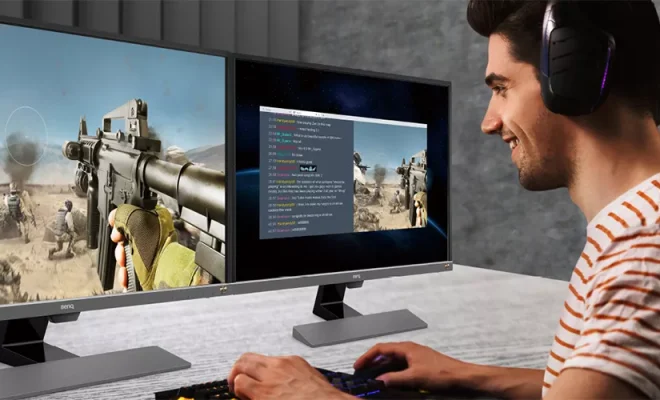
Dual-monitor setups have become increasingly popular in recent years, as they offer a wealth of benefits to users. With two screens, you can easily multitask, work on two applications at once, and improve your productivity.

However, managing two screens can be tricky, especially if you’re not using the right tools. Thankfully, there are several great dual-monitor management apps for Windows 10 that can help you get the most out of your setup. In this article, we’ll take a look at some of the best options available.

1. DisplayFusion

DisplayFusion is one of the most comprehensive dual-monitor management apps available for Windows 10. It allows you to customize your wallpapers, set up multi-monitor taskbars, and create custom hotkeys for different actions.

The app also offers window management features, such as the ability to move windows between screens, snap windows to the sides of the screen, and resize windows automatically. You can even configure different profiles for each monitor setup, so you can quickly switch between setups depending on your needs.

DisplayFusion also supports remote control and offers a range of other customization options, making it a great choice for power users.

2. Actual Multiple Monitors

Actual Multiple Monitors is another high-quality dual-monitor management app for Windows 10. It offers many of the same features as DisplayFusion, such as customizable wallpapers and multi-monitor taskbars.

However, Actual Multiple Monitors is particularly strong when it comes to window management features. You can quickly move windows between screens, snap windows to specific locations, and even create rules that dictate how windows are placed.

One of the unique features of Actual Multiple Monitors is the ability to create virtual desktops. This means you can simulate multiple monitors even if you only have two physical screens, which can be very useful for certain workflows.

3. UltraMon

UltraMon is a popular dual-monitor management app that’s been around for many years. It offers a range of features that make working with two screens much easier, such as custom wallpapers, multi-monitor taskbars, and window management tools.

One of the standout features of UltraMon is its support for different types of monitors. If you have two screens with different resolutions or refresh rates, UltraMon can help you manage them both seamlessly. This can be very useful if you’re using a laptop with an external monitor, for example.

Overall, UltraMon is a reliable and easy-to-use dual-monitor management app that’s perfect for beginners.

4. Dual Monitor Tools

If you’re looking for a free dual-monitor management app, Dual Monitor Tools is an excellent choice. It’s a collection of small utilities that can help you manage multiple monitors more effectively.

The app includes features like hotkeys for moving windows between screens, a program that lets you blank the secondary screen, and a utility that magnifies a portion of the screen. While the options are relatively simple, they’re also very effective.

Overall, Dual Monitor Tools is a great choice for users who want to enhance their dual-monitor setup but don’t want to spend money on premium software.

Conclusion

With the above options, managing dual displays on Windows 10 has never been easier. Whether you’re a power user or simply want to customize your setup, these dual-monitor management apps offer a range of features that can help you work more efficiently.

Overall, the best app for you will depend on your specific needs and preferences. We encourage you to try out a few different options to find the one that works best for your workflow.

Previous Article

Need to Fix a Blurry Image? Try ...

Next Article

The Best Android OCR Apps for Extracting ...

Matthew Lynch

Related articles More from author

  • Digital & Mobile Technology

    Choosing the Best Finishing Method for Your 3D Prints

    June 22, 2023
    By Matthew Lynch
  • Digital & Mobile Technology

    2D Games vs. 3D Games: What Are the Differences?

    June 9, 2023
    By Matthew Lynch
  • Digital & Mobile Technology

    How to Adjust the iPad’s Brightness

    July 29, 2023
    By Matthew Lynch
  • Digital & Mobile Technology

    How to Use Augmented Reality to Improve Your Fitness

    July 31, 2023
    By Matthew Lynch
  • Digital & Mobile Technology

    The Best Calisthenics Apps to Do Effective Bodyweight Strength Training

    June 5, 2023
    By Matthew Lynch
  • Digital & Mobile Technology

    How to Create Copyright and Trademark Symbols via Keystrokes

    June 22, 2023
    By Matthew Lynch

Search

Login & Registration

  • Register
  • Log in
  • Entries feed
  • Comments feed
  • WordPress.org

Newsletter

Signup for The Tech Edvocate Newsletter and have the latest in EdTech news and opinion delivered to your email address!

About Us

Since technology is not going anywhere and does more good than harm, adapting is the best course of action. That is where The Tech Edvocate comes in. We plan to cover the PreK-12 and Higher Education EdTech sectors and provide our readers with the latest news and opinion on the subject. From time to time, I will invite other voices to weigh in on important issues in EdTech. We hope to provide a well-rounded, multi-faceted look at the past, present, the future of EdTech in the US and internationally.

We started this journey back in June 2016, and we plan to continue it for many more years to come. I hope that you will join us in this discussion of the past, present and future of EdTech and lend your own insight to the issues that are discussed.

Newsletter

Signup for The Tech Edvocate Newsletter and have the latest in EdTech news and opinion delivered to your email address!

Contact Us

The Tech Edvocate
910 Goddin Street
Richmond, VA 23231
(601) 630-5238
[email protected]

Copyright © 2025 Matthew Lynch. All rights reserved.