The Tech Edvocate

Top Menu

  • Advertisement
  • Apps
  • Home Page
  • Home Page Five (No Sidebar)
  • Home Page Four
  • Home Page Three
  • Home Page Two
  • Home Tech2
  • Icons [No Sidebar]
  • Left Sidbear Page
  • Lynch Educational Consulting
  • My Account
  • My Speaking Page
  • Newsletter Sign Up Confirmation
  • Newsletter Unsubscription
  • Our Brands
  • Page Example
  • Privacy Policy
  • Protected Content
  • Register
  • Request a Product Review
  • Shop
  • Shortcodes Examples
  • Signup
  • Start Here
    • Governance
    • Careers
    • Contact Us
  • Terms and Conditions
  • The Edvocate
  • The Tech Edvocate Product Guide
  • Topics
  • Write For Us
  • Advertise

Main Menu

  • Start Here
    • Our Brands
    • Governance
      • Lynch Educational Consulting, LLC.
      • Dr. Lynch’s Personal Website
      • Careers
    • Write For Us
    • The Tech Edvocate Product Guide
    • Contact Us
    • Books
    • Edupedia
    • Post a Job
    • The Edvocate Podcast
    • Terms and Conditions
    • Privacy Policy
  • Topics
    • Assistive Technology
    • Child Development Tech
    • Early Childhood & K-12 EdTech
    • EdTech Futures
    • EdTech News
    • EdTech Policy & Reform
    • EdTech Startups & Businesses
    • Higher Education EdTech
    • Online Learning & eLearning
    • Parent & Family Tech
    • Personalized Learning
    • Product Reviews
  • Advertise
  • Tech Edvocate Awards
  • The Edvocate
  • Pedagogue
  • School Ratings

logo

The Tech Edvocate

  • Start Here
    • Our Brands
    • Governance
      • Lynch Educational Consulting, LLC.
      • Dr. Lynch’s Personal Website
        • My Speaking Page
      • Careers
    • Write For Us
    • The Tech Edvocate Product Guide
    • Contact Us
    • Books
    • Edupedia
    • Post a Job
    • The Edvocate Podcast
    • Terms and Conditions
    • Privacy Policy
  • Topics
    • Assistive Technology
    • Child Development Tech
    • Early Childhood & K-12 EdTech
    • EdTech Futures
    • EdTech News
    • EdTech Policy & Reform
    • EdTech Startups & Businesses
    • Higher Education EdTech
    • Online Learning & eLearning
    • Parent & Family Tech
    • Personalized Learning
    • Product Reviews
  • Advertise
  • Tech Edvocate Awards
  • The Edvocate
  • Pedagogue
  • School Ratings
  • BOMBSHELL: Your ‘Natural’ Weight Loss Pills Are Hiding THIS Deadly Secret

  • Critical: Your Smart Home is a Goldmine for Data Thieves – And You’re Helping Them

  • Revealed: The $8 Billion Secret Behind Controversial Flock Traffic Cameras

  • This One Thing Is Killing PlayStation Plus in September 2026

  • This Crucial AI Debate Just Got an Unprecedented Endorsement

  • The Brutal Truth: Why Public Service Loan Forgiveness Fails Most Applicants

  • Catastrophic: Why English-Only Head Start Could Devastate Young Minds

  • This Crucial AI Cybersecurity Flaw Just Got Exposed by Its Own Kind

  • This One Tax Could Fundamentally Reshape Our Future with Self-Driving Cars

  • Unprecedented Showdown: Tesla’s Cybercab Faces Make-or-Break Deadline for NHTSA Approval

Digital & Mobile Technology
Home›Digital & Mobile Technology›Quarantine, Delete, or Clean: What Should You Do About a Virus?

Quarantine, Delete, or Clean: What Should You Do About a Virus?
By Matthew Lynch
July 14, 2023
0
Spread the love

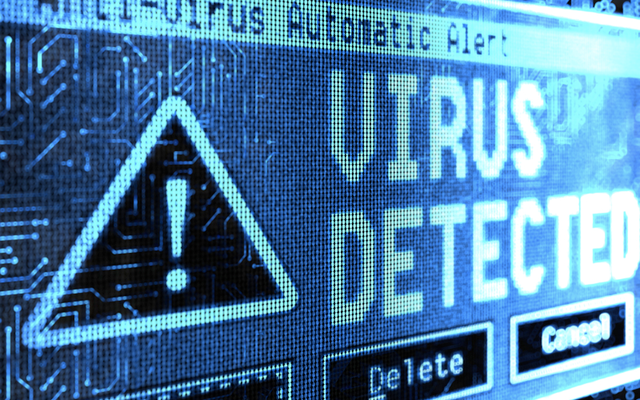
In today’s world, computers and other electronic devices are an integral part of our lives. We use them for work, entertainment, communication, and so much more. However, with the increasing use of technology comes the risk of viruses and other malware infecting our devices. When faced with a virus, it can be difficult to know what to do. Should you quarantine it, delete it, or clean it? In this article, we’ll explore each option and help you determine the best course of action.

Quarantine

Quarantining a virus means isolating it from the rest of your system to prevent it from spreading. This is a good option if you’re not sure whether the virus is harmful or not. By quarantining the virus, you can prevent it from causing further damage while you investigate and determine the best course of action.

To quarantine a virus, you can use an antivirus program to scan your system and identify any infected files. Once the infected files have been identified, the antivirus program will typically give you the option to quarantine them. This will move the infected files to a secure location where they can’t harm your system.

Delete

Deleting a virus means removing it from your system entirely. This is a good option if you know that the virus is harmful and you don’t want to take any chances. However, it’s important to note that deleting a virus can sometimes cause unintended consequences. For example, if the virus has infected a critical system file, deleting it could cause your system to malfunction.

To delete a virus, you can use an antivirus program to scan your system and identify any infected files. Once the infected files have been identified, the antivirus program will typically give you the option to delete them. It’s important to make sure that you’re only deleting infected files and not critical system files.

Clean

Cleaning a virus means removing the infected code from an otherwise healthy file. This is a good option if you want to save a file that has been infected by a virus. By cleaning the virus, you can remove the harmful code while preserving the rest of the file.

To clean a virus, you can use an antivirus program to scan your system and identify any infected files. Once the infected files have been identified, the antivirus program will typically give you the option to clean them. This will remove the infected code from the file while preserving the rest of the file.

Conclusion

When it comes to dealing with a virus, there is no one-size-fits-all solution. The best course of action will depend on the specific virus and the files that it has infected. In general, quarantining is a good option if you’re not sure whether the virus is harmful or not, deleting is a good option if you know that the virus is harmful, and cleaning is a good option if you want to save an infected file. If you’re not sure what to do, it’s always a good idea to consult with a computer expert or an antivirus company for advice.


Previous Article

The 5 Best iOS Emulators for PC

Next Article

How to Play .bin, .cue, .dat, .daa, ...

Matthew Lynch

Related articles More from author

  • Digital & Mobile Technology

    How to Fix ‘Active Directory Domain Services’ Error In Windows

    June 9, 2023
    By Matthew Lynch
  • Digital & Mobile Technology

    Cartoon Converter Sites to Turn Your Photos Into Cartoons

    June 15, 2023
    By Matthew Lynch
  • Digital & Mobile Technology

    Difference Between HDMI & USB Cables

    April 2, 2023
    By Matthew Lynch
  • Digital & Mobile Technology

    What is Business Continuity and Disaster Recovery (BCDR)?

    May 5, 2023
    By Matthew Lynch
  • Digital & Mobile Technology

    What Is an XAML File?

    June 15, 2023
    By Matthew Lynch
  • Digital & Mobile Technology

    How to Interpolate in Excel

    September 8, 2023
    By Matthew Lynch

Search

Login & Registration

  • Log in
  • Entries feed
  • Comments feed
  • WordPress.org

Newsletter

Signup for The Tech Edvocate Newsletter and have the latest in EdTech news and opinion delivered to your email address!

About Us

Since technology is not going anywhere and does more good than harm, adapting is the best course of action. That is where The Tech Edvocate comes in. We plan to cover the PreK-12 and Higher Education EdTech sectors and provide our readers with the latest news and opinion on the subject. From time to time, I will invite other voices to weigh in on important issues in EdTech. We hope to provide a well-rounded, multi-faceted look at the past, present, the future of EdTech in the US and internationally.

We started this journey back in June 2016, and we plan to continue it for many more years to come. I hope that you will join us in this discussion of the past, present and future of EdTech and lend your own insight to the issues that are discussed.

Newsletter

Signup for The Tech Edvocate Newsletter and have the latest in EdTech news and opinion delivered to your email address!

Contact Us

The Tech Edvocate
910 Goddin Street
Richmond, VA 23231
(601) 630-5238
[email protected]

Copyright © 2026 Matthew Lynch. All rights reserved.