
The Tech Edvocate

Top Menu

  • Advertisement
  • Apps
  • Home Page
  • Home Page Five (No Sidebar)
  • Home Page Four
  • Home Page Three
  • Home Page Two
  • Home Tech2
  • Icons [No Sidebar]
  • Left Sidbear Page
  • Lynch Educational Consulting
  • My Account
  • My Speaking Page
  • Newsletter Sign Up Confirmation
  • Newsletter Unsubscription
  • Our Brands
  • Page Example
  • Privacy Policy
  • Protected Content
  • Register
  • Request a Product Review
  • Shop
  • Shortcodes Examples
  • Signup
  • Start Here
    • Governance
    • Careers
    • Contact Us
  • Terms and Conditions
  • The Edvocate
  • The Tech Edvocate Product Guide
  • Topics
  • Write For Us
  • Advertise

Main Menu

  • Start Here
    • Our Brands
    • Governance
      • Lynch Educational Consulting, LLC.
      • Dr. Lynch’s Personal Website
      • Careers
    • Write For Us
    • The Tech Edvocate Product Guide
    • Contact Us
    • Books
    • Edupedia
    • Post a Job
    • The Edvocate Podcast
    • Terms and Conditions
    • Privacy Policy
  • Topics
    • Assistive Technology
    • Child Development Tech
    • Early Childhood & K-12 EdTech
    • EdTech Futures
    • EdTech News
    • EdTech Policy & Reform
    • EdTech Startups & Businesses
    • Higher Education EdTech
    • Online Learning & eLearning
    • Parent & Family Tech
    • Personalized Learning
    • Product Reviews
  • Advertise
  • Tech Edvocate Awards
  • The Edvocate
  • Pedagogue
  • School Ratings

logo

The Tech Edvocate

  • Start Here
    • Our Brands
    • Governance
      • Lynch Educational Consulting, LLC.
      • Dr. Lynch’s Personal Website
        • My Speaking Page
      • Careers
    • Write For Us
    • The Tech Edvocate Product Guide
    • Contact Us
    • Books
    • Edupedia
    • Post a Job
    • The Edvocate Podcast
    • Terms and Conditions
    • Privacy Policy
  • Topics
    • Assistive Technology
    • Child Development Tech
    • Early Childhood & K-12 EdTech
    • EdTech Futures
    • EdTech News
    • EdTech Policy & Reform
    • EdTech Startups & Businesses
    • Higher Education EdTech
    • Online Learning & eLearning
    • Parent & Family Tech
    • Personalized Learning
    • Product Reviews
  • Advertise
  • Tech Edvocate Awards
  • The Edvocate
  • Pedagogue
  • School Ratings
  • Cybersecurity vs. Green Energy: Which Path Will Make You Richer in 2026?

  • Why These 10 Renewable Energy Certifications Are Quietly Reshaping Careers by 2026

  • Why Millions Are Rushing to Online Renewable Energy Certifications Right Now

  • August AI vs. USMLE: The Unsettling Future of Medical Licensing

  • One AI’s Perfect USMLE Score Just Blew Up Medical Education As We Know It

  • This AI Just Aced the USMLE: Why Your Medical Career Might Never Be the Same

  • The Quiet Exodus: Why Senior FinTech Developers Are Abandoning Corporate Life

  • The Quiet Revolution: Where Elite FinTech Developers Are Fleeing in 2026

  • The Quiet Exodus: Why Senior FinTech Developers Are Ditching Corporate Life

  • AI Governance Software: Pricing and Features Comparison

Tech Advice
Home›Tech Advice›Overscan: You’re not seeing the whole picture on your TV

Overscan: You’re not seeing the whole picture on your TV
By Matthew Lynch
July 16, 2023
0
Spread the love

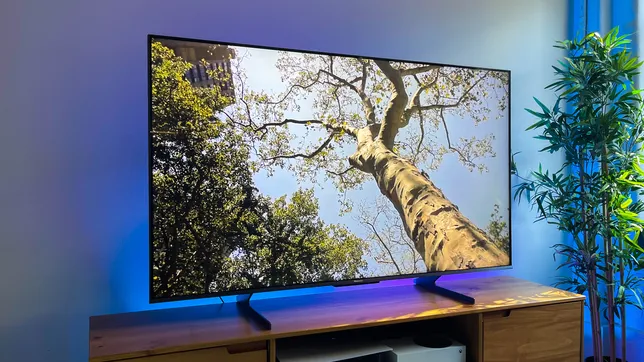
In today’s era of high-definition television, it’s all about getting the best image quality possible. But what if you’re not seeing the entire picture on your TV screen without even realizing it? The cause of this problem might be an outdated video setting called overscan that extends beyond the televised scene’s edges. In this article, we will delve deeper into what overscan is and how it affects modern TV viewing experiences.

History of Overscan

Overscan dates back to the early days of television when broadcasting technologies were less precise. During these times, CRT (cathode-ray tube) TVs often faced stability issues resulting in fluctuations around the edge of the screen. To counteract these issues and maintain a full-screen image without displaying unsightly black bands, broadcasters would employ overscan – a technique where they broadcast a slightly larger image than what was shown on the screen.

Overscan in Modern TVs

With the evolution of television technology, most digital TVs don’t face issues like older CRT TVs did. However, manufacturers continue to implement overscan in their sets but to a lesser extent. Though it may seem harmless at first, overscan can have several undesirable consequences for viewers.

Effects of Overscan on TV Viewing Experience

1. Cropping: When watching content with critical information or elements at the edge of the screen, overscan can lead to cropping and loss of essential details. This issue is particularly noticeable when using applications like photo slideshows and video games.

2. Lower image resolution: To accommodate overscan, TVs often scale images down before enlarging them again. The result is lower image quality and reduced resolution due to resizing.

3. Aspect ratio distortion: Overscanning can distort the aspect ratio of an image, creating an unnatural appearance for characters and objects on-screen.

How to Disable Overscan

Here are some simple steps to disable overscan on your TV and enjoy the full picture:

1. Look for aspect ratio or picture size settings in your TV’s menu. Different TVs use various terms for these options, such as “Screen,” “Display,” “Picture Size,” or “Aspect Ratio.”

2. Select settings that allow you to adjust the image size. You may find choices like “16:9,” “4:3,” “Zoom,” or “Wide.” Choose the one that gives you the best viewing experience without cropping or resizing the image.

3. Some TVs have dedicated overscan settings that you can enable or disable directly. Seek something similar to “overscan” in your TV’s menus, and turn it off.

4. If you struggle to find the appropriate setting in your TV’s menu, consult your TV’s user manual or browse online resources for specific instructions.

In conclusion, while overscan has been an essential part of television history, it’s not needed for modern digital TVs. By disabling overscan, you can enjoy a much better viewing experience and make sure you’re seeing everything the content creators intended for their audience. Don’t miss out on any crucial elements of your favorite shows ever again!


Previous Article

ChatGPT Is Now Available as an App ...

Next Article

Plasma burn-in explained

Matthew Lynch

Related articles More from author

  • Tech Advice

    2024 Alfa Romeo Giulia and 2024 Stelvio

    August 19, 2023
    By Matthew Lynch
  • Tech Advice

    Best 3D Printing Filament in 2023: PLA, ABS, PETG and more

    July 13, 2023
    By Matthew Lynch
  • Tech Advice

    Should You Pay Someone to Help You Stretch? My Experience

    July 7, 2023
    By Matthew Lynch
  • Tech Advice

    How to Invest in the S&P 500: A Beginner’s Guide

    August 11, 2023
    By Matthew Lynch
  • Tech Advice

    2024 Toyota Tacoma TRD Pro Teased with Hybrid Powertrain

    August 11, 2023
    By Matthew Lynch
  • Tech Advice

    What Is USB4? How the New Interface Boosts Speeds, Supports Screens, and More

    July 22, 2023
    By Matthew Lynch

Search

Login & Registration

  • Log in
  • Entries feed
  • Comments feed
  • WordPress.org

Newsletter

Signup for The Tech Edvocate Newsletter and have the latest in EdTech news and opinion delivered to your email address!

About Us

Since technology is not going anywhere and does more good than harm, adapting is the best course of action. That is where The Tech Edvocate comes in. We plan to cover the PreK-12 and Higher Education EdTech sectors and provide our readers with the latest news and opinion on the subject. From time to time, I will invite other voices to weigh in on important issues in EdTech. We hope to provide a well-rounded, multi-faceted look at the past, present, the future of EdTech in the US and internationally.

We started this journey back in June 2016, and we plan to continue it for many more years to come. I hope that you will join us in this discussion of the past, present and future of EdTech and lend your own insight to the issues that are discussed.

Newsletter

Signup for The Tech Edvocate Newsletter and have the latest in EdTech news and opinion delivered to your email address!

Contact Us

The Tech Edvocate
910 Goddin Street
Richmond, VA 23231
(601) 630-5238
[email protected]

Copyright © 2026 Matthew Lynch. All rights reserved.