The Tech Edvocate

Top Menu

  • Advertisement
  • Apps
  • Home Page
  • Home Page Five (No Sidebar)
  • Home Page Four
  • Home Page Three
  • Home Page Two
  • Home Tech2
  • Icons [No Sidebar]
  • Left Sidbear Page
  • Lynch Educational Consulting
  • My Account
  • My Speaking Page
  • Newsletter Sign Up Confirmation
  • Newsletter Unsubscription
  • Our Brands
  • Page Example
  • Privacy Policy
  • Protected Content
  • Register
  • Request a Product Review
  • Shop
  • Shortcodes Examples
  • Signup
  • Start Here
    • Governance
    • Careers
    • Contact Us
  • Terms and Conditions
  • The Edvocate
  • The Tech Edvocate Product Guide
  • Topics
  • Write For Us
  • Advertise

Main Menu

  • Start Here
    • Our Brands
    • Governance
      • Lynch Educational Consulting, LLC.
      • Dr. Lynch’s Personal Website
      • Careers
    • Write For Us
    • The Tech Edvocate Product Guide
    • Contact Us
    • Books
    • Edupedia
    • Post a Job
    • The Edvocate Podcast
    • Terms and Conditions
    • Privacy Policy
  • Topics
    • Assistive Technology
    • Child Development Tech
    • Early Childhood & K-12 EdTech
    • EdTech Futures
    • EdTech News
    • EdTech Policy & Reform
    • EdTech Startups & Businesses
    • Higher Education EdTech
    • Online Learning & eLearning
    • Parent & Family Tech
    • Personalized Learning
    • Product Reviews
  • Advertise
  • Tech Edvocate Awards
  • The Edvocate
  • Pedagogue
  • School Ratings

logo

The Tech Edvocate

  • Start Here
    • Our Brands
    • Governance
      • Lynch Educational Consulting, LLC.
      • Dr. Lynch’s Personal Website
        • My Speaking Page
      • Careers
    • Write For Us
    • The Tech Edvocate Product Guide
    • Contact Us
    • Books
    • Edupedia
    • Post a Job
    • The Edvocate Podcast
    • Terms and Conditions
    • Privacy Policy
  • Topics
    • Assistive Technology
    • Child Development Tech
    • Early Childhood & K-12 EdTech
    • EdTech Futures
    • EdTech News
    • EdTech Policy & Reform
    • EdTech Startups & Businesses
    • Higher Education EdTech
    • Online Learning & eLearning
    • Parent & Family Tech
    • Personalized Learning
    • Product Reviews
  • Advertise
  • Tech Edvocate Awards
  • The Edvocate
  • Pedagogue
  • School Ratings
  • Mind-Blowing: These Viral Amazon Products Are NOT What You Expect

  • Bizarre: AI-Generated Fake Health Influencers Are Invading Your Feed – Here’s How to Spot Them

  • Six Startups Launch IPOs in One Day: Is This India’s Most Audacious Bet Yet?

  • The Baffling Twitter Startup Name Change: Why ‘Bluebird’ Had to Die

  • The PlayStation Trump Tariff Refunds You Won’t Get: Why Sony’s Silence Is Infuriating Gamers

  • The White House ‘Arcade’ Scandal: Why the Tetris Controversy Is Just the Beginning

  • The Billion-Dollar Battle: Seattle Times’ AI Lawsuit Could Redefine Digital Rights

  • This OpenAI Pause Reveals a Disturbing Truth About AI’s Future

  • Stunning: Feds Quietly Erase Data on Gender-Based Bullying – What It Means for Vulnerable Students

  • The Raw Truth About the Colorado Student Walkout You Haven’t Heard

Assistive Technology
Home›Assistive Technology›MBR vs. GPT: Which Should You Use for Your SSD?

MBR vs. GPT: Which Should You Use for Your SSD?
By Matthew Lynch
June 7, 2023
0
Spread the love

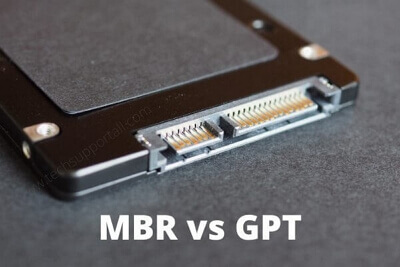
When it comes to configuring the partition scheme for a new solid-state drive (SSD), users often face a choice between the two options: Master Boot Record (MBR) and GUID Partition Table (GPT). It’s a binary choice, which complicates the decision-making process for those who are not familiar with the technical side of disk partitioning. Depending on your requirements, you may need to select one or the other for your SSD.

What is MBR?

MBR is a legacy partitioning scheme that has been in use since the days of floppy disks. The MBR layout can support up to four primary partitions, and one of them can be designated as an extended partition containing logical partitions. Therefore, MBR can accommodate up to three primary partitions (or two primary partitions and one extended partition), where you can install the operating system and other software. MBR relies on 32-bit disk addressing and can only manage disks that are up to 2 TB in size. Anything larger would require a special partitioning tool that can split the drive into smaller partitions that stay within MBR’s addressable range.

What is GPT?

GPT is a modern partitioning scheme that can support disks that are multiple terabytes in size. It uses 64-bit disk addressing, which means that it can manage large drives without encountering the limitation of MBR. GPT also supports up to 128 partitions without requiring an extended partition. Therefore, it’s more flexible than MBR when it comes to creating partitions for different purposes. GPT also stores redundant partition information at the beginning and end of the disk, allowing it to recover more quickly from any form of disk corruption.

Which one should you choose?

For most users, GPT is a better choice than MBR, especially if you install your operating system on an SSD larger than 2 TB. GPT also offers better resilience against data corruption and allows for more partitions if required. However, if you’re booting up an older system that still relies on BIOS (Basic Input Output System), rather than UEFI (Unified Extensible Firmware Interface), then you may need to use MBR. BIOS systems boot from MBR disks, while UEFI systems can boot from either MBR or GPT.


Previous Article

Fixes if Windows 10 Can’t Detect a ...

Next Article

What Is Rubber Hose Animation? How to ...

Matthew Lynch

Related articles More from author

  • Assistive Technology

    How to Chat in Google Docs

    June 10, 2023
    By Matthew Lynch
  • Assistive Technology

    How to Delete Your Instagram Account Using the iOS App

    June 6, 2023
    By Matthew Lynch
  • Assistive Technology

    How to Create a Frosted Glass Effect in Photoshop

    June 12, 2023
    By Matthew Lynch
  • Assistive Technology

    Tips and Tricks for Getting the Most Out Of Letterboxd

    June 23, 2023
    By Matthew Lynch
  • Assistive Technology

    How to Fix No Matches on Bumble

    June 10, 2023
    By Matthew Lynch
  • Assistive Technology

    How to Make a Snapchat Filter in 3 Easy Steps

    June 6, 2023
    By Matthew Lynch

Search

Login & Registration

  • Log in
  • Entries feed
  • Comments feed
  • WordPress.org

Newsletter

Signup for The Tech Edvocate Newsletter and have the latest in EdTech news and opinion delivered to your email address!

About Us

Since technology is not going anywhere and does more good than harm, adapting is the best course of action. That is where The Tech Edvocate comes in. We plan to cover the PreK-12 and Higher Education EdTech sectors and provide our readers with the latest news and opinion on the subject. From time to time, I will invite other voices to weigh in on important issues in EdTech. We hope to provide a well-rounded, multi-faceted look at the past, present, the future of EdTech in the US and internationally.

We started this journey back in June 2016, and we plan to continue it for many more years to come. I hope that you will join us in this discussion of the past, present and future of EdTech and lend your own insight to the issues that are discussed.

Newsletter

Signup for The Tech Edvocate Newsletter and have the latest in EdTech news and opinion delivered to your email address!

Contact Us

The Tech Edvocate
910 Goddin Street
Richmond, VA 23231
(601) 630-5238
[email protected]

Copyright © 2026 Matthew Lynch. All rights reserved.