The Tech Edvocate

Top Menu

  • Advertisement
  • Apps
  • Home Page
  • Home Page Five (No Sidebar)
  • Home Page Four
  • Home Page Three
  • Home Page Two
  • Home Tech2
  • Icons [No Sidebar]
  • Left Sidbear Page
  • Lynch Educational Consulting
  • My Account
  • My Speaking Page
  • Newsletter Sign Up Confirmation
  • Newsletter Unsubscription
  • Our Brands
  • Page Example
  • Privacy Policy
  • Protected Content
  • Register
  • Request a Product Review
  • Shop
  • Shortcodes Examples
  • Signup
  • Start Here
    • Governance
    • Careers
    • Contact Us
  • Terms and Conditions
  • The Edvocate
  • The Tech Edvocate Product Guide
  • Topics
  • Write For Us
  • Advertise

Main Menu

  • Start Here
    • Our Brands
    • Governance
      • Lynch Educational Consulting, LLC.
      • Dr. Lynch’s Personal Website
      • Careers
    • Write For Us
    • The Tech Edvocate Product Guide
    • Contact Us
    • Books
    • Edupedia
    • Post a Job
    • The Edvocate Podcast
    • Terms and Conditions
    • Privacy Policy
  • Topics
    • Assistive Technology
    • Child Development Tech
    • Early Childhood & K-12 EdTech
    • EdTech Futures
    • EdTech News
    • EdTech Policy & Reform
    • EdTech Startups & Businesses
    • Higher Education EdTech
    • Online Learning & eLearning
    • Parent & Family Tech
    • Personalized Learning
    • Product Reviews
  • Advertise
  • Tech Edvocate Awards
  • The Edvocate
  • Pedagogue
  • School Ratings

logo

The Tech Edvocate

  • Start Here
    • Our Brands
    • Governance
      • Lynch Educational Consulting, LLC.
      • Dr. Lynch’s Personal Website
        • My Speaking Page
      • Careers
    • Write For Us
    • The Tech Edvocate Product Guide
    • Contact Us
    • Books
    • Edupedia
    • Post a Job
    • The Edvocate Podcast
    • Terms and Conditions
    • Privacy Policy
  • Topics
    • Assistive Technology
    • Child Development Tech
    • Early Childhood & K-12 EdTech
    • EdTech Futures
    • EdTech News
    • EdTech Policy & Reform
    • EdTech Startups & Businesses
    • Higher Education EdTech
    • Online Learning & eLearning
    • Parent & Family Tech
    • Personalized Learning
    • Product Reviews
  • Advertise
  • Tech Edvocate Awards
  • The Edvocate
  • Pedagogue
  • School Ratings
  • Urgent Warning: How AI is Fueling Rampant Skincare Scams Right Now

  • Urgent: This Skincare Trend Is Exploiting Children — And It’s Spreading Fast

  • Seattle Times sues Microsoft and OpenAI, alleging they trained their AI on its journalism

  • Astonishing: Anthropic Axed $6 Billion Deal for Decart — Why?

  • Sega cancelled its “risky” Super Game project as it “would have to grow enormously to match the scale of the service” | GamesIndustry.biz

  • Devastating: Don’t Nod’s €8M Cash Crisis Threatens Studio Future

  • OpenAI Accused of Shocking Attempt to Hijack Euler Proof — The Truth Revealed

  • Meta Child Sexual Abuse Ads: A Disturbing Investigation Unveils Shocking Truths

  • Unveiling the Quiet Crisis: Why Two Mega-Districts Just Banned AI in Education

  • Unveiling the Controversial New Texas Curriculum: A Battle Over History and Identity

Digital & Mobile Technology
Home›Digital & Mobile Technology›Kindle Settings to Change to Help You Read Better at Night

Kindle Settings to Change to Help You Read Better at Night
By Matthew Lynch
June 5, 2023
0
Spread the love

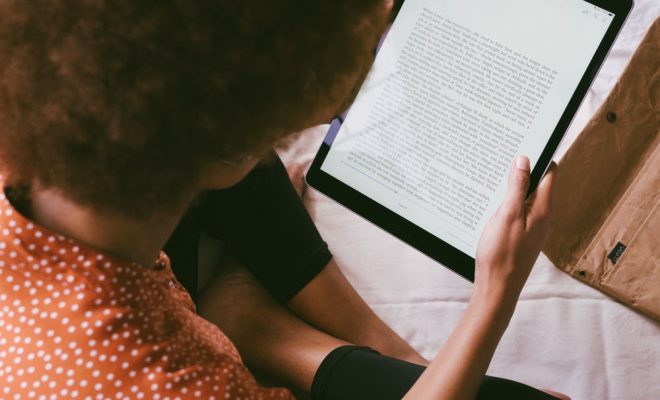
As more and more people turn to ebooks for their reading needs, it’s important to optimize the reading experience for maximum comfort and convenience. One of the most common issues that ebook readers face is reading in low-light conditions, which can strain the eyes and make it difficult to enjoy your favorite books. However, with a few simple Kindle settings adjustments, you can create an optimal reading environment that suits your preferences and helps you read better at night.

1. Adjust the Screen Brightness

The first thing you should do when reading at night is adjust your Kindle’s screen brightness. To do this, simply swipe down from the top of the screen and tap on the settings icon. From there, select “Brightness” and drag the slider to the left to decrease the brightness or to the right to increase it.

2. Enable Night Mode

Many Kindle devices also have a “Night Mode” feature that reduces the amount of blue light emitted by the screen. Blue light can interfere with your body’s production of the sleep hormone melatonin, making it harder to fall asleep and disrupting your circadian rhythm. Night Mode shifts the display to warmer colors, which can help to alleviate these issues.

To enable Night Mode, go to Settings > Display > Page refresh and turn on “Night Mode.” You can also set Night Mode to automatically activate at certain times of day or night.

3. Adjust the Font Size and Style

Another important factor to consider when reading at night is the font size and style. If the font is too small or difficult to read, it can strain your eyes and make it difficult to concentrate on the text. Conversely, if the font is too large or bold, it can be distracting and make it harder to focus on the words themselves.

To adjust the font size and style, go to Settings > Display > Font and select your preferred font size and style. You can also adjust the line spacing and margins to make the text more comfortable to read.

4. Use VoiceView

If you prefer to listen to your books rather than read them, Kindle devices also have a built-in screen reader called VoiceView. This feature can read books aloud to you and also provide spoken feedback for navigating the device’s menus and settings.

To enable VoiceView, go to Settings > Accessibility > VoiceView and turn it on. You can then use a set of swipes and gestures to navigate the device and read your books with ease.

In conclusion, optimizing your Kindle settings can go a long way in making your reading experience more comfortable and enjoyable, particularly when reading at night. Adjusting the screen brightness, enabling Night Mode, adjusting the font size and style, and using VoiceView are just a few of the many options you have at your disposal. By experimenting with these settings and finding what works best for you, you can create an ideal reading environment that allows you to lose yourself in your favorite books without compromising your eye health or sleep cycle.


Previous Article

How to Wrap Text Onto a New ...

Next Article

Slow Internet Connection on Your Mac? Fixes ...

Matthew Lynch

Related articles More from author

  • Digital & Mobile Technology

    How to Use Twitter to Search for People

    June 2, 2023
    By Matthew Lynch
  • Digital & Mobile Technology

    How to Back up Your Mac With Time Machine and SuperDuper

    June 4, 2023
    By Matthew Lynch
  • Digital & Mobile Technology

    How to Use the PS4 Web Browser

    June 2, 2023
    By Matthew Lynch
  • Digital & Mobile Technology

    How to Stream ‘Friends’ Without Cable

    May 9, 2023
    By Matthew Lynch
  • Digital & Mobile Technology

    How to Disable Windows Defender in Windows 11

    May 28, 2023
    By Matthew Lynch
  • Digital & Mobile Technology

    How Much Does It Cost to Install Solar Panels?

    June 22, 2023
    By Matthew Lynch

Search

Login & Registration

  • Log in
  • Entries feed
  • Comments feed
  • WordPress.org

Newsletter

Signup for The Tech Edvocate Newsletter and have the latest in EdTech news and opinion delivered to your email address!

About Us

Since technology is not going anywhere and does more good than harm, adapting is the best course of action. That is where The Tech Edvocate comes in. We plan to cover the PreK-12 and Higher Education EdTech sectors and provide our readers with the latest news and opinion on the subject. From time to time, I will invite other voices to weigh in on important issues in EdTech. We hope to provide a well-rounded, multi-faceted look at the past, present, the future of EdTech in the US and internationally.

We started this journey back in June 2016, and we plan to continue it for many more years to come. I hope that you will join us in this discussion of the past, present and future of EdTech and lend your own insight to the issues that are discussed.

Newsletter

Signup for The Tech Edvocate Newsletter and have the latest in EdTech news and opinion delivered to your email address!

Contact Us

The Tech Edvocate
910 Goddin Street
Richmond, VA 23231
(601) 630-5238
[email protected]

Copyright © 2026 Matthew Lynch. All rights reserved.