The Tech Edvocate

Top Menu

  • Advertisement
  • Apps
  • Home Page
  • Home Page Five (No Sidebar)
  • Home Page Four
  • Home Page Three
  • Home Page Two
  • Home Tech2
  • Icons [No Sidebar]
  • Left Sidbear Page
  • Lynch Educational Consulting
  • My Account
  • My Speaking Page
  • Newsletter Sign Up Confirmation
  • Newsletter Unsubscription
  • Our Brands
  • Page Example
  • Privacy Policy
  • Protected Content
  • Register
  • Request a Product Review
  • Shop
  • Shortcodes Examples
  • Signup
  • Start Here
    • Governance
    • Careers
    • Contact Us
  • Terms and Conditions
  • The Edvocate
  • The Tech Edvocate Product Guide
  • Topics
  • Write For Us
  • Advertise

Main Menu

  • Start Here
    • Our Brands
    • Governance
      • Lynch Educational Consulting, LLC.
      • Dr. Lynch’s Personal Website
      • Careers
    • Write For Us
    • The Tech Edvocate Product Guide
    • Contact Us
    • Books
    • Edupedia
    • Post a Job
    • The Edvocate Podcast
    • Terms and Conditions
    • Privacy Policy
  • Topics
    • Assistive Technology
    • Child Development Tech
    • Early Childhood & K-12 EdTech
    • EdTech Futures
    • EdTech News
    • EdTech Policy & Reform
    • EdTech Startups & Businesses
    • Higher Education EdTech
    • Online Learning & eLearning
    • Parent & Family Tech
    • Personalized Learning
    • Product Reviews
  • Advertise
  • Tech Edvocate Awards
  • The Edvocate
  • Pedagogue
  • School Ratings

logo

The Tech Edvocate

  • Start Here
    • Our Brands
    • Governance
      • Lynch Educational Consulting, LLC.
      • Dr. Lynch’s Personal Website
        • My Speaking Page
      • Careers
    • Write For Us
    • The Tech Edvocate Product Guide
    • Contact Us
    • Books
    • Edupedia
    • Post a Job
    • The Edvocate Podcast
    • Terms and Conditions
    • Privacy Policy
  • Topics
    • Assistive Technology
    • Child Development Tech
    • Early Childhood & K-12 EdTech
    • EdTech Futures
    • EdTech News
    • EdTech Policy & Reform
    • EdTech Startups & Businesses
    • Higher Education EdTech
    • Online Learning & eLearning
    • Parent & Family Tech
    • Personalized Learning
    • Product Reviews
  • Advertise
  • Tech Edvocate Awards
  • The Edvocate
  • Pedagogue
  • School Ratings
  • A Visitors Guide to Corpus Christi (TX), United States

  • Best GetYourGuide tours in Paris

  • Does Viator offer group discounts?

  • Hotels.com vs Airbnb features

  • What is Regus Business Lounge?

  • What is Couchsurfing verification?

  • How to use Viator gift cards?

  • Klook payment methods accepted

  • Best Notion templates for teams

  • WeWork vs traditional office cost

Assistive Technology
Home›Assistive Technology›How to Write an Email to Negotiate a Higher Salary (With Templates)

How to Write an Email to Negotiate a Higher Salary (With Templates)
By Matthew Lynch
June 23, 2023
0
Spread the love

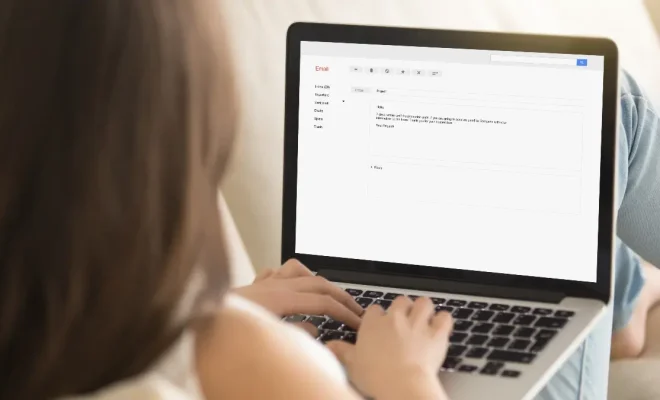
Asking for a raise or negotiating a higher salary can be daunting. However, it is an essential part of career growth and ensuring that you are paid fairly for your work. The best way to do this is by sending a well-crafted email to your supervisor or HR representative outlining the reasons for your request.

In this article, we will guide you through the steps of writing a professional email to negotiate a higher salary, including a template that you can use as a starting point.

  1. Do your research

Before sending out the email, you need to research the current salary range for your position and experience level in your industry and location. This information can be found using websites like glassdoor.com or Payscale.com. Having a clear understanding of your market value will give you confidence and clarity in your negotiation.

  1. Highlight your contributions

Your email should focus on the value you bring to the company and how your contributions have improved the organization’s bottom line. Highlight specific projects you have worked on and the impact they have had, and provide data and statistics that demonstrate your performance.

  1. Explain your rationale

Explain why you are requesting a salary increase and why you believe it is justified. This can include factors such as your increased workload, the market rate for your position, or the level of responsibility you have taken on. Be clear and concise in your explanation and provide supporting evidence.

  1. Be realistic

Be realistic with your salary expectations and make sure they are commensurate with your position, experience level, and industry standards. It is helpful to provide a salary range instead of a specific number to allow for negotiation.

  1. Use a professional tone

Your tone should be professional and respectful. Avoid being combative or making demands. Instead, approach the negotiation as a conversation and provide reasons for why you deserve a salary increase.

Template for negotiating a higher salary:

Dear [Manager’s Name],

I hope this email finds you well. I wanted to touch base with you regarding my current compensation package. Since joining [Company Name], I have seen significant growth in my role, and my contributions have helped [Company Name] achieve its goals.

I have researched the market rates for my position and experience level in this industry and location and have found that my current salary is below the industry average. As such, I am respectfully requesting a salary increase.

Based on my contributions, I believe that a salary increase of [insert salary increase request or range] would be a fair reflection of my skill and experience level. However, I am open to discussing the specifics and negotiating the terms of this increase.

I am committed to [Company Name], and I believe this increase in salary will allow me to continue to perform to the best of my abilities, provide additional support to the organization, and help achieve its goals.

Thank you for your time and consideration. I look forward to discussing this further with you.

Best regards,

[Your Name]

Previous Article

All the U.S. Phone Companies That Offer ...

Next Article

How to Create a Timeline in Google ...

Matthew Lynch

Related articles More from author

  • Assistive Technology

    How to Cut, Copy, and Paste Text on the iPad

    June 12, 2023
    By Matthew Lynch
  • Assistive Technology

    How to Combine Two or More Gmail Accounts

    June 10, 2023
    By Matthew Lynch
  • Assistive Technology

    How to Update Your Android OS

    June 8, 2023
    By Matthew Lynch
  • Assistive Technology

    How to Check iCloud Email From Anywhere

    June 8, 2023
    By Matthew Lynch
  • Assistive Technology

    How to Hard Refresh Your Browser

    June 15, 2023
    By Matthew Lynch
  • Assistive Technology

    How to Record Audio or Voice on Chromebook

    June 14, 2023
    By Matthew Lynch

Search

Login & Registration

  • Log in
  • Entries feed
  • Comments feed
  • WordPress.org

Newsletter

Signup for The Tech Edvocate Newsletter and have the latest in EdTech news and opinion delivered to your email address!

About Us

Since technology is not going anywhere and does more good than harm, adapting is the best course of action. That is where The Tech Edvocate comes in. We plan to cover the PreK-12 and Higher Education EdTech sectors and provide our readers with the latest news and opinion on the subject. From time to time, I will invite other voices to weigh in on important issues in EdTech. We hope to provide a well-rounded, multi-faceted look at the past, present, the future of EdTech in the US and internationally.

We started this journey back in June 2016, and we plan to continue it for many more years to come. I hope that you will join us in this discussion of the past, present and future of EdTech and lend your own insight to the issues that are discussed.

Newsletter

Signup for The Tech Edvocate Newsletter and have the latest in EdTech news and opinion delivered to your email address!

Contact Us

The Tech Edvocate
910 Goddin Street
Richmond, VA 23231
(601) 630-5238
[email protected]

Copyright © 2026 Matthew Lynch. All rights reserved.