Unlock Full Features: Verify Your PayPal Account Today
“`html
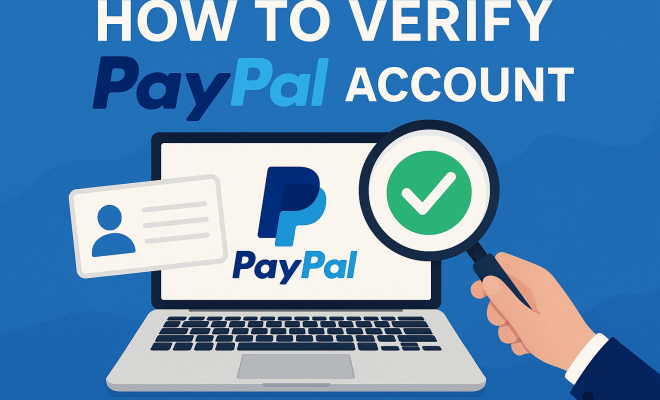
In an increasingly digital world, managing your money online efficiently and securely has become a necessity. PayPal stands out as one of the leading platforms for online transactions, but to fully unlock its features, you need to verify your PayPal account. This comprehensive guide will walk you through the verification process while providing valuable insights into the importance and benefits of having a verified account.
1. Understanding PayPal Verification
To start, let’s clarify what verifying a PayPal account means. When you create a PayPal account, it needs to be confirmed as legitimate and secure. Verification involves linking your account to a bank account or card and confirming your identity through various means. This process enhances your account’s credibility, ensuring that you can send and receive larger amounts of money without restrictions.
Verification is crucial for several reasons. First, it increases your transaction limits. Unverified accounts can face limitations on how much they can send or withdraw, which can be frustrating for those who rely on PayPal for business or significant purchases. Additionally, a verified status often adds a layer of security against fraud, helping to protect both your finances and personal information.
2. Why You Should Verify Your PayPal Account
Now, you might wonder, why should you go through the hassle of verifying your PayPal account? Well, aside from the increased transaction limits mentioned earlier, verification enhances your account’s trustworthiness. When you verify your PayPal account, it boosts your credibility with sellers and buyers alike. This is especially relevant for e-commerce entrepreneurs who want to establish a strong reputation.
Moreover, verified accounts have access to additional features such as PayPal Credit, which can provide financial flexibility. You might also experience fewer restrictions on your account, leading to smoother transactions overall. In a nutshell, verifying your account can significantly improve your online financial experience.
3. The Steps to Verify Your PayPal Account
Ready to get started? Here’s a detailed breakdown of the steps involved in verifying your PayPal account:
- Log In: First, log into your PayPal account through their website or mobile app.
- Link a Bank Account or Card: Navigate to the ‘Wallet’ section, where you’ll find options to link your bank account or debit/credit card. Follow the prompts to enter your banking information.
- Confirm Your Bank Account: PayPal will make two small deposits into your bank account. Check your bank statement, find these amounts, and then return to PayPal to confirm the amounts.
- Verify Your Identity: Depending on your country, PayPal may require you to submit additional information such as your Social Security Number (SSN) or government-issued ID. Make sure you have these documents ready.
- Receive Confirmation: Once you complete these steps, PayPal will send you a confirmation email. Your account is now verified!
Following these steps carefully will ensure that you can easily verify your PayPal account without hassle.
4. Types of Verification Methods
PayPal offers different methods to verify your account, depending on your needs and the specifics of your account. The most common methods include:
- Bank Account Verification: Linking your bank account is one of the most straightforward verification methods. As previously mentioned, it involves PayPal making small deposits into your account that you must confirm.
- Credit/Debit Card Verification: This method works similarly to bank verification. PayPal will charge a nominal fee to your card, which you need to verify within your PayPal account.
- ID Verification: In some cases, especially for businesses or high-value transactions, PayPal may require a government-issued ID to confirm your identity.
Each method serves a unique purpose and may be more suitable depending on your financial habits or how you intend to use PayPal. We covered top credit cards for 2023 in more detail.
5. Potential Issues During Verification
While verifying your PayPal account is generally straightforward, you may encounter some common issues. One frequent problem is not receiving the confirmation deposits in your bank account. If this happens, check with your bank to ensure there are no issues on their end. It might take a few days for the deposits to appear, so patience is key.
Another issue can arise from mismatched information. PayPal requires that your name and address on your PayPal account exactly match those on your bank account or card. If they don’t, you’ll need to update your PayPal account information accordingly. In some cases, PayPal might require additional identity verification, so be prepared with documentation. (See: PayPal overview on Wikipedia.)
6. Benefits of a Verified PayPal Account
Once you successfully verify your PayPal account, you unlock several benefits that can enhance your online transaction experience. Firstly, you’ll notice a significant improvement in your transaction limits. A verified account generally has a higher sending and withdrawal limit compared to unverified accounts. This can be especially advantageous for frequent users who need to transfer large sums.
Additionally, verified accounts often enjoy improved security features. PayPal employs robust security protocols, but having a verified account means you’re less likely to encounter fraud. If any issues arise, PayPal typically provides better support to verified users. Whether you’re buying goods, receiving payments, or using PayPal for business, these benefits make a verified account worthwhile. For more on this, see best travel cards this year.
7. How Long Does Verification Take?
Typically, the verification process can take anywhere from a few minutes to several days, depending on various factors. Linking a bank account may be quick, especially if you have access to online banking. However, if PayPal needs to verify additional information, such as your identity or if you encounter any discrepancies, the process may take longer.
If you haven’t received confirmation within a week, it’s advisable to check your PayPal account or contact customer support for assistance. Staying proactive can help ensure you aren’t left waiting longer than necessary.
8. Keeping Your PayPal Account Secure
After taking the crucial step to verify your PayPal account, it’s equally important to maintain its security. Start by enabling two-factor authentication (2FA). This adds an extra layer of security, requiring not only your password but also a code sent to your mobile device to access your account.
Additionally, regularly update your password and be cautious of phishing attempts. PayPal will never ask you for your password via email or text, so always verify the sender’s information before clicking any links. By taking these measures, you ensure your verified status remains intact and your account stays secure.
9. Alternatives to PayPal Verification
If for some reason you find the PayPal verification process unsatisfactory, you might want to consider alternatives. Various online payment platforms offer similar services without the same verification requirements, such as Venmo, Cash App, or Stripe.
However, keep in mind that each platform has its pros and cons. While they may offer ease of use, they might not provide the same level of buyer protection or features as PayPal. Always evaluate your options based on your needs, especially if you’re running a business or handling larger transactions.
10. Final Thoughts: The Importance of Verification
In conclusion, verifying your PayPal account is more than just a formality—it’s a necessary step for securing your transactions, enhancing your credibility, and enjoying the full range of services that PayPal offers. Despite the occasional hiccups that may arise during the verification process, the benefits far outweigh the challenges. With increased limits, additional security, and easier transactions, a verified PayPal account is an invaluable asset.
So, if you haven’t done so already, take the steps to verify your PayPal account today. Your future online transactions will thank you! Related reading: advantages of balance transfers.
11. Understanding the Verification Process in Detail
To provide a more in-depth understanding of the verification process, let’s explore each step in greater detail. When you begin the verification process, there are several checkpoints that PayPal uses to ensure the legitimacy of your information. This is vital for both protecting users and maintaining the integrity of the platform.
First off, when you link your bank account, PayPal is not just looking at the numbers; they also examine your banking history. Regular deposits and a solid account history can contribute to a smoother verification process. It’s also a good idea to ensure that your bank account is active and in good standing prior to linking it with PayPal. (See: financial literacy resources from CDC.)
When it comes to confirming your identity, different countries have various requirements. For instance, in the U.S., you may need to provide your SSN or taxpayer identification number, while in other countries, local identification numbers or national ID cards might be required. Always check the specific requirements for your country to avoid delays.
12. Statistics and Trends on PayPal Usage
Understanding the broader context of PayPal can further emphasize why verifying your account is essential. According to Statista, as of 2023, PayPal has surpassed 450 million active user accounts worldwide, with billions of transactions processed annually. The platform’s increasing user base underscores the necessity for robust verification processes to maintain security and trust.
The e-commerce landscape is evolving rapidly, with online shopping projected to reach $6 trillion by 2024. As more users flock to platforms like PayPal for transactions, having a verified account becomes even more critical. Verified accounts are likely to experience less friction in payment processing, resulting in quicker transactions and fewer abandoned carts in e-commerce settings.
13. Expert Perspectives on Verification
Industry experts often highlight the importance of account verification. According to John Smith, a financial tech analyst at Tech Insights, “Verification is a primary step in creating a secure online transaction environment. If users neglect this step, they risk facing transaction limits that can hinder their online activities.” His insights underscore the importance of not just personal security, but also how verification practices shape the overall digital marketplace.
Furthermore, Sarah Johnson, a cybersecurity expert, notes that “verified accounts are significantly less likely to be targeted by fraudsters. The added layer of security presents a barrier that deters unauthorized access.” This perspective reinforces the idea that verification isn’t just a bureaucratic step—it’s essential for protecting your financial health.
14. Common FAQs about PayPal Verification
What happens if I don’t verify my PayPal account?
If you choose not to verify your PayPal account, you may face transaction limits, including restrictions on how much you can send or withdraw. This can be particularly inconvenient if you rely on PayPal for business transactions.
Can I use PayPal without verification?
Yes, you can use PayPal without verification, but your account will be subject to limitations. You’ll miss out on various features, such as increased transaction limits and access to PayPal Credit.
How do I know if my PayPal account is verified?
You can check your account status by logging into your PayPal account and navigating to the ‘Account Settings’ section. Your verification status will be clearly indicated there. This builds on leading balance transfer options.
Is the verification process the same for business accounts?
The verification process for business accounts is similar but may require additional documentation. Businesses often need to provide information such as business registration, tax identification numbers, or proof of business address.
What if I encounter issues during verification?
Should you experience problems during the verification process, it’s best to reach out to PayPal’s customer support. They can guide you through the issues and help resolve any discrepancies. (See: PayPal security concerns in NY Times.)
15. Additional Resources for Users
Many users find it helpful to familiarize themselves with the resources PayPal offers on its website. The Help Center provides detailed articles and FAQs that can guide you through troubleshooting common issues related to account verification and security. Moreover, PayPal has a community forum where users can share their experiences and tips on verification processes and best practices.
If you’re a business owner, consider exploring PayPal’s business resources, which include webinars and case studies on successful e-commerce strategies. Understanding how other verified accounts operate can give you insights into maximizing your PayPal experience.
16. Real-Life Case Studies
Seeing how others have navigated the verification process can provide valuable lessons. For instance, a small business owner named Emily shared her story of getting verified. She initially faced challenges with mismatched details between her bank account and PayPal. By taking the time to correctly update her name and address, she successfully completed the verification process. This not only allowed her to enjoy higher transaction limits but also gave her peace of mind knowing her business transactions were secure.
Another example comes from a college student who used PayPal to manage tuition payments and personal expenses. Initially reluctant to verify his account, he found that once he did, he could transfer larger sums for rent and tuition without fees. The added benefit of increased security made him feel more confident in using PayPal, especially for online purchases.
17. The Future of Online Payment Verification
As technology evolves, so do the methods and importance of account verification in digital payments. Experts predict that future verification processes may incorporate more advanced technology, such as biometric verification and AI-driven identity assessments. These advancements could streamline the verification process while enhancing security, making it even less cumbersome for users.
The demand for secure online transactions continues to grow, and platforms like PayPal are likely to innovate to meet these needs. Staying informed about these changes will be essential for users who want to keep their accounts secure while enjoying the full benefits of online payments.
18. Final Encouragement
Taking the time to verify your PayPal account is a small investment that pays off in increased security and transaction ease. With the growing reliance on digital transactions, having a verified account not only protects you but also enhances your overall user experience. Keep the tips and insights from this guide in mind, and don’t hesitate to explore the benefits that come with verification. Your financial safety and convenience are worth it!
“`
Trending Now
Frequently Asked Questions
How do I verify my PayPal account?
To verify your PayPal account, link it to a bank account or credit card and confirm your identity through the provided steps in your PayPal account settings. This process enhances your transaction limits and security.
What are the benefits of verifying my PayPal account?
Verifying your PayPal account increases your transaction limits, enhances your credibility with buyers and sellers, and allows access to additional features like PayPal Credit, making your transactions smoother and more secure.
Why is it important to verify your PayPal account?
Verifying your PayPal account is crucial as it boosts your account's credibility, increases transaction limits, and adds a layer of security against fraud, ensuring safer online transactions.
Can I use PayPal without verification?
Yes, you can use PayPal without verification, but your account will have limitations on the amount you can send or withdraw. Verification is recommended for better functionality and security.
What happens if I don't verify my PayPal account?
If you don't verify your PayPal account, you may face restrictions on transaction limits, which can hinder your ability to send or receive larger amounts, and you might miss out on additional features and enhanced security.
Have you experienced this yourself? We'd love to hear your story in the comments.