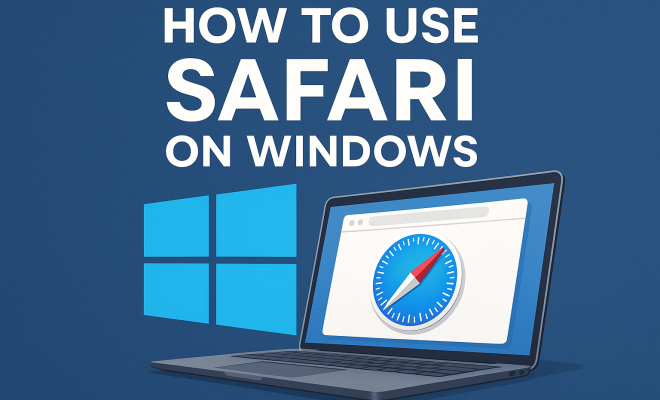
Safari on Windows: A Look Back at Apple’s Browser
“`html
If you’ve ever wondered whether you could experience the smooth browsing of Safari for Windows, you’re not alone. Despite its roots as the default browser for Apple devices, Safari once had a version available for Windows users. This article dives deep into the history, functionalities, and current status of Safari for Windows, along with practical tips for anyone looking to use this browser outside of the Apple ecosystem.
1. A Brief History of Safari for Windows
Safari was initially launched by Apple in 2003, primarily for its macOS operating system. However, in 2007, Apple released a version of Safari for Windows, marking an intention to make its web browser accessible to a broader audience. This version was part of Apple’s push to enhance its ecosystem and attract users to its services.
Over the next few years, Safari for Windows garnered attention for its speed and user-friendly interface. It included features like tabbed browsing and an integrated search bar, which were innovative at the time. However, as the Windows operating system evolved and new browsers entered the market, Apple discontinued Safari for Windows in 2012. As of today, the last version available was Safari 5.1.7, which is outdated and no longer receives support.
2. Why Did Apple Abandon Safari for Windows?
The decision to cease the development of Safari for Windows can be attributed to several factors. Primarily, Apple shifted its focus towards strengthening its ecosystem, which included a broader range of apps and services exclusive to macOS and iOS users. Additionally, as Chrome and Firefox gained traction in the browser market, the need for Safari on Windows diminished.
This abandonment left many users wondering about their options. While some still look for ways to download Safari for Windows, they often encounter difficulties due to its outdated nature and lack of security updates. For most Windows users today, there are other browsers that offer more robust and secure experiences.
3. Alternatives to Safari for Windows
If you were hoping to use Safari for Windows, you might want to consider several alternatives that provide robust functionality and security. Browsers like Google Chrome, Mozilla Firefox, and Microsoft Edge are all excellent choices and continue to receive regular updates to ensure security and performance.
- Google Chrome: Known for its speed and extensive library of extensions, Chrome is widely regarded as one of the best browsers available.
- Mozilla Firefox: With a strong focus on privacy and customization, Firefox is a great alternative for users who prioritize security.
- Microsoft Edge: The built-in browser for Windows, Edge offers great integration with the Windows OS and has improved significantly in terms of speed and user experience.
Each of these browsers has its own set of features that may appeal to users who once favored Safari, and they all come with the benefit of ongoing support and updates.
4. Using Safari on Other Platforms
While Safari for Windows is no longer available, you can still enjoy Safari on Apple’s devices. Safari comes pre-installed on macOS and iOS devices, providing seamless integration with the ecosystem. Users on these platforms benefit from features such as iCloud syncing, Handoff (which allows you to continue browsing from one device to another), and a host of privacy features that have become a hallmark of Apple’s brand.
If you’re looking to use Safari away from an Apple device, consider using a virtual machine or software that allows you to run macOS on your Windows PC. This approach can be complicated and may involve legal gray areas regarding Apple’s software licensing, but it remains an option for those set on using Safari.
5. Key Features of Safari You Might Miss
Despite being outdated, Safari offered several features that users enjoyed. Understanding these can help users appreciate what made Safari appealing and may guide them in finding similar features in alternative browsers.
- Reader Mode: This feature stripped away ads and distractions, providing a clean reading interface for articles and blogs.
- Intelligent Tracking Prevention: Safari was one of the pioneers in incorporating privacy features that limit website tracking.
- Integrated Search: Safari’s address bar served as both a URL entry point and a search bar, which streamlined the browsing experience.
While many of these features exist in modern browsers, knowing their origins can help users appreciate the innovations that have shaped current web browsing experiences. (See: Wikipedia article on Safari browser.)
6. How to Access Safari on a Windows Computer Today
For those determined to access Safari on their Windows machines, there are limited options available. The most straightforward way is through a virtual machine that runs macOS. This will allow you to download and run the latest version of Safari. However, setting up a virtual machine requires technical knowledge and powerful hardware.
Alternatively, consider using online services that emulate macOS environments, although they often come with performance limitations and may not fully replicate Safari’s capabilities. It’s crucial to ensure that any service you use is legitimate to avoid malware or security issues.
7. The Importance of Keeping Browsers Updated
With cybersecurity threats on the rise, keeping your web browser updated is more important than ever. Using an outdated browser like Safari for Windows can expose you to vulnerabilities. Major browsers frequently release updates that patch security flaws and enhance performance.
Therefore, even if you love what Safari had to offer, moving to a currently supported browser is highly advisable. Look for a browser that aligns with your needs in terms of features, user experience, and security protocols. For example, many users value browsers that offer robust privacy protections or seamless integration with their operating systems.
8. Final Thoughts on Safari for Windows
While Safari for Windows may have had its day, the reality is that its discontinuation has pushed users towards more secure and feature-rich alternatives. Even if you’re nostalgic for the browser that once captured a part of the Windows market, it’s essential to embrace the advancements in browser technology that have developed since.
In a constantly evolving digital landscape, the key is to find a browser that not only meets your needs but also offers ongoing updates and support. Whether you lean towards Chrome, Firefox, or Edge, the right choice can significantly enhance your browsing experience.
9. Resources for Further Exploration
If you’re interested in learning more about web browsing technology, consider exploring resources that provide insights into browser performance, security features, and privacy concerns. Websites like TechCrunch, Ars Technica, and CNET often feature articles that dissect the latest trends in technology, including browsers.
Additionally, forums such as Reddit and Stack Overflow can be useful for gathering community insights and recommendations on browsers and related tools. Engaging with fellow tech enthusiasts can lead to valuable discoveries about how to optimize your browsing experience.
10. Understanding Browser Market Trends
The browser market is a dynamic landscape that changes rapidly. As of late 2023, Google Chrome continues to dominate with over 65% of global market share, followed by Safari, which holds around 19%, and Firefox, which has approximately 3%. The rise of privacy-focused browsing options has introduced newer competitors like Brave, which focuses on user privacy and ad-blocking, appealing to those disillusioned by traditional browsers.
Understanding these trends can help users make informed choices about which browser aligns with their values. For instance, if privacy is a significant concern, opting for a browser that prioritizes user data protection might be worthwhile. Statistics indicate that privacy-focused browsers are gaining traction, with Brave’s user base increasing by 20% over the past year. These shifts can inform your decision if you’re choosing a new browser after Safari.
11. Expert Perspectives on the Future of Browsers
Industry experts predict that the future of web browsers will be heavily influenced by advancements in AI and machine learning. For example, browsers may begin incorporating more intelligent features that enhance user experience, such as improved predictive typing in search bars, automatic organization of bookmarks based on usage patterns, and smarter tab management.
Security will also continue to be a top priority. Experts stress the importance of ongoing efforts to combat phishing attacks and cybersecurity threats. Browsers are likely to integrate better mechanisms for identifying and alerting users to potentially harmful sites. According to a recent report from Cybersecurity Ventures, the global cost of cybercrime is expected to reach 10.5 trillion USD annually by 2025, which underscores the critical role of browsers in user safety.
12. Common Myths About Browsers
When it comes to web browsers, several myths persist that can lead to confusion among users. Understanding these misconceptions can help in making informed choices:
- All Browsers Are Equal: While all browsers allow you to access the web, they differ in terms of features, speed, and security. Choosing a browser that matches your needs can enhance your overall browsing experience.
- Incognito Mode Makes You Anonymous: While incognito mode prevents your browsing history from being saved on your device, it doesn’t hide your activity from websites or your ISP. True anonymity requires additional privacy tools.
- Browser Extensions Are Always Safe: Not all extensions are created equal. Some may contain malware or compromise your security. It’s vital to only install extensions from reputable sources and to regularly audit your installed extensions.
13. FAQ About Safari for Windows
Can I still download Safari for Windows?
Officially, Apple no longer provides support or downloads for Safari for Windows. Attempting to find older versions can expose your system to security risks, so it’s generally not recommended.
Is there a way to run Safari on Windows legally?
While running a virtual machine with macOS is one way to legally access Safari on Windows, it requires a valid copy of macOS and quite a bit of technical setup. Be sure to comply with Apple’s licensing agreements.
What are the security risks of using outdated browsers?
Using outdated browsers like Safari for Windows can leave you vulnerable to security threats such as malware, phishing attacks, and data breaches since they do not receive security updates to patch known vulnerabilities.
Are there any other browsers that mimic Safari’s interface?
While no browser perfectly mimics Safari’s design, browsers like Opera provide customizable user interfaces that can somewhat resemble Safari’s layout while offering advanced features and security options.
What’s the best browser for privacy?
If privacy is your main concern, you might want to explore browsers like Brave or Firefox. Both offer strong privacy features, including ad-blocking and tracking protection.
Can I sync bookmarks and history from Safari to other browsers?
While it’s not straightforward, some tools and extensions can help you import bookmarks from Safari to other browsers. Many modern browsers provide importing options during the setup process.
Why do some users prefer Firefox over Chrome?
Many users prefer Firefox for its open-source nature, strong privacy policies, and customizable features. It’s a browser that responds to user feedback and prioritizes data protection.
14. The Shift Toward Mobile Browsing
As we move further into the digital age, mobile browsing has significantly outpaced desktop browsing. According to Statista, mobile devices accounted for more than 54% of global web traffic in 2023. This shift has influenced browser development, with most companies prioritizing mobile versions of their browsers. Apple’s Safari, for example, has optimized its mobile version for iOS devices, proving to be one of the fastest mobile browsers available.
For those who miss using Safari on Windows, this trend emphasizes the importance of a versatile browser that works well across devices. Browsers like Chrome offer syncing capabilities that allow you to maintain your bookmarks and history across your devices, ensuring a seamless browsing experience whether you’re on your phone or computer.
15. Performance Comparisons: Safari vs. Other Browsers
Performance remains a crucial factor when choosing a browser. Various benchmarks have shown that Safari often excels, particularly in energy efficiency, making it suitable for mobile devices. However, when comparing it to browsers like Chrome, some users report that Chrome tends to perform better in loading times and compatibility with web applications.
For instance, in a recent speed test conducted by TechRadar, Chrome was noted to outperform Safari in loading dynamic content-heavy pages. On the other hand, Safari’s efficiency on Apple devices leads to longer battery life. If you’re considering performance as a key factor, it might be worthwhile to conduct your own tests on the platforms you use most frequently.
16. Future of Browsing Technology
Looking ahead, the future of browsing technology is poised to be transformative. Proposals for new standards, like HTTP/3, are designed to make web browsing faster and more efficient. Browsers are also beginning to adopt features that enhance user experience, such as integrated VPN services, enhanced privacy features, and built-in ad blockers.
As these trends continue to develop, users should stay informed about the capabilities of their chosen browsers. The inclusion of AI-driven features, such as personalized content recommendations and voice search functionalities, is becoming more common across most major browsers. This indicates a shift towards more interactive and user-friendly experiences.
17. Discussing User Experience and Interface Design
User experience (UX) is an essential aspect that can make or break a browser’s success. Safari was known for its clean design and intuitive interface, which prioritized user accessibility. Modern browsers are adopting similar principles, focusing on minimalistic designs that reduce clutter and improve navigation.
For example, Firefox and Chrome both offer customizable interfaces, allowing users to tailor their browsing experience according to their preferences. This adaptability can significantly enhance user satisfaction, making the browsing experience more enjoyable. Take time to explore customization options in whichever browser you choose, as this can personalize your interaction with the web.
18. Community Feedback: What Users Are Saying
User feedback is a powerful tool for understanding the strengths and weaknesses of various browsers. Online forums and social media platforms are abuzz with opinions about Safari’s former glory and the current alternatives. Users often express nostalgia for Safari’s simplicity and speed, while others celebrate the robust feature sets of browsers like Chrome and Firefox.
Engaging with communities can provide helpful insights into which browser might best suit your needs. Many users share tips, tricks, and even workarounds for common issues they encounter. For instance, a popular topic in user forums is the best extensions for security or productivity, which can enhance your browsing experience, regardless of the browser you choose.
19. Exploring the Cost of Browsers
While most web browsers are free to use, the underlying technology and support that keep them running come at a cost. Companies like Google and Mozilla invest heavily in research and development to improve their browsers, which can impact how they monetize their services. Chrome, for example, is free but collects user data to serve targeted ads, while Firefox relies on donations and partnerships to sustain its operations.
Understanding how browsers are funded can provide insight into their features and privacy policies. Some users prefer open-source options like Firefox because they offer transparency regarding data use. When selecting a browser, consider what you’re comfortable with in terms of data privacy and the business model behind the browser.
“`
Trending Now
Frequently Asked Questions
Is Safari still available for Windows?
No, Safari for Windows is no longer available. Apple discontinued its development in 2012, and the last version, Safari 5.1.7, is outdated and lacks support and security updates.
Why did Apple stop supporting Safari for Windows?
Apple ceased support for Safari on Windows primarily to strengthen its ecosystem focused on macOS and iOS. Additionally, the growing popularity of competitors like Chrome and Firefox reduced the demand for Safari on Windows.
What features did Safari offer on Windows?
Safari for Windows included features like tabbed browsing, an integrated search bar, and a user-friendly interface. It was known for its speed and performance during its time.
Can I still download Safari for Windows?
While some users search for ways to download Safari for Windows, it is not recommended due to its outdated nature and lack of security updates. Most Windows users are better off using modern browsers.
What are alternatives to Safari for Windows users?
Alternatives to Safari for Windows include popular browsers like Google Chrome, Mozilla Firefox, and Microsoft Edge. These browsers offer regular updates, improved security, and a range of features suited for modern web browsing.
What did we miss? Let us know in the comments and join the conversation.