Boost Android Security: Your Guide to NordVPN
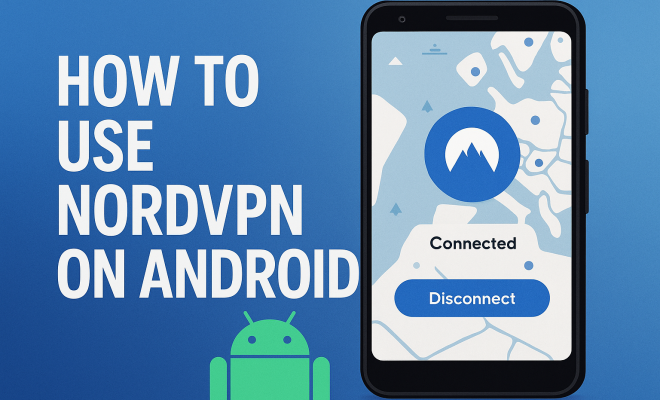
“`html
In an age where digital privacy is paramount, VPNs (Virtual Private Networks) have become essential tools for safeguarding online activity. Among the sea of VPN services, NordVPN stands out for its robust security features and user-friendly interface. If you’re an Android user looking to bolster your online protection, this guide will walk you through everything you need to know about using NordVPN on your Android device.
1. What is NordVPN?
NordVPN is a reputable VPN service known for its commitment to user privacy and security. Founded in 2012, it quickly became popular due to its strong encryption protocols, no-log policy, and extensive server network. With over 5,500 servers in 60 countries, NordVPN allows users to bypass geographical restrictions and access content worldwide.
For Android users, NordVPN offers a dedicated app that is easy to install and navigate. The app provides not only a secure internet connection but also additional features such as ad-blocking, malware protection, and a kill switch that ensures your data remains protected if the connection drops unexpectedly.
2. Why Use NordVPN on Android?
Using NordVPN on your Android device can enhance your online security significantly. With increasing concerns about data privacy, particularly in public Wi-Fi environments like cafes and airports, using a VPN can help protect sensitive information such as passwords and financial details.
NordVPN also allows you to access websites and content that may be restricted in your location. For instance, streaming platforms like Netflix often limit content based on geographical regions. By connecting to a server in a different country, you can unlock a broader range of shows and movies. This functionality enriches your streaming experience and makes your NordVPN Android subscription a valuable investment. (fixing device compatibility issues)
Additionally, NordVPN has a reputation for prioritizing user privacy without sacrificing speed. This balance is essential for Android users who want to stream, download, and browse without interruptions.
3. Installing NordVPN on Your Android Device
Getting started with NordVPN on your Android device is straightforward. Here’s how to do it:
- Step 1: Go to the Google Play Store.
- Step 2: Search for “NordVPN” and download the app.
- Step 3: Open the app and log in with your NordVPN account credentials.
- Step 4: If you don’t have an account, you can create one directly through the app.
Once installed, the app interface is intuitive, and you’ll find the server selection easy to navigate. You can choose a Quick Connect option that connects you to the fastest server available, or you can manually select a server based on your needs.
The installation process typically takes just a few minutes, making it accessible for everyone, even those who aren’t tech-savvy. Plus, the app is frequently updated for improvements and new features, ensuring users always have access to the latest security technologies.
4. Configuring NordVPN for Optimal Use
After installation, you might want to tweak some settings to optimize your NordVPN experience. Here are some configuration tips:
- Choose Your Protocol: NordVPN uses OpenVPN as the default protocol, which is secure and reliable. However, you can explore other options like IKEv2/IPsec for speed, especially if you are on a mobile network.
- Enable the Kill Switch: This feature is crucial for keeping your data safe. If your VPN connection drops, the kill switch will block all internet traffic until the VPN is re-established.
- Activate CyberSec: This feature blocks ads and protects against malware, making your browsing experience smoother and safer.
These settings can drastically enhance your online security while using NordVPN on Android. You may also explore the settings for DNS leak protection, which safeguards your data by ensuring that DNS queries are routed through the VPN tunnel, preventing third parties from tracking your browsing history.
5. Using NordVPN to Access Geo-Restricted Content
One of the significant advantages of using NordVPN on Android is the ability to bypass geo-restrictions. Many streaming services impose regional restrictions, preventing users from accessing content available in other countries. By connecting to a server in the desired region, you can unlock this content. (See: Internet safety guidelines from WHO.)
For example, if you want to access the American version of Netflix, you can connect to a server located in the United States. Once connected, you’ll find that you can stream movies and shows that are otherwise unavailable in your country. This feature not only applies to Netflix but also to platforms like Hulu, BBC iPlayer, and more.
NordVPN has specialized servers optimized for streaming, which can help you achieve the best quality and speed when accessing your favorite shows. By checking their website, you can find a list of recommended servers for different streaming services.
6. Maximizing Your Connection Speed with NordVPN
While using a VPN may slow down your internet connection due to the encryption process, there are ways to optimize your speeds. Here are some tips to help maintain a fast connection while using NordVPN on Android:
- Select the Nearest Server: Connecting to a server closer to your geographical location usually results in faster speeds. NordVPN allows you to choose from over 5,500 servers worldwide.
- Use Wired Connections When Possible: If you’re at home, using a wired Ethernet connection instead of Wi-Fi can enhance speed and stability.
- Utilize Split Tunneling: This feature allows you to choose which apps use the VPN connection and which ones don’t, optimizing performance for activities that require higher speeds.
By implementing these strategies, you can enjoy the security of NordVPN without compromising on speed. It’s also a good idea to regularly check your internet speed, both with and without the VPN, to understand how different servers impact your performance. Some users find that certain servers work better for their needs than others.
7. NordVPN on Android: Advanced Features
NordVPN isn’t just about basic privacy features; it also offers several advanced functionalities that can enhance your experience. Here’s a look at some of these features:
- Double VPN: This feature routes your internet traffic through two different VPN servers, adding an extra layer of security. While it may slow down your connection slightly, it’s beneficial for users seeking maximum anonymity.
- Onion Over VPN: If you need additional privacy, this feature connects you to the Tor network through the VPN, making it even harder for anyone to track your online activity.
- Dedicated IP: For an additional fee, you can obtain a dedicated IP address, which can be useful for accessing services that block shared IP addresses.
- P2P and Torrenting Support: NordVPN supports P2P sharing on select servers, making it easy to download and share large files securely.
These advanced features are what set NordVPN apart from many other VPN providers, catering to users who prioritize security and privacy. Understanding how to effectively use these features can significantly enhance the way you experience online content.
8. Common Issues When Using NordVPN on Android
While NordVPN is user-friendly, some users may encounter issues. Here are some common challenges and how to troubleshoot them:
- Connection Issues: If you experience difficulties connecting, try switching servers or restarting the app. Sometimes, network congestion can affect performance.
- App Crashes: Ensure that you have the latest version of the app, as updates often fix bugs and improve functionality.
- Streaming Problems: If you can’t access certain content, try different servers, as some may be blocked by streaming services. NordVPN regularly updates its servers to address this issue.
- Slow Speeds: If you notice a significant drop in speed, try switching to a different server or adjusting your protocol settings.
By understanding these potential pitfalls, you can quickly resolve issues and make the most of your NordVPN experience. Additionally, NordVPN provides a comprehensive support section on their website, where you can find guides and troubleshooting tips.
9. The Importance of a VPN in Today’s Digital Age
As cyber threats continue to evolve, employing a VPN service like NordVPN on your Android device is no longer optional—it’s essential. Data breaches, identity theft, and invasive tracking practices are prevalent, making it imperative to take control of your online security. This builds on setting up iCloud email.
NordVPN not only protects your data with top-notch encryption but also provides a means to bypass censorship and access information freely. In countries where internet access is heavily regulated, using a VPN can be a critical tool for maintaining personal freedom and privacy.
Moreover, with the increase in remote work and online transactions, securing your connection is more crucial than ever. Investing in a reliable VPN service safeguards against potential threats and gives you peace of mind while navigating the internet.
10. Final Thoughts on NordVPN for Android
In summary, NordVPN is an excellent choice for Android users looking to enhance their online privacy and security. Its wealth of features, from robust encryption to advanced functionalities like Double VPN, make it a top-tier option in the crowded VPN market.
Whether you’re using it for secure browsing, accessing geo-restricted content, or simply improving your online security, NordVPN on Android provides a seamless experience that prioritizes user empowerment. It’s a tool that not only helps secure your online activities but also allows you to enjoy the internet without borders. (See: CDC on VPNs and online privacy.)
11. User Experiences and Reviews
When considering a VPN service like NordVPN, it’s essential to look at user experiences and reviews to understand how it performs in real-world scenarios. Users often highlight the reliability of NordVPN’s connections and the ease of use of the Android app. Many users appreciate the app’s clean design and intuitive navigation, making it accessible even for those who aren’t tech-savvy.
However, some users have reported occasional slow speeds during peak times, especially when connecting to distant servers. It’s worth noting that NordVPN has been actively working on its infrastructure to minimize these issues. Most users find that the benefits of privacy and security outweigh occasional speed drops, particularly when streaming or browsing sensitive content.
In various online tech forums, users often recommend NordVPN for its strong customer support and comprehensive knowledge base. This resource can be invaluable for troubleshooting issues or learning how to use advanced features. Many users have praised the live chat support for being responsive and helpful.
12. Statistics on VPN Usage
The rise of VPN usage reflects growing concerns about privacy and internet security. According to a 2023 survey by GlobalWebIndex, around 31% of internet users globally reported using a VPN. This number has steadily increased over the past few years, particularly among younger demographics who prioritize online privacy. comparing the Google Pixel models offers useful background here.
In the U.S. alone, a report by the Pew Research Center indicated that 49% of adults have ever used a VPN. Among these users, the most common reasons included accessing restricted content (40%), enhancing online privacy (31%), and protecting data on public Wi-Fi (25%). Such statistics underscore the importance of services like NordVPN in protecting user data and bypassing geographical barriers.
Interestingly, research shows that the top reasons for VPN use vary by region. In Europe, for instance, many users turn to VPNs to access content during work or travel, while in Asia, censorship circumvention is a significant factor. This diverse usage emphasizes the global relevance of VPNs, including NordVPN.
13. Comparison with Other VPNs
When considering NordVPN, it’s beneficial to compare it with other leading VPN services to see how it stacks up. For instance, ExpressVPN is often touted for its speed and ease of use, but it tends to be pricier than NordVPN. In contrast, Surfshark offers unlimited device connections at a lower price, but it may not have the same extensive server network or advanced features as NordVPN.
Another competitor is CyberGhost, known for its user-friendly interface and robust streaming capabilities. However, NordVPN’s additional security features, such as Double VPN and Onion Over VPN, provide a level of privacy and anonymity that CyberGhost does not match. Ultimately, the choice depends on individual needs, whether you prioritize speed, security, or cost.
In addition to these comparisons, it’s also essential to consider the long-term value of a VPN service. While some may offer lower prices, the overall performance, server availability, and reliability of NordVPN can justify the investment for many users. Features like the 30-day money-back guarantee also add a layer of security in choosing the right service.
14. Frequently Asked Questions (FAQ)
1. Is NordVPN free on Android?
No, NordVPN is a paid service. However, it often offers promotional discounts for new users, and there is a 30-day money-back guarantee if you’re not satisfied with the service.
2. Can NordVPN be used on multiple devices?
Yes, with a single NordVPN subscription, you can connect up to six devices simultaneously. This includes smartphones, tablets, laptops, and desktop computers. (See: New York Times review of NordVPN.)
3. Does NordVPN work with streaming services?
Yes, NordVPN is known for its ability to unblock various streaming services, including Netflix, Hulu, BBC iPlayer, and Amazon Prime Video. Users can connect to specific servers optimized for streaming to enhance their experience.
4. How does NordVPN ensure my privacy?
NordVPN employs strong encryption protocols, a strict no-log policy, and additional security features like a kill switch to ensure that your online activity remains private and secure. For more on this, see resolving verification code problems.
5. Is using NordVPN legal?
Yes, using a VPN like NordVPN is legal in most countries. However, it’s essential to abide by the laws and regulations of the country you are in while using the service.
6. How do I cancel my NordVPN subscription?
You can cancel your subscription by logging into your NordVPN account on their website. You may also contact customer support for assistance.
7. What makes NordVPN different from other VPN services?
NordVPN stands out due to its extensive server network, advanced security features, and user-friendly interface. The inclusion of features like Double VPN and Onion Over VPN provides users with unique options for enhancing their privacy. Additionally, NordVPN’s commitment to a no-log policy ensures that user data is not monitored or stored.
8. Can I use NordVPN while traveling abroad?
Absolutely! NordVPN is an excellent choice for travelers. It allows you to access content from your home country while abroad and secures your internet connection when using public Wi-Fi networks.
9. What payment methods does NordVPN accept?
NordVPN offers a variety of payment options, including credit cards, PayPal, and even cryptocurrencies like Bitcoin, which adds an extra layer of anonymity for those who prefer not to disclose personal information.
15. Conclusion
Using NordVPN on your Android device is a smart move for anyone looking to enhance their online privacy, security, and overall internet experience. With its easy installation, advanced features, and capability to bypass geo-restrictions, NordVPN stands out as one of the best choices in the VPN market today. Whether you’re streaming your favorite shows, browsing securely, or just trying to maintain your privacy, NordVPN has the tools to help you do so effectively.
“`
Trending Now
Frequently Asked Questions
What is NordVPN and how does it work on Android?
NordVPN is a VPN service that enhances online privacy and security. It uses strong encryption to protect your data and allows you to access geo-restricted content. On Android, NordVPN provides a dedicated app that is easy to install and navigate, ensuring a secure internet connection while offering features like ad-blocking and malware protection.
Why should I use a VPN on my Android device?
Using a VPN like NordVPN on your Android device significantly enhances your online security, especially on public Wi-Fi networks. It protects sensitive information such as passwords and financial details while also allowing access to restricted content on platforms like Netflix by connecting to servers in different countries.
Is NordVPN safe to use on Android?
Yes, NordVPN is considered safe to use on Android. It employs robust encryption protocols, a strict no-log policy, and additional security features like a kill switch. These measures ensure that your data remains secure and private while browsing the internet.
How do I set up NordVPN on my Android phone?
To set up NordVPN on your Android phone, download the app from the Google Play Store, create an account, and log in. Once logged in, you can choose a server to connect to, and the app will establish a secure VPN connection, protecting your online activities.
Can I use NordVPN for streaming on Android?
Yes, NordVPN is excellent for streaming on Android. By connecting to its servers in different countries, you can bypass geographical restrictions and access a wider range of content on streaming platforms like Netflix, enhancing your viewing experience.
Have you experienced this yourself? We'd love to hear your story in the comments.