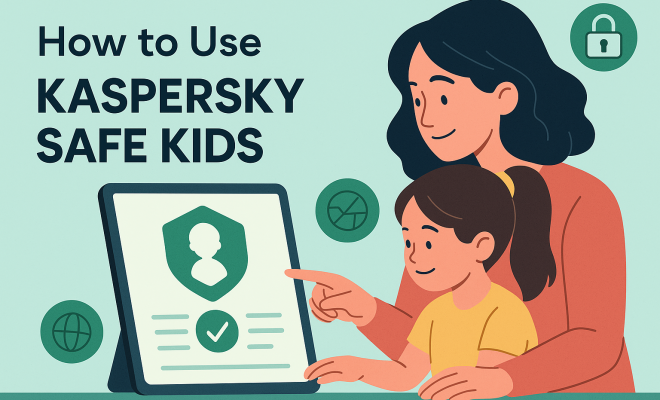
How to use Kaspersky Safe Kids
“`html
1. Understanding Kaspersky Safe Kids
Kaspersky Safe Kids is a comprehensive parental control software designed to help parents protect their children while they navigate the digital world. With the rapid integration of technology into everyday life, children have unprecedented access to online content. This can expose them to various risks, including inappropriate content, cyberbullying, and online predators. Kaspersky Safe Kids offers features that give parents peace of mind while empowering kids to explore the internet responsibly. For more on this, see parental control market changes.
Launched by Kaspersky Lab, a well-respected name in cybersecurity solutions, Safe Kids has quickly gained traction among parents looking for effective tools to monitor and manage their children’s online activities. The software is not just about restricting access; it provides educational insights that help children learn to make safer choices on their own.
2. Key Features of Kaspersky Safe Kids
One of the standout features of Kaspersky Safe Kids is its extensive monitoring capabilities. Parents can track their children’s location through GPS, monitor their app usage, and restrict access to unsuitable content across various platforms. The software also includes a web filtering feature that blocks harmful websites while allowing access to educational resources.
Additionally, Kaspersky Safe Kids allows for real-time alerts. Parents receive notifications about any concerning activity, such as attempts to visit blocked sites or requests to download suspicious apps. This proactive approach means parents can intervene before potential issues escalate.
3. Setting Up Kaspersky Safe Kids
Getting started with Kaspersky Safe Kids is a straightforward process. After purchasing a subscription, you can download the app on both your device and your child’s device. Once installed, you’ll need to create an account and set up profiles for each child. This allows for customized settings tailored to each child’s age and maturity level.
The setup process also involves configuring the monitoring features and restrictions. You can decide which apps your child can use, set screen time limits, and designate safe search settings for web browsing. The clear user interface makes it easy for parents to navigate through these settings, ensuring a smooth experience.
4. Monitoring and Managing Screen Time
Screen time management is a crucial aspect of the Kaspersky Safe Kids guide. The software not only allows parents to set daily usage limits for specific apps but also enables them to schedule device usage times. This can help in balancing online activities with offline responsibilities, such as homework and family time.
Another beneficial feature is the ability to monitor usage patterns over time. Parents receive reports detailing how much time their children spend on various apps and websites. This data can inform discussions about healthy screen time habits and help parents recognize any concerning behavior that may require further attention.
5. Location Tracking and Geo-Fencing
Kaspersky Safe Kids offers location tracking capabilities that can be a game-changer for parents. With GPS tracking, you can know your child’s whereabouts in real-time, ensuring their safety while they’re out and about. This is particularly useful for parents of younger children or those who frequently travel without adult supervision.
The geo-fencing feature enhances this capability by allowing parents to set safe zones. If your child exits a predetermined area, you will receive an immediate alert. This added layer of security can provide reassurance to parents, knowing they can act swiftly if a situation arises.
6. Web Filtering and Content Restrictions
Web filtering is one of the core functionalities of Kaspersky Safe Kids. The software employs advanced algorithms to categorize websites and block those deemed inappropriate based on age. For example, you can restrict access to adult content, gambling sites, and even social media platforms if desired.
Moreover, Kaspersky Safe Kids keeps parents informed about their child’s online activities. Parents can view logs of visited websites, which can be essential for having open conversations about internet safety. The software encourages proactive discussions about online behavior and the potential risks involved. (See: importance of communication with children.)
7. Communication Tools for Parents and Kids
Effective communication is vital in the parent-child relationship, especially regarding online safety. Kaspersky Safe Kids facilitates this by allowing parents to send messages to their children through the app. This can be particularly useful for reminding them of safety protocols, such as not sharing personal information online.
Additionally, the app includes a feature that encourages children to report any concerning online interactions. This creates a safe space for kids to express their experiences, helping parents stay informed about their child’s digital life. Heightened awareness can lead to more meaningful discussions and a stronger bond between parents and children.
8. Adapting Kaspersky Safe Kids for Different Age Groups
Understanding that children grow and change rapidly, Kaspersky Safe Kids allows parents to adapt settings based on their child’s developmental stage. The app features various content filters that can be adjusted as children age, ensuring appropriate restrictions are in place.
For younger children, the focus may be on blocking explicit content and limiting screen time. As children reach their teenage years, parents might shift to monitoring social media usage and app downloads. This flexibility makes Kaspersky Safe Kids an excellent long-term solution for families, allowing for evolving requirements as children mature.
9. Educational Aspects of Kaspersky Safe Kids
Beyond just monitoring and restrictions, Kaspersky Safe Kids emphasizes education. The platform provides resources for children to learn about online safety, the importance of privacy, and how to recognize potential online threats. These resources empower children to make informed decisions while using technology.
By engaging kids in discussions about what they encounter online, Kaspersky Safe Kids promotes a healthy understanding of digital citizenship. This educational aspect is invaluable, creating a generation of tech-savvy individuals who are not only aware of the risks but also equipped to handle them.
10. Current Relevance and Future Considerations
In today’s digital age, where cyber threats are becoming increasingly sophisticated, the relevance of tools like Kaspersky Safe Kids cannot be overstated. With the rise of remote learning and increased screen time, ensuring children navigate online spaces safely is more critical than ever.
As technology continues to evolve, so too will the features of Kaspersky Safe Kids. Future updates may include enhanced artificial intelligence capabilities for better monitoring and reporting, providing even greater insights into children’s online behaviors. For parents, staying informed and proactive about their child’s online safety is crucial for fostering a secure digital environment. We covered top parental control apps in more detail.
11. Deep Dive into App Usage Monitoring and Control
While we’ve touched on app usage, let’s really dig into how Kaspersky Safe Kids gives you granular control. It’s not just about blocking an app entirely; it’s about understanding how your child interacts with their device. The software provides detailed reports on which applications your child uses, how often, and for how long. Imagine seeing a weekly breakdown showing your teenager spent 15 hours on TikTok, 5 hours on YouTube, and only 30 minutes on an educational app. This kind of data is gold for sparking conversations about balanced digital diets.
Beyond monitoring, the control features are super robust. You can set daily time limits for specific apps. So, if you’re okay with your child using a gaming app, but not for hours on end, you can cap it at, say, 60 minutes a day. Once that limit is hit, the app becomes inaccessible until the next day. This prevents endless scrolling or gaming marathons. You can also totally block apps that you deem inappropriate, or that might be a distraction during school hours. This level of customization means you can tailor the digital experience to each child’s needs and your family’s values.
For parents of younger kids, the ability to control app downloads is a huge relief. You can set it so that any new app download requires your approval. This stops accidental purchases or downloads of games that aren’t age-appropriate without you knowing. It’s a proactive measure that keeps your child’s device curated and safe, giving you a say in what software makes it onto their screens.
12. Understanding the Nuances of Web Filtering Categories
Kaspersky Safe Kids’ web filtering is more sophisticated than a simple on/off switch. It categorizes websites into various groups, allowing for highly specific blocking. Think about categories like “Adult Content,” “Gambling,” “Violence,” “Weapons,” “Drugs,” and even “Social Networks” or “Chat Rooms.” This means you can be selective. Maybe you’re fine with your teen accessing educational YouTube videos, but you want to block all gaming sites during homework time. You can do that.
The beauty of this system is its flexibility. For a 7-year-old, you might have almost every category blocked except for educational and entertainment sites you’ve pre-approved. For a 14-year-old, you might loosen restrictions a bit, perhaps allowing access to social media but keeping explicit content and gambling sites firmly blocked. The system also supports whitelisting and blacklisting specific URLs. If a generally blocked category contains a specific site you trust (e.g., a forum for a school project that falls under a “Chat” category), you can add it to an allowed list. Conversely, if a site slips through the cracks but you find it inappropriate, you can manually block it.
This level of detail helps parents avoid over-blocking, which can frustrate older children and lead to them trying to bypass restrictions. Instead, it fosters a sense of trust and allows for age-appropriate exploration within defined boundaries. The regular updates to Kaspersky’s database of categorized websites mean the filtering stays current with the ever-evolving internet landscape. (See: adolescent health and online safety.) There’s a fuller look at online safety tips for schools.
13. The Importance of Real-Time Alerts and Reporting
While monitoring reports are great for retrospective analysis, real-time alerts are crucial for immediate intervention. Imagine your child tries to access a website you’ve explicitly blocked, or attempts to download an app that requires approval. Kaspersky Safe Kids sends you an instant notification. This isn’t just about catching them in the act; it’s about opening a dialogue right away.
These alerts can be customized too. You decide what warrants an immediate notification versus what can wait for a daily or weekly report. For instance, you might want an instant alert if your child leaves a geo-fenced safe zone, but you might be content to see a summary of their YouTube usage at the end of the day. This prevents alert fatigue while ensuring you’re informed about critical activities.
The reporting dashboard is equally powerful. It aggregates data on web activity, app usage, search queries, YouTube searches, and even location history. You can often see trends – maybe your child is spending more time on a particular social media platform, or searching for topics that concern you. These reports are often visualized with charts and graphs, making it easy to digest complex data quickly. This holistic view empowers parents to understand their child’s digital life and address potential issues proactively, rather than reactively.
14. Expert Perspectives on Digital Parenting and Safe Kids
Cybersecurity experts and child psychologists often emphasize the need for a balanced approach to digital parenting, something Kaspersky Safe Kids aims to facilitate. Dr. Sarah Miller, a child psychologist specializing in digital wellness, notes, “Tools like Safe Kids are invaluable, but they should always complement, not replace, open communication. Technology alone won’t teach children critical thinking about online content. It’s the discussions sparked by what parents see in the reports that truly make a difference.” She highlights that over-reliance on monitoring without conversation can erode trust.
Similarly, cybersecurity analyst James Chen points out, “The threat landscape for children online is constantly shifting, from sophisticated phishing attempts targeting young gamers to new forms of cyberbullying. Parental control software like Kaspersky Safe Kids provides a crucial layer of defense by blocking known threats and giving parents visibility. However, no software is 100% foolproof, which is why educating children on digital literacy remains paramount.” He suggests that parents view these tools as partners in their parenting journey, not as a complete solution.
The consensus among experts is that effective digital parenting involves a combination of technological safeguards, consistent communication, and ongoing education for both parents and children. Kaspersky Safe Kids, with its blend of monitoring, control, and educational resources, aligns well with these expert recommendations, providing a solid framework for families navigating the digital world.
15. Kaspersky Safe Kids vs. Built-in Parental Controls: A Comparison
Many devices today, like iPhones, Android phones, Windows PCs, and Mac computers, come with their own built-in parental control features. It’s fair to ask: why pay for Kaspersky Safe Kids when these free options exist? Let’s break down the differences.
Scope and Integration: Built-in controls are usually device-specific. Apple’s Screen Time works great for Apple devices, but it won’t manage your child’s Android tablet or Windows laptop. Google Family Link is good for Android, but struggles with Apple. Kaspersky Safe Kids, on the other hand, offers a unified solution across multiple platforms (Windows, macOS, Android, iOS). This means you manage everything from one central dashboard, regardless of the device your child is using. This cross-platform consistency is a huge advantage for families with a mix of devices.
Feature Depth: While built-in controls offer basic screen time limits and content filtering, Kaspersky Safe Kids typically goes deeper. For example, its web filtering often uses more advanced, constantly updated databases of categorized websites, making it more effective at blocking new threats and inappropriate content. The geo-fencing feature with real-time alerts is often more robust than what’s found natively. App usage monitoring is also more detailed, providing insights into specific app usage duration rather than just overall device time.
Reporting and Alerts: Kaspersky Safe Kids generally offers more comprehensive reporting, often with visual dashboards that make it easier to understand your child’s digital habits. Its real-time alert system for concerning activities (like attempting to access blocked sites or leaving a safe zone) is often more immediate and customizable than basic notifications from built-in tools.
Educational Resources: A key differentiator for Kaspersky Safe Kids is its focus on educating children about online safety, something largely absent from generic built-in controls. This shifts the dynamic from just restriction to empowerment. (See: review of parental control apps.)
Verdict: For basic needs on a single device type, built-in controls might suffice. But for families seeking a comprehensive, cross-platform solution with advanced features, detailed reporting, and an educational component, Kaspersky Safe Kids offers a significantly more powerful and integrated experience.
16. Privacy and Data Security with Kaspersky Safe Kids
When you’re using software that monitors your child’s online activity and location, questions about privacy and data security are totally valid and super important. Kaspersky, as a cybersecurity company, puts a strong emphasis on these aspects. They operate under strict data protection regulations, including GDPR, which means they have to be transparent about how they collect, process, and store data.
The data collected by Safe Kids – like website history, app usage, and location – is primarily used to provide the parental control services you’ve subscribed to. It’s not sold to third parties for advertising or other purposes. Kaspersky employs robust encryption technologies to protect this data, both in transit and at rest on their servers. Think of it like a digital vault with multiple locks.
You, as the parent, have control over what data is collected and how it’s used within the app’s settings. You can often choose to disable certain monitoring features if you’re not comfortable with them. Kaspersky also publishes detailed privacy policies, which, while sometimes a bit dense, explain their practices clearly. It’s always a good idea to review these policies for any service that handles personal data, especially concerning children. Rest assured, a reputable company like Kaspersky understands the immense responsibility that comes with protecting family data.
17. Troubleshooting Common Issues with Kaspersky Safe Kids
Even the best software can sometimes hit a snag. Here are a few common issues parents might face with Kaspersky Safe Kids and how to usually fix them:
- Location Tracking Not Working Accurately: This is often due to device settings. Make sure GPS is enabled and set to high accuracy on your child’s device. Also, check that location permissions are granted to the Safe Kids app and that battery saver modes aren’t restricting background app activity. Sometimes a simple restart of the child’s device can resolve it.
- Web Filtering Not Blocking Certain Sites: First, ensure the categories you want blocked are actually selected in your parent dashboard. If a specific site is slipping through, manually add it to the blacklist. Also, check if your child is using a VPN or proxy server, which can bypass filters. Kaspersky Safe Kids has features to detect and sometimes block VPN usage, but some advanced VPNs might require manual intervention.
- Screen Time Limits Not Enforcing: Verify that the correct screen time schedule or daily limit is applied to the child’s profile. Also, confirm that the Safe Kids app is running in the background and hasn’t been uninstalled or disabled by the child (which should trigger an alert to you). On Android, ensure the “Device Administrator” permission is granted to Safe Kids, making it harder to remove.
- App Not Updating or Syncing: Check both your parent app and your child’s app for pending updates. Ensure stable internet connectivity on both devices. If issues persist, try logging out and back into the Safe Kids account on both devices to force a sync.
- Child Bypassing Restrictions: This is a constant game of cat and mouse. Regularly check your reports for unusual activity. Educate your child about why these restrictions are in place. If they find a bypass, report it to Kaspersky support; they often release updates to patch such vulnerabilities. Also, make sure your child doesn’t know your parent account password.
For more complex issues, Kaspersky’s customer support is usually responsive and can provide device-specific troubleshooting steps.
18. A Holistic Approach to Digital Safety: Beyond Software
While Kaspersky Safe Kids is a powerful tool, it’s just one piece of a larger puzzle when it comes to ensuring your child’s digital safety. A truly holistic approach involves several complementary strategies:
- Open Communication: This is arguably the most important. Talk to your children regularly about what they do online, who they interact with, and how they feel. Create a safe space where they feel comfortable coming to you with concerns, even if they’ve made a mistake.
- Digital Literacy Education: Teach your kids critical thinking skills for the internet. How do they spot fake news? What are the dangers of oversharing personal information? How do they identify cyberbullying or online grooming? These skills are invaluable, even if parental controls fail.
- Leading by Example: Your own screen time habits and digital etiquette influence your children. Show them what responsible technology use looks like. Put your phone away during family meals, and engage in offline activities.
- Family Digital Rules: Establish clear, consistent rules for device usage, content, and online interactions. Involve your children in creating these rules; they’re more likely to follow them if they feel they have a say. Post them visibly in your home.
- Privacy Settings Awareness: Teach your children to review and adjust privacy settings on social media, gaming platforms, and other apps. Explain why it’s important to limit who can see their posts or communicate with them.
- Reporting Mechanisms: Ensure your children know how to report inappropriate content or behavior on platforms they use, and that they should always tell a trusted adult if something makes them uncomfortable.
- Software Updates: Keep all software, including operating systems, browsers, and security programs, up-to-date on all devices. Updates often include critical security patches.
By combining robust tools like Kaspersky Safe Kids with these broader parenting strategies, you create a much stronger and more resilient digital safety net for your children.
19. FAQs about Kaspersky Safe Kids
Let’s tackle some frequently asked questions about Kaspersky Safe Kids to help clarify common concerns.
- Q1: Is Kaspersky Safe Kids free?
- A1: Kaspersky Safe Kids offers both a free and a premium version. The free version provides basic features like web filtering by category and application usage control. The premium version unlocks advanced features such as screen time management, real-time GPS tracking, geo-fencing, YouTube search history, social media monitoring, and real-time alerts. Most parents find the premium features essential for comprehensive protection.
- Q2: Does Kaspersky Safe Kids drain battery on my child’s device?
- A2: Like any background application, Kaspersky Safe Kids uses some battery power. However, Kaspersky designs its apps to be as optimized as possible to minimize battery drain. In most cases, the impact on battery life is negligible, especially compared to the usage of social media or gaming apps. If you notice significant battery drain, check your child’s device settings for any conflicting apps or unusual background activity.
- Q3: Can my child uninstall Kaspersky Safe Kids?
- A3: Kaspersky Safe Kids is designed to be difficult for children to uninstall without parental permission. On Android devices, it often requires “Device Administrator” permissions, which makes it harder to remove. On iOS, while it can’t prevent uninstallation entirely due to Apple’s restrictions, it will send an alert to the parent if the app is removed. The best defense against uninstallation is open communication with your child about why the software is necessary.
- Q4: How accurate is the location tracking feature?
- A4: The accuracy of GPS tracking depends on several factors, including the child’s device, its GPS capabilities, whether Wi-Fi and mobile data are enabled, and environmental factors like building density. In open areas with good satellite reception, it can be very accurate (within a few meters). In dense urban areas or indoors, accuracy might decrease. Using Wi-Fi and mobile data alongside GPS generally improves precision.
- Q5: Does Safe Kids monitor private browsing/incognito mode?
- A5: Yes, Kaspersky Safe Kids is designed to monitor and filter web activity even when children use incognito or private browsing modes in supported browsers. This is a critical feature, as children often try to use these modes to bypass restrictions. The software aims to provide consistent protection regardless of the browsing mode used.
- Q6: Can I manage multiple children with different settings?
- A6: Absolutely! Kaspersky Safe Kids allows you to create individual profiles for each child. This means you can customize web filtering categories, screen time limits, app restrictions, and location tracking settings specifically for each child based on their age, maturity, and your family’s specific needs. All these profiles are managed from your single parent account.
- Q7: What if my child finds a way to bypass the restrictions?
- A7: Kids are often tech-savvy and creative! If your child finds a bypass, first, have a conversation about it – reinforce the reasons for the rules. Second, check if the app needs an update, as Kaspersky regularly releases patches for known bypass methods. Third, contact Kaspersky support; they can often provide solutions or log the bypass for future updates. Remember, no parental control software is 100% foolproof, which is why communication and education are just as vital.
“`
Trending Now
Frequently Asked Questions
What is Kaspersky Safe Kids?
Kaspersky Safe Kids is a parental control software designed to help parents protect their children online. It offers features like location tracking, app usage monitoring, and web filtering to block harmful content, ensuring a safer internet experience for kids.
How does Kaspersky Safe Kids work?
Kaspersky Safe Kids works by allowing parents to set up profiles for their children, enabling customized monitoring and control. It tracks location, monitors app usage, and filters web content, sending real-time alerts about concerning activities.
Is Kaspersky Safe Kids easy to set up?
Yes, setting up Kaspersky Safe Kids is straightforward. After purchasing a subscription, you can download the app on your and your child's devices, create an account, and customize profiles for each child based on their age and maturity.
What features does Kaspersky Safe Kids offer?
Kaspersky Safe Kids offers extensive features, including GPS location tracking, app usage monitoring, web filtering to block inappropriate sites, and real-time alerts for concerning activities, providing parents with a comprehensive tool to protect their children online.
Can Kaspersky Safe Kids help prevent cyberbullying?
Yes, Kaspersky Safe Kids can help prevent cyberbullying by monitoring online activities and sending alerts for any concerning behavior. This allows parents to intervene and address issues before they escalate, promoting a safer online environment. (top apps for Chromebook safety)
What's your take on this? Share your thoughts in the comments below — we read every one.