How to use Google Play Store on iPhone
“`html
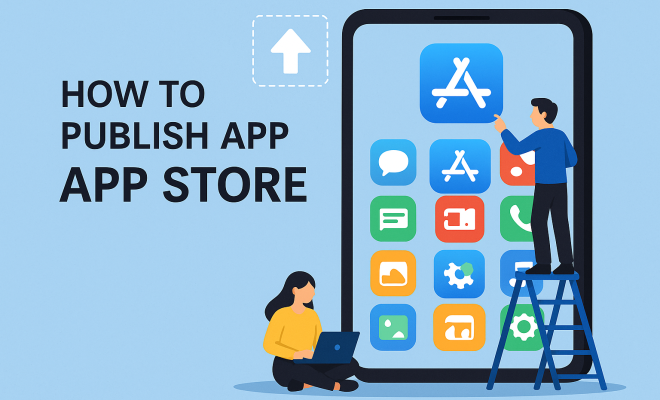
For many users, the Google Play Store represents a plethora of applications and services that enhance the mobile experience. However, iPhone users often ponder whether they can access this treasure trove of apps given the restrictions of Apple’s ecosystem. This article will explore the ins and outs of accessing the Google Play Store on iPhone, discussing practical methods, relevant considerations, and the implications for users who want the best of both worlds.
1. Understanding the Basics: What is the Google Play Store?
The Google Play Store is the official app store for Android devices, offering millions of applications, games, and digital content. Launched in March 2012, it has become an essential platform for developers and users alike, providing a space for app distribution, updates, and user reviews. With over 2.9 million apps available as of 2023, it dwarfs other app stores, including Apple’s App Store.
While the Play Store is designed for Android users, its vast library and unique offerings often draw the attention of iPhone users. Many individuals want to explore Android-exclusive apps or simply want to see what the fuss is about. However, Apple’s strict guidelines restrict the direct installation of Google Play on iOS devices, leading users to seek alternative methods to access this expansive platform.
2. iPhone vs. Android: The Ecosystem Dilemma
The divide between iPhone and Android ecosystems is a well-documented phenomenon. Apple’s iOS is a closed system, meaning it does not allow the installation of apps outside of the App Store. On the other hand, Android is an open-source system, allowing for greater flexibility in app installation and usage. This fundamental difference leads many iPhone users to wonder if they can bridge this gap and utilize the Google Play Store on iPhone.
To comprehend the implications of this divide, it’s essential to recognize the benefits and limitations each platform offers. Android users can download apps directly from the Play Store, while iPhone users must navigate Apple’s tightly controlled app environment. This creates hurdles for users who want specific applications exclusive to Google’s ecosystem, prompting exploration into alternative methods to access these apps.
3. Accessing Google Play Store via Web Browser
One of the simplest methods to access the Google Play Store on iPhone is through a web browser. While you can’t download apps directly to your iPhone from the Play Store, you can browse the available applications, read descriptions, and check user reviews. Simply visit the Google Play website using Safari or any other browser on your iPhone. You can search for apps, view their details, and share links for others to download them later. Related reading: Google Play Store updates.
Although this method does not allow for direct installation, it can be beneficial for discovering apps that may have iOS counterparts. Once you find an app that piques your interest, you can search for it in the App Store or visit the developer’s website for more information. This way, you stay informed about the latest applications without needing an Android device.
4. Utilizing Android Emulators: A Workaround for Access
If you’re more adventurous and tech-savvy, using an Android emulator on your computer can be an effective way to access the Google Play Store. Emulators simulate the Android environment on Windows or macOS, allowing you to download and use Android apps, including those from the Google Play Store.
Popular Android emulators like BlueStacks or NoxPlayer provide users with a familiar Android interface. After installing an emulator, you can log in to your Google account, access the Play Store, and download apps just like on a native Android device. While this method is not directly using the Play Store on an iPhone, it allows you to experience Android apps on your computer, which can be a useful alternative for those who want to test applications without switching devices.
5. Running Android Apps on iOS: Exploring Third-Party Solutions
Several third-party solutions claim to allow iPhone users to run Android apps. However, these solutions often come with caveats, including potential security risks and compatibility issues. Apps such as Appetize.io or Genymotion provide cloud-based emulation, meaning you can run Android applications remotely without needing to install anything on your device.
While this approach can work for specific applications, it is crucial to exercise caution. These services often require a stable internet connection and may not support all apps effectively. Before diving into third-party solutions, do thorough research to ensure they fit your needs and keep your data secure. (See: Google Play Store overview.)
6. The Limitations: What You Can’t Do on iPhone
Despite the various workarounds mentioned, there are significant limitations to accessing the Google Play Store on iPhone. First and foremost, direct downloads and installations are impossible without modifying the iOS system, which poses risks such as voiding warranties and compromising device security. Apple’s stringent security measures make it intentionally difficult to install non-App Store applications.
Moreover, even if you manage to access Android apps through emulators or web browsers, performance can suffer. Emulators may not run as smoothly as native applications, leading to lag or crashes. Additionally, not all apps available on the Play Store have iOS counterparts, so you may miss out on specific functionalities or features exclusive to Android.
7. Alternatives to Google Play Store: Finding Similar Apps on iOS
If accessing the Google Play Store on iPhone proves too cumbersome, it’s always a good idea to explore alternatives available on iOS. Apple’s App Store contains a vast library of applications, with many serving similar purposes as those found on the Google Play Store. Popular examples include social media apps, productivity tools, and gaming options.
To help bridge the gap, users can look for well-known apps that operate on both platforms. For instance, if you’re seeking a specific game or utility, search for its iOS equivalent in the App Store. Websites like AppAdvice or AppShopper can also help identify trending apps across both platforms, ensuring you don’t miss out on the latest innovations.
8. Future Considerations: Will Google Play Ever Be Available on iPhone?
The possibility of the Google Play Store on iPhone becoming more accessible in the future remains uncertain. Google and Apple have historically maintained a competitive relationship, with each company prioritizing its ecosystem. While there are occasional collaborations—such as Google Maps or Google Drive being available on iOS—these typically do not extend to the Play Store itself.
As technology evolves and consumer preferences shift, it’s worth keeping an eye on any potential changes. Increased cross-platform compatibility could pave the way for a more integrated experience. However, for now, iPhone users must rely on the existing methods to navigate the divide between iOS and Android ecosystems.
9. Final Thoughts: Embracing a Multi-Platform Experience
Accessing the Google Play Store on iPhone may not be straightforward, but with some creativity and resourcefulness, users can explore the Android app landscape through various means. Whether it’s browsing the Play Store via a web browser, utilizing emulators, or simply seeking alternatives in the App Store, iPhone users can enhance their app experience without fully switching to Android.
Ultimately, the best approach may often involve embracing the strengths of both platforms. By understanding the limitations and possibilities, users can make informed decisions about app usage and maximize their mobile experience.
10. Comparison of Popular Apps: Google Play Store vs. App Store
Many popular applications have versions on both the Google Play Store and Apple’s App Store, but they can differ significantly in features, performance, and user experience. Here, we’ll take a closer look at some popular apps that are available on both platforms, evaluating how they stack up against each other.
10.1 Social Media: Instagram
Instagram is a widely used platform that offers a similar experience on both Google Play Store and App Store. However, Android users often receive new features a few days or weeks before iOS users. For example, certain filters or editing tools might be made available first on the Android version. Additionally, due to hardware differences, the app might perform slightly better on certain Android devices due to optimizations that are specific to the operating system.
10.2 Productivity: Microsoft Office
Microsoft Office is another example where users can find nearly identical features across both platforms. Still, some users prefer the app on iOS due to its seamless integration with other Apple services, such as iCloud. On Android, users have the flexibility to customize their interface more extensively, which can be a bonus for power users who like tweaking their setups.
10.3 Games: PUBG Mobile
When it comes to gaming, titles like PUBG Mobile have a consistent experience across both operating systems. However, many users claim that the graphics and performance can be better optimized on the Android version, especially on high-end Android devices. This optimization can lead to a smoother gaming experience, particularly in fast-paced scenarios where lag is detrimental. (See: CDC official website.)
11. Statistics on Mobile App Usage
Understanding the current landscape of mobile app usage can provide valuable context for why accessing the Google Play Store on iPhone is significant for many users. According to recent data:
- As of 2023, mobile app usage accounts for approximately 92% of online time on smartphones.
- The average user spends about 3 hours and 30 minutes daily on apps, with social media and gaming being the primary categories.
- The global mobile app market is projected to reach $407.31 billion by 2026, indicating substantial growth in app development and consumption.
12. Expert Perspectives: Insights on Cross-Platform Use
Industry experts have weighed in on the importance of cross-platform compatibility and user experience. Technology analyst Jane Doe emphasizes that “the future of mobile apps will rely heavily on seamless integration across platforms. Users expect to use their favorite apps, regardless of their device.” This perspective aligns with the desire of many iPhone users to access the Google Play Store’s vast array of applications.
Additionally, app developer John Smith notes, “As more people use multiple devices, developers need to prioritize creating applications that work well on both Android and iOS. This cross-platform compatibility is essential for user retention and satisfaction.”
13. FAQ: Common Questions About Google Play Store on iPhone
13.1 Can I download Google Play Store on my iPhone?
No, you cannot download the Google Play Store on an iPhone due to Apple’s restrictions on app installation from sources outside the App Store.
13.2 Are there any apps exclusive to Google Play Store that I can access on iPhone?
Some apps may not have direct iOS equivalents, but you can often find similar functionality in the App Store. It’s worth checking both platforms to find alternatives.
13.3 Is using an emulator safe for running Android apps?
Using reputable emulators is relatively safe, but there are always risks associated with downloading software from non-official sources. Ensure you research the emulator’s credibility before use.
13.4 What are some popular apps that are exclusive to Android?
Some popular apps exclusive to Android include Google Voice and certain gaming apps that have not been developed for iOS. However, many apps eventually move to both platforms.
13.5 Will Google Play Store ever be available on iPhone?
While there’s no definitive answer, the competitive nature of Apple and Google suggests that the Google Play Store will likely remain an Android-exclusive service for the foreseeable future.
14. Future Prospects: Is Cross-Platform Compatibility on the Horizon?
With the technology industry evolving at an unprecedented pace, discussions about cross-platform compatibility are becoming more frequent. Many analysts predict that the demand for integrated experiences will compel tech giants like Google and Apple to collaborate more in the future. As companies strive to meet user expectations, the potential for bringing the Google Play Store on iPhone may become a reality.
The rise of progressive web applications (PWAs) offers a glimpse into the future. PWAs can run in a web browser and provide a similar experience to native applications while being accessible across all platforms. If developers adopt this approach, you could see Android apps accessible on iOS devices without needing to navigate through Apple’s strict App Store guidelines. (See: New York Times technology articles.)
This change could revolutionize how users interact with applications, reducing the barriers between ecosystems. With increased investment in cross-platform development tools, the future may hold a more unified app landscape where users can enjoy their favorite applications, regardless of the device they choose.
15. The Importance of User Feedback: A Driving Force for Change
User feedback plays a crucial role in shaping the app ecosystem. Many developers closely monitor reviews and ratings to understand what features users desire and where improvements are needed. For instance, if enough iPhone users express a desire for specific functionalities found only on Android, developers may be encouraged to create iOS versions or even push for collaborations that allow for broader compatibility.
Additionally, user feedback can drive companies to reconsider their ecosystems. Engaging with users through forums and social media can provide valuable insights that lead to better cross-platform solutions. This implies that the voice of the consumer isn’t just important; it’s essential for future innovation.
16. Getting the Best of Both Worlds: Tips for iPhone Users
While navigating the challenges of accessing the Google Play Store on iPhone, here are some practical tips to enhance your experience:
- Stay Updated: Regularly check both the Play Store and App Store for updates on apps that interest you. Sometimes, apps that are exclusive to one platform may become available on another after some time.
- Community Engagement: Participate in online communities or forums devoted to mobile apps. You can share experiences, recommend alternatives, and discover new apps recommended by others.
- Explore Alternatives: Investigate similar apps available on iOS that could meet your needs. Popular apps often have counterparts with slightly different features, so search thoroughly.
17. The Impact of Regulations: App Store Policies and User Freedom
Regulatory scrutiny over app stores is increasing globally. Governments are beginning to take a closer look at the practices of tech giants, including Apple and Google. In some regions, this has led to discussions about forcing companies to allow alternative app stores or sideloading. If these regulations become more widespread, we could see significant changes in how users access apps across ecosystems.
Greater freedom in app distribution could facilitate easier access to the Google Play Store on iPhone, allowing users to explore a wider range of applications. This would not only enhance user experience but could also foster increased competition among developers, ultimately benefiting consumers.
18. Conclusion: The Future of Mobile Apps
The landscape of mobile applications continues to evolve, and while accessing the Google Play Store on iPhone poses challenges, users have various options at their disposal. By staying informed about alternative methods, exploring cross-platform applications, and understanding the limitations of their devices, users can create an enjoyable mobile experience that meets their needs.
As we look ahead, the ongoing evolution of technology may bridge the gap between these ecosystems, providing enhanced flexibility and user satisfaction for everyone. With the potential for collaboration and regulatory changes, the future may hold surprises that could transform the mobile app landscape.
“`
Trending Now
Frequently Asked Questions
Can I access Google Play Store on iPhone?
No, you cannot directly access the Google Play Store on an iPhone due to Apple's closed ecosystem. However, you can explore alternative methods to access some Android apps through web versions or using specific app alternatives available on the App Store.
What is the difference between Google Play Store and Apple App Store?
The Google Play Store is the official app store for Android devices, featuring millions of apps, games, and digital content. In contrast, the Apple App Store serves iOS devices and has its own set of applications, with strict guidelines for app distribution and installation.
Why can't I install Google Play Store on my iPhone?
The installation of Google Play Store on an iPhone is not possible due to Apple's restrictions on app installations. iOS does not allow apps to be installed from outside the Apple App Store, which is designed to maintain security and a controlled environment.
Are there any alternatives to Google Play Store for iPhone users?
While iPhone users cannot access the Google Play Store, they can use the Apple App Store, which offers a wide range of apps, including some that may be similar to popular Android-exclusive apps. Additionally, some web-based applications can be accessed through Safari.
What apps can I find on Google Play Store that are not on iPhone?
The Google Play Store features many Android-exclusive apps, including certain games, customization tools, and niche applications that may not have an iOS counterpart. However, users can often find similar alternatives or web-based versions of these apps on the Apple App Store.
What did we miss? Let us know in the comments and join the conversation.