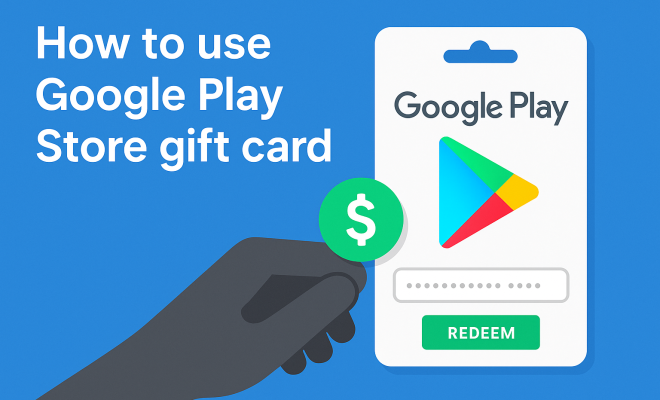
How to use Google Play Store gift card
“`html
1. What is a Google Play Store Gift Card?
Google Play Store gift cards serve as a convenient method for users to purchase apps, games, movies, music, and books on the Google Play platform. These cards come in various denominations, typically ranging from $10 to $100, and can be purchased both online and at retail locations. When you buy a gift card, you essentially acquire a prepaid balance which can be redeemed for digital content on your Android device or through the Google Play website.
The beauty of Google Play Store gift card usage is its flexibility; whether you’re gifting it to a friend or treating yourself to an app you’ve been eyeing, it simplifies transactions. Additionally, these cards are beneficial for those who prefer not to use credit or debit cards for online purchases, allowing users to manage their spending more effectively.
2. Where to Buy Google Play Store Gift Cards
Purchasing Google Play Store gift cards is a straightforward process. You can find them at numerous retailers, including popular stores like Walmart, Target, and Best Buy. Online, they’re available through platforms such as Amazon and Google Play’s own website. Digital versions of these gift cards can also be sent via email, making them a perfect last-minute gift option.
When buying a gift card, ensure that you’re purchasing from a reputable source to avoid scams. Always check for the card’s integrity—look for any signs of tampering with the packaging or scratch-off codes. Purchasing directly from well-known retailers or the official Google Play Store site minimizes the risk of fraud.
3. How to Redeem a Google Play Store Gift Card
Redemption of your Google Play Store gift card is a seamless process. To start, you need to open the Google Play Store app on your device or visit the website. Once there, you’ll need to navigate to the ‘Redeem’ option. Enter the code found on the back of your card, making sure to type it in correctly—any mistakes can lead to redemption failures.
After inputting your code, click ‘Redeem’. The balance from your gift card will be added to your Google Play account immediately, and you’ll receive a confirmation that your card has been successfully redeemed. It’s essential to note that once redeemed, the balance cannot be transferred to another account or exchanged for cash, so use it wisely!
4. Understanding Google Play Store Gift Card Usage Limits
While Google Play Store gift cards provide a lot of flexibility, there are some limits to keep in mind. For instance, you can only use the gift card balance to purchase items available on the Google Play Store. This means you can’t use it for purchases outside the Play ecosystem, such as physical goods or services from other platforms.
Moreover, there may be restrictions on certain types of content. Some apps or games might incorporate additional in-app purchases, which will require a credit or debit card. Additionally, keep an eye on expiration dates for any promotional credits or bonuses that may come with your gift card, as these can vary.
5. Common Issues and Troubleshooting
Even with the straightforward nature of Google Play Store gift card usage, issues can arise. One common problem is the failure to redeem the card due to an incorrect code input. If you encounter this issue, double-check the code you’ve entered for any errors.
Another issue could be a lack of connectivity or problems with the Google Play Store itself. If the store is down for maintenance, you may have trouble redeeming your card until the service is restored. If you believe your card is valid but still can’t redeem it, contact Google Play support for assistance. They can help verify the card and assist with any other problems you may encounter.
6. Using Gift Cards for In-App Purchases
Many apps and games on the Google Play Store offer in-app purchases, and this is where your gift card balance can come in handy. After redeeming your gift card, you can use the available balance to buy additional features, subscriptions, or virtual currency within the app. This is particularly useful for gaming, where players might want to purchase extra lives, skins, or game currency. (See: Understanding gift cards and their uses.)
To use your gift card balance for these purchases, simply select the in-app item you wish to buy and proceed to checkout. If your balance covers the cost, the transaction will go through seamlessly. If your balance is insufficient, the app will prompt you to use an alternate payment method for the remaining amount.
7. Gifting Google Play Store Gift Cards
Gift cards are excellent presents, especially for birthdays and holidays. Gifting a Google Play Store gift card is a simple way to let your friends or family choose their own digital content. You can easily pair the card with a personalized message, making the gift feel even more special.
When giving a gift card, consider the recipient’s interests. If they love gaming, a higher denomination might be more appreciated, as it allows them to purchase the latest titles or in-app upgrades. It’s also worth mentioning that you can send digital gift cards via email, making it a convenient last-minute option that doesn’t require physical shipping.
8. Checking Your Google Play Store Gift Card Balance
After redeeming a Google Play Store gift card, it’s crucial to keep track of your balance, especially if you frequently make purchases. To check your balance, return to the Google Play Store app or website and navigate to the account settings. There, you’ll find an option to view your account balance, which will be updated in real-time after each transaction.
Keeping an eye on your balance helps you manage your spending effectively and allows you to plan future purchases. If you notice discrepancies or issues with your balance, reach out to Google Play support for clarification and assistance.
9. Staying Updated with Promotions and Offers
Google often runs special promotions and offers that can enhance your Google Play Store gift card usage. These promotions may include bonus credits when redeeming specific gift card amounts or discounts on select apps and games. Keeping an eye on the Google Play Store’s promotions section can help you make the most out of your gift card balance.
Additionally, it’s wise to subscribe to Google Play’s newsletters or follow their social media channels. This way, you’ll be informed about upcoming sales, app launches, and exclusive content that could maximize your gift card’s value.
By staying updated, you can ensure that you’re not just using your Google Play Store gift card but making the most out of every dollar you spend.
10. The Benefits of Using Google Play Store Gift Cards
There are numerous advantages to using Google Play Store gift cards beyond just convenience. For many users, they provide an opportunity to manage budgets more effectively. Since gift cards come with a prepaid limit, users can avoid overspending and ensure that they’re only purchasing items they can afford. This can be especially beneficial for parents who want to limit the spending of their children on apps and games.
Another key benefit is the ability to use these gift cards for various content types. Whether it’s paying for a movie rental, purchasing a new game, or subscribing to a music service, these cards offer a versatile option for diverse entertainment needs. In addition, they can often be bought during promotional periods, offering discounts or bonus credits that enhance value even further.
11. Understanding the Expiration and Limitations of Google Play Store Gift Cards
Many users may not realize that gift cards have certain expiration dates and limitations. While the funds on the card do not expire, promotional credits associated with them may have a limited time frame. It is crucial to read the terms and conditions attached to any gift card purchase, as this will outline any specific rules regarding usage and expiration. Checking this information allows users to plan their purchases effectively and avoid losing out on funds.
12. Expert Perspectives on Google Play Store Gift Card Usage
Industry experts suggest that Google Play Store gift cards are an excellent way to foster a sense of financial responsibility, especially among younger audiences. “Gift cards can serve as a tool for teaching budgeting skills,” says financial advisor Emily Johnson. “When kids understand that they have a limited amount to spend, they learn to prioritize what they truly want, whether it’s an app or a game.”
Experts also highlight the importance of being aware of scams. As gift cards become increasingly popular, scammers attempt to exploit the system. “Always make purchases from trusted sources, and never share your gift card details with strangers,” advises cybersecurity expert Mark Keller. Keeping informed about safe practices ensures that your gift card experience remains positive and secure. (See: FTC guidelines on gift cards.)
13. Comparing Google Play Store Gift Cards to Other Digital Gift Cards
When considering digital gift cards, Google Play Store gift cards often stand out due to their versatility. While other platforms like Apple’s App Store offer similar services, Google Play provides a broader range of content, including movies, books, and music in addition to apps and games. This wide selection appeals to different consumer interests and can make Google Play a one-stop shop for digital entertainment.
Another point of comparison is the ease of redemption. Google Play gift cards can be easily redeemed through multiple platforms—mobile, tablet, or web. In contrast, some other platforms may have more stringent redemption processes or limitations on where and how you can use the card.
14. Frequently Asked Questions about Google Play Store Gift Card Usage
What can I buy with a Google Play Store gift card?
You can purchase apps, games, movies, music, books, and in-app purchases with your Google Play Store gift card. However, it cannot be used for physical items or services outside the Google Play ecosystem.
Do Google Play Store gift cards expire?
The funds on Google Play Store gift cards do not expire. However, promotional credits may have expiration dates, so it’s important to check the terms when redeeming.
Can I use multiple gift cards on one account?
Yes, you can redeem multiple Google Play Store gift cards to your account. The balances will be combined in your Google Play account for future purchases.
What if my gift card doesn’t work?
If your gift card doesn’t work, double-check the code for any input errors. If the code is correct and it still doesn’t redeem, contact Google Play customer support for assistance.
Can I transfer my gift card balance to another Google account?
No, once a Google Play Store gift card is redeemed, the balance is attached to that specific Google account and cannot be transferred.
Is it safe to buy Google Play Store gift cards online?
Buying Google Play Store gift cards online is generally safe if you purchase from reputable retailers or the official Google website. Avoid third-party sellers that seem suspicious or offer deals that are too good to be true.
15. Tips for Maximizing Your Google Play Store Gift Card Usage
To truly get the most out of your Google Play Store gift card, consider a few strategic approaches. First, look for seasonal sales and discounts, especially during major holidays or special events. Many developers offer limited-time discounts on apps and games, making it a perfect opportunity to stretch your gift card further.
Consider bundling your purchases. If you have a specific app or game in mind that offers in-app purchases, buy them all at once. This not only saves you time but also allows you to utilize your gift card balance more efficiently. (See: CDC guidelines on managing spending.)
Another effective strategy is to follow your favorite app developers on social media or subscribe to their newsletters. They often share exclusive promotions or discounts with followers, giving you additional chances to maximize your spending.
16. How Google Play Store Gift Cards Impact Digital Content Consumption
The rise of Google Play Store gift cards has significantly influenced how consumers engage with digital content. By offering a prepaid method for accessing a wide array of entertainment options, these cards have lowered barriers to entry for many users. They allow individuals who may be wary of credit card transactions to explore and enjoy digital content without the associated risks.
Statistics show that gift card usage has increased dramatically over recent years. According to a 2022 study by Statista, the global market for gift cards is expected to reach over $700 billion by 2025, with digital gift cards like those from Google Play leading the charge. This growth indicates a notable shift toward digital consumption and suggests that users are increasingly comfortable with utilizing gift cards for their digital purchases.
17. Potential Drawbacks of Using Google Play Store Gift Cards
While there are many advantages to using Google Play Store gift cards, there are also some drawbacks to consider. One of the most significant is the inability to exchange your gift card balance for cash or transfer it to another account. This restriction can be frustrating if you change your mind about a purchase or if you find you won’t use the card after all.
Additionally, some users may find the process of keeping track of multiple gift cards cumbersome. If you frequently receive gift cards from different sources, managing them can become complicated. It’s essential to stay organized to ensure you’re utilizing all your cards before any promotional credits expire.
18. Choosing Between Digital and Physical Gift Cards
When deciding between digital and physical Google Play Store gift cards, consider your gifting preferences or personal habits. Digital cards are great for instant delivery, especially if you’re looking for a last-minute gift. They can be emailed directly to the recipient, making them hassle-free. On the other hand, physical cards can add a personal touch to gifts, especially if you prefer handing something tangible to the recipient.
Another aspect to consider is how you plan to store or keep track of the cards. Physical gift cards can be easily misplaced, whereas digital cards can be managed through your email or digital wallet. If you’re tech-savvy and comfortable using digital solutions, opt for digital cards. Conversely, if you want a more traditional approach to gift-giving, physical cards might be the way to go.
19. Conclusion
Google Play Store gift cards are a versatile tool for accessing a world of digital content. Their convenience, flexibility, and ability to help users manage their spending make them a popular choice for many. Whether you’re buying them for yourself or as a gift, understanding how to effectively use these cards will enhance your overall experience on the platform. With the right strategies and knowledge, you can maximize your Google Play Store gift card usage and enjoy a wide range of entertainment options without the hassles of traditional payment methods.
“`
Trending Now
Frequently Asked Questions
What can you buy with a Google Play Store gift card?
You can use a Google Play Store gift card to purchase apps, games, movies, music, and books on the Google Play platform. The cards provide a prepaid balance that allows for easy transactions on your Android device or through the Google Play website.
Where can I buy Google Play Store gift cards?
Google Play Store gift cards are available at various retailers, including Walmart, Target, and Best Buy. You can also purchase them online through platforms like Amazon and the Google Play Store website, with digital versions available for email delivery.
How do I redeem a Google Play Store gift card?
To redeem your Google Play Store gift card, open the Google Play Store app or website. Navigate to the 'Redeem' option and enter the code found on the back of your card. Ensure you type the code correctly to avoid any errors.
Are there any risks when buying Google Play Store gift cards?
Yes, it's important to purchase Google Play Store gift cards from reputable sources to avoid scams. Always check for signs of tampering with the packaging or scratch-off codes, and buy from well-known retailers or the official Google Play Store site.
Can I use a Google Play Store gift card for in-app purchases?
Yes, you can use a Google Play Store gift card balance for in-app purchases, as long as the app supports this payment method. This allows you to enjoy additional content or features in your favorite apps without needing a credit or debit card.
What's your take on this? Share your thoughts in the comments below — we read every one.