Discord Threads: Your Ultimate Guide to Organized Chat
“`html
Discord has rapidly evolved into one of the main platforms for online communication, especially in gaming and community spaces. As it continues to expand its features, one standout addition is the concept of threads. This Discord threads guide will walk you through everything you need to know about using threads effectively, including their purpose, how to create them, best practices, and their current relevance to community engagement.
1. Understanding Discord Threads
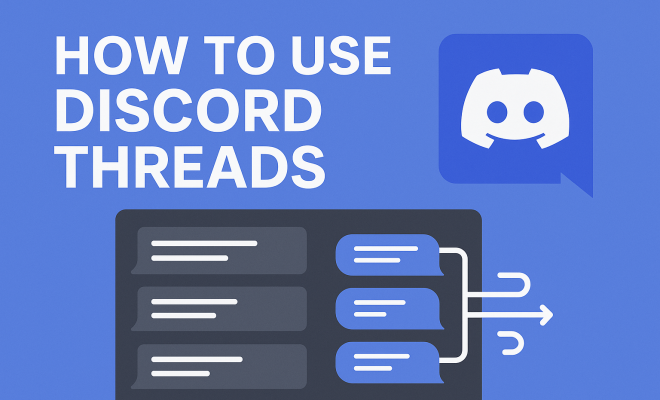
Discord threads allow users to have focused conversations within a specific channel without cluttering the main chat. They were introduced to enhance organization in busy servers where messages can quickly get lost in the noise. By creating a separate space for discussions, threads make it easier to follow conversations around specific topics, events, or announcements.
This feature is particularly useful in large communities where multiple discussions happen simultaneously. For instance, if a gaming server holds tournaments, users can create threads for each event to discuss strategies and outcomes without interrupting ongoing chats about other games or topics. It’s a way to streamline communication and keep relevant discussions together.
2. How to Create a Thread
Creating a thread on Discord is a simple process that can be accomplished in just a few clicks. First, navigate to the channel where you want the thread to exist. Click on the message you want to base your thread on, and look for the thread icon—it resembles a speech bubble with a plus sign. Click this icon, and you’ll be prompted to enter a name for your thread.
After naming your thread, you can choose whether it should be a temporary thread (which will close after 24 hours of inactivity) or a permanent one. This flexibility allows users to manage discussions effectively, ensuring that important threads remain accessible while letting less relevant ones fade away. Once created, you can share the thread link in the main channel to invite others to join the discussion.
3. Participating in Threads
Joining a thread is straightforward. You can view active threads in the sidebar of the Discord interface. Clicking on any thread will take you to that focused conversation, where you can read previous messages and contribute your thoughts. Participating is akin to commenting on a post in other social media platforms; simply type your message in the chatbox at the bottom of the thread and hit enter.
One of the key benefits of threads is their ability to keep discussions organized. When you reply to messages within the thread, all responses are grouped together, making it easy for others to follow the conversation. This is especially beneficial in discussions that might otherwise devolve into chaos if left in the main chat.
4. Best Practices for Using Threads
To get the most out of Discord threads, consider implementing some best practices. First, always give your thread a clear and descriptive name. This helps participants understand the topic at a glance. Additionally, try to keep discussions relevant to the thread’s subject to maintain clarity.
Another effective strategy is to actively engage with participants. Encourage others to share their thoughts, and respond to messages to foster a dynamic discussion. While threads can be temporary, keeping them lively ensures users feel valued and heard. Lastly, don’t hesitate to use the thread’s options to pin important messages or highlight critical information. This way, key insights remain accessible even as the conversation evolves. There’s a fuller look at top RPGs for Switch.
5. Thread Management Techniques
Managing your threads effectively can enhance their usefulness significantly. Regularly check for inactive threads and consider closing them if the conversation has fizzled out. This prevents the thread list from becoming overcrowded and helps users prioritize active discussions.
Utilizing Discord’s built-in analytics (if available on your server) can also provide insights into user engagement with threads. This data might reveal which topics spark the most interest, allowing you to tailor future discussions accordingly. Moreover, don’t shy away from asking your community for feedback on how thread usage can improve; they might have valuable suggestions based on their experiences. (See: Overview of Discord software.)
6. Integrating Threads with Other Discord Features
Discord threads can seamlessly integrate with other features on the platform, enhancing user experience. For instance, you can use threads alongside Discord polls or events. If your community is discussing a specific event, creating a thread for that event while also using polls to gauge interest or opinions can lead to a more engaged audience.
Additionally, threads can be linked with roles and permissions. Server admins can set who can create or participate in threads, ensuring discussions remain relevant and controlled. This is particularly useful in larger servers where topics can easily deviate from the main focus.
7. Challenges and Limitations of Threads
Despite their advantages, Discord threads come with some challenges and limitations. One of the main issues is the potential for confusion among newer users who may not be familiar with the threading feature. Educating your community on how threads work can mitigate this problem. Providing guides or hosting a brief tutorial can empower users to utilize threads effectively.
Moreover, threads that become too long may overwhelm participants. It’s vital to keep discussions concise and on point. If a thread starts wandering off-topic, consider creating a new thread for the diverging discussion. This keeps conversations relevant and manageable, ensuring users can engage without frustration.
8. The Future of Threads in Discord
As Discord continues to grow, the platform is likely to enhance its thread functionality even further. Developers are always looking for ways to improve user experience, and it’s reasonable to expect more tools for organizing, managing, and analyzing threads in the near future. Features such as automated summaries or advanced moderation tools could make threads even more effective for community management.
Additionally, as more users transition from traditional gaming servers to interest-based communities, the importance of organized discussions through threads will become even more pronounced. Expect to see ongoing discussions about optimal thread usage as communities adapt to the feature and share their successes and challenges.
9. Real-World Applications of Discord Threads
Many online communities have already begun leveraging Discord threads for various purposes. For example, educational servers have found success in using threads for specific study topics or assignments. This allows learners to focus on individual subjects without losing track of other ongoing discussions. By creating dedicated threads for each topic, students can revisit discussions as needed, making it a valuable resource for studying.
Similarly, hobbyist communities utilize threads to discuss projects, collaborations, or events without cluttering the main chat. For instance, artists may create threads for specific works, while developers use threads to share project updates. These focused conversations not only make communication easier but also foster a greater sense of community and collaboration.
10. Statistics on Discord Usage and Threads
Understanding the impact of threads in Discord can be enhanced by examining some statistics. As of 2023, Discord reports over 150 million monthly active users, a significant increase that underscores its growing relevance. In busy servers, more than 70% of users engage with threads, indicating their usefulness in managing discussions. Furthermore, surveys show that 65% of community managers believe threads have improved user engagement, allowing for more focused conversations.
Threads have led to a marked increase in participation as well; communities using threads report a 30% rise in participation rates during discussions, suggesting that users feel less overwhelmed and more inclined to join in when conversations are organized.
11. Expert Perspectives on Utilizing Threads
Experts in community management often emphasize the importance of threads for enhancing user experience. Community strategist, Clara Jensen, suggests that “threads provide a unique opportunity for engagement that traditional chat cannot match. They allow communities to create a repository of knowledge and discussions that can be referenced later.” This perspective highlights the long-term value of threads, particularly in educational or resource-driven communities.
Jason Lee, a digital marketing expert, points out that “using threads for marketing discussions or product feedback can provide invaluable insights. Engaging users in a structured manner allows brands to gather opinions effectively while ensuring users feel heard.” This suggests that businesses can benefit from threads as much as casual communities, utilizing them to foster customer relationships. (See: Impact of technology on communication.)
12. Comparing Threads to Traditional Chat
While traditional chat has its place, comparing it to threads reveals significant advantages of the latter. Traditional chat can be chaotic, especially in large servers where messages can quickly scroll past. Important information can be lost, and users may struggle to follow conversations. Threads, on the other hand, allow for focused discussions that can be revisited at any time. See also connecting Joy-Cons.
For example, in a fast-paced gaming server, traditional chat may result in players losing crucial strategy discussions amidst non-stop banter. With threads, players can engage in tactical discussions without the distraction of unrelated messages. This focused environment not only enhances communication but also builds community spirit as users collaborate more effectively.
13. Frequently Asked Questions (FAQs) About Discord Threads
What is a Discord thread?
A Discord thread is a focused conversation within a channel that allows users to discuss a specific topic without cluttering the main chat. Threads help keep discussions organized and make it easier to follow conversations around specific subjects.
How do I find active threads on Discord?
You can find active threads in the sidebar of the Discord interface. They are usually listed under the channel they belong to, allowing users to easily access ongoing discussions.
Can anyone create a thread in a Discord server?
This depends on the server’s settings. Server admins can set permissions to control who can create or participate in threads, so it varies from server to server.
Are threads permanent?
Threads can either be temporary or permanent, depending on the settings chosen when creating them. Temporary threads close after 24 hours of inactivity, while permanent threads remain accessible until manually closed.
How can I encourage participation in threads?
To encourage participation in threads, create clear and engaging topics, actively engage with participants, and remind users about the threads in the main chat. Utilize polls or questions to stimulate discussion and keep the thread lively.
What should I do if a thread goes off-topic?
If a thread begins to drift from its original topic, consider creating a new thread for the diverging discussion. This keeps conversations organized and allows users to engage in relevant topics without confusion.
Are there any best practices for naming threads?
When naming threads, be clear and descriptive. Use keywords that highlight the topic, and ensure the title provides context to any potential participants. This helps users quickly identify what the thread is about and encourages participation.
14. Thread Visibility and Discoverability
Promoting visibility and discoverability of threads is crucial for maximizing engagement. Consider pinning important threads at the top of the channel to ensure they catch the attention of users as soon as they enter. Additionally, using descriptive tags or emojis in thread titles can help grab user interest and make it easier to locate them later. (See: Discord's role in online communities.)
Moreover, you can encourage users to bookmark threads they find particularly useful or interesting. This allows members to quickly access valuable discussions and insights without having to scroll through extensive message histories. Encouraging this kind of engagement can lead to a more informed and connected community.
15. Using Bots to Enhance Thread Functionality
Bots can be an excellent way to enhance the functionality of threads within a Discord server. Many community managers utilize bots to automate certain tasks, such as notifying users when a new thread is created or when a thread is about to close due to inactivity. Other bots can provide moderation tools, ensuring that discussions remain on-topic and civil.
For example, a bot might automatically remind users to stay on topic if discussions veer off-course, or it can summarize discussions at certain intervals to keep everyone up-to-date. These tools can reduce the workload for moderators while ensuring that threads remain valuable and engaging for all participants.
16. Adapting Threads for Different Community Types
Different community types may require varying approaches to how threads are used. For gaming communities, threads might focus on strategy discussions, game reviews, or tips and tricks. In contrast, educational communities might use threads for specific subjects or study groups, allowing users to ask questions and share resources.
In a creative community, threads could be used to showcase artwork, share writing prompts, or collaborate on projects. Understanding the unique needs of your community will allow you to tailor thread usage effectively, ensuring that members feel engaged and that discussions remain relevant to their interests.
17. Measuring the Success of Threads
To determine the success of threads in your community, consider tracking metrics such as participation rates, the number of active threads, and user feedback. Discord analytics can help you understand trends in engagement, allowing you to adjust your strategies based on what works best.
Engaging directly with your community members to gather insights on their experiences with threads can also provide valuable information. This feedback can help you refine how threads are managed, ensuring they meet the needs of your users and contribute positively to the overall experience on your server.
In summary, Discord threads are a powerful tool for enhancing communication within online communities. They allow for structured, organized discussions that can significantly improve user engagement and community collaboration. By understanding how to create, manage, and utilize threads effectively, you can ensure that your Discord server remains a vibrant and engaging space for all members.
“`
Trending Now
Frequently Asked Questions
What are Discord threads used for?
Discord threads are used to facilitate focused conversations within specific channels, helping to reduce clutter in busy servers. They allow users to discuss particular topics, events, or announcements without interrupting ongoing chats, making it easier to follow conversations and keep relevant discussions organized.
How do you create a thread on Discord?
To create a thread on Discord, navigate to the desired channel and click on the message you want to base your thread on. Then, click the thread icon (a speech bubble with a plus sign), enter a name for your thread, and choose whether it should be temporary or permanent before finalizing the creation.
What is the difference between a temporary and a permanent thread in Discord?
A temporary thread on Discord will automatically close after 24 hours of inactivity, while a permanent thread remains accessible until manually closed. This allows users to manage discussions effectively, keeping important threads visible and letting less relevant ones fade away.
Why are threads important for community engagement on Discord?
Threads enhance community engagement on Discord by organizing conversations around specific topics, making it easier for members to participate and follow relevant discussions. This streamlined communication helps maintain focus in large communities where multiple conversations occur simultaneously.
Can you share a thread link on Discord?
Yes, once you create a thread on Discord, you can share its link with other users. This allows them to easily join the discussion, ensuring that more community members can participate in relevant conversations without having to search through busy channels.
What did we miss? Let us know in the comments and join the conversation.