How to use automation Constant Contact
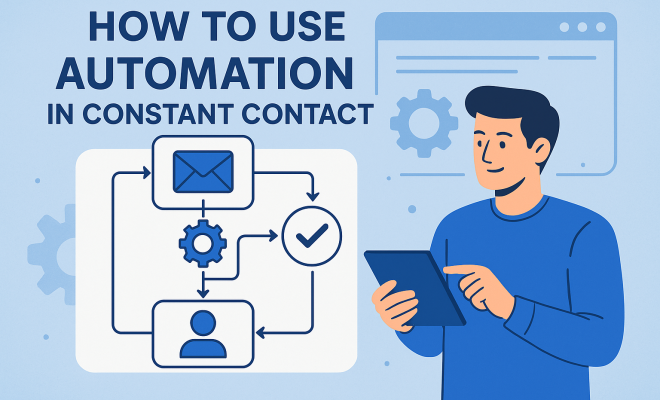
In the bustling world of digital marketing, staying connected with your audience isn’t just a good idea; it’s absolutely essential. But let’s be real: who has the time to manually send every welcome email, follow-up, or birthday greeting? That’s where marketing automation steps in, transforming tedious tasks into seamless, always-on campaigns. And for many small to medium-sized businesses, Constant Contact has become a go-to platform, offering a robust suite of tools that, when used correctly, can dramatically boost engagement and sales.
The beauty of Constant Contact automation lies in its ability to personalize the customer journey without requiring constant human intervention. Think about it: a new subscriber signs up for your newsletter. Instead of sitting in a queue until you get around to sending a manual welcome, an automated email can land in their inbox instantly, setting the tone for your relationship. This isn’t just about convenience; it’s about timeliness, relevance, and creating a professional, responsive image for your brand. Mastering Constant Contact automation isn’t just about setting it and forgetting it; it’s about strategically designing flows that nurture leads, deepen customer loyalty, and drive conversions. Let’s dive into some of the most crucial automation features you need to understand and implement.
1. Welcome Email Series: Making a Great First Impression
Your welcome series is arguably the most important automation you’ll ever set up. When someone signs up for your email list, they’ve just taken a proactive step, indicating interest in what you offer. This is your golden opportunity to solidify that interest, introduce your brand, and set expectations. A single welcome email is good, but a well-crafted series is far better. Constant Contact automation allows you to create a sequence that unfolds over several days or even weeks.
Typically, the first email should arrive immediately after signup, thanking them and perhaps offering a quick win, like a discount code or a link to your most popular content. Subsequent emails can then introduce different facets of your brand – maybe sharing your origin story, highlighting key products or services, or providing valuable tips related to your industry. The goal here isn’t to bombard them with sales pitches, but to build rapport and demonstrate value. Think of it as a guided tour through your brand’s world, helping new subscribers understand why they should stick around.
2. Automated Email Series for Engaged Contacts: Nurturing Your Active Audience
Once you’ve welcomed new subscribers, the work isn’t over. Your most engaged contacts – those who consistently open your emails, click links, or visit your website – are your most valuable audience segment. Constant Contact automation lets you create specific email series designed to reward and further engage these active users. This could involve exclusive content, early access to sales, or invitations to special events.
How do you identify these engaged contacts? Constant Contact tracks opens and clicks, allowing you to segment your list based on engagement levels. You can set up automation triggers so that if a contact opens three of your last five emails or clicks a link in two consecutive newsletters, they automatically enter a special ‘engaged contacts’ series. This makes them feel valued and keeps your brand top of mind. It’s a powerful way to turn casual interest into genuine loyalty, ensuring your most receptive audience gets the VIP treatment. See also top digital marketing courses.
3. Birthday and Anniversary Emails: Personal Touches That Build Loyalty
Small, personal touches can go a long way in building strong customer relationships. Birthday and anniversary emails are prime examples of this, and Constant Contact automation makes them incredibly easy to implement. While it might seem like a minor detail, receiving a personalized greeting on a special day can significantly boost customer sentiment and loyalty.
To use this effectively, you’ll need to collect birth dates or customer anniversary dates (like the date they first made a purchase or subscribed). Constant Contact allows you to store this data. Then, you can set up an automated email that triggers on that specific date each year. You can include a simple ‘Happy Birthday’ message, perhaps with a special discount code as a gift, or an ‘Anniversary Thank You’ for their continued support. These aren’t just polite gestures; they’re subtle reminders of your brand’s appreciation, often leading to repeat business and positive word-of-mouth.
4. List Segmentation and Tagging Automation: The Power of Targeted Messaging
Sending the same message to everyone on your list is a recipe for low engagement. People have different interests, needs, and stages in their customer journey. This is where list segmentation and tagging, powered by Constant Contact automation, become indispensable. Segmentation allows you to divide your overall contact list into smaller, more specific groups based on shared characteristics or behaviors.
For example, you can segment by purchase history (buyers of product A vs. product B), engagement level (active vs. inactive), geographic location, or even how they signed up (website vs. in-store). Constant Contact lets you automate the process of adding contacts to these segments or applying tags based on their actions. If someone clicks on a link about ‘vegan recipes,’ you can automatically tag them as ‘interested in vegan,’ allowing you to send them future emails specifically tailored to that interest. This hyper-targeted approach ensures your messages are always relevant, dramatically increasing open and click-through rates and reducing unsubscribes.
5. Abandoned Cart Reminders: Recovering Lost Sales Automatically
For e-commerce businesses, abandoned carts are a frustrating reality. Customers browse, add items to their cart, and then, for whatever reason, leave without completing the purchase. This represents a significant amount of lost revenue, but Constant Contact automation offers a powerful solution: abandoned cart reminder emails. (See: marketing automation benefits.)
This automation triggers when a customer adds items to their cart but doesn’t complete the checkout process within a specified timeframe (e.g., 24 hours). The email can gently remind them of the items they left behind, perhaps include images of the products, and a direct link back to their cart to complete the purchase. You might even consider offering a small incentive, like free shipping or a limited-time discount, in a follow-up email if the first reminder doesn’t work. This proactive approach can significantly recover sales that would otherwise be lost, turning almost-customers into actual buyers.
6. Event Registration and Follow-Up Series: Streamlining Your Event Marketing
If your business hosts webinars, workshops, or any other type of event, Constant Contact automation can be a game-changer for your event marketing strategy. From the moment someone registers, you can automate a series of communications that ensure they’re well-informed and engaged, ultimately boosting attendance and satisfaction.
An initial automated email can confirm their registration, provide event details, and add the event to their calendar. As the event approaches, you can schedule reminder emails – perhaps one a week before, another a day before, and a final one an hour before with the direct access link. After the event, another automated series can thank attendees, provide a recording or follow-up resources, and even solicit feedback. This comprehensive automation not only saves you immense manual effort but also creates a professional and organized experience for your registrants, increasing the likelihood of future participation.
7. Post-Purchase Follow-Up Series: Enhancing Customer Satisfaction and Driving Repeat Business
The relationship with your customer shouldn’t end once they’ve made a purchase. In fact, the post-purchase phase is a critical opportunity to build loyalty and encourage repeat business. Constant Contact automation allows you to set up intelligent follow-up sequences that enhance the customer experience and provide value beyond the transaction itself.
This series can start with a thank-you email immediately after purchase, confirming their order and providing shipping details. A few days later, you might send an email offering tips on how to use their new product, or suggesting complementary items. Further down the line, you could ask for a product review, or offer a special discount on their next purchase. This approach demonstrates that you care about their satisfaction and provides continued value, transforming one-time buyers into loyal, repeat customers who are more likely to recommend your brand to others.
8. Re-engagement Campaigns for Inactive Contacts: Waking Up Your Dormant Audience
Every email list accumulates inactive contacts over time – subscribers who haven’t opened or clicked an email in months. While it might be tempting to just let them be, these contacts represent a potential goldmine if you can re-engage them. Constant Contact automation makes it possible to launch targeted re-engagement campaigns designed to bring these dormant subscribers back into the fold.
You can set up an automation that triggers when a contact hasn’t opened an email in, say, 90 or 180 days. The re-engagement series typically starts with an email acknowledging their inactivity, perhaps asking if they still want to hear from you. You might offer a compelling reason to re-engage, like a special offer or a preview of new content. If they still don’t respond after a few emails in the series, it’s often best practice to send a final email confirming their removal from your list. This not only cleans up your list, improving your deliverability rates, but also ensures your sending efforts are focused on genuinely interested subscribers. It’s about respecting their inbox and your own resources.
9. Leveraging Landing Pages with Automation: Capturing and Nurturing Leads
Landing pages are crucial for converting visitors into leads, and Constant Contact integrates them beautifully with its automation features. When someone fills out a form on your landing page – whether it’s for a free download, a webinar signup, or a consultation request – you can immediately trigger an automated response. This instant follow-up is vital for lead nurturing.
Imagine someone downloads your ebook on “10 Tips for Small Business Marketing.” The moment they submit their email on your Constant Contact landing page, an automation can: 1) send them the ebook directly, 2) tag them as “Ebook: Marketing Tips,” and 3) enroll them in a follow-up email series specifically about advanced marketing strategies. This isn’t just a transactional exchange; it’s the start of a tailored conversation. Without this automation, leads might cool off waiting for a manual response, or you might miss the opportunity to send relevant content that keeps them engaged and moving further down your sales funnel.
10. Integrating Constant Contact Automation with Other Platforms: Expanding Your Reach
While Constant Contact itself offers a powerful suite, its true potential often shines when integrated with other tools you already use. Think about your CRM, e-commerce platform, or even social media schedulers. Constant Contact automation can receive data from these external sources and trigger actions, or send data back to them, creating a truly unified marketing ecosystem.
For instance, if a customer makes a high-value purchase on your Shopify store (integrated with Constant Contact), that action can automatically tag them as a “VIP Customer” in Constant Contact and enroll them in a special loyalty program email series. Or, if a lead fills out a contact form on your website (using a tool like Zapier to connect), they can automatically be added to your Constant Contact list and receive a welcome email. This cross-platform automation saves an incredible amount of time, reduces manual data entry errors, and ensures your customer data is consistent and actionable across all your marketing efforts. It means your email marketing isn’t an island; it’s a central hub for all your customer interactions.
11. A/B Testing Your Automation Flows: Optimizing for Performance
Setting up automation is a great first step, but the work doesn’t end there. To truly maximize your Constant Contact automation, you need to continually test and refine your flows. This is where A/B testing comes in. A/B testing, also known as split testing, involves creating two slightly different versions of an email or an automation path and sending them to segments of your audience to see which performs better.
For example, in your welcome series, you could A/B test two different subject lines for the first email to see which gets a higher open rate. You might test two different calls to action (CTAs) within an email to see which drives more clicks. Or, you could even test different delays between emails in a series to find the optimal pacing. Constant Contact allows you to track these metrics, giving you the data you need to make informed decisions. By constantly tweaking and optimizing based on real-world performance, you can ensure your automated campaigns are always working at their peak efficiency, leading to better engagement and higher conversion rates over time. (See: importance of marketing automation.)
Why Constant Contact Automation is a Game Changer for Small Businesses
For small to medium-sized businesses, the benefits of Constant Contact automation extend beyond just saving time. It levels the playing field, allowing smaller operations to execute sophisticated marketing strategies that were once only accessible to large corporations with dedicated marketing teams.
Scalability Without Increased Headcount
As your business grows, your customer base expands, and so does the need for communication. Automation allows you to scale your marketing efforts without needing to hire more staff just to send emails. Whether you have 100 subscribers or 100,000, the automated workflows function just the same, ensuring consistent communication regardless of volume.
Enhanced Customer Experience
Customers today expect personalized and timely interactions. Automation makes this possible by ensuring that greetings, reminders, and relevant offers land in their inbox at precisely the right moment. This creates a perception of attentiveness and care, even when it’s all running on autopilot.
Data-Driven Decisions
Constant Contact tracks the performance of your automated emails. You can see open rates, click-through rates, and even conversions. This data is invaluable, allowing you to understand what resonates with your audience and what doesn’t. You can then use these insights to refine your strategies, making your marketing more effective over time.
Reduced Human Error
Manual processes are prone to mistakes – forgetting to send an email, sending the wrong discount code, or misspelling a customer’s name. Automation eliminates these common errors, ensuring a professional and consistent brand image in every interaction.
Focus on Core Business Activities
By taking repetitive marketing tasks off your plate, automation frees up valuable time for you and your team. You can then dedicate this time to developing new products, improving customer service, or strategizing for future growth – the core activities that truly drive your business forward.
Expert Perspectives on Marketing Automation
Industry leaders consistently highlight the transformative power of automation, especially for businesses navigating competitive digital landscapes. According to a recent report by Salesforce, 80% of customers say the experience a company provides is as important as its products or services. Automation is key to delivering that superior experience at scale.
Marketing guru Neil Patel emphasizes that “automation done right can lead to higher engagement, better conversions, and ultimately, more revenue.” He often advises businesses to start with simple welcome series and then gradually build out more complex flows as they understand their customer journey better. This iterative approach helps ensure that automation supports, rather than overwhelms, existing marketing efforts.
On the e-commerce side, statistics from Klaviyo show that abandoned cart emails have an average open rate of around 45% and a click-through rate of 21%, with nearly 11% of those clicks leading to a purchase. This quantifiable impact underscores why features like Constant Contact’s abandoned cart reminders aren’t just a nice-to-have, but a crucial revenue recovery tool.
Common Pitfalls to Avoid with Constant Contact Automation
While Constant Contact automation is powerful, it’s not a magic bullet. There are common mistakes businesses make that can hinder its effectiveness: (See: Harvard's research on consumer engagement.)
- Setting and Forgetting: As mentioned, automation requires ongoing optimization. Don’t just set up a series and never look at it again. Regularly review performance metrics and make adjustments.
- Over-Automating: Not every interaction needs to be automated. Balance automated messages with genuine, personal outreach when appropriate, especially for high-value clients or complex inquiries.
- Lack of Personalization: Sending generic automated emails defeats the purpose. Use the segmentation and tagging features to ensure your messages are highly relevant to the recipient.
- Too Many Emails Too Soon: Bombarding new subscribers or re-engaged contacts with too many emails in a short period can lead to unsubscribes. Plan your cadence carefully.
- Ignoring Inactive Contacts: While re-engagement campaigns are good, sometimes it’s better to remove truly inactive contacts from your list. Sending to uninterested parties hurts your sender reputation and deliverability.
- Poorly Defined Triggers: If your automation triggers aren’t precise, you might send the wrong message to the wrong person at the wrong time. Double-check your conditions.
Frequently Asked Questions About Constant Contact Automation
Q1: Is Constant Contact automation suitable for very small businesses or solopreneurs?
Absolutely! Constant Contact is designed with small businesses in mind. Its user-friendly interface and drag-and-drop email builder make it accessible even for those without extensive technical knowledge. Automation features, even simple ones like a welcome series, can save a solopreneur immense time and help them appear more professional and organized.
Q2: How do I know which automation to set up first?
Start with the basics. A welcome email series (Section 1) is almost always the best first step, as it immediately engages new subscribers. For e-commerce businesses, abandoned cart reminders (Section 5) are also high-impact. After that, consider automating birthday emails (Section 3) and leveraging segmentation (Section 4) for more targeted regular newsletters.
Q3: Can Constant Contact automation integrate with my CRM or e-commerce store?
Yes, Constant Contact offers a variety of integrations. It has direct integrations with popular platforms like Shopify, WordPress, and various CRMs. For other tools, you can often use third-party integration platforms like Zapier to connect Constant Contact and automate data flow between systems.
Q4: What’s the difference between a “series” and a “single automated email” in Constant Contact?
A single automated email is triggered by an event (e.g., a birthday) and sends just one message. An automated series, on the other hand, is a sequence of emails that are sent out over a period of time, triggered by an initial event (e.g., a new signup). Each email in the series can be scheduled with specific delays after the previous one, allowing for a more extended communication flow.
Q5: How can I personalize my automated emails without manually writing each one?
Constant Contact allows you to use merge tags (also called personalization tags). These tags pull specific data from your contact list, such as a contact’s first name, city, or even their last purchase. By inserting these tags into your email templates, each automated email will appear personalized to the recipient without any manual intervention from you.
Q6: Will Constant Contact automation send emails to unsubscribed contacts?
No. Constant Contact automatically respects unsubscribe requests. Once a contact unsubscribes from your list, they will be removed from all future email sends, including automated series, ensuring you comply with anti-spam regulations and maintain a good sender reputation.
Q7: How often should I review my automation flows?
It’s a good practice to review your core automation flows at least quarterly, or whenever you notice significant changes in your business, audience, or marketing goals. Pay attention to open rates, click rates, and unsubscribes within your automated series. A/B testing (Section 11) should be an ongoing process for continuous improvement. For more on this, see starting your own agency guide.
Mastering Constant Contact automation is more than just setting up a few emails; it’s about crafting a strategic, personalized journey for every contact. From the moment they subscribe to long after their purchase, automation ensures your brand is always present, always relevant, and always working to build stronger relationships. It frees up your time, reduces manual errors, and ultimately drives better results for your business. So, take the time to explore these features, plan your flows, and watch your engagement soar.
Trending Now
Frequently Asked Questions
How do I set up automation in Constant Contact?
To set up automation in Constant Contact, navigate to the 'Automation' tab in your account. Choose the type of campaign you want to create, such as a welcome email series, and follow the prompts to customize your emails, schedule timing, and set triggers based on subscriber actions.
What is a welcome email series in Constant Contact?
A welcome email series in Constant Contact is a sequence of automated emails sent to new subscribers. This series is designed to engage them immediately, introduce your brand, and set expectations. A well-crafted series can significantly enhance initial engagement and build a strong customer relationship.
Why is automation important in email marketing?
Automation is crucial in email marketing because it saves time and ensures timely communication with your audience. It allows businesses to send personalized messages at scale, such as welcome emails or follow-ups, enhancing customer experience and improving engagement without constant manual effort.
Can I personalize emails with Constant Contact automation?
Yes, Constant Contact automation allows for personalization in emails. You can customize content based on subscriber data, such as their name or preferences, which helps create a more relevant and engaging experience for recipients, ultimately boosting engagement and conversions.
What types of automated emails can I send with Constant Contact?
With Constant Contact, you can send various types of automated emails, including welcome series, birthday greetings, follow-up emails, re-engagement campaigns, and post-purchase thank you messages. These automated emails enhance customer relationships and streamline communication.
What did we miss? Let us know in the comments and join the conversation.