Master CPU Stress Testing: Boost Performance & Stability
“`html
In the world of computing, the performance and reliability of a CPU are paramount, especially for gamers, content creators, and professionals who rely on heavy processing tasks. So, how do you ensure your CPU can handle the demands of modern applications? The answer lies in stress testing.
1. What is a CPU Stress Test?
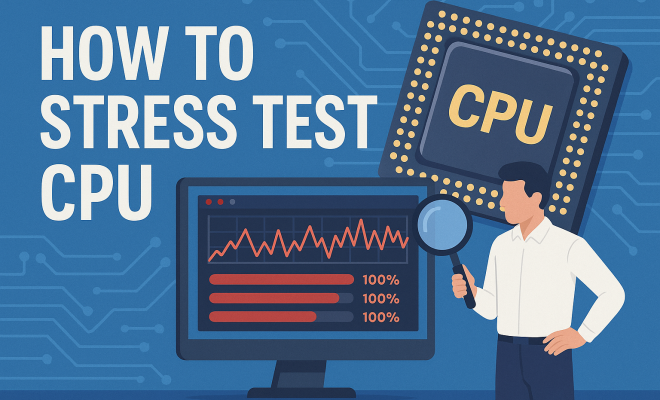
A CPU stress test is a rigorous evaluation designed to assess the performance and stability of a central processing unit (CPU) under heavy workloads. This process involves pushing the CPU to its limits to see how it responds when subjected to extreme conditions. By running a stress test, users can identify potential issues like overheating, instability, or hardware failures.
Stress testing is especially crucial for overclockers who want to maximize performance. When you overclock your CPU, you operate it beyond its factory settings, which can lead to instability if not properly tested. Stress testing provides a controlled environment to ensure that the overclocked CPU can run reliably during intensive tasks.
2. Why You Should Stress Test Your CPU
There are several compelling reasons to perform a stress test on your CPU:
- Stability Checks: A stress test helps ensure that your CPU operates stably under load, minimizing the risk of crashes during heavy usage.
- Thermal Management: It allows you to monitor temperatures and ensure your cooling solutions are adequate to prevent overheating.
- Hardware Validation: Stress tests can help identify potential hardware issues that may not be evident during normal use.
- Overclocking Success: For enthusiasts looking to overclock, stress testing is essential to confirm that the CPU can handle the increased frequency.
The bottom line? Stress testing your CPU gives you peace of mind, ensuring that your system is capable of handling whatever tasks you throw at it.
3. Tools for Stress Testing Your CPU
Fortunately, there are numerous tools available for stress testing CPUs. Here are some of the most popular:
- Prime95: This classic tool is favored by overclockers for its ability to push CPUs to their limits using complex mathematical computations.
- IntelBurnTest: Designed for Intel processors, this tool is known for its speed and efficiency in stress testing.
- Cinebench: While primarily a benchmark tool for rendering performance, Cinebench can also serve as a stress test, particularly for tasks involving multi-threading.
- AIDA64: This comprehensive diagnostic tool includes stress testing capabilities and detailed hardware monitoring.
Choosing the right tool often depends on your specific needs and CPU architecture, so consider experimenting with a few to see what works best for you.
4. How to Prepare for a CPU Stress Test
Successful stress testing requires proper preparation. Here’s how to get ready:
- Check Cooling Solutions: Ensure your CPU cooler is functioning optimally and that thermal paste is applied correctly. A poorly cooled CPU can lead to thermal throttling during stress tests.
- Monitor Temperatures: Use monitoring software like HWMonitor or Core Temp to keep an eye on CPU temperatures throughout the test.
- Close Background Applications: To ensure accurate results, close all unnecessary applications and processes that could interfere with the test.
By taking these steps, you’ll create an ideal environment for the stress test, resulting in more reliable outcomes.
5. Executing the Stress Test
Now that you’re prepared, it’s time to execute the stress test. Here’s a step-by-step guide:
- Select Your Tool: Choose one of the tools mentioned earlier based on your needs.
- Configure Settings: Most stress testing tools will allow you to customize the duration and intensity of the test. Aim for a test duration of at least 30 minutes to one hour for meaningful results.
- Start the Test: Launch the stress test and monitor your CPU’s performance and temperatures closely.
- Observe Results: Keep an eye out for any errors or warnings during the test. If your CPU begins to throttle or if temperatures exceed safe limits (typically around 80-90°C for most CPUs), it’s time to stop the test.
Once the test is finished, review the results to assess your CPU’s performance and stability.
6. Understanding the Results
Interpreting the results of your CPU stress test is crucial for understanding your system’s performance. Here’s what to look for:
- Errors: If your stress testing software reports errors, it indicates that your CPU may not be stable under load. This could be due to insufficient cooling, improper voltage settings, or other hardware issues.
- Temperature Readings: Check the maximum temperatures reached during the test. If they were consistently high, consider improving your cooling solution.
- Performance Metrics: Look at how well your CPU performed relative to its specifications. If it fell short, it might indicate issues with the CPU itself or the overall system configuration.
By carefully analyzing these aspects, you can make informed decisions about potential upgrades or fixes. (See: understanding CPU overclocking risks.)
7. Common Issues During Stress Testing
While stress testing can yield valuable insights, it’s not without its challenges. Here are some common issues you might encounter:
- Overheating: If your CPU temperature spikes excessively, it may result in thermal throttling, where the CPU reduces its performance to cool down. This can impact test results and may indicate a need for better cooling.
- System Crashes: A sudden crash or a blue screen of death (BSOD) during a stress test typically points to instability in the CPU or power supply issues.
- Inaccurate Results: Background processes can skew test results, so it’s vital to ensure that your testing environment is clean and isolated.
Addressing these issues promptly can help you achieve a more reliable stress test outcome.
8. Post-Stress Test Actions
After completing your stress test, it’s essential to take appropriate actions based on the results. Here are some recommendations:
- Adjust Settings: If you’ve encountered stability issues, consider reverting to less aggressive overclocking settings or adjusting voltage levels.
- Enhance Cooling: If temperatures were too high, evaluate your cooling solution. Adding fans, improving airflow, or upgrading your CPU cooler can make a significant difference.
- Run Additional Tests: To further validate your CPU’s performance, consider running additional benchmarks or stress tests with different tools to confirm results.
Taking these steps can help you optimize your CPU for peak performance and reliability, ensuring that it meets your needs.
9. Current Relevance of CPU Stress Testing
As technology advances, the importance of stress testing CPUs has become even more pronounced. With the rise of demanding applications, such as 3D rendering, video editing, and intense gaming, understanding how to stress test a CPU is essential for anyone looking to maximize their system’s capabilities.
Moreover, with the proliferation of remote work and online learning, users are relying more heavily on their home computers than ever before. Ensuring that your CPU can handle the increased demands is key to maintaining productivity. By incorporating regular stress testing into your maintenance routine, you can ensure that your system remains stable, reliable, and ready to tackle any task.
10. Understanding CPU Architecture and Its Impact on Stress Testing
Understanding the architecture of your CPU can provide valuable context for your stress testing results. Modern CPUs utilize complex architectures that influence performance and stability. For example, Intel and AMD processors have different designs, thermal profiles, and power management features.
Intel’s Hyper-Threading technology allows a single CPU core to handle multiple threads, improving efficiency during stress tests. On the other hand, AMD’s Simultaneous Multithreading (SMT) can provide similar benefits. Knowing your CPU’s architecture helps you choose the right stress testing parameters, as some CPUs might handle certain workloads better than others.
Additionally, CPU generation plays a significant role in performance. For instance, newer generations often feature improved thermal designs and power efficiency, which can affect how they handle stress tests compared to older models. Understanding these nuances can help you interpret your stress test outcomes more accurately.
11. Real-World Applications of CPU Stress Testing
CPU stress testing isn’t just a theoretical exercise; it has practical implications across various fields. For example, in gaming, ensuring that your CPU can run demanding titles without crashing or lagging enhances the overall gaming experience. Stress testing can reveal if your CPU can handle high frame rates during intense action sequences.
In content creation, where rendering videos or graphics can be CPU-intensive, stress testing can help content creators understand their system’s limitations. Knowing your CPU’s capabilities can guide decisions on hardware upgrades, ensuring you invest in components that meet your needs.
Businesses also benefit from CPU stress testing. In server environments, ensuring stability under heavy loads is critical to maintaining uptime and performance. Regular stress testing can help IT departments identify potential hardware failures before they become significant issues, thus reducing downtimes and enhancing productivity.
12. Statistics and Trends in CPU Stress Testing
When looking at the landscape of CPU stress testing, several statistics can shed light on the importance of this practice. A study by PC Gamer indicated that over 70% of gamers stress test their CPUs when overclocking. This highlights a growing awareness among users regarding the significance of stability and performance.
Moreover, with the rise of high-performance computing, approximately 60% of professionals in tech-related fields engage in regular stress testing to ensure their systems can handle the demands of their work. This trend is expected to continue as software becomes more resource-intensive and users seek to optimize their systems for maximum performance. (See: research on CPU performance testing.)
13. Expert Perspectives on Stress Testing
Experts in the field of computer engineering and technology frequently emphasize the importance of stress testing CPUs. Dr. Anna Lee, a computer science professor at MIT, states, “Ignoring the need to stress test can lead to significant problems down the line. It’s not just about performance—it’s about ensuring reliability for your systems.” Her perspective aligns with a broader industry view that sees stress testing as a fundamental practice in system maintenance.
Similarly, Tom’s Hardware, a well-respected tech review site, advocates for regular stress testing, particularly for users who push their hardware to the limits. Their extensive testing methodology often includes stress testing as a crucial step in evaluating CPU performance. This reinforces the idea that stress testing is a universally recognized practice among both casual users and professionals.
14. FAQs about CPU Stress Testing
Q: How long should I run a CPU stress test?
A: Generally, running a stress test for at least 30 minutes to one hour is recommended for obtaining reliable results. Longer tests can provide more comprehensive insights, especially if you’re overclocking.
Q: Can stress testing damage my CPU?
A: While stress testing puts your CPU under heavy load, if done correctly with proper cooling and voltage settings, it shouldn’t cause any damage. However, excessive overclocking combined with inadequate cooling can lead to hardware failure.
Q: What temperature is considered safe during stress testing?
A: Most CPUs have a safe operating temperature range of 70-90°C. Exceeding this range could lead to thermal throttling and potential long-term damage.
Q: Is stress testing necessary for gaming systems?
A: Yes, stress testing is essential for gaming systems, especially if you plan to overclock. It ensures that your system remains stable during demanding gaming sessions and prevents crashes or performance drops.
Q: What should I do if my stress test fails?
A: If your stress test fails, check your cooling solution, voltage settings, and system stability. Consider lowering your overclock settings, enhancing cooling, or replacing faulty components if necessary. (See: impact of stress on performance.)
15. Additional Considerations for Stress Testing
Beyond just running a stress test, there are additional factors to consider to enhance your overall stress testing experience.
Understanding Different Testing Methods
Different stress testing methods can yield varying insights. For instance, using a combination of synthetic benchmarks and real-world applications can provide a more comprehensive view of your CPU’s performance. Synthetic benchmarks like Prime95 focus purely on CPU load and can highlight issues that might not appear in everyday usage.
On the other hand, running benchmarks during actual gameplay or while performing rendering tasks can provide data that’s more relevant to your specific usage patterns. This dual approach can give you the best of both worlds and allow you to understand how your CPU performs in various scenarios.
Frequency of Stress Testing
How often should you stress test your CPU? While it might seem excessive to test frequently, regular testing can help you catch issues before they become significant problems. For gamers or users who regularly overclock, stress testing once every few months is recommended. For those in professional environments where uptime is crucial, monthly checks might be more appropriate.
Additionally, after major system changes—like updating your BIOS or installing new hardware—it’s wise to perform stress tests to ensure everything runs smoothly.
Utilizing Monitoring Software
To complement your stress testing, consider using monitoring software to track CPU performance in real-time during the tests. Programs like MSI Afterburner or NZXT CAM can provide valuable insights into your CPU’s performance metrics, such as clock speeds, temperatures, and usage percentages. These insights can help you make informed decisions about overclocking adjustments or cooling solutions.
16. Future of CPU Stress Testing
As technology continues to evolve, the methods and tools for stress testing CPUs will likely advance as well. With the rise of AI and machine learning algorithms, future stress testing tools may incorporate smarter testing parameters that adapt based on real-time data, providing users with even more accurate assessments of their CPU’s capabilities.
Furthermore, as CPUs become more powerful, the need for effective stress testing will remain vital. Understanding how to effectively stress test next-generation CPUs will be crucial for users to maximize performance while ensuring system stability.
17. Final Thoughts on Stress Testing Your CPU
Ultimately, stress testing your CPU is not just for enthusiasts or professionals; it’s a smart practice for anyone serious about their computing experience. So, whether you’re gaming, creating, or just browsing, a stress test can help you get the most out of your CPU. By following the right procedures and understanding the results, you can ensure that your system is well-prepared to handle whatever tasks you need it to perform.
“`
Trending Now
Frequently Asked Questions
What is a CPU stress test?
A CPU stress test is a method used to evaluate the performance and stability of a central processing unit under heavy workloads. It involves pushing the CPU to its limits to identify potential issues such as overheating or instability, ensuring reliable performance during intensive tasks.
Why should I stress test my CPU?
Stress testing your CPU is essential for several reasons: it checks stability under load, monitors thermal performance to prevent overheating, validates hardware reliability, and ensures that overclocked CPUs can handle increased frequencies without crashing.
How do I stress test my CPU?
To stress test your CPU, you can use specialized software tools designed for this purpose. These tools simulate heavy workloads, allowing you to monitor CPU performance, temperatures, and stability during the test, ensuring that your system can handle demanding applications.
What tools can I use to stress test my CPU?
There are various tools available for stress testing your CPU, including Prime95, AIDA64, and IntelBurnTest. These programs are designed to push your CPU to its limits while providing detailed monitoring of performance and temperatures.
Is stress testing safe for my CPU?
Yes, stress testing is safe for your CPU when done correctly. It is a controlled process that helps identify potential issues. However, ensure that your cooling solutions are adequate to prevent overheating during the test.
Agree or disagree? Drop a comment and tell us what you think.