How to shred files permanently
“`html
In an age where data breaches and identity theft are rampant, the importance of protecting personal and sensitive information cannot be overstated. One crucial aspect of safeguarding your data is knowing how to permanently shred files. This article will explore the various methods available to ensure your digital files are irretrievably deleted, providing you with comprehensive insights, practical steps, and a sound understanding of why it matters.
1. Understanding File Deletion
When you delete a file from your computer, many users assume it’s gone. However, this isn’t the case. Typically, when a file is deleted, it’s simply moved to the Recycle Bin or marked as deleted in the file system. This means the data may still exist on your hard drive until it is overwritten. Understanding this process is critical to grasping why you need to permanently shred files.
In computer terms, files are often deleted by removing their references rather than the actual data. Until new data is written over the old data, it remains recoverable with the right tools. This reality is frightening, especially if the deleted files include sensitive information such as bank statements, personal documents, or any private data.
2. The Risks of Incomplete Deletion
The risks associated with incomplete file deletion extend beyond mere inconvenience. Cybercriminals are increasingly adept at recovering deleted information. According to the Identity Theft Resource Center, nearly 1.4 million Americans fell victim to identity theft in 2020 alone, underscoring the critical need to ensure your information is genuinely erased.
Moreover, even seemingly innocuous files can lead to significant security issues. For instance, a deleted document containing your address or phone number could be the gateway for identity theft. Companies are also at risk; sensitive customer information, if not properly destroyed, could lead to severe financial and reputational damage. Thus, understanding how to permanently shred files becomes a vital step in data protection.
3. Why You Need to Permanently Shred Files
Before you even think about how to permanently shred files, it’s essential to comprehend the reasons behind it. Data breaches can lead to unauthorized access to your accounts, financial loss, and immense emotional distress. According to a 2020 report by IBM, the average cost of a data breach was around $3.86 million, highlighting the financial implications of inadequate data security.
Furthermore, with the rise of remote work and cloud storage, sensitive data can proliferate beyond your personal devices. As more files are shared, the need for a robust file deletion strategy becomes imperative. If your data management strategy lacks a thorough shredding process, you may be exposing yourself and your organization to unnecessary risks. (See: Identity Theft Resource Center.)
4. Methods to Permanently Shred Files
Now that we understand the importance of shredding files, let’s explore the methods available. There are several ways to permanently shred files, each varying in complexity and effectiveness. Here are the most common approaches:
- Software Solutions: Various applications are available for file shredding, such as Eraser, CCleaner, and BleachBit. These programs overwrite your files multiple times to make recovery virtually impossible.
- Disk Wiping Tools: For a more thorough approach, disk wiping tools like DBAN (Darik’s Boot and Nuke) can delete everything on a disk and write random data over it, ensuring no traces remain.
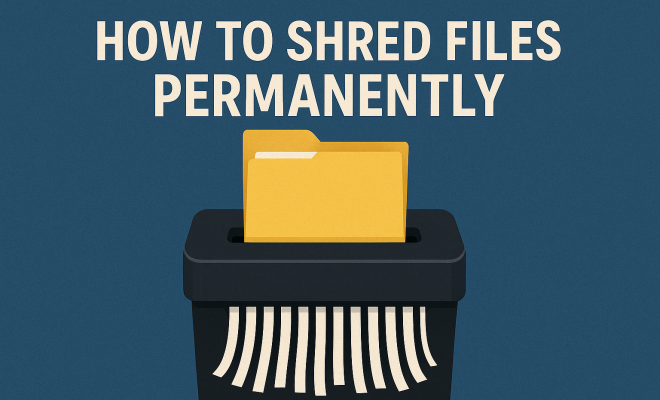
- Physical Destruction: If you’re dealing with sensitive physical media, such as hard drives or USB sticks, physically destroying these items is the most secure method. This can involve shredding, crushing, or incinerating the media.
Each of these methods has its pros and cons, and the choice often depends on the level of security required and the type of data being shredded.
5. Choosing the Right Software for File Shredding
When it comes to software solutions for shredding files, selecting the right program is crucial. Look for software that offers multiple overwriting methods, as this increases the chances that your data is irretrievable. Programs like Eraser allow you to choose the number of passes for overwriting data, with options ranging from one pass to as many as 35 passes.
Another vital factor is the software’s ease of use. You want a program that allows you to permanently shred files with a simple interface and straightforward instructions. Features like scheduling automatic shredding and secure deletion of entire drives can also be beneficial for users seeking convenience.
6. Permanently Shredding Files on Different Operating Systems
Different operating systems may have unique methods for permanently shredding files. Here’s a brief overview of how to go about it:
- Windows: On Windows, tools like CCleaner can be used to securely delete files. Alternatively, the built-in Cipher command can overwrite free disk space, ensuring deleted files are unrecoverable.
- Mac: For Mac users, the built-in Disk Utility offers a secure erase feature that allows users to erase entire drives or partitions while overwriting the data.
- Linux: Linux users can utilize the ‘shred’ command in the terminal to permanently shred files. This command provides an option to overwrite the file multiple times.
Regardless of your operating system, knowing how to use these tools effectively can make a significant difference in protecting your data.
7. Physical Media Destruction Techniques
When it comes to physical media, digital shredding software won’t cut it. Physical destruction is sometimes the best way to ensure your data is no longer accessible. Options for physical media destruction include:
- Shredding: File shredders are designed to cut hard drives and other media into tiny pieces, making data recovery impossible.
- Crushing: A heavy-duty crusher can physically deform the storage device, rendering it unusable.
- Incineration: For the ultimate destruction, incinerating drives and disks eliminates any possibility of recovery.
It’s vital to ensure that any method of physical destruction complies with local laws and regulations regarding data disposal and e-waste management. (See: NIST Secure Deletion Guidelines.)
8. Best Practices for File Management and Security
Permanently shredding files is just one aspect of a solid data security strategy. Here are some best practices to consider:
- Regular Backups: Always back up important files securely before purging them from your system.
- Use Encryption: Encrypt sensitive data to add an extra layer of security before deletion.
- Stay Updated: Keep your software up to date to protect against vulnerabilities that could expose your data.
- Educate Yourself: Stay informed about the latest cybersecurity threats and data management practices. Knowledge is a powerful tool in protecting your information.
- Review Access Permissions: Periodically review who has access to your sensitive data and ensure only necessary personnel have permissions.
Implementing these practices can significantly enhance your overall data security protocol, reducing the chances of data breaches and unauthorized access.
9. The Future of Data Privacy and File Shredding
As technology advances, so do the methods employed by cybercriminals. Data privacy and file shredding techniques will evolve, necessitating ongoing education and adaptation. The future may see enhanced algorithms for file shredding and even integration of artificial intelligence to detect and eliminate sensitive data.
Moreover, as more individuals and organizations recognize the importance of data privacy, there may be an increase in regulatory requirements surrounding data destruction. Staying ahead of these trends and adapting your practices accordingly will be crucial for anyone looking to maintain their privacy in a digital world.
10. Common Misconceptions about File Shredding
Many people harbor misconceptions about permanently shredding files that can lead to inadequate security practices. Let’s address some of these myths:
- Myth 1: Deleted Files are Gone Forever – As mentioned earlier, merely deleting a file does not erase it from the disk. Comprehensive measures like shredding are required to fully remove files from existence.
- Myth 2: One Method is Enough – Relying solely on one method, such as software deletion, may not provide complete security. Using a combination of methods, including physical destruction for extremely sensitive data, can enhance security.
- Myth 3: Only Large Organizations Need to Worry – Individuals are just as vulnerable to identity theft and data breaches as corporations. Everyone needs to adopt file shredding practices to safeguard their personal information.
- Myth 4: File Shredding is Time-Consuming – Many modern software tools streamline the shredding process, making it quick and efficient. Inserting this practice into your routine can save time and money in the long run.
- Myth 5: Once Files are Deleted from the Recycle Bin, They are Gone – Files in the Recycle Bin can often be restored unless a shredding software has been used to overwrite them. Always ensure proper shredding techniques are employed.
11. Statistics on Data Breaches
Understanding the landscape of data breaches can highlight the necessity for permanently shredding files. Here are some significant statistics: (See: CDC Data Security Resources.)
- According to a 2021 Verizon Data Breach Investigations Report, 85% of breaches involved a human element, whether through social engineering or simple mistakes, underscoring the need for rigorous file management.
- The Ponemon Institute reported that the average time to identify a data breach in 2022 was 207 days, emphasizing the prolonged exposure and risk associated with unprotected data.
- In 2020, the average cost of a data breach increased by 10% compared to the previous year, highlighting the growing financial implications of inadequate data management strategies.
- Research from Cybersecurity Ventures predicts that cybercrime damage costs will reach $10.5 trillion annually by 2025, stressing the necessity of robust data protection strategies, including file shredding.
- Another alarming statistic from IBM states that compromised personal records in data breaches have increased, with 4.1 billion records exposed in 2019 alone, illustrating the scale of the threat.
12. Expert Perspectives on Data Security
Experts in cybersecurity stress the importance of data hygiene and the role of permanently shredding files. According to Dr. Jessica Barker, a cybersecurity expert, “Data protection is not just about technology; it’s about people and processes. Incorporating file shredding into your routine is a best practice that safeguards against potential breaches.”
Similarly, Bruce Schneier, a well-known security technologist, emphasizes, “Data is a new currency; protecting it should be a priority for everyone. Permanently shredding files goes a long way in minimizing risks associated with data breaches.”
In addition, cybersecurity consultant Kelly Shortridge argues that “a proactive approach to data management, including comprehensive file shredding processes, can significantly decrease the likelihood of data breaches. Organizations must prioritize data hygiene as part of their overall security strategy.”
13. Frequently Asked Questions (FAQ)
Here are some common questions people have about permanently shredding files:
- Q: Is file shredding necessary for home users?
A: Yes, home users often store sensitive personal information, making file shredding a critical aspect of data security. - Q: How do I know if my files have been permanently shredded?
A: Use specialized file recovery software to check if the files can still be retrieved. If they cannot be recovered, they have been effectively shredded. - Q: Can I recover files after using a file shredding tool?
A: Once files are shredded using proper methods, recovery is virtually impossible, as the data has been overwritten multiple times. - Q: Are there legal implications for not shredding files?
A: Yes, depending on your location and the type of data, there may be legal requirements for data destruction, especially concerning personal and sensitive information. - Q: What should I do with old hard drives?
A: Before disposing of old hard drives, it is essential to either securely wipe them using shredding software or physically destroy them to prevent data leakage. - Q: How often should I shred files?
A: You should shred files whenever you no longer need them, especially if they contain sensitive information. Regularly reviewing your files can help maintain data security. - Q: Are there any costs associated with file shredding software?
A: While there are free options available, many robust file shredding solutions come with a cost. However, investing in reputable software can save you from higher costs associated with data breaches. - Q: Can file shredding software protect against ransomware?
A: While file shredding software helps in managing sensitive data, it does not protect against ransomware directly. Employing a comprehensive cybersecurity strategy is necessary for ransomware protection.
In summary, knowing how to permanently shred files is not just a technical skill; it’s a fundamental aspect of protecting your privacy in today’s data-driven landscape. By understanding the risks, employing the right methods, and adhering to best practices, you can take significant steps to ensure your sensitive information remains secure and out of reach of unauthorized users.
“`
Trending Now
Frequently Asked Questions
What does it mean to permanently shred files?
Permanently shredding files refers to the process of irretrievably deleting data from your computer, ensuring it cannot be recovered. Unlike simply deleting a file, which may leave remnants on your hard drive, shredding it overwrites the data, making it impossible to retrieve with recovery tools.
Why is it important to permanently delete files?
Permanently deleting files is crucial to protect sensitive information from cybercriminals. Deleted files can often be recovered unless they are shredded, which can lead to identity theft or data breaches. Ensuring that personal and confidential data is irretrievably erased helps safeguard your privacy and security.
How can I permanently shred files on my computer?
You can permanently shred files using specialized software designed for secure file deletion, such as Eraser or CCleaner. These tools overwrite the data multiple times, making recovery impossible. Additionally, some operating systems offer built-in options for secure deletion, which can be used to shred files effectively.
What happens to files when you delete them?
When you delete a file, it is typically moved to the Recycle Bin or marked as deleted, but the actual data remains on the hard drive until overwritten. This means that unless you permanently shred the files, they can still be recovered using data recovery tools.
Can deleted files be recovered after shredding?
No, once files are permanently shredded using reliable data destruction methods, they cannot be recovered. The shredding process overwrites the original data multiple times, ensuring that it is irretrievable, which is essential for protecting sensitive information from unauthorized access.
What’s your take on this? Share your thoughts in the comments below — we read every one.